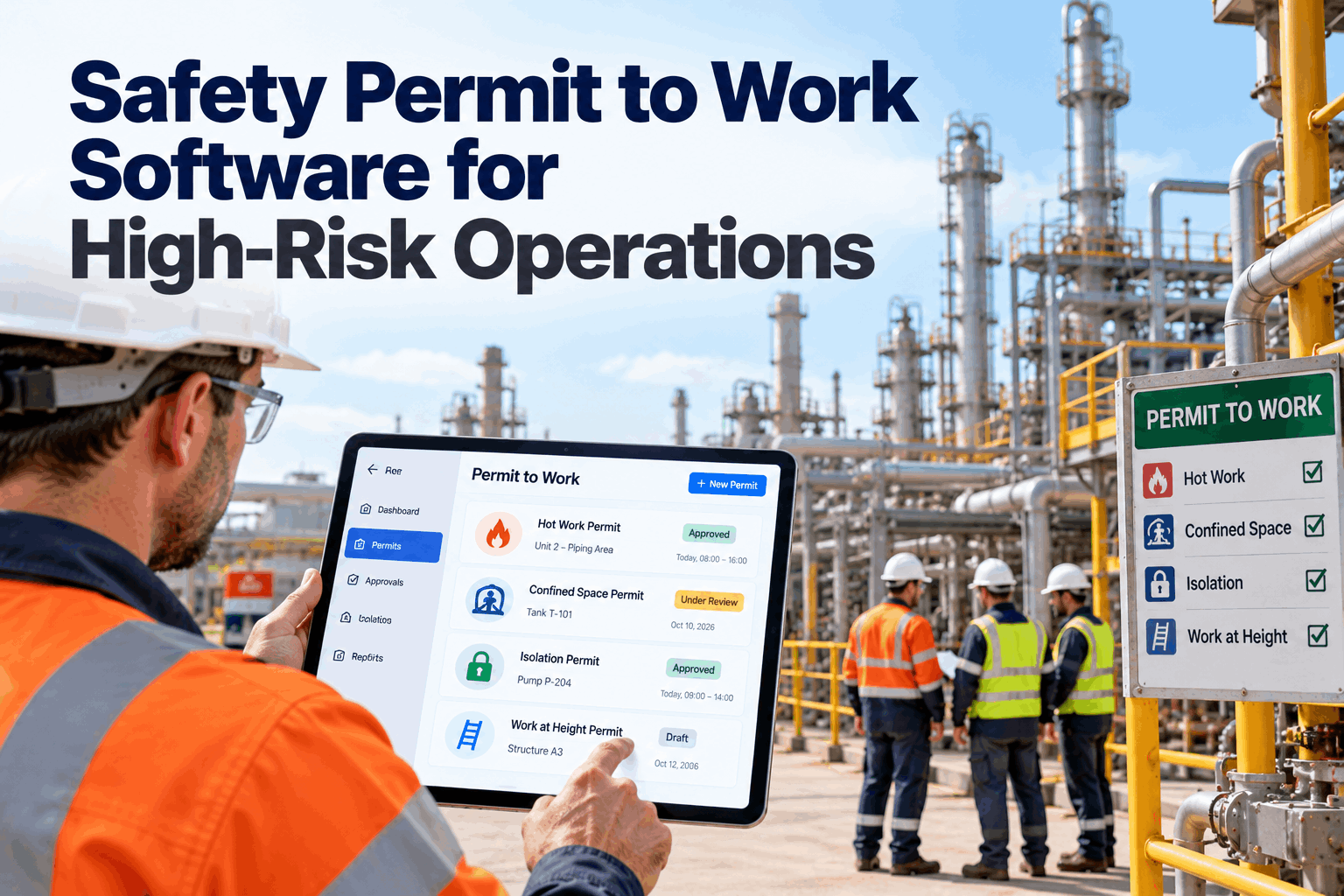
On an oil and gas site, the most dangerous jobs rarely fail because nobody filled in a permit. They fail because two permits that should never overlap were issued for the same area, an isolation was removed while work was still open, or a permit crossed a shift change and nobody told the night crew. Paper permit books cannot see those conflicts. A digital permit-to-work system can. This guide covers permit types, the permit lifecycle, isolations, conflict detection and shift handover. Review your process in a permit session.
Safety Permit to Work Software for High-Risk Operations
Hot work, confined space, isolation and work at height permits in one live system. Every permit checked against every other permit, isolation and gas reading before anyone signs.
- Permit types and the standards behind them
- The permit lifecycle from request to close-out
- How conflict detection prevents unsafe overlaps
Why Paper Permits Fall Short on High-Risk Sites
A permit book records jobs. It cannot see how they interact.
A permit-to-work system is a formal written process to control work that carries significant hazards. The UK Health and Safety Executive's guidance HSG250 sets out good practice for permit systems in the petroleum, chemical and allied industries, and its principles are widely used elsewhere. Paper systems can meet those principles, but they struggle on busy sites, especially during turnarounds when hundreds of permits may be open at once across many contractors. Issuers cannot easily see every other permit in an area, isolation records live in a separate book, and status at shift change depends on memory. Our safety specialists can review how permits run on your site.
Hidden overlaps
Two jobs in the same area that add up to a combined hazard.
Isolation gaps
Points removed while a linked permit is still open.
Lost at handover
Permits crossing shifts without clear status.
Weak records
Illegible books that are hard to audit or search.
Permit Types and the Rules Behind Them
Each permit type controls a different hazard.
Most high-risk sites use a core set of permit types, each with its own checks. In the US, several are tied directly to OSHA standards. The grid below shows the common types and the main controls each needs. Map your permit types with our permit specialists.
Many sites use a main permit for the job and separate certificates for isolation, gas testing or confined space entry. In a digital system, those certificates are linked, so the main permit cannot be issued until every certificate it depends on is valid.
The Permit Lifecycle
Every permit follows the same controlled path.
A permit is not a single signature. It moves through stages, each with a named person and a check. The software enforces the order, records who did what and when, and stops a permit moving forward if a check is missing. Each role, from requester to issuer to area authority, sees only the actions they are allowed to take. See the lifecycle in a product demo.
Request
Job, location, method and crew described.
Assess
Hazards and controls reviewed with the job.
Isolate
Isolations applied and verified.
Issue
Authorised after conflict and gas checks.
Monitor
Suspended, revalidated or handed over as needed.
Close
Work checked, isolations removed, area returned.
Conflict Detection: Seeing Every Job at Once
The most important check is the one paper cannot do.
When a new permit is requested, the software checks it against every active and planned permit, isolation and gas reading in the same area and connected systems. If two jobs together cause a hazard, the issuer sees the conflict and the reason before signing. Rules are set by your site, so they reflect your plant layout and procedures. A conflict does not always mean no. Sometimes the right answer is to sequence the jobs, add a control such as continuous gas monitoring, or move one task to a different window. The issuer decides, and the decision and reason are recorded on both permits. Set up conflict rules with our implementation team.
Same area or radius
Hot work near a vent, purge or open process line.
Connected equipment
Work on one end of a line while the other is being opened.
Shared isolation points
One permit asking to remove a lock another permit relies on.
Plant activities
Start-ups, flaring or loading that change the risk in the area.
A plot plan with live permit locations helps issuers and area authorities see clusters of work at a glance. It also helps during emergencies, when the control room needs to know exactly who is working where.
Gas Testing and Live Plant Conditions
A permit is only valid while the conditions it assumed are still true.
Hot work and confined space permits depend on gas tests. On a live oil and gas site, conditions can change during the job as process units start, vent or leak. A digital system records each gas test with the reading, instrument and tester, and can set a retest interval on the permit. Where fixed gas detectors are connected, a reading above the agreed limit near an active permit alerts the area authority, who can suspend the work. Discuss gas data links with our integration team.
Initial test
Reading, location, instrument and tester recorded on the permit.
Retest interval
The permit prompts the next test and flags when it is overdue.
Fixed detectors
A high reading near the job alerts the authority to suspend work.
Auditing Permits in the Field
The permit on the screen must match the job on the ground.
HSG250 places weight on monitoring and auditing permit systems, because a system that looks good on paper can drift in practice. Digital permits make field audits faster. Auditors open the live permit on a handheld at the work site, check that controls are in place and record findings with photos. Patterns across many audits show where training or procedures need attention. Plan your audit routine with our safety team.
What auditors check
- Permit displayed and matches the work
- Isolations and locks in place as listed
- Gas tests current and fire watch present
- Crew briefed and named on the permit
What the data shows over time
- Areas with repeat findings
- Permit types most often incomplete
- Issuers who need refresher training
- Permits left open past job end
Stop Unsafe Overlaps Before Anyone Signs
Every new permit checked against active work, isolations and gas tests, with the reason shown to the issuer in plain words.
Isolation Management Linked to Permits
An isolation is only safe if everyone relying on it is known.
Isolations protect people from stored and process energy. In a digital system, each isolation certificate lists its points, who applied and verified them, and which permits depend on it. An isolation cannot be removed while any linked permit is still open. This directly supports the intent of OSHA's hazardous energy control standard. Group isolations for large jobs work the same way, with each crew member's personal lock recorded against the group certificate so nobody is missed when the isolation is finally lifted. Ask our safety team how isolation records are linked.
What the system records
- Every isolation point with its lock number
- Who applied and who verified each point
- Zero energy verification result
- All permits that rely on the isolation
What the system blocks
- Removing a point with a linked permit open
- Issuing a permit before isolation is verified
- Changing points without re-verification
- Closing a permit with isolations unresolved
Permits Across Shift Change
Every open permit needs a named owner on every shift.
Long jobs often cross one or more shift changes. HSE guidance on shift handover identifies maintenance that continues across a shift change as one of the higher-risk handover situations. The software lists every open permit at handover, asks the incoming issuer to review and accept each one, and suspends any permit that is not accepted. Discuss handover rules with our support desk.
Permit-to-Work Mistakes to Avoid
A digital system will not fix a weak permit culture on its own.
Software makes good practice easier, but people still need to plan, check and challenge. These are common problems on high-risk sites. A short permit audit can spot them.
What works
- Site visits before issue, not desk signing
- Isolations and certificates linked to permits
- Conflict rules set by area and system
- Handover accepted by name each shift
What fails
- Copying old permits without a new assessment
- Issuers signing dozens of permits at once
- Permits left open after the job ends
- No audits of permits in the field
How iFactory Runs Digital Permit to Work
Digital Permit-to-Work System, on your own network.
iFactory manages hot work, confined space, isolation and other permits with conflict detection, linked isolation certificates, gas test records and shift handover. It runs on an on-prem AI server inside your site, so it keeps working on your own network. Fit questions go to our solutions team.
All permit types
Hot work, confined space, isolation and more.
Conflict detection
Area, system and isolation clashes flagged.
Isolation control
Points, locks and linked permits tracked.
Gas test records
Readings logged and required before issue.
Shift handover
Open permits accepted by name.
Permit analytics
Open permits, durations and audit findings.
iFactory supports your permit-to-work procedure. Your site rules, competent people and field checks remain the foundation of safe work.
Turnkey AI: Delivered, Connected and Live in 6–12 Weeks
You do not build this. It arrives ready.
iFactory ships as a pre-configured NVIDIA AI server with the software pre-loaded, racked and ready. Rack it, plug in power and Ethernet, and the AI is live on your network. Our team handles cabling, network setup, PLC, SCADA, DCS and CMMS integration, permit and isolation links, operator training and 24×7 remote monitoring. Data stays on your network. For a scope matched to your plant, request a turnkey quote.
Ship, network and data
Server installed. Permit types, areas, plot plans and isolation registers loaded.
Model training and pilot
Conflict rules and approvals tuned. Digital permits run beside paper in one area.
Go-live and training
Digital permit to work live site-wide. Issuers trained. 24×7 monitoring begins.
Frequently Asked Questions
What is permit-to-work software?
It is a digital system that manages the request, assessment, isolation, issue, monitoring and close-out of permits for high-risk work, with records of every step and person.
What is permit conflict detection?
A check that compares each new permit with every active and planned permit, isolation and gas test in the same area or connected system, and flags combinations that cause a hazard.
Which permit types does it support?
Hot work, confined space entry, isolation, work at height, electrical, excavation and any other type your site uses, each with its own checks.
How are isolations handled?
Isolation certificates list every point, lock and verifier. They are linked to the permits that rely on them and cannot be removed while a linked permit is open.
What happens at shift change?
All open permits are listed for the incoming issuer, who reviews and accepts each one. Permits not accepted are suspended.
Can contractors use the system?
Yes. Contractor supervisors can request permits and be named as performing authorities, with their training and competence checked before a permit is issued to their crew.
Can it work offline in the field?
It runs on a server inside your site network, so field devices connect locally. Offline behaviour for remote areas is agreed during setup.
Does it replace our permit procedure?
No. It enforces your procedure. Your rules, competent issuers and site checks stay at the centre.
How do we start?
Start with one area and your most used permit types. A 6-week pilot sets up permit types, conflict rules and isolation links, running beside paper. To plan it, contact our team.
Control Every High-Risk Job
In thirty minutes we review your permit procedure, permit types and isolation records, and sketch a digital permit setup for one area. You keep the sketch either way.
- 1Your permit-to-work procedure
- 2Blank copies of each permit type
- 3Your isolation register format
- 4A plot plan of one area
- 5One near miss involving permits