Every meter of airport perimeter fencing is a regulated boundary. Every access gate is a documented control point. Every CCTV camera and intrusion sensor carries a maintenance schedule and a compliance obligation. Under 49 CFR Part 1542, TSA requires commercial airports to maintain an active Airport Security Program that covers the full perimeter — and that program is only as strong as the inspection records, sensor logs, and corrective action trails behind it. When those records are missing, fragmented, or assembled from memory before an audit, the compliance gap is the finding — regardless of whether the fence itself is intact.
Fencing · Intrusion Detection · CCTV · Access Gates · Patrol Documentation
A Breach in Your Records Is a Breach in Your Security Program — TSA Makes No Distinction.
iFactory's asset lifecycle platform tracks every perimeter security asset — fence sections, gates, sensors, cameras — with inspection schedules, patrol logs, fault escalation, and audit-ready compliance documentation built in from day one.
$6.4B
Global airport perimeter intrusion detection market in 2024 — growing at 8.1% CAGR through 2033
Daily
TSA-required minimum patrol frequency for full perimeter boundary under most approved ASPs
12 Mo.
Minimum record retention period for all perimeter inspection logs under 49 CFR Part 1542
65%+
Of global airports now deploying at least one perimeter detection technology — up from under half a decade ago
The Perimeter Is Not One Asset. It Is a Portfolio of Hundreds.
A large commercial airport perimeter can span several kilometers of fencing, dozens of access gates, hundreds of CCTV cameras, multiple intrusion detection sensor lines, perimeter lighting circuits, and a network of patrol roads — all of which require scheduled inspection, documented maintenance, and traceable corrective action records. The TSA does not audit a perimeter. It audits a security program. And a security program lives or dies on its documentation. A fence in perfect condition with no patrol records attached is a compliance finding waiting to be written. A sensor that failed three months ago with no corrective action work order is a liability exposure sitting in an unfiled report. Asset lifecycle management closes both gaps — not by adding more inspections, but by making every inspection count.
The Six Ways a Perimeter Security Program Fails an Audit
Missing Patrol Logs
Paper patrol sheets go missing, get damaged, or are never transferred to a central record. When a TSA inspector requests 90 days of perimeter patrol records, the team cannot produce them — even if every patrol was completed. The documentation failure becomes the compliance finding.
Documentation Gap
Undocumented Fence Damage
A section of perimeter fencing is damaged in a weather event. A patrol identifies it and the repair is made — but no corrective action work order is created. The inspector asks: when was this section last verified intact, and what action was taken after the deficiency? Neither question has a traceable answer.
Corrective Action Gap
Camera Coverage Blind Spots
A CCTV camera covering a critical gate sector develops a fault — lens degradation, a misaligned mount, or a partial outage that still shows a live feed. Monthly verification checks are not logged. When a security incident occurs, the gap in camera coverage becomes a liability record rather than a maintenance record.
Surveillance Integrity Gap
Sensor Calibration Lapses
Perimeter intrusion detection sensors require periodic calibration to maintain sensitivity thresholds. In most facilities, calibration is triggered by a system alert or a noticed failure — not by a scheduled PM. A sensor producing false negatives is not an obvious failure until it is tested against a known intrusion stimulus.
Detection Reliability Risk
Access Gate Malfunction Backlog
An access gate reports a latch fault. Maintenance is notified verbally, and the fault is repaired the same day. No work order is created, no resolution timestamp is recorded. The TSA inspector asks how long the gate was in a degraded state — and there is no record of the fault window, the technician who resolved it, or the action taken.
Access Control Audit Gap
Security Directive Non-Documentation
A TSA Security Directive is issued and the airport implements the required measure within the deadline. However, no implementation record is created at the time of action. Months later during an audit, implementation cannot be proven. The finding stands even though the actual security measure is in place.
Regulatory Non-Compliance
What TSA Part 1542 Actually Requires — and What Gets Found at Audit
What the Regulation Requires
01
Perimeter inspections must be conducted at the frequency defined in the airport's approved Security Program — most require at minimum twice per 24-hour period for patrol coverage of the full boundary.
02
All deficiencies — fence damage, gate malfunctions, camera failures — must be recorded with specificity and corrective action must be initiated same-day with a documented timeline.
03
Inspection records must include inspector identification, time of inspection, areas covered, and any deficiencies noted — and must be retained for a minimum of 12 months.
04
Any unauthorized access into SIDA, sterile area, or AOA — including infrastructure failures that enabled access — must be documented and reported to TSA under specified timelines.
What Auditors Look For — and Find
!
Did the inspection happen at the required frequency? A patrol that occurred but wasn't logged is treated identically to a patrol that never happened. Verbal confirmation is not a compliance record.
!
Were defects identified with specificity? "Fence checked — OK" does not satisfy the requirement. Auditors look for section-level detail, condition assessment, and photographic evidence for deficiencies.
!
Were corrective actions initiated within documented timelines? A work order created two weeks after a fence deficiency was identified is a separate finding from the deficiency itself.
!
Are records immediately retrievable? An inspector who cannot produce records for a specific date range, asset category, or perimeter zone within minutes of an audit request will generate a documentation finding regardless of what the records contain.
Compliance Tracking · Inspection Scheduling · Fault Escalation · Audit-Ready Records
Turn Every Patrol Into a Compliance Record. Automatically.
iFactory schedules perimeter patrols, logs findings with inspector ID and timestamp, escalates deficiencies to work orders, and generates TSA audit reports by zone, date, or asset — in minutes.
Four Asset Classes. One Compliance Platform. Every Meter of Boundary Accounted For.
iFactory registers every perimeter security asset as a tracked, inspectable unit — with its location, condition, inspection schedule, fault history, and compliance requirement attached at the asset level. Not in a spreadsheet. Not assembled before an audit. Continuously maintained in a live system that documents itself.
Asset Class 01
Perimeter Fencing and Physical Barriers — Condition Tracking and Patrol Documentation
Primary Compliance Boundary
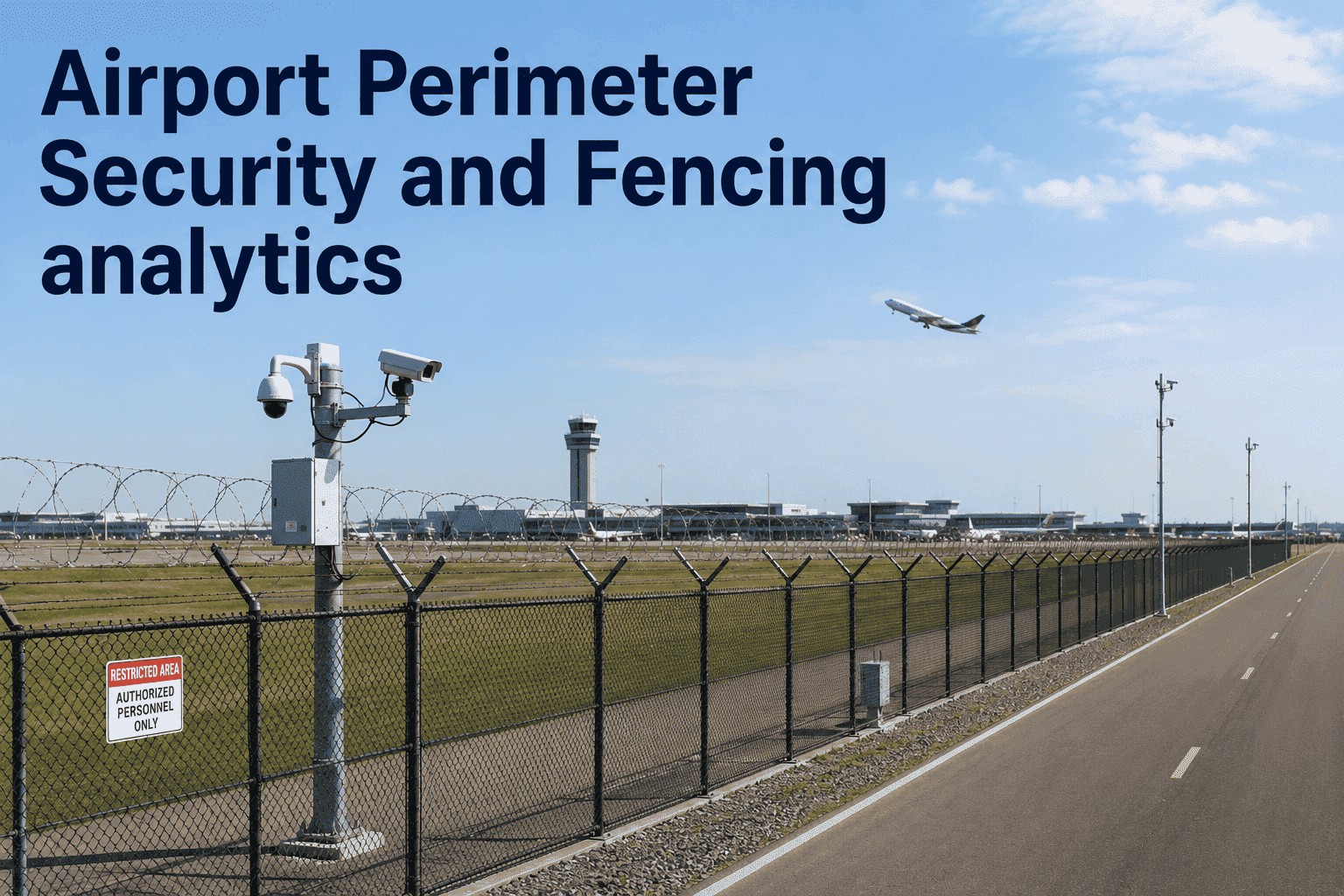
The perimeter fence line is the physical foundation of the airport's security program. TSA requires it to be continuously maintained to deter and detect unauthorized access — and every section must be covered by documented patrols at the frequency defined in the airport's approved Security Program. In practice, most approved ASPs require perimeter patrol at least twice per 24 hours, with supplemental foot inspection of high-risk sections weekly and full structural inspection quarterly. iFactory segments the fence line into registered zones, assigns patrol routes and inspection schedules per zone, and logs each inspection against the specific fence section with inspector ID, timestamp, condition rating, and photographic evidence — creating the section-level specificity that satisfies TSA's requirement for detailed deficiency documentation.
Zone-level patrol scheduling
Section-level condition logging
Deficiency-to-work-order escalation
Asset Class 02
Access Gates and Vehicle Control Points — Functional Testing and Fault History
Highest Individual Fault Exposure
Access control gates — vehicle gates, pedestrian entry points, emergency access gates — are the most mechanically active perimeter assets and carry the highest individual fault rate. A gate latch failure, a badge reader outage, or an alarm that fails to trigger on forced entry is not just a maintenance event — it is a security control that was unavailable for an undocumented window. iFactory registers each gate as an individual asset with its access tier, badge reader ID, and alarm circuit, logs each functional test with pass/fail status, and creates a timestamped fault record the moment a deficiency is identified — so the inspector asking "how long was Gate 7 reader offline?" has a one-click answer traceable to the technician who resolved it.
Weekly gate function testing
Fault window documentation
Badge reader lifecycle tracking
Asset Class 03
CCTV Surveillance Cameras — Coverage Verification and Recording Integrity Monitoring
Evidence Chain and Incident Response
CCTV cameras covering the perimeter serve two functions: real-time visual verification of intrusion alerts, and post-incident evidence capture. Both functions require that cameras are not just powered on but producing clear, unobstructed, properly oriented footage that covers the assigned zone without gaps. A camera that has drifted off its mount, developed a lens fault, or lost recording function is invisible to the airport's security posture until tested against a known reference. iFactory registers each camera with its coverage zone, records monthly coverage verification results, logs image quality assessments, and flags units where the verified field of view deviates from the approved coverage map — creating a continuous integrity record that supports both TSA audit and incident investigation.
Monthly coverage verification
Image quality and recording audit
Coverage gap escalation
Asset Class 04
Perimeter Intrusion Detection Sensors — Calibration Scheduling and Alarm Transmission Testing
Silent Failure Risk Asset
Intrusion detection sensors — fence-mounted vibration detectors, fiber optic systems, buried seismic sensors, microwave barriers — are among the highest-risk perimeter assets because their failure mode is silence. A sensor that stops transmitting alarm signals does not announce itself. A sensor whose sensitivity has drifted below its required threshold continues to appear operational on a status panel. Only a scheduled calibration test against a known stimulus reveals whether the system is actually detecting at the designed sensitivity level. iFactory registers each sensor with its type, boundary zone, and sensitivity specification, auto-schedules quarterly calibration tests with pass/fail logging, and tracks alarm transmission verification against the documented response protocol — so a silent failure is identified during a scheduled test, not during a security incident.
Quarterly calibration scheduling
Alarm transmission verification
Sensitivity threshold logging
Reactive vs. Lifecycle: What the Difference Looks Like in Practice
Most airport perimeter security programs are managed reactively — issues are addressed when they become visible or when an audit approaches. Asset lifecycle management replaces that cycle with continuous scheduled inspections, automated work order generation, and documentation that exists before the audit request, not in response to it.
iFactory Lifecycle Approach
Perimeter Fencing
Damage found during audit or after a reported incident — no pre-existing section-level patrol record
Daily patrol logs per section with condition ratings — deficiency work orders auto-generated same day
Access Gates
Faults repaired verbally — no work order, no fault window, no technician record
Every fault logged with timestamp — fault duration, technician ID, and resolution action traceable on demand
CCTV Cameras
Coverage gaps discovered during incident review — no monthly verification record exists
Monthly coverage and image quality checks logged per camera — coverage deviations escalated before they become incident gaps
Intrusion Sensors
No calibration schedule — sensitivity drift undetected until a missed detection event
Quarterly calibration tests auto-scheduled and logged — sensitivity failures identified during maintenance, not incidents
Audit Readiness
Compliance records assembled manually before audit — half-day effort with gaps and missing entries
Structured compliance report generated by zone, date, and asset type — audit request fulfilled in minutes
The Inspection Cadence That Keeps a Part 1542 Program Current
Part 1542 does not specify a universal inspection frequency — the frequency is defined in each airport's approved Security Program. But across approved programs, a consistent inspection architecture emerges for perimeter security assets. iFactory pre-configures inspection schedules that align with the most common ASP requirements and allows facility teams to adjust cadence to match their specific approved program.
Daily
Full Perimeter Patrol — All Zones
Vehicle-based patrol of the full perimeter boundary covering fence line integrity, access gate status, lighting function, and visible signage condition. Each patrol documented with inspector ID, time, zone coverage, and findings. Deficiencies trigger same-day corrective action work orders. Records retained in the system — retrievable by zone or date without manual assembly.
Weekly
Access Gate Function Tests + High-Risk Fence Sections
Full functional test of all access gates — latch mechanism, alarm trigger, badge reader response, and vehicle barrier operation. Supplemental foot inspection of high-risk or historically deficient fence sections. Each gate test logged with pass/fail status and any fault detail. Badge reader faults generate immediate work orders with priority scoring based on gate access tier.
Monthly
CCTV Coverage Verification and Recording System Check
Coverage verification for each camera against its approved zone map — confirming field of view, image quality, mount alignment, and recording system status. Any camera with degraded coverage or recording failure is flagged for immediate corrective action. Monthly logs retained per camera with verified coverage percentage and technician confirmation — supporting both TSA audit and incident investigation chains.
Quarterly
Intrusion Sensor Calibration and Alarm Transmission Test
Full calibration test of all intrusion detection sensors against sensitivity specifications — including fence-mounted vibration detectors, fiber optic lines, seismic sensors, and microwave barriers. Alarm transmission verified against response protocol documentation. Sensors that fail calibration or alarm transmission are flagged for immediate corrective action with fault classification logged against the asset record — distinguishing a drift failure from a physical damage event.
"
We had daily patrol logs on paper that nobody had filed centrally in three months. When TSA came in for a compliance review, two of our team spent a full day scanning paper sheets and cross-referencing against a spreadsheet trying to prove our patrol frequency. We had done every patrol — the documentation just didn't exist in a form the inspector could verify quickly. The finding was documentation, not security. Moving to a digital platform did not change what our team does on patrol. It just made every patrol a record the moment it was completed.
— Security Operations Manager, Major U.S. Commercial Airport — 14 Years Aviation Security
Frequently Asked Questions
Conclusion
Airport perimeter security is not a static installation — it is a continuously maintained, continuously documented, continuously auditable program. The fencing that looked intact at installation develops damage. The sensors that were calibrated during commissioning drift over time. The cameras that covered every boundary zone accumulate faults, misalignments, and blind spots that no status panel reveals. Under 49 CFR Part 1542, the airport's obligation is not just to maintain these assets — it is to prove that maintenance through records that exist before the audit request, not in response to it.
iFactory's asset lifecycle management platform registers every perimeter security asset — fence zones, access gates, CCTV cameras, intrusion sensors — with inspection schedules, fault escalation workflows, and audit-ready compliance documentation that satisfies TSA documentation requirements without manual reconstruction. Book a Demo to see how the platform maps to your approved Security Program, or Talk to an Expert to begin your perimeter asset registry and generate your first compliance-scheduled patrol queue.
A perimeter inspection that was never logged is a perimeter inspection that never happened — as far as TSA is concerned.
iFactory makes every patrol a permanent, retrievable, audit-ready record — automatically, from the moment your inspector signs off on the mobile checklist.