Every urban delivery route eventually comes down to a few square metres of curb. If that curb is occupied, metered out, or has a dwell limit the driver cannot meet, the rest of the route plan does not matter. Curbside access is the bottleneck most city delivery networks fight daily, and it rarely shows up as a single clean metric, it shows up scattered across parking tickets, late stops and driver complaints about "nowhere to park." Coordinating loading-zone access deliberately, rather than reacting to it stop by stop, is what turns that friction into a manageable constraint. Operations teams can see how iFactory AI tracks curb dwell time and access failures by stop before the next route redesign.
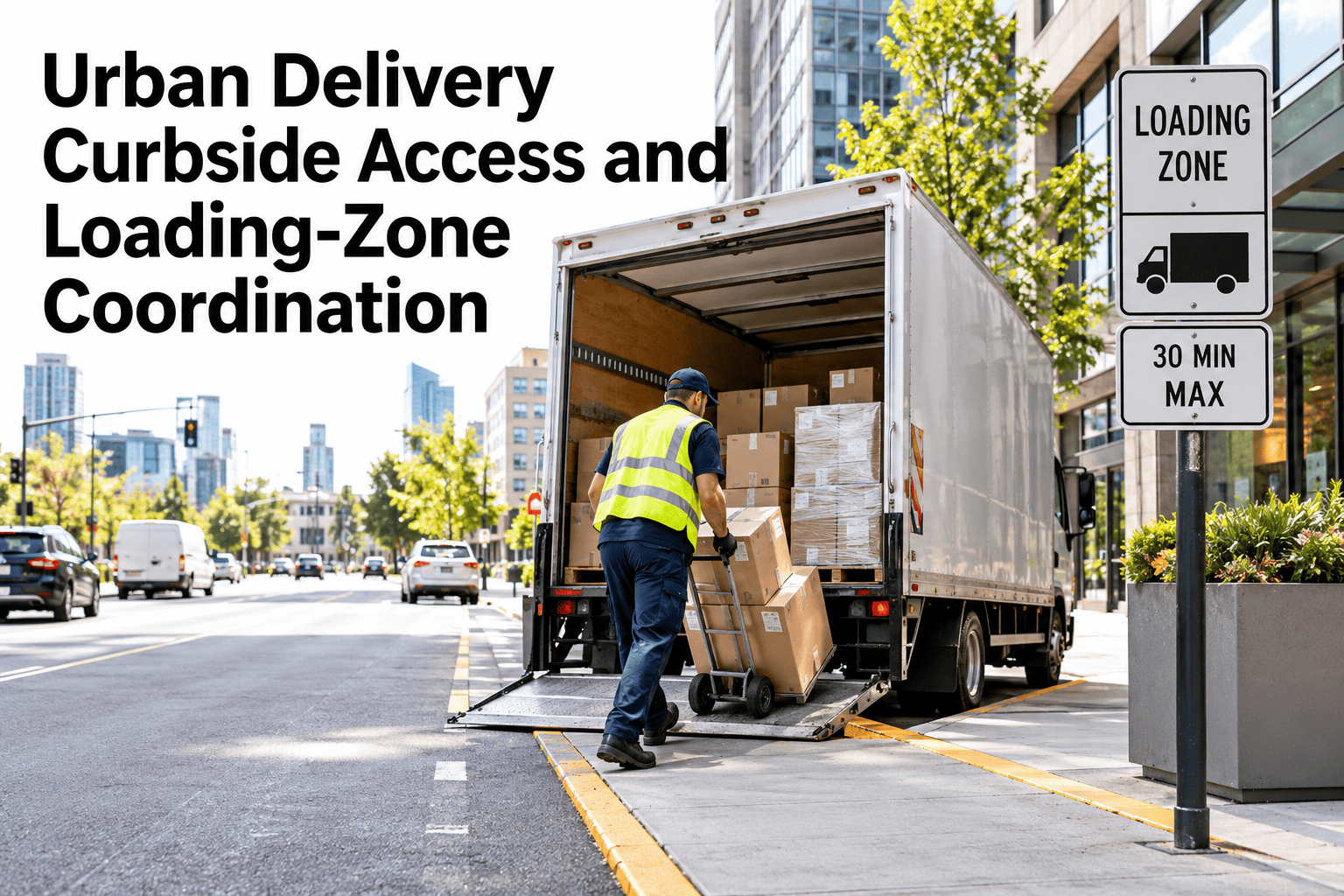
Urban Delivery Curbside Access and Loading-Zone Coordination
Treat the curb as a scarce resource to plan around, not an afterthought the driver negotiates alone.
Loading-Zone Restrictions Vary More Than You'd Expect
The same vehicle type can face different rules a few blocks apart. Build restrictions into the route plan per zone, not per city.
Many zones only allow commercial loading during set hours, which can conflict with planned delivery windows.
Some zones restrict access by vehicle size or weight, ruling out larger delivery trucks.
Certain zones require a commercial loading permit the driver or fleet must carry.
Confirm current local rules directly with the municipality or a parking data provider before building them into a route plan, since they change without much notice.
Dwell Limits and What They Really Cost
A dwell limit is not just a parking rule, it caps how long a driver has to complete the whole stop: park, unload, deliver, document and leave.
These are illustrative figures to show the arithmetic. Measure your own stop times to see how much real margin a given zone leaves.
See Which Zones Are Actually Breaching Dwell Limits
Book a 30-minute session and iFactory AI will show dwell time against posted limits for your highest-volume delivery zones.
Site Instructions That Actually Help
A generic address pin tells a driver nothing about where to actually stop. Specific site instructions prevent the slow circling that burns dwell time before the stop even begins.
Arrival Coordination for High-Traffic Zones
In dense delivery corridors, several drivers can compete for the same curb. A degree of sequencing avoids bunching.
Spread planned arrival times across a corridor rather than clustering stops at the same hour.
Document a secondary zone drivers can use if the primary one is occupied on arrival.
Where available, surface which zones are currently in use to avoid a wasted approach.
Parking-Related Failure Codes Worth Tracking
Lumping every access problem under "could not deliver" hides the pattern. Break it down by cause.
| Failure Code | What It Usually Means | Planning Response |
|---|---|---|
| Zone occupied | Loading zone was full on arrival | Add a documented fallback zone for the stop |
| No legal zone nearby | No commercial loading zone within reasonable walking distance | Flag the stop for a route or vehicle-type review |
| Dwell limit breached | Stop could not be completed within the posted time | Reassess stop complexity or split multi-parcel drops |
| Vehicle restricted | Vehicle class not permitted in the zone | Reassign to a compliant vehicle or transfer point |
Curb coordination tends to fail for one reason more than any other: treating it as a one-time mapping exercise instead of a live operational concern. Loading-zone rules change, construction closes zones temporarily, and demand patterns shift by season. The networks that keep dwell-limit breaches low are the ones that track parking-related failure codes continuously and revisit their fallback zones on a set schedule, not just when a driver complains. Build the review cadence in from day one, because curb conditions will not hold still for you.
Where iFactory AI Fits
iFactory AI tracks dwell time, access failures and zone conditions by stop, so curb coordination is built on real patterns instead of driver memory.
Dwell time against limits
Actual stop duration is compared against posted dwell limits, flagging zones that run tight.
Failure code tracking
Parking-related failures are broken down by cause, so the fix matches the actual problem.
Fallback zone documentation
Alternate loading zones are stored per stop, ready for a driver when the primary zone is occupied.
Ask in plain language
Ask which zones breached dwell limits most this month and receive the ranked list.
Frequently Asked Questions
How do we find out the actual loading-zone rules for our delivery area?
Confirm current rules directly with the relevant municipality or a parking data provider, since restrictions vary block by block and change without much notice. Building a route plan on outdated zone data is a common cause of repeated access failures. You can watch zone and dwell data tracked on a sample route in a live session.
What counts as a reasonable dwell time for a delivery stop?
It depends on the posted limit for that specific zone and the complexity of the stop, such as parcel count and walking distance to the entrance. There is no single figure that applies everywhere, which is why measuring your own stop times matters more than a rule of thumb. To review your own zones, request a dwell time review with the iFactory AI team, or ask support what data is needed to get started.
What should we do when a loading zone is frequently occupied?
Document a fallback zone within reasonable walking distance and include it in the driver's site instructions, rather than leaving the driver to search on arrival. If no fallback exists nearby, the stop may need a different vehicle type or delivery approach. A short product tour of fallback zone setup shows how this is documented per stop.
How can we reduce bunching at high-traffic delivery corridors?
Stagger planned arrival windows across the corridor instead of clustering multiple drivers at the same hour, and where available, use real-time visibility into zone occupancy to avoid a wasted approach. See how arrival coordination is modelled for a dense zone in a guided walkthrough.
Why track parking-related failures as separate codes?
A single "could not deliver" code hides whether the problem was an occupied zone, no legal zone nearby, a dwell breach or a vehicle restriction, each of which needs a different fix. Breaking failures into specific codes turns a vague complaint into an actionable pattern. Schedule a walkthrough of failure code tracking to see how the categories are built.
Stop Losing Minutes to the Curb
iFactory AI tracks dwell time and access failures by stop, so curb coordination is built on real patterns. Book a walkthrough to see it built around your own delivery zones.