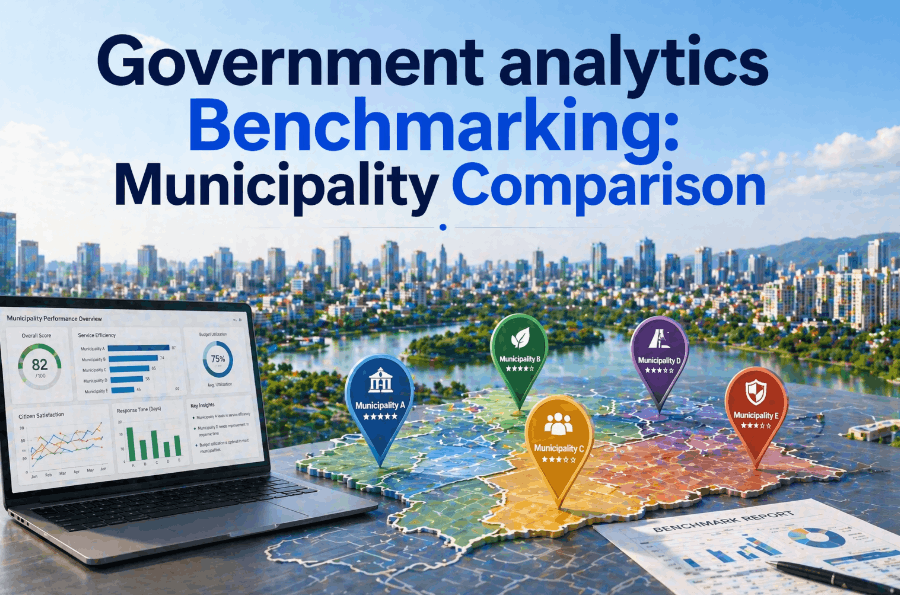
Government analytics is at a turning point. For decades, municipalities and public sector agencies have relied on spreadsheets — Microsoft Excel, Google Sheets, and legacy CSV exports — to track budgets, manage service delivery data, and report to elected officials. Transitioning government analytics from spreadsheets to AI-driven platforms is no longer a futuristic ambition; it is a present-day operational necessity for municipalities that want to serve constituents faster, reduce administrative overhead, and make decisions grounded in real-time data.
Why Government Agencies Are Moving Away from Spreadsheet Analytics
The Hidden Cost of Excel-Based Municipal Data Management
The problem with spreadsheet-based government analytics is not that Excel is a bad tool — it is that it was never designed to serve as an enterprise analytics platform for public sector organizations managing millions in taxpayer funds. When a mid-sized municipality uses spreadsheets as its primary analytics system, the true cost is distributed invisibly across hundreds of weekly staff hours: manual data entry, version reconciliation, formula errors that cascade across reports, and the inability to produce real-time dashboards for department heads or council briefings. Studies consistently show that finance, planning, and service delivery staff spend 30 to 45 percent of their week on data compilation tasks that an AI-driven analytics platform would automate entirely.
What Is AI-Driven Government Analytics — and How Does It Differ from Spreadsheets?
Understanding the Core Capabilities of Modern Municipal Analytics Platforms
AI-driven government analytics platforms are purpose-built systems that replace static spreadsheet workflows with dynamic, automated, and intelligent data infrastructure. Where a spreadsheet requires a staff member to manually pull data from multiple department systems, reformat it, and build pivot tables, a modern municipal AI analytics platform connects directly to your existing data sources — financial management systems, permitting databases, 311 service records, infrastructure asset registries — and produces live dashboards, trend analysis, and anomaly alerts without any manual extraction step.
- Manual data extraction from source systems
- Version conflicts across departments
- Static reports updated weekly or monthly
- No audit trail for data changes
- Formula errors silently corrupt reports
- No predictive or trend analysis capability
- Access control limited to file sharing
- Automated data ingestion from all source systems
- Single source of truth across all departments
- Real-time dashboards and live reporting
- Full audit trail with timestamped data lineage
- AI validation flags data quality issues instantly
- Predictive forecasting and anomaly detection
- Role-based access with council-level permissions
Government Analytics Migration: A Step-by-Step Transition Framework
How to Move from Excel to AI-Driven Analytics Without Disrupting Operations
A successful government analytics modernization project does not happen through a single cutover event. Municipalities that attempt to replace spreadsheets overnight create data continuity risks, staff resistance, and reporting gaps that can affect council presentations and compliance submissions. The framework below reflects best practices from digital transformation engagements across local governments — you can start your migration assessment to benchmark your current data environment before beginning.
Data Cleanup Before Government Analytics Migration: What to Address First
Preparing Your Municipal Data for AI-Driven Platform Ingestion
Data quality is the most underestimated factor in any Excel to AI-driven government analytics migration. Municipal spreadsheets maintained by multiple staff members across multiple fiscal years accumulate structural problems that prevent clean import into any modern analytics platform. Addressing these issues before migration — rather than attempting to fix them inside the new system — dramatically accelerates implementation timelines. You can review your specific data challenges by booking a migration consultation before you begin.
Platform Comparison: AI-Driven Government Analytics Options for Municipalities
Evaluating Municipal Analytics Modernization Platforms by Use Case
Not every AI-driven analytics platform is designed with government requirements in mind. Municipalities have specific needs that distinguish them from corporate analytics buyers: compliance audit trails, council reporting formats, multi-department data governance, and public transparency obligations. The comparison below covers the key evaluation dimensions for selecting the right government AI analytics platform for your municipality's size and operational complexity.
| Evaluation Dimension | Basic BI Tools | Enterprise Analytics | Purpose-Built Gov AI Platform |
|---|---|---|---|
| Government Data Model Support | Partial | Configurable | Native |
| Compliance Audit Trail | Limited | Add-on Required | Built-In |
| Council / Board Reporting | Manual Export | Custom Templates | Pre-built Formats |
| Multi-Department Data Governance | None | Moderate | Role-Based Native |
| Spreadsheet Migration Tools | None | Basic Import | Guided Migration |
| Predictive Budget Forecasting | No | Custom Build | AI-Native |
| Public Transparency Reporting | Manual | Export Only | Auto-Published |
| Setup Timeline for 300-Unit Municipality | 4–8 weeks | 3–6 months | 2–4 weeks |
Change Management for Government Analytics Modernization
Overcoming Staff Resistance and Building Adoption Across Municipal Departments
The most technically sound digital transformation for government analytics fails without deliberate change management. Municipal staff who have built their workflows around spreadsheets for five or ten years do not abandon those habits because management issues a directive. Resistance to analytics modernization in government is rational risk aversion from employees who are accountable for accurate reporting — addressing that concern directly through structured training and visible leadership commitment is what separates successful transitions from stalled implementations.
ROI of Government Analytics Modernization: Quantifying the Return
The Financial Case for Replacing Spreadsheets with AI-Driven Municipal Analytics
The business case for municipal AI analytics transition is measurable, not theoretical. For a local government operating across four to six departments with ten to twenty staff involved in data compilation and reporting, the annual cost of spreadsheet-based analytics — counting staff hours, error correction, delayed decisions, and audit preparation — typically ranges from $180,000 to $420,000 in loaded labor cost. That calculation does not include the harder-to-quantify costs of decisions made on stale data or the compliance risk of audit findings attributable to data quality failures.
Compliance and Transparency: AI Analytics for Government Accountability
Meeting Public Sector Audit and Transparency Requirements with Modern Analytics
Government analytics carries obligations that corporate analytics does not: public records requirements, legislative audit access, freedom of information compliance, and the need to present financial and service data to elected officials who are ultimately accountable to voters. Spreadsheet-based reporting creates structural compliance risk across all of these areas — version history is incomplete, data lineage is undocumented, and audit trails depend entirely on individual staff discipline rather than system-enforced logging. For municipalities operating under increasingly stringent accountability frameworks, AI-driven analytics provides audit-readiness as a built-in baseline, not an afterthought.
Conclusion: The Municipality That Modernizes Analytics Today Leads Tomorrow
The Window for Government Analytics Modernization Is Now
The gap between municipalities operating on AI-driven analytics and those still managing government data in spreadsheets is widening every quarter. Modern municipal governments make budget decisions faster, serve constituents more responsively, satisfy auditors more efficiently, and allocate resources more accurately — because their analytics environment gives them intelligence that spreadsheets structurally cannot provide. With migration timelines measured in weeks rather than months and platforms designed specifically for public sector data environments, the investment required is far smaller than the cost of continuing on spreadsheets for another fiscal year.
Frequently Asked Questions
How long does it take to migrate a municipal government from spreadsheets to an AI analytics platform?
For most municipalities managing 300 to 1,000 staff and four to eight departments, a full migration takes two to five weeks from kickoff to operational cutover. This timeline includes data audit, cleanup, historical migration, live integration configuration, parallel run validation, and staff training. Larger multi-department organizations with complex legacy data may require six to ten weeks.
What happens to historical spreadsheet data when we migrate to an AI analytics platform?
Historical spreadsheet data is migrated into the AI platform as a one-time historical batch import, followed by live data integration from source systems. Your original spreadsheets are retained in archive storage for reference and compliance purposes and are not deleted after migration.
Can AI analytics platforms integrate with existing government financial management systems?
Yes. Purpose-built government analytics platforms support API integration with the financial management systems most commonly used in municipal environments, including Tyler Technologies, SAP Public Sector, Oracle Financials, and custom in-house systems. Integration configuration typically takes one to three days per source system and enables automated, real-time data ingestion that replaces manual spreadsheet exports entirely.
How do AI-driven analytics platforms handle government data security and sovereignty requirements?
Enterprise government analytics platforms use OAuth 2.0 authentication, TLS 1.2+ encrypted data transmission, and SOC 2 compliant infrastructure. Data residency configurations allow municipalities in Canada, the EU, UK, and Australia to specify the geographic region where all data is stored and processed — satisfying local sovereignty requirements across all major jurisdictions.
What is the biggest risk in a government spreadsheet to AI analytics migration — and how is it mitigated?
The most significant risk is data quality — specifically, migrating years of accumulated spreadsheet errors, inconsistencies, and undocumented conventions into a system that will amplify them across all connected reports. This risk is mitigated through a structured pre-migration data audit, systematic cleanup, validation checkpoints after each historical batch, and a mandatory parallel run period before full cutover.
Do municipal staff need technical training to use an AI-driven analytics platform?
No technical background is required. Purpose-built government analytics platforms are designed for non-technical users — budget analysts, planning officers, and council staff — with role-based dashboards that surface relevant data without requiring any query writing or data engineering knowledge. Role-specific onboarding sessions of two to four hours per department are sufficient for most teams to operate independently within the first week.
How does AI-driven analytics improve council and board reporting compared to spreadsheets?
AI analytics platforms generate council-ready reports automatically on a scheduled or on-demand basis, pulling live data across all departments into pre-formatted templates that meet legislative reporting standards. What previously required two to three days of manual spreadsheet compilation is typically reduced to a fifteen-minute automated generation process — with data current to the hour rather than the last manual export.