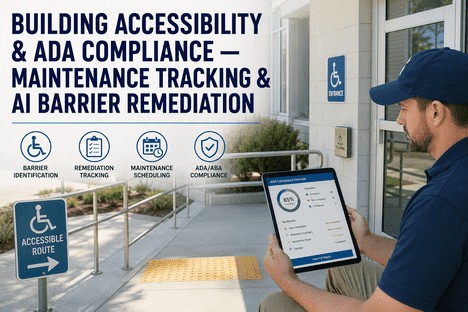
Building Accessibility & ADA Compliance — Maintenance Tracking & AI Barrier Remediation
By Grace on June 21, 2026
There are approximately 36 million Americans who identify as having a disability, and the Americans with Disabilities Act has been federal law for over three decades. Yet the majority of commercial buildings in the United States still contain architectural barriers that prevent equal access. The Department of Justice reported over 4,000 ADA-related federal lawsuits in 2025 alone, with first-time violation fines reaching $75,000 and repeat violations climbing to $150,000. For facility managers responsible for building accessibility across multiple properties — whether a single complex or a portfolio spanning dozens of sites — the challenge is not simply understanding what the ADA requires. It is systematically tracking every barrier, scheduling every remediation, documenting every inspection, and proving continuous compliance in an environment where regulations evolve, building conditions change, and the cost of a missed violation compounds with every passing inspection cycle.
Building Accessibility · ADA Compliance Tracking · AI Barrier Detection · Facility Maintenance
ADA Compliance Is Not a One-Time Audit. It Is an Ongoing Maintenance Obligation — and Most Facility Teams Are Still Tracking It on Spreadsheets.
iFactory's accessibility compliance module gives facility managers a unified platform to identify barriers, schedule remediation work orders, track inspection cycles, and maintain audit-ready documentation across every building in your portfolio — with AI-powered barrier identification that surfaces violations before inspectors do.
First-time ADA Title III civil penalty for a single violation — and the average lawsuit settlement cost is significantly higher when legal fees and mandated retrofits are included
4,000+
ADA federal lawsuits filed in 2025 targeting website and physical building accessibility — the highest annual total on record, with no sign of deceleration
1 in 4
US adults live with a disability — inaccessible buildings exclude a quarter of the population from full participation in commerce, employment, and community life
7
Critical facility zones the ADA covers — parking, entrances, corridors, restrooms, signage, elevators, and communication systems — each with specific dimensional standards
The Real Problem With Building Accessibility Management Is Not the Regulation — It Is the Fragmentation
Every facility manager understands that ADA compliance requires regular inspections, prompt barrier remediation, and meticulous documentation. The difficulty is that most organisations manage these obligations across disconnected tools — inspection checklists in a tablet app, work orders in a CMMS, violation tracking in a spreadsheet, and compliance documentation in a filing cabinet. When an inspector, tenant, or plaintiff demands proof of compliance, the facility team spends days assembling records from four different sources — and discovers gaps they did not know existed.
How Fragmented Accessibility Management Fails — and What the Pattern Looks Like Across a Building Portfolio
The Inspection Gap
Inspections happen on paper or tablets. Remediation happens in a separate system. The link between them is manual — and frequently broken.
When a facility team conducts an ADA inspection, the findings go into one system — a checklist app, a paper form, or a digital note. When the maintenance team schedules the repairs, they work from a separate work order system that has no visibility into the inspection findings. The result is that remediation work gets completed, but the documentation connecting the inspection finding to the completed repair exists only in someone's memory or email thread. When the next auditor asks for proof, that connection takes hours to reconstruct — if it can be reconstructed at all.
Documentation Fragmentation
The Scheduling Blind Spot
Recurring accessibility inspections are scheduled manually — or not scheduled at all when staff turnover breaks the reminder chain.
ADA compliance is not a one-and-done activity. Parking striping fades. Signage gets damaged. Door closers lose tension. Ramp surfaces erode. Without a systematic inspection schedule that automatically generates work orders for each zone at defined intervals, these degradations accumulate silently. By the time a violation is discovered — often through a tenant complaint or a plaintiff's demand letter — the cost of correction has escalated from routine maintenance to emergency remediation, and the documentation gap makes it impossible to demonstrate good-faith compliance efforts.
Proactive Compliance Failure
The Barrier Visibility Problem
You cannot remediate a barrier you do not know exists. Most facility teams discover violations only when someone files a complaint.
The ADA requires barrier removal where it is readily achievable, but the law does not require a proactive audit schedule. Many facility managers interpret this as permission to inspect reactively — responding only when a complaint surfaces. The cost of this approach is not limited to penalties. It includes the reputational damage of an accessibility complaint, the disruption of emergency remediation work, and the legal fees that accompany even a settled claim. A proactive inspection programme, by contrast, surfaces barriers on the facility team's schedule — when remediation can be planned, budgeted, and executed at routine maintenance cost rather than emergency rates.
Reactive vs. Proactive Cost
The Multi-Building Blindfold
A portfolio manager overseeing ten buildings cannot see which sites are compliant and which are accumulating violations.
When each building operates its own inspection and remediation process — or worse, when there is no standardised process — the portfolio-level view disappears entirely. A facility manager responsible for multiple sites cannot compare compliance status across buildings, cannot identify which properties need priority attention, and cannot produce a portfolio-wide accessibility report for leadership or regulatory review without a multi-day manual data compilation effort spanning every site's separate record-keeping system.
Portfolio Blindness
AI Barrier Detection · Compliance Tracking · Work Order Integration · Portfolio Dashboard
Managing ADA Compliance Across a Building Portfolio Requires a Platform That Connects Inspection, Remediation, and Documentation in a Single Workflow — Not a Spreadsheet and a Hope.
iFactory connects every phase of accessibility management — from AI-assisted barrier identification and scheduled inspections to automated work order generation and audit-ready documentation — in a single platform accessible from any device, for any building in your portfolio.
What iFactory's Accessibility Compliance Module Actually Does
iFactory is not an inspection checklist app with a reporting add-on. It is a unified facility operations platform where every building, every inspection zone, every identified barrier, and every remediation work order is registered, tracked, and documented in a single data environment — with role-based access that gives portfolio managers the cross-building compliance view they need and gives site teams the zone-level inspection tools that match their daily workflow.
Capability 01
AI-Powered Barrier Detection — Identify Accessibility Violations Before They Become Lawsuits
Preventative Intelligence
iFactory's AI-powered barrier detection module analyses facility images, floor plans, and inspection data to identify potential ADA violations — from parking space dimensions and slope measurements to restroom grab bar placement and door clearance widths. The system cross-references detected conditions against the 2010 ADA Standards for Accessible Design and flags discrepancies with specific code references. For existing facilities, the AI can process historical inspection photos and floor plans to build a baseline barrier inventory without requiring a fresh site visit. Each detected barrier is automatically registered as a compliance finding with a severity rating, photographic evidence, and the specific ADA standard it violates — creating a documented barrier inventory that forms the foundation of a systematic remediation programme.
AI-assisted barrier identification
2010 ADA Standards cross-reference
Automated barrier inventory creation
Capability 02
Zone-Based Inspection Scheduling — Every Area of Every Building Inspected on the Right Cadence
Systematic Compliance
iFactory divides each building into the seven critical ADA compliance zones — parking and site arrival, entrances and doors, corridors and pathways, restrooms and locker rooms, signage and wayfinding, elevators and platform lifts, and communication systems. Each zone is configured with its own inspection checklist drawn from the 2010 ADA Standards, with pass-fail criteria, measurement tolerances, and photographic evidence requirements baked into the inspection form. Facility managers configure inspection frequencies per zone — monthly for high-traffic restrooms, quarterly for parking areas, annually for elevator systems — and iFactory automatically generates inspection work orders on the designated schedule. When an inspection identifies a failing item, the system creates a remediation work order with the inspection finding attached, closing the loop between detection and correction without manual data transfer.
Seven-zone building inspection model
Configurable inspection frequencies
Finding-to-work-order auto-link
Capability 03
Remediation Work Order Management — From Barrier Detection to Corrective Action in One Workflow
Closed-Loop Remediation
Every barrier identified through AI detection or manual inspection enters the iFactory remediation workflow as a documented compliance finding. Facility managers assign severity levels, set target remediation dates based on the ADA's readily achievable standard, and generate work orders that include the specific barrier location, photographic evidence, the applicable ADA standard reference, and the required corrective action. As the maintenance team completes each remediation, they attach completion photos and notes directly to the work order, which remains linked to the original inspection finding in a permanent audit trail. The system tracks remediation status across every building in the portfolio, so a facility director can see at a glance how many open findings exist per site, which ones are past their target date, and which buildings have the highest compliance risk profile.
Finding-to-work-order traceability
Severity-based prioritisation
Permanent inspection-to-remediation audit trail
Capability 04
Portfolio Compliance Dashboard — Every Building's ADA Status in a Single Real-Time View
Portfolio Visibility
The portfolio compliance dashboard aggregates accessibility data from every registered building in real time. Facility directors see open findings count by building and by zone, inspection completion rates across the portfolio, remediation ageing and overdue rates, and compliance score trends over time — all in a single configurable view. Any metric can be filtered by building, zone, severity level, or time period, so comparing accessibility compliance across a five-building portfolio is a single click, not a two-day data compilation exercise. When a building accumulates findings beyond a configurable threshold, an escalation alert notifies the responsible manager before the risk materialises as a complaint or lawsuit. The dashboard also generates portfolio-wide compliance reports suitable for leadership review, regulatory submission, or due diligence disclosure — with complete audit trail documentation attached to every finding.
Real-time cross-building compliance view
Threshold-based escalation alerts
Audit-ready portfolio reports
The Seven Zones of ADA Compliance — Why Every Area of a Building Requires a Different Inspection Approach in the Same Platform
One of the underappreciated challenges of building accessibility management is that different zones within a facility require fundamentally different inspection criteria, measurement methods, and remediation approaches. A parking lot inspection focuses on slope measurements, stall dimensions, and signage visibility. A restroom inspection evaluates grab bar positioning, fixture clearances, and turning radii. Managing all seven zones in a single compliance programme requires a platform that can handle zone-specific inspection logic without forcing a one-size-fits-all checklist on every area of the building.
How iFactory Handles Zone-Specific Inspection Criteria Within a Single Multi-Building Compliance Programme
Facility Zone
Primary Compliance Focus
How iFactory Configures This Zone
Parking and Site Arrival
Accessible space count and dimensions, van-accessible aisle width, surface slope, ISA signage height and placement, curb cuts at route transitions
Clear door width minimum, door opening force, maneuvering clearance, threshold height, hardware operability, automatic door hold-open time
Door force gauge reading capture, clearance dimension checklist, hardware type verification, automatic door timer validation, accessible entrance signage check
Corridors and Pathways
Clear width minimum, protruding object limits, surface texture and firmness, slope and cross-slope, turning space at intersections and end points
Grab bar positioning and clearance, toilet and lavatory height, turning radius, mirror and shelf height, stall door width and clearance
Grab bar placement measurement checklist, fixture height verification, turning radius template, stall configuration audit with photo documentation
Signage and Wayfinding
ISA symbol compliance, sign mounting height, raised character and braille requirement, contrast and finish, directional signage at inaccessible entrances
Sign type inventory checklist, mounting height verification, braille presence and quality check, contrast verification, missing signage gap analysis
Elevators and Platform Lifts
Cab size and door clearance, control panel height and braille, audible and visual signals, emergency communication accessibility, landing alignment
Cab dimension verification checklist, control panel height survey, signal function test log, emergency communication test record, annual third-party inspection tracking
Communication Systems
Fire alarm visual strobes, hearing aid compatibility, TTY and volume control availability, emergency notification accessibility
Strobe coverage verification checklist, HAC compatibility testing log, emergency system accessibility audit, communication device location and function check
We were managing ADA compliance across twelve buildings with a patchwork of inspection checklists, spreadsheet findings logs, and work orders that had no connection to the inspection data. When a tenant filed a barrier complaint at one of our properties, it took my team four days to assemble the compliance documentation — and we discovered three similar violations at other buildings during the process that had been sitting unremediated for months because nobody had visibility across the portfolio. iFactory gave us a single platform where inspection, remediation, and documentation live in the same workflow. Our portfolio compliance score went from 72 percent to 94 percent within the first quarter, and I can now produce a portfolio-wide compliance report in ten minutes instead of three days.
— Director of Facilities Operations, Commercial Real Estate Portfolio — 14 Buildings, 2.1 Million Square Feet
Conclusion
The ADA has been the law of the land for more than thirty years, yet the majority of commercial buildings in the United States remain partially or fully non-compliant. The fines are escalating — $75,000 for a first violation, $150,000 for a repeat — and the number of federal lawsuits filed each year continues to break records. But the cost of non-compliance extends far beyond penalties. It excludes people with disabilities from full participation in commerce and community life. It exposes building owners to litigation risk that routinely produces six-figure settlements. It forces facility teams into reactive crisis mode instead of proactive maintenance management.
The solution is not a more detailed inspection checklist or a thicker compliance binder. It is a systematic facility operations platform that connects barrier detection, inspection scheduling, work order management, and compliance documentation in a single workflow — with AI-powered barrier identification that surfaces violations before they become complaints, zone-specific inspection criteria that match the distinct requirements of each area of a building, and a portfolio dashboard that gives facility directors real-time visibility into compliance status across every property they manage.
iFactory's Accessibility Compliance Module connects every building, every inspection zone, every identified barrier, and every remediation action into a single real-time compliance view — with AI barrier detection, automated inspection scheduling, work order integration, and the portfolio dashboard that facility directors need to make good decisions before violations compound. Book a Demo to see how the platform maps to your specific portfolio size and building types, or talk to an expert to begin your accessibility compliance configuration and get your first portfolio-wide compliance dashboard live within thirty days.
Frequently Asked Questions
Title II applies to state and local government entities — including public schools, municipal buildings, courthouses, public transit facilities, and parks — and requires that all programmes, services, and activities be accessible to individuals with disabilities. Title III applies to private businesses that operate places of public accommodation — including retail stores, restaurants, hotels, medical offices, gyms, and entertainment venues — and requires removal of architectural barriers where readily achievable. Both titles use the 2010 ADA Standards for Accessible Design as their technical reference, but enforcement mechanisms differ: Title II is enforced through DOJ investigation and federal civil rights complaints, while Title III allows private lawsuits with damages. Talk to an expert to determine which title applies to your facilities and configure your compliance programme accordingly.
AI barrier detection in iFactory is designed to augment, not replace, physical inspections. The AI processes facility images, floor plan scans, and existing inspection photos to identify potential violations — measuring visible features like parking space dimensions, door clearance widths, signage placement, and ramp slopes against the 2010 ADA Standards. This creates a baseline barrier inventory that prioritises where physical inspection teams should focus their attention. For ongoing compliance, the AI supports periodic re-surveys using tablet or smartphone photography, allowing facility teams to check high-risk zones between formal inspection cycles. The AI also analyses historical inspection data to identify patterns — for example, which zones at which buildings consistently produce violations — enabling proactive remediation programmes. Book a Demo to see the AI barrier detection module in action with sample facility data.
For a portfolio of five to fifteen buildings, iFactory's standard implementation sequence covers: week one for portfolio architecture configuration and seven-zone inspection template setup; weeks two to four for building-by-building data migration and baseline barrier inventory creation, starting with highest-risk buildings first; weeks five to six for inspection schedule configuration and work order integration with existing maintenance workflows; and weeks seven to eight for portfolio dashboard configuration and facility director training. Full portfolio go-live — meaning all buildings active on iFactory with inspection schedules running and remediation workflow operational — typically occurs within eight weeks for a portfolio of this scale. The first portfolio compliance dashboard is typically available for director review within the first fourteen days, and the AI barrier detection baseline for highest-priority buildings is available within the first month. Book a Demo to build the implementation plan specific to your portfolio's building count, zones, and current inspection programme.
Yes. iFactory's compliance framework supports multi-standard inspection criteria, allowing facility managers to configure zone-level checklists that simultaneously reference the 2010 ADA Standards, California Building Code Chapter 11B, Texas Accessibility Standards, Florida Accessibility Code, or any other state-specific accessibility regulation. When a building is subject to multiple standards — as many facilities in California, Texas, and Florida are — the inspection checklist presents the most stringent requirement for each item, and the compliance finding documentation references all applicable codes. This is the correct architecture for facility portfolios that span multiple states with different accessibility codes, ensuring that a single compliance programme covers all regulatory obligations without requiring separate inspection processes per jurisdiction. Talk to an expert to configure the multi-standard compliance framework for your portfolio's specific jurisdictional mix.
A Spreadsheet Is Not a Compliance Programme. iFactory Is.
iFactory's Accessibility Compliance Module — AI-powered barrier detection, zone-based inspection scheduling, remediation work order integration, and portfolio compliance dashboard. The single platform that turns reactive building accessibility management into a systematic, documented, audit-ready programme.