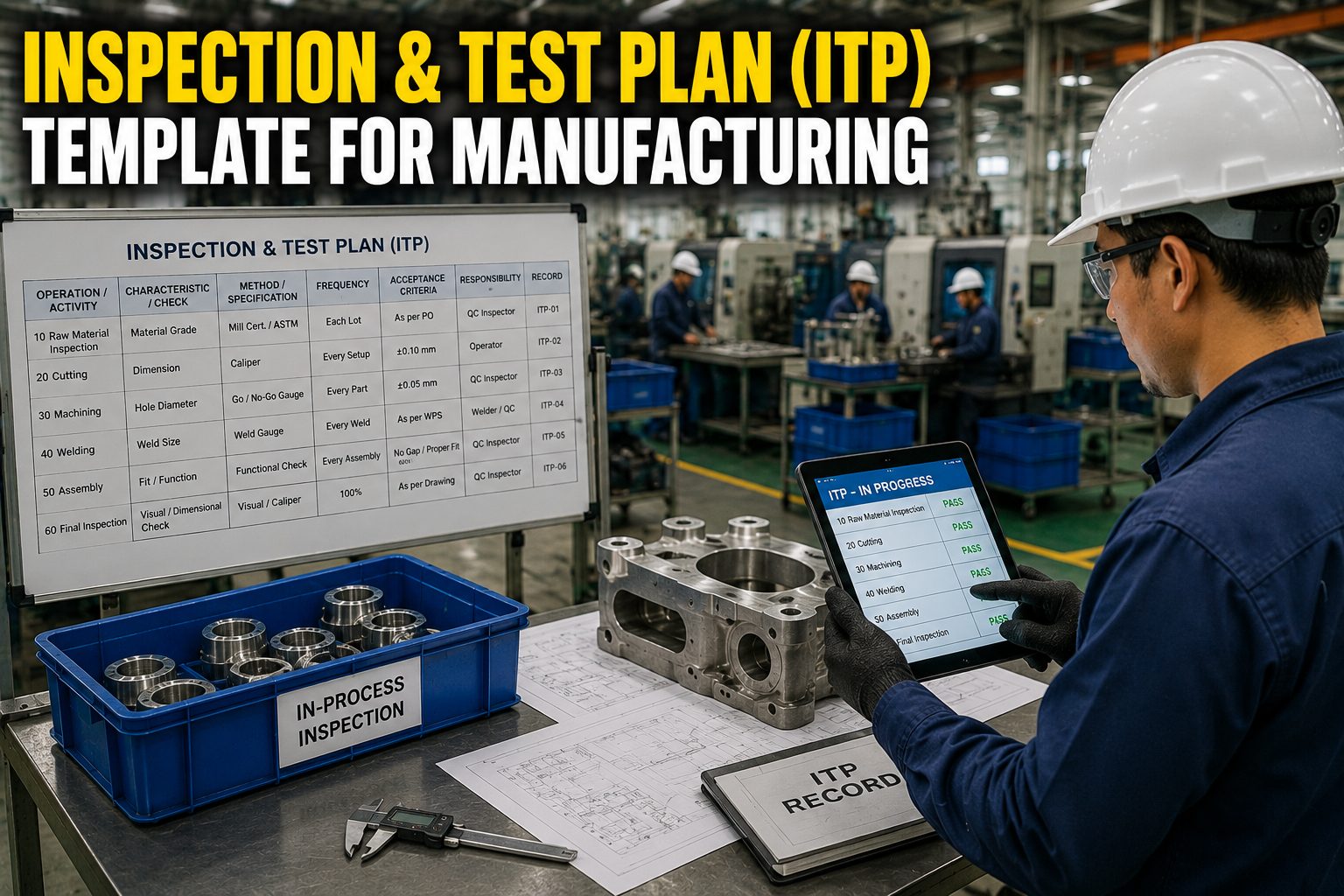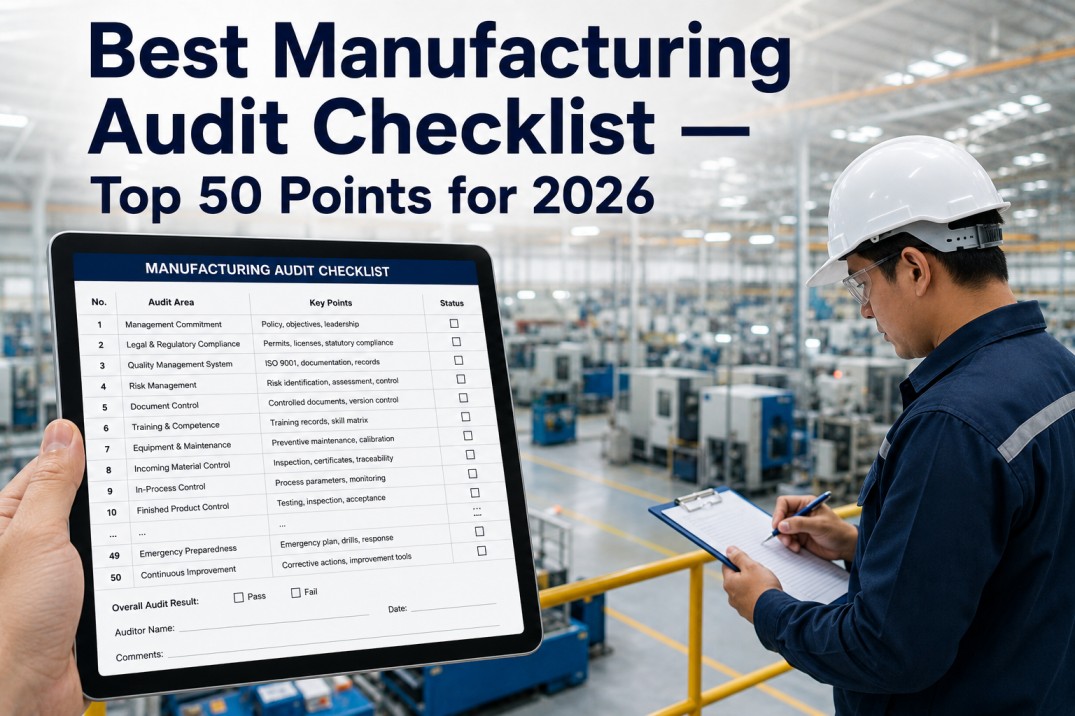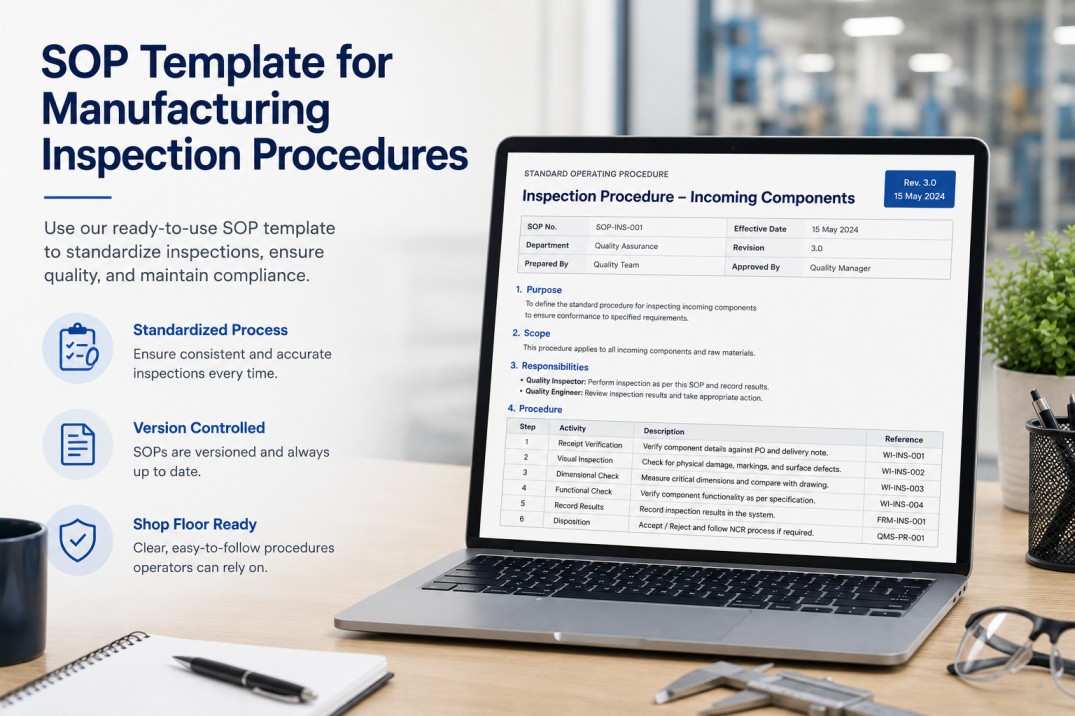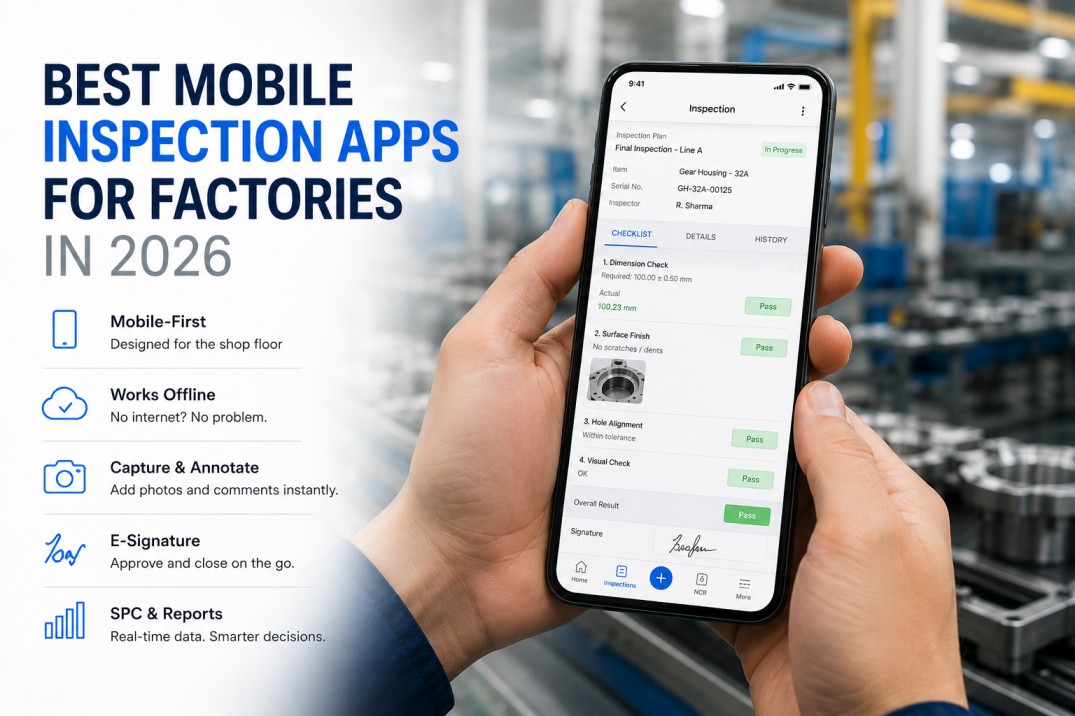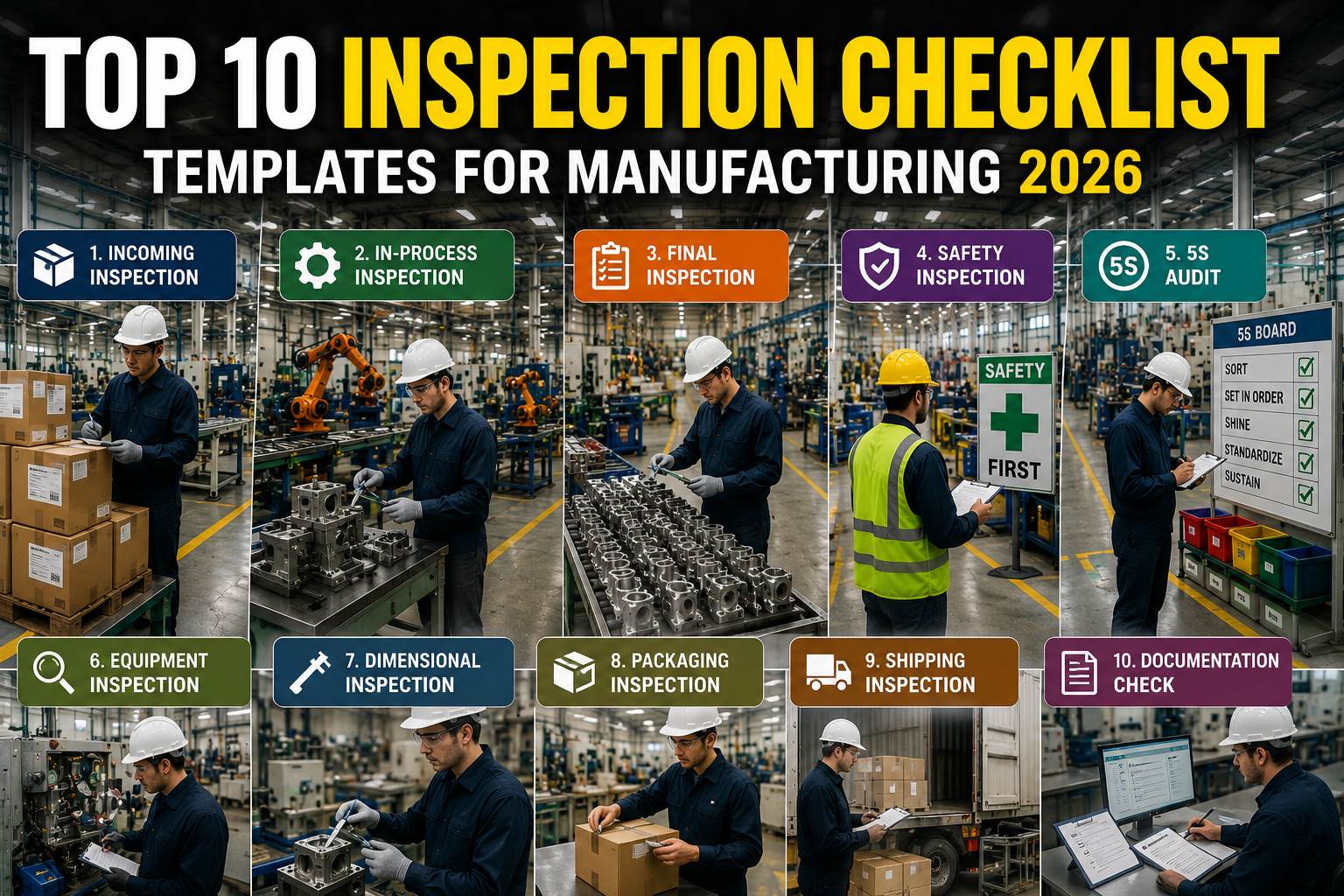
The right inspection checklists catch defects before they escape — but most plants still use outdated paper forms that miss critical checks. This page provides ten ready-to-use templates covering incoming material, in-process QC, safety, 5S, GMP, and more. Each template is designed for digital deployment on mobile devices with structured fields and automatic rollup into dashboards.
Audit Your Current Inspection Checklist Library
Find Out Which of Your Checklists Are Working — and Which Are Leaving Quality Gaps Uncovered.
Before deploying new inspection checklists, take stock of what you already have. Many plants accumulate dozens of paper forms over the years, some outdated, some duplicated, and many missing critical control points. A structured audit of your current checklist library reveals gaps in coverage, inconsistencies in format, and opportunities to standardise. Download our free checklist audit framework and compare your current forms against the ten templates on this page. Most plants discover they are over-inspecting in some areas and under-inspecting in others — the audit helps you rebalance and build a lean, high-impact inspection programme.
Inspection Checklist Template Scoreboard
The scoreboard provides an at-a-glance view of the inspection checklist ecosystem available through this guide: ten pre-built templates covering six quality and operational categories, with an average completion time of 12 minutes per checklist and over 2,400 downloads already deployed across manufacturing plants worldwide. These metrics reflect the breadth and practical utility of the templates, which are designed to be used both as standalone inspection forms and as building blocks for a comprehensive digital inspection programme.
The 10 Essential Inspection Checklist Templates for Manufacturing
Each of the ten templates below addresses a specific inspection domain within a manufacturing plant. The templates are designed to be used independently or combined into a comprehensive inspection programme. Every template includes structured fields for pass/fail criteria, measurement data, comments, corrective action routing, and electronic sign-off. The templates work on mobile devices, tablets, and desktop browsers, with offline capability for areas without network coverage.
Digital vs Paper Inspection Checklists: Head-to-Head Comparison
The decision to move from paper to digital inspection checklists affects every aspect of quality management — from how data is captured on the shop floor to how it is reported to leadership. The comparison table below evaluates eight critical dimensions where digital and paper checklists differ, with the winner identified for each dimension. The evidence overwhelmingly supports digital transformation, particularly for accuracy, real-time visibility, compliance tracking, and rollup reporting.
| Criteria | Digital Checklist | Paper Checklist | Winner |
|---|---|---|---|
| Data Entry | Structured forms, dropdowns, auto-calc | Free-form handwriting, manual totals | Digital |
| Accuracy | Validation rules prevent bad data | Prone to transcription errors and omissions | Digital |
| Real-Time Visibility | Results available instantly to all | Requires manual entry to any system | Digital |
| Compliance Tracking | Auto-audit trail, version control | Lost paper, no version history | Digital |
| Audit Trail | Timestamped, user-stamped, immutable | Manual sign-off, easy to alter | Digital |
| Cost per Checklist | Minimal after setup, no consumables | Paper, printing, storage, filing | Equal |
| Training Required | Minimal — guided forms, intuitive UI | Moderate — legibility, procedure recall | Paper |
| Rollup Reporting | Auto-aggregated dashboards, trends | Manual spreadsheet consolidation | Digital |
See Digital Checklists in Action — Live Demo
Watch How a Full Set of Digital Inspection Checklists Runs on the Plant Floor — From Create to Rollup Report.
Seeing digital checklists in a live production environment makes the benefits tangible. In a typical 15-minute demo, we walk through the complete checklist lifecycle: designing a form using one of the ten pre-built templates, assigning it to a production line, completing an inspection on a mobile device, reviewing flagged non-conformances, and viewing the auto-generated compliance dashboard. You will see how conditional logic adapts the form to the inspection context, how offline mode works in areas without connectivity, and how individual checklist results flow into plant-wide KPIs. The demo uses anonymised production data from a real manufacturing plant to show the before-and-after impact of going digital.
Why Digital Checklists Win: Six Proven Benefits
Manufacturing plants that switch from paper to digital inspection checklists consistently report improvements across quality, compliance, and operational efficiency. The six benefit cards below summarise the most impactful advantages, each backed by metrics from plants that have made the transition. The benefits span the entire inspection lifecycle — from how data is captured on the shop floor to how it drives continuous improvement at the plant and enterprise level.
The Inspection Checklist Lifecycle: From Create to Continuous Improvement
An effective inspection programme is a closed-loop process that starts with designing the checklist and ends with using the data to improve the checklist itself. The workflow below maps the six stages of the lifecycle, showing how each stage connects to the next. Understanding this lifecycle helps quality managers design inspection processes that are self-improving — each cycle of completion, review, and analysis produces insights that feed back into better checklists and more targeted inspections.
Inspection Checklist Programme Health: Key Performance Indicators
Measuring the health of your inspection checklist programme requires tracking more than just completion counts. The four metrics below — completion rate, on-time submission, findings per audit, and closure rate — provide a balanced view of whether your checklists are being used, completed on time, finding meaningful issues, and driving corrective actions to closure. These KPIs should be reviewed monthly and tracked against targets that reflect your plant’s quality objectives.
Frequently Asked Questions
What is the difference between digital and paper inspection checklists?
Digital inspection checklists replace paper forms with structured electronic forms completed on mobile devices, tablets, or workstations. The key differences include: data accuracy (digital enforces validation rules, dropdowns, and auto-calculations while paper relies on handwriting and manual totals), real-time visibility (digital results appear on dashboards immediately while paper requires manual data entry), compliance tracking (digital provides immutable audit trails while paper forms can be lost or altered), and rollup reporting (digital auto-aggregates results into trends while paper requires manual consolidation). Most manufacturers transitioning from paper to digital see a 40–60% reduction in data entry time, near-elimination of transcription errors, and a significant improvement in audit readiness because every checklist is timestamped, user-stamped, and searchable.
Can I customise the inspection checklists for my specific processes?
Yes, all ten inspection checklist templates are fully customisable. You can add or remove fields, change pass/fail criteria, attach reference documents or photos, configure conditional logic (e.g., show additional checks when a measurement is out of spec), and set different versions for different lines, shifts, or products. The iFactory platform provides a drag-and-drop form builder that requires no coding. Customisations are version-controlled, so you can track changes over time and maintain a history of checklist revisions for audit purposes. Many manufacturers start with the pre-built templates and iterate over several months as they discover additional data points that drive quality improvements.
Do digital checklists work offline in areas without Wi-Fi?
Yes, the iFactory mobile app supports full offline operation. Inspectors can download assigned checklists to their device, complete them in areas without network coverage (e.g., warehouses, remote production zones, outdoor storage yards), and the results sync automatically when the device reconnects. The app caches the checklist forms, reference documents, and any previously synced data. Offline submissions include a timestamp of when the inspection was performed and when it was synced, providing a complete audit trail. This offline capability is especially important for safety walkthroughs, warehouse audits, and incoming material inspections where connectivity may be intermittent.
How do digital checklists roll up into plant-wide metrics and reports?
Individual checklist results are automatically mapped to a central data model that aggregates results into plant-wide KPIs, trend charts, and compliance dashboards. For example, each In-Process QC checklist submission updates the FPY (First Pass Yield) metric for the line and shift; each Safety Walkthrough completion updates the safety compliance score and findings closure rate. Pre-built dashboards show real-time pass/fail rates by line, shift, department, and checklist type. Users can drill down from a plant-wide trend to individual checklist responses with a single click. Reports are auto-generated on daily, weekly, and monthly schedules and can be exported to PDF or Excel for distribution to stakeholders.
What is the typical implementation timeline for digital inspection checklists?
A pilot rollout of two to three checklist templates typically takes two to four weeks from configuration to go-live. The first week involves configuring the checklist forms in the platform (using the pre-built templates as starting points), assigning inspectors and reviewers, and setting up the notification rules. The second week includes pilot testing with a small group of inspectors on one shift or line, collecting feedback, and iterating on the form design. Full rollout across all checklist types and production lines typically completes within six to eight weeks. iFactory provides onboarding support including template configuration, user training, and go-live validation. Many plants report measurable improvements in compliance and data accuracy within the first 30 days of deployment.
Go Paperless with Digital Inspection Checklists
Replace Paper Forms with Mobile-Optimised Digital Checklists — Deploy in Weeks, Not Months.
Moving from paper to digital inspection checklists is one of the highest-ROI digital transformation projects a manufacturing plant can undertake. The cost of paper — printing, storage, filing, and the hidden cost of manual data entry and transcription errors — far exceeds the investment required to deploy digital checklists. With iFactory, you can start with one template on one line and expand to a plant-wide digital inspection programme in weeks. The ten pre-built templates give you a running start, and the platform’s drag-and-drop form builder lets you customise any template without coding. Book a consultation to discuss your inspection checklist requirements and get a deployment timeline for your plant.