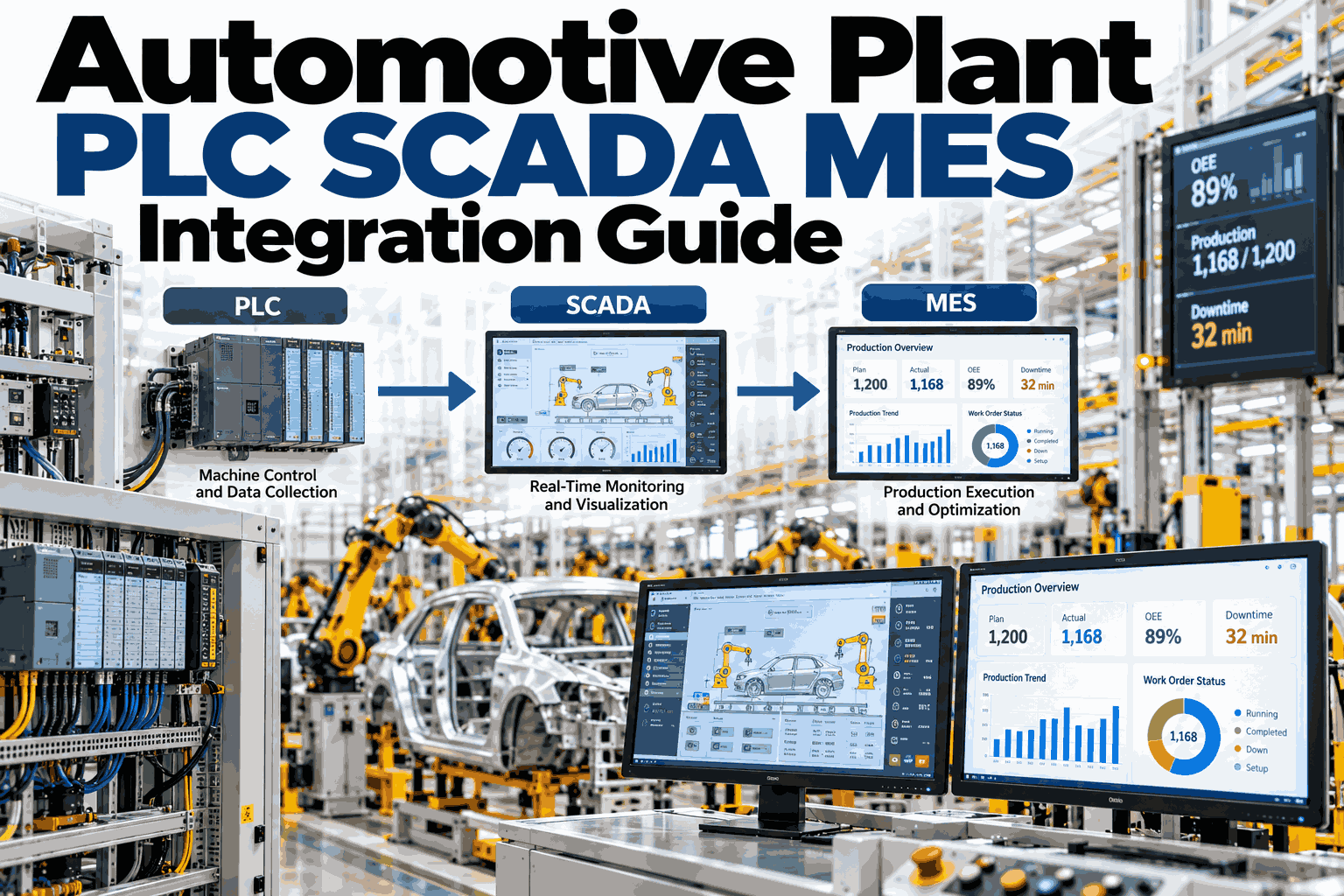
An automotive line can build a car every minute, yet the PLC, the SCADA screen and the MES often disagree about what just happened. A station stops, the PLC logs a fault code, SCADA shows a red icon, and MES records nothing until someone types a reason. Joining these layers cleanly is slow work, but it pays back in every shift report. This guide covers the layers, the patterns and the pitfalls, and you can start with a line integration walkthrough.
Automotive Plant PLC, SCADA and MES Integration Guide
How to connect station controls, supervisory screens and production systems so every vehicle, fault and cycle is recorded once and trusted everywhere.
What Each Layer Knows
Each layer sees the plant at a different speed.
PLC
Runs the station. Knows cycle state, interlocks and fault codes.
SCADA
Shows the line live. Knows alarms, trends and operator actions.
MES
Runs production. Knows the vehicle, the order, the quality result.
ERP
Runs the business. Knows demand, stock and cost.
Most integration pain sits between SCADA and MES, where fast signals must become meaningful production events.
The Journey of One Signal
Follow a single stoppage from the station to the report.
Station faults
PLC sets a fault bit and stops the cycle.
Signal is read
The tag is polled or pushed to the supervisory layer.
Code is translated
A raw bit becomes a named stop reason.
Event reaches MES
The stop is tied to a vehicle, shift and order.
Report is true
Downtime shows with the right cause, without retyping.
Three Ways to Connect Them
The pattern you pick sets your future cost.
Point to point
Each system talks directly to another. Quick to start, but it becomes a tangle as the plant grows.
Best for: one small cellMiddleware hub
One broker passes messages between systems. Cleaner, but each message still needs mapping work.
Best for: a few connected linesUnified data layer
All signals land in one model with shared names and history. Systems read from the layer, not from each other.
Best for: plant-wide growthReady to See Your Own Stack Mapped?
Bring a list of your PLC brands, SCADA and MES. We sketch the data path with you and flag the first gaps worth closing.
Mapping Tags to Meaning
A tag name means nothing until it is described.
A shared tag dictionary saves more time than any single tool. Without it, every project starts by guessing.
Protocols You Will Meet
Mixed brands are normal on an automotive floor.
Newer lines
Often offer OPC UA, which gives named tags and structure out of the box.
Older lines
May need drivers or gateways to read registers and map them to names.
Pitfalls That Delay Go-Live
Most are about people and naming, not wiring.
Two reports show different downtime
Usual fixAgree one stop reason list and clock source
Data arrives late or in bursts
Usual fixCheck polling rates and network load early
Vehicles missing in genealogy
Usual fixConfirm part ID is read at every key station
Line stops during the project
Usual fixStart read-only and test off shift
A Readiness Checklist
Tick these before the first connection.
How iFactory AI Connects PLC, SCADA and MES
One layer in the middle, live in 6 to 12 weeks.
iFactory reads from your PLCs, SCADA and MES with read-only links, aligns names and clocks, and stores the joined history. It then adds AI for downtime causes, cycle drift and quality links. The server sits inside your network, so plant data stays on site. For fit and scope, contact our integration team.
Install and link
Server in place, controllers connected.
Map and pilot
Tag dictionary built, first line tested.
Go live
Training and 24x7 remote monitoring.
Frequently Asked Questions
What is the difference between SCADA and MES?
SCADA supervises machines in real time, showing alarms and trends. MES manages production, tracking vehicles, orders, quality and genealogy. SCADA answers what a machine is doing now. MES answers what was built and how.
Do we have to replace our current MES or SCADA?
No. Most plants keep them and add a layer that reads from both. This avoids a long and costly replacement. Our team can review what you run today and suggest where a layer fits.
Is it safe to connect to live PLCs?
Yes, when connections are read-only and agreed with your controls team. We test off shift and avoid changing logic. Network segmentation and access rules are set with your IT and OT staff before any line is touched.
How long does an integration take?
A first pilot line is often live within weeks, while full coverage takes longer and depends on equipment age and brand mix. Starting with one line and one use case keeps the first phase short.
What results should we expect first?
Usually cleaner downtime records and less manual reporting, because events flow without retyping. Quality and maintenance gains follow once data is joined. A demo session shows what this looks like on your line.
Make Every Layer Tell the Same Story
In thirty minutes we review your PLCs, SCADA and MES, and show how the data could flow between them. You keep the notes either way.