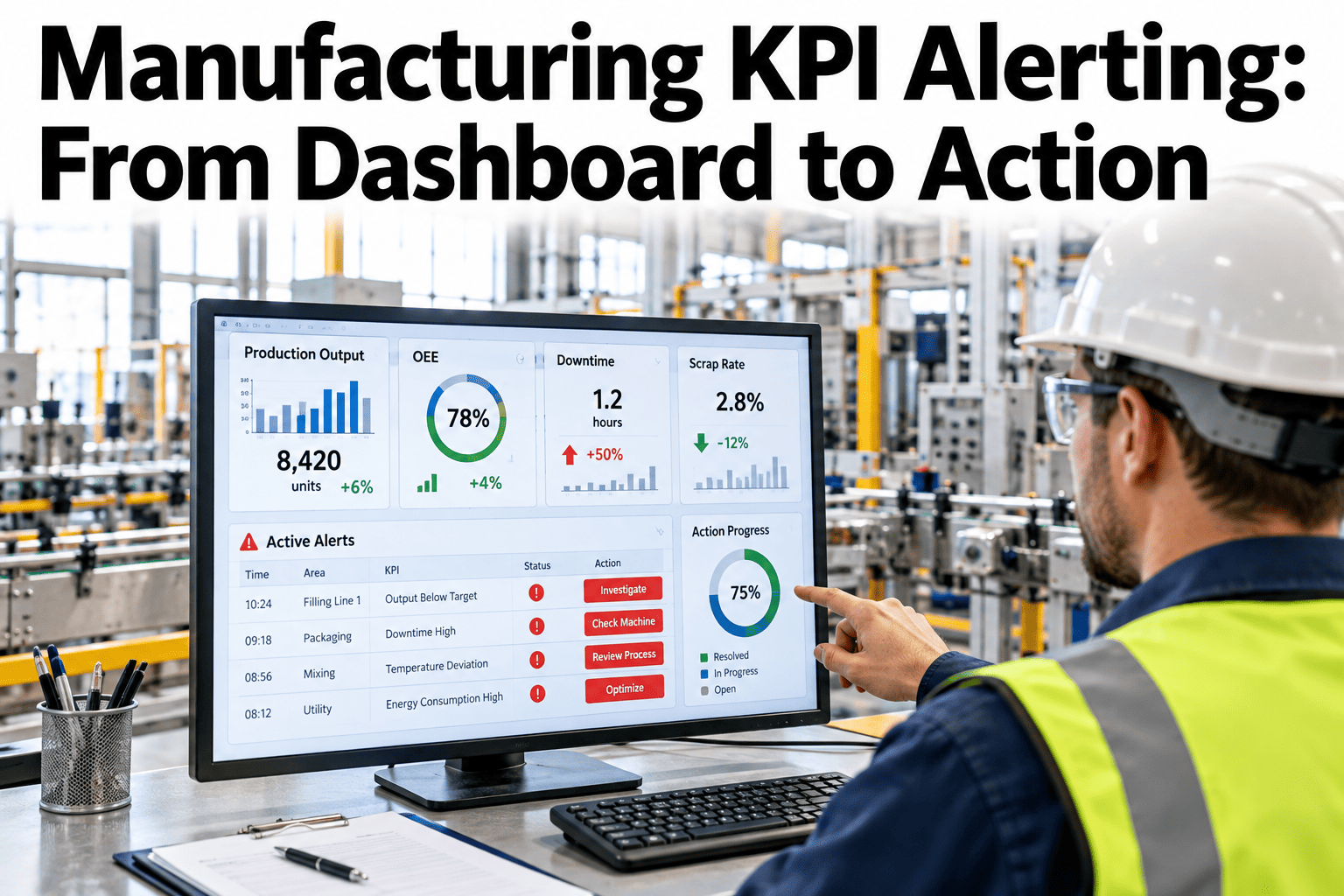
A dashboard that someone has to remember to check is a dashboard that gets checked less and less often as the weeks go by, no matter how well it was designed. Most manufacturing KPI dashboards are built this way: a screen full of charts that update live, but the responsibility for noticing a problem still sits entirely with a person choosing to look at the right moment. Alerting flips that responsibility, pushing a notification to the right person the moment a KPI crosses a threshold, with enough context attached to act immediately rather than opening the dashboard to investigate first. The difference between a dashboard and an alerting system is the difference between a tool that shows information and one that drives action. Teams rethinking their current dashboard setup can see KPI alerts fire with drill-down context live before the next KPI gets missed between dashboard checks.
Manufacturing KPI Alerting: From Dashboard to Action
A notification with drill-down context, pushed to the right person the moment a threshold is crossed.
Why a Dashboard Alone Doesn't Drive Action
A dashboard without alerting puts the entire burden of noticing a problem on human attention.
A KPI can drift for hours or days before someone happens to check the dashboard.
Even a glance at the dashboard often doesn't explain why a number moved.
A dashboard shows everyone the same view, with no clear signal about who should act.
Alerting closes all three gaps by pushing the right information to the right person at the moment it matters.
From Threshold to Action
A useful alert carries enough context to act on immediately, not just a notice that something changed.
| Alert Element | What It Provides |
|---|---|
| Threshold crossed | The specific KPI and how far it has moved from target |
| Drill-down context | The contributing factors behind the change, not just the headline number |
| Owner routing | The alert reaches the specific person or team responsible for that KPI |
| Trend direction | Whether this is a one-off spike or part of a sustained trend |
Set Up Alerts on Your Own KPI Dashboard
Book a 30-minute session and bring your current dashboard. iFactory AI will show how threshold-based alerts would route and what context they'd carry.
What iFactory AI Supports
Alerts are built around context and routing, not just a threshold crossing notification.
Threshold and Trend Alerts
Alerts fire on a single threshold crossing or a sustained trend pattern.
Automatic Drill-Down
Each alert includes the contributing factors behind the KPI movement.
Role-Based Routing
Alerts reach the specific owner responsible for that KPI, not a general channel.
Alert History Tracking
Past alerts and the actions taken are logged for later review and tuning.
iFactory AI connects to existing KPI and production data. Scope covers threshold setup, routing configuration, team training and ongoing support.
Expert Review
The plants that get the most value from alerting are the ones that resist the urge to alert on everything. A flood of low-value alerts trains people to ignore the channel entirely, which defeats the purpose faster than having no alerting at all.
Drill-down context is the feature that determines whether an alert gets acted on immediately or just acknowledged and set aside. An alert that says what changed and why saves the recipient the step of opening a dashboard to investigate, which is often the difference between acting now and acting later.
Frequently Asked Questions
How do we avoid alert fatigue from too many notifications?
Thresholds are tuned to the KPI's own normal variation, and alerts can be set to trigger on sustained trends rather than every brief fluctuation, which keeps the volume focused on signals worth acting on. Discuss threshold tuning for your specific KPIs in a working session.
Can alerts be routed to a team channel instead of an individual?
Yes, routing can go to an individual, a team channel, or both, depending on how the organization wants accountability and visibility structured for a given KPI. Ask support about your preferred routing setup.
What delivery channels are supported for alerts?
Alerts can be delivered through common channels such as email, messaging platforms or a dashboard notification, depending on what the team already uses day to day. Request a list of supported delivery channels.
Can we see which alerts led to action and which were ignored?
Yes, alert history is logged along with any follow-up action taken, which supports a periodic review to tune thresholds that are generating noise versus ones that are genuinely useful. Contact support about alert effectiveness reporting.
How long before alert thresholds are tuned well for our plant?
Most plants have thresholds reasonably tuned within five to eight weeks, with an initial calibration period where alert volume and relevance are reviewed and adjusted before being trusted fully. Book a session to estimate your own timeline.
Turn Your Dashboard Into Something That Drives Action
iFactory AI pushes KPI alerts with context and routing, not just a notification. Book a walkthrough on your own KPIs.