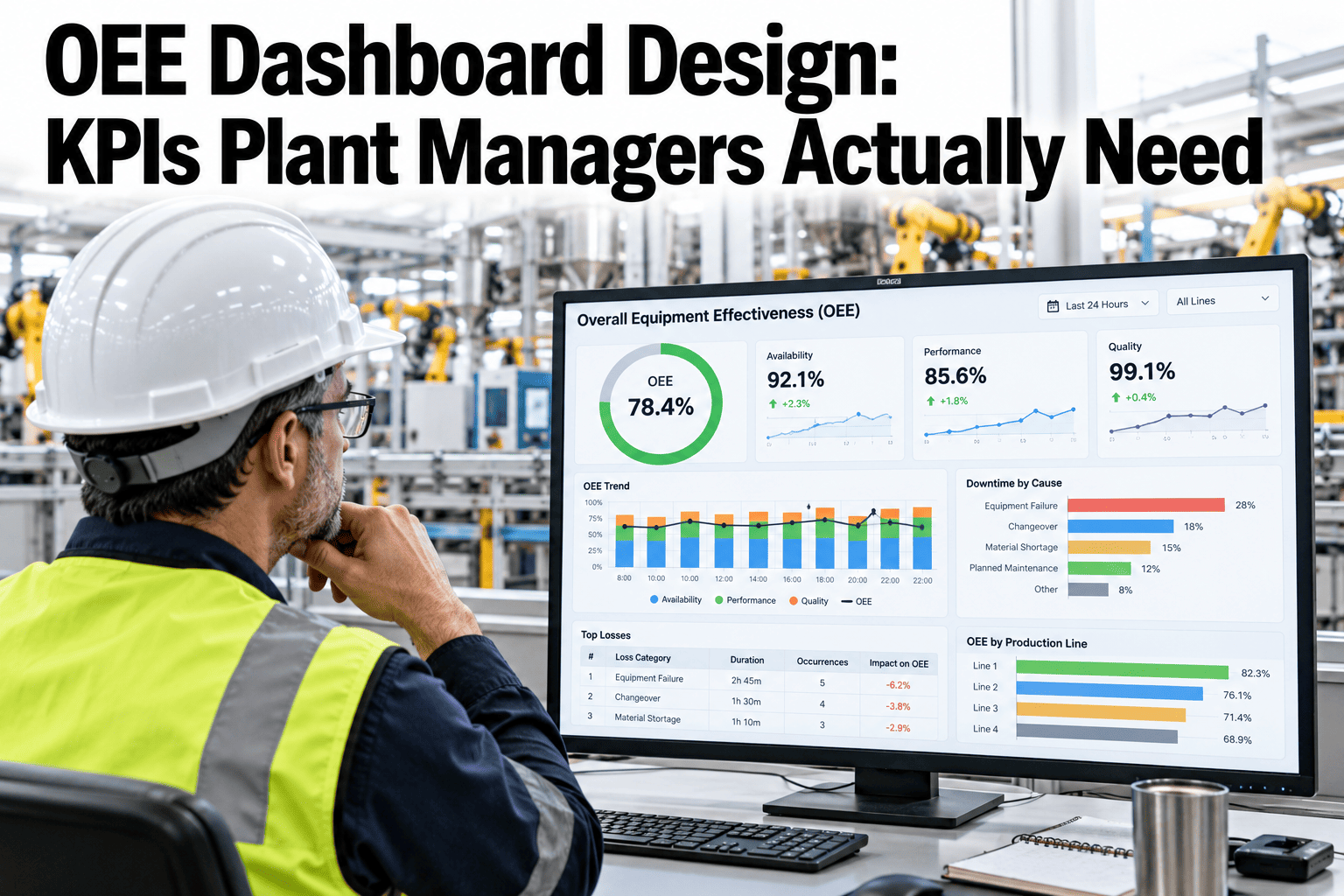
A plant manager's dashboard is only as useful as the decisions it makes faster. Most OEE dashboards fail not because they show the wrong data, but because they show too much of it — every available metric rendered at equal size with equal urgency, leaving the manager to do the analytical work the dashboard should have already done. The right design answers three questions at a glance: where is the plant against its OEE target right now, which component is dragging it down, and which machine or line is the largest contributor to that gap. See how iFactory AI structures the dashboard view for plant managers.
The KPIs Plant Managers Actually Act On
A checklist of the metrics, alerts, trends, and drill-downs that belong on every plant manager's OEE dashboard — and the ones that belong off it.
Top downtime cause
Speed gap alert
Quality rate by shift
MTTR trend
Machine ranking
Shift comparison
Scrap cost total
PM compliance %
The Three Questions Every Plant Manager Needs Answered
Before selecting specific KPIs, the dashboard design has to start with the decisions it needs to support. For a plant manager, three questions dominate the start of every shift.
Everything else on the dashboard is either supporting context that helps answer these three questions or analytical depth that belongs on the engineer's drill-down view, not the plant manager's top-level screen.
The Core OEE KPI Checklist
These are the metrics that every plant manager's OEE dashboard must display. Each is paired with its recommended visualization format and the action it triggers.
| KPI | Visualization | Update Frequency | Triggers Action When... |
|---|---|---|---|
| Live OEE Score vs. Target | Large gauge or number with RAG status | Real-time / per shift | Score drops below target threshold |
| Availability Rate | Percentage with trend arrow | Real-time | Falls below rolling 7-day average |
| Performance Rate | Percentage vs. rated speed | Real-time | Gap vs. rated speed exceeds threshold |
| Quality Rate / FPY | Percentage with shift comparison | Per hour / per shift | Drops below specification target |
| Top Downtime Cause | Single highlighted reason with minutes | Current shift, updated live | One cause dominates — immediate focus |
| Machine OEE Ranking | Ranked horizontal bars | Per shift / daily | Lowest machine identified for attention |
| 7-Day OEE Trend | Line chart with target band | Daily update | Consistent downward trend vs. prior week |
| Shift-vs-Shift Comparison | Side-by-side bars, all three shifts | End of each shift | One shift consistently lower than others |
See an OEE Dashboard Built for Plant Managers
iFactory AI builds the dashboard hierarchy from your plant's own data. Book a 30-minute walkthrough to see the live layout before making any configuration decisions.
The Drill-Down Layer: What Engineers Need That Managers Don't
A common dashboard design mistake is building one view for every role. Engineers need depth. Managers need signals. Conflating the two produces a screen nobody uses well.
Alert and Notification Design
A dashboard that surfaces problems after the shift ends is a report. A dashboard that alerts during the shift is an operational tool. The distinction matters enormously to a plant manager's ability to intervene.
Common Dashboard Design Mistakes to Avoid
Most OEE dashboards are built by teams who know the data, not by the managers who will use the screen under time pressure. These are the patterns that undermine otherwise good dashboards.
How iFactory AI Builds the Dashboard Layer
iFactory AI does not require a separate BI team to build and maintain dashboard configurations. The platform delivers preconfigured views for plant managers, engineers, and shift supervisors.
Frequently Asked Questions
How many KPIs should a plant manager's OEE dashboard show?
Eight or fewer, built around three questions: current OEE vs. target, which component is dragging it down, and which machine accounts for the gap. Walk through the iFactory AI dashboard structure in a live session.
Does an OEE dashboard need to update in real time to be useful?
For in-shift decisions, yes — real-time or hourly updates. A shift-end-only refresh is a report, not a tool managers can act on while the shift is still running. Ask about real-time data refresh rates for your existing equipment.
Should shift comparison data be on the plant manager's main view or in a drill-down?
On the main view. It's one of the most actionable signals a manager has, and burying it in a drill-down means the pattern often goes unnoticed for weeks. See shift comparison in a live dashboard walkthrough.
Can the iFactory AI dashboard be viewed on a phone or tablet?
Yes — the mobile layout prioritizes live OEE score, component breakdown, and top downtime cause so managers can check it from the floor. See the mobile dashboard view during a walkthrough session.
How does the dashboard connect to our existing MES or SCADA system?
Through standard protocols — OPC UA, Modbus, MQTT — with on-site edge processing, so no replacement of existing systems is needed. Ask the team about integrating your specific MES or SCADA setup.
Get the Dashboard Your Plant Decisions Actually Need
iFactory AI delivers a preconfigured OEE dashboard built for plant manager decisions, not analyst exploration. Book a 30-minute session to see the layout on your own production data.