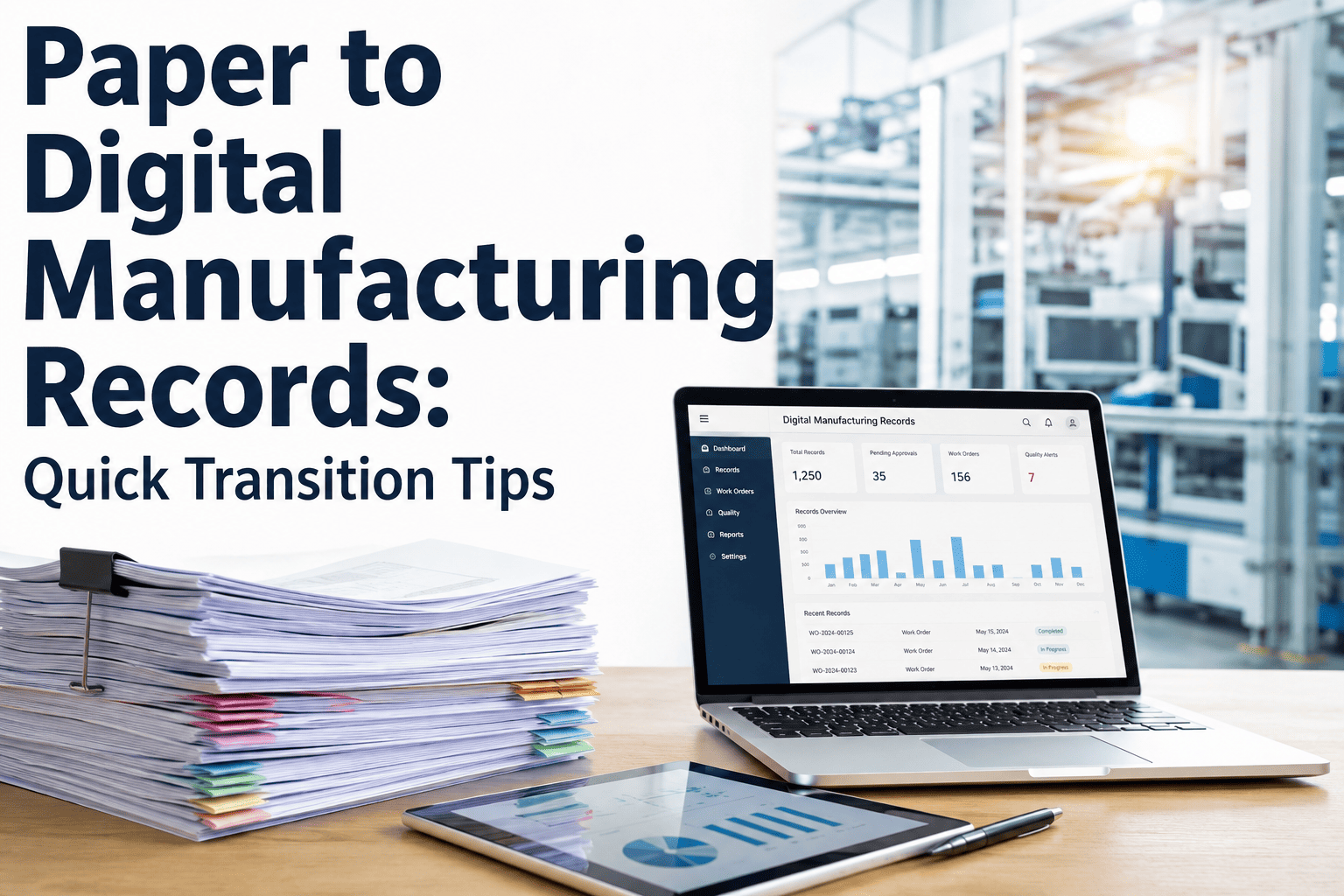
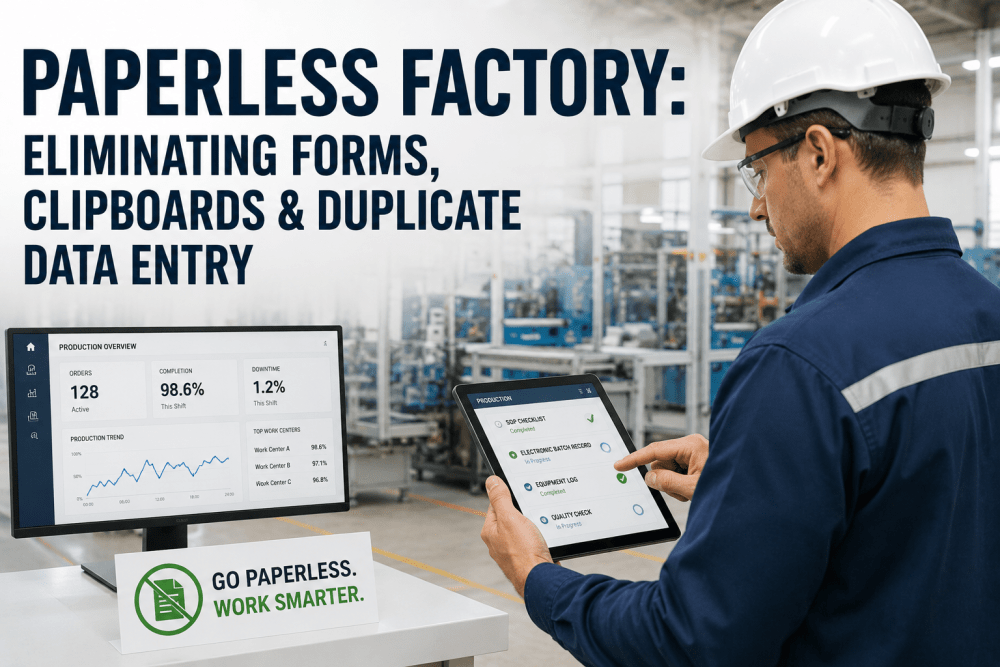
Paper to Digital Manufacturing Records: Quick Transition Tips
By James Smith on August 6, 2026
The clipboard does not break down, it does not need a password, and it has been working in manufacturing since before anyone in the plant was born. Those are its only advantages. Everything else — the illegible handwriting, the lost shift report, the production record that cannot be searched, the quality form that arrives at the quality manager's desk three days after the batch it documents has already shipped, the audit that requires two people and a filing cabinet to prepare — is a cost that most manufacturing operations have simply accepted as normal. Digitising manufacturing records is not a technology project. It is an operational decision to stop paying the cost of paper in delayed information, transcription errors, and inaccessible history. The transition from paper to digital does not require replacing your ERP, installing new hardware, or retraining your entire workforce. It requires the right mobile forms, the right workflow routing, and a deployment sequence that captures value in the first week. Book a session with the iFactory digital records team to see how a phased paper elimination programme works in a plant like yours.
Shop Floor Visibility · Paperless Manufacturing
Paper to Digital Manufacturing Records: A Practical Transition Guide for Operations Teams
Mobile data entry, digital forms, automated record routing, and audit-ready documentation — deployed in weeks, not months. This guide covers the full transition sequence for production, quality, maintenance, and safety records.
Quantifying What Paper Records Actually Cost Your Operation — Before You Justify the Transition
The cost of paper records is systematically underestimated because most of it is invisible — it appears as management time, quality engineer time, audit preparation time, and data analyst time rather than as a line item called "paper records cost." A manufacturing plant running 3 shifts, 250 days per year, with 15 paper forms per shift across production, quality, maintenance, and safety generates approximately 11,250 form submissions per year. If each form takes an average of 8 minutes to complete by hand, 4 minutes to file, and 6 minutes to retrieve when needed, the total labour cost of those forms — before any value is extracted from their data — exceeds 3,375 hours per year. At $35 per hour fully loaded, that is $118,125 in form-handling labour annually, generating data that cannot be searched, trended, or acted upon in real time.
Completion cost
6–12 min per form
vs. 2–4 min for equivalent digital form with pre-populated fields and dropdowns
Transcription cost
15–30 min per shift
Manually keying paper records into spreadsheets or ERP — eliminated entirely by digital capture at source
Retrieval cost
20–90 min per incident
Finding a specific historical record during customer audit, quality investigation, or regulatory inspection
Delay cost
Hours to days
Time between data being captured on paper and it being available for decision-making by supervisors or quality teams
Error cost
2–5% error rate
Industry-average transcription error rate when paper records are manually keyed into digital systems — each error potentially requiring investigation
Audit prep cost
1–3 days per audit
Assembling paper records for regulatory, customer, or internal audit — replaced by filtered export in under 10 minutes with digital records
Transition Sequence
The Four-Phase Paper Elimination Programme — From First Digital Form to Fully Paperless Plant
The transition from paper to digital is not a single event — it is a sequenced programme that replaces the highest-value paper records first, captures ROI to fund subsequent phases, and manages workforce adoption by demonstrating value before demanding behaviour change. The four-phase sequence below is the deployment model that consistently delivers measurable results within the first month while maintaining operational continuity throughout.
Phase 1
Weeks 1–3
High-Frequency, High-Value Forms
Digitise the forms that operators complete most often and that generate the most downstream value: production count logs, shift handover reports, and equipment inspection checklists. These are the forms where digital capture immediately reduces supervisor time (no more manually compiling shift totals) and where real-time visibility has immediate operational impact (supervisor sees production count in real time, not when the shift closes). Start here because success is fast and visible — building operator confidence in the digital system before more complex forms are introduced.
Target forms: Shift production log · Hourly count entry · Line status report · Shift handover
Phase 2
Weeks 4–6
Quality and Inspection Records
Replace paper inspection checklists, quality check sheets, first-article inspection records, and non-conformance forms. Quality records have the highest compliance value — they are the primary documentation requested during customer audits and regulatory inspections. Digitising quality records creates an instantly searchable, lot-traceable quality history that transforms audit preparation from a days-long retrieval exercise into a filtered export. Mandatory fields and validation rules at the digital form level enforce record completeness that paper can never guarantee.
Target forms: Inspection checklist · QC check sheet · NCR form · First article · Deviation record
Phase 3
Weeks 7–10
Maintenance and Safety Records
Digitise preventive maintenance completion records, corrective maintenance work orders, safety inspection forms, and permit-to-work documentation. Maintenance records digitisation creates a complete, searchable asset history that supports predictive maintenance programmes and regulatory compliance. Safety record digitisation provides timestamped, named completion evidence that is significantly more defensible in incident investigation than a paper form. Permit-to-work digitisation enables real-time permit status visibility across the plant — preventing the dangerous situation of work proceeding on an expired or uncommunicated permit.
Target forms: PM completion record · Work order · Safety inspection · JSA · Permit-to-work
Phase 4
Weeks 11–16
Process and Batch Records
Replace paper batch manufacturing records, process parameter logs, material traceability documents, and operator certification records. These are typically the most complex forms — they may have conditional fields, require calculations, or need to be linked to specific production orders and material lots. Digital batch records connected to ERP production orders create end-to-end traceability from raw material receipt to finished product shipment — the documentation foundation for GMP compliance, ISO 9001 audits, and customer traceability requirements. This phase often unlocks the most significant regulatory compliance value.
Target forms: Batch manufacturing record · Process parameter log · Material traceability · Certificate of conformance
Mobile Data Entry Design
Digital Forms That Operators Will Actually Use — Design Principles That Drive Adoption
The failure mode of most digital forms programmes is a form that looks exactly like the paper version, recreated in a browser. A checkbox on paper becomes a checkbox on screen. A blank text field on paper becomes a blank text field on screen. The operator's experience is identical — they type everything they would have handwritten — and they have also lost the tactile familiarity of paper without gaining any meaningful time saving. Digital forms must be redesigned, not just digitised. The design principles below are what separate a 4-minute digital form from a 10-minute one, and what determine whether adoption reaches 95% or stalls at 40%.
Pre-populate everything possible
Date, time, shift, line, machine, operator name, and production order should all be auto-populated from the system context — never typed. An operator who scans a machine QR code to open a form should have 6 to 8 fields already filled before they touch the screen. Every field that does not need to be typed reduces completion time and eliminates a potential error.
Dropdowns over text fields
A text field for "defect type" produces 47 variations of "scratch" across a month of data. A dropdown with 12 defined defect categories produces clean, aggregatable data from day one. Replace every free-text field where a controlled vocabulary exists — and most manufacturing form fields have a correct vocabulary that paper simply could not enforce.
Photo and scan as evidence
A photo of a defect embedded in a quality record eliminates the written description entirely and provides unambiguous evidence. A barcode scan to enter a part number eliminates transcription errors absolutely. Camera and scanner integration in mobile forms removes the most error-prone and time-consuming data entry tasks — typed numbers and part descriptions — from the operator's burden.
Show only what is needed now
A paper form shows all fields simultaneously regardless of relevance. A digital form should use conditional logic — if the answer to "was there a defect?" is No, the defect description, classification, and disposition fields should not appear. A form that adapts to the answer pattern is faster, less cognitively demanding, and produces cleaner data than one that presents every possible field on every submission.
Validate at entry, not at review
Paper forms are reviewed for completeness after the shift — when the operator is gone and the missing information may be unrecoverable. Digital forms validate at submission: a temperature reading outside the expected range triggers an immediate "confirm this value" prompt, and a mandatory field left blank cannot be submitted. The shift supervisor receives complete, valid records rather than a review task.
Offline capability is non-negotiable
Manufacturing environments have intermittent WiFi coverage — particularly near large metal structures, in basements, or in outdoor areas. A digital form that requires a continuous network connection will fail in exactly the locations where paper always worked. Forms must work offline, save locally, and sync automatically when connectivity is restored — invisibly to the operator.
See Digital Forms Live on a Mobile Device
iFactory Deploys Your First Set of Digital Production Forms in Under Five Business Days
The fastest path to value is deploying two or three of your highest-frequency paper forms in digital format — shift production log, equipment inspection checklist, and quality check sheet. iFactory configures these from your existing paper templates, deploys them to mobile devices, and has them live in the plant within five business days. No IT project. No integration requirement. No capital expenditure.
From Form Submission to Action — Automating the Record Routing That Paper Could Never Do
Paper records have no routing intelligence. A completed quality form sits in a tray until someone picks it up. A non-conformance report written on a shift gets to the quality manager when someone remembers to deliver it — which may be hours later. A safety observation form may never leave the operator's clipboard. Digital records carry workflow routing rules that make the data actionable automatically at the moment of submission, without manual routing by anyone.
Form submitted with NCR flag
Quality manager notified immediately with form link
Affected lot automatically placed on hold in system
NCR counter updated on quality dashboard in real time
Equipment inspection records a fault
Maintenance work order created automatically with fault description
Maintenance supervisor notified with priority flag
Asset fault log updated — audit trail created at time of discovery
PM checklist completion submitted
PM compliance dashboard updated — completion timestamped and named
Next PM due date calculated and scheduled automatically
Any items marked incomplete routed to supervisor for review
Safety observation form submitted
EHS manager notified with observation details and location
Safety action item created with owner and due date
Safety observation trend updated — leading indicator dashboard refreshed
Shift handover form submitted
Incoming shift supervisor notified with link to handover summary
Open items from handover automatically added to shift action list
Shift production summary added to daily report — no manual compilation
Workforce Adoption
Why Digital Form Rollouts Fail — and the Three-Week Adoption Framework That Prevents It
Most digital forms programmes that fail do not fail because the technology stopped working. They fail because operator adoption stalled at 40 to 60% — enough paper forms still being used that a parallel system persists, and insufficient digital data for the dashboards to have value, which reduces management engagement, which reduces the pressure for full adoption. The adoption failure is almost always a change management failure, not a technology failure.
Week 1
Run parallel — paper and digital simultaneously
Both systems run in parallel for the first week. Operators complete the digital form and the paper form. This is the most resource-intensive week of the programme, but it serves three purposes: it provides a fallback if any issue occurs, it gives operators time to build digital form habit without the pressure of it being the only option, and it allows a direct comparison of data quality between paper and digital that invariably demonstrates the superiority of the digital record in concrete terms by the end of the week.
Week 2
Digital primary — paper as backup only
Digital form becomes the primary record. Paper is kept as a backup option but is not collected or processed. Supervisors review the digital dashboard daily — making the value of real-time data visible to the operators who provided it. The key behaviour change for this week: supervisors reference the digital dashboard in shift meetings rather than paper reports. When operators see their data being used in real time, adoption motivation increases naturally.
Week 3
Paper removed — digital is the only option
Paper forms are physically removed from the workplace — not filed away, removed. Any operator who wants to record a production event, quality check, or inspection finding has only the digital form available. Week 3 adoption resistance is minimal in programmes that have executed Weeks 1 and 2 correctly — operators already know the form, have seen their supervisors use the data, and have experienced the shorter completion time. Remaining resisters are typically addressed individually by the shift supervisor, not by a programme-level intervention.
Compliance and Audit Readiness
How Digital Records Transform Regulatory Audit Preparation from Days to Minutes
The compliance value of digital records is most viscerally felt during audit preparation. A pharmaceutical manufacturer with paper batch records allocates 3 to 5 days per regulatory inspection to assemble and index documentation. An automotive supplier allocating 2 days to compile quality records for a customer PPAP audit. A food manufacturer spending a full week retrieving paper traceability records for a recall investigation. These are real operational costs that digital records eliminate — and they are often the strongest business case for digitisation in regulated industries.
Record Type
Paper Audit Prep Time
Digital Audit Prep Time
Compliance Standard
Batch manufacturing records
2–4 days per batch family
<15 minutes — filtered export
GMP, FDA 21 CFR Part 11, EU GMP Annex 11
Quality inspection records
1–3 days per product audit
<10 minutes — lot-linked export
ISO 9001:2015, IATF 16949, AS9100
Safety inspection records
4–8 hours per inspection
<5 minutes — date-range export
OSHA 300 log, ISO 45001
Maintenance records
2–5 hours per asset audit
<5 minutes — asset-filtered export
ISO 55001, FDA 21 CFR, HACCP
Traceability documentation
1–5 days per recall / investigation
<30 minutes — full chain export
FSMA, REACH, customer traceability requirements
Transition KPIs
How to Measure the Success of Your Paper-to-Digital Programme
Digital Adoption Rate
Target: >95% by Week 4
Percentage of form submissions that are digital versus paper. Tracked per form type, per shift, and per line. Any adoption rate below 90% on a form that has been live for more than 3 weeks indicates a specific resistance point — operator training gap, device availability issue, or form design problem — that requires individual attention rather than a general push.
Form Completion Time
Target: <50% of paper time
Average time from form open to submission on the digital platform. Measured automatically from the system. Well-designed digital forms should complete in 50 to 70% of the time the paper equivalent required. If digital completion time exceeds paper time, the form has been poorly designed — typically with too many mandatory free-text fields or without adequate pre-population.
Record Completeness Rate
Target: 100%
Percentage of submitted forms with all mandatory fields completed. Should be 100% immediately upon digital deployment, since the system enforces completeness at submission. Compare this to your paper baseline — most paper form programmes have a 5 to 15% incomplete record rate that persists because there is no enforcement mechanism. The improvement to 100% is an immediate compliance gain from day one.
Data-to-Dashboard Latency
Target: <60 seconds
Time between form submission and data appearing on the supervisor dashboard. This is the most operationally significant metric — it defines whether the digital system enables real-time decision-making or simply digitises the same delayed information flow that paper had. The latency target for production records is under 60 seconds; for safety-critical records, under 10 seconds.
Audit Retrieval Time
Target: <15 minutes
Time required to assemble and export all records of a specified type within a defined date range and lot number. Measured during simulated audit exercises before the real audit occurs. Should be under 15 minutes for any standard audit request. The reduction from days (paper) to minutes (digital) is the most compelling single metric for senior leadership when justifying the programme investment.
Transcription Error Rate
Target: 0%
Errors introduced when paper records are manually keyed into ERP, MES, or spreadsheets. Should drop to zero at digital deployment, since data captured at source in the digital form requires no transcription. Tracking this metric in the weeks before digitisation — and showing the before/after comparison — is one of the most effective ways to demonstrate programme ROI to finance and quality leadership.
From the Operations Floor
“
The question I get asked most often when a plant is starting a paper elimination programme is: how do we get the operators to use it? And my answer is always the same: they will use it when it is easier than the alternative. The mistake most organisations make is thinking that telling people to use the digital form is what drives adoption. It is not. What drives adoption is designing the form so that completing it digitally takes four minutes and completing it on paper takes nine minutes. When the digital version is genuinely faster, you do not have an adoption problem. You have an evangelism problem in the other direction — operators who have discovered the digital form are annoyed when they have to fill in the paper version for something that has not been converted yet. The second thing that drives adoption is making the supervisor's response to digital data visible to the operators who submitted it. If an operator flags a fault on the digital inspection form and fifteen minutes later the maintenance team shows up — because the form automatically created a work order — that operator will never go back to paper. Not because you told them not to, but because they have seen what digital data does that paper data cannot.
Nneka Okonkwo-Diallo
Operations Excellence Manager · Lean Six Sigma Black Belt · 17 years leading digital transformation programmes in FMCG, automotive, and pharmaceutical manufacturing · Former Head of Operations Systems, West African manufacturing group with 8 plants · Specialist in workforce adoption and paperless factory implementation
Operations Team Questions
Paper-to-Digital Manufacturing Records — Frequently Asked
How do we handle operators who don't have smartphones or are uncomfortable with digital devices?
Device unfamiliarity is the most commonly anticipated barrier and the one that most consistently turns out to be less significant than expected in practice. The reason is that modern mobile forms are deliberately designed at a lower complexity level than a smartphone — they are simpler than placing a food delivery order. For operators who are not smartphone users, a 30-minute onboarding session with a physical device covering form navigation, photo capture, and submission is almost always sufficient. For environments where personal smartphones are not permitted, shared tablets mounted at the workstation or line-side kiosk are the standard alternative — the form opens automatically when the operator scans their badge or taps the QR code on the equipment. The operators who remain resistant after device training are almost always resistant because of change anxiety, not technological capability — and that is addressed by the Week 1 parallel running approach: they see their peers using the digital form, they see it is faster, and the resistance typically resolves without any specific intervention. For a walkthrough of device strategy options for different operator profiles, book a session with the iFactory deployment team.
What happens to our digital records if the system goes offline or the internet connection is lost?
Offline capability is a mandatory feature of any manufacturing-grade digital forms platform and is built into iFactory's mobile application. When the device loses network connectivity — whether from WiFi dead zones, network maintenance, or internet outage — the digital form continues to work exactly as normal. Submissions are saved locally on the device with a full timestamp record and a pending sync flag. When connectivity is restored, all pending submissions sync automatically in chronological order, preserving the correct timestamp for each record. The supervisor dashboard shows a visual indicator when devices are operating in offline mode, so the team knows that a sync delay is occurring. The offline buffer is sized to handle 48 to 72 hours of normal submission volume — far longer than any typical network outage. The critical point is that the data is never lost: it is either synced to the server or still on the device pending sync. This is actually superior to paper in a network-outage scenario: paper can be physically lost, damaged, or illegible; an offline digital submission is perfectly preserved and will sync when connectivity returns. Contact our support team for technical specifications of offline mode and sync behaviour.
How do we convert our existing paper forms into digital forms without losing the structure or regulatory compliance of the original?
The conversion process starts with an audit of each paper form's regulatory and operational purpose before any digital design begins. For forms subject to regulatory requirements — GMP batch records, OSHA forms, ISO-required quality records — the digital equivalent must capture the same data elements, maintain the same naming conventions, and produce an export that auditors familiar with the paper version can recognise and validate. The process is: document every field on the paper form with its data type, required/optional status, and validation rule; identify which fields can be pre-populated from system context; identify which free-text fields can be converted to controlled dropdowns; identify conditional logic that should hide irrelevant fields; design the digital form; validate the completed form against the original with a quality manager and compliance officer before deployment; and document the equivalence in a form change control record. iFactory provides a form conversion service that manages this process, including compliance validation for IATF 16949, ISO 9001, GMP, and FSMA requirements. The typical conversion time is 2 to 4 hours per form for standard production and quality forms.
Do digital manufacturing records satisfy the signature and authentication requirements of regulatory standards like FDA 21 CFR Part 11?
Yes — when implemented correctly. FDA 21 CFR Part 11 specifies requirements for electronic records and electronic signatures in pharmaceutical, biologics, and medical device manufacturing: the system must produce accurate and complete copies, protect records from alteration or deletion, use computer-generated audit trails, and use electronic signatures that are unique to the individual and cannot be repudiated. iFactory's digital records platform implements all Part 11 requirements: each submission is timestamped and immutably linked to the authenticated user account, the full submission and edit history is captured in an audit trail that cannot be modified by any user including administrators, and electronic signatures on critical records are supported with PIN or biometric confirmation at submission. For regulated industries outside FDA scope — EU GMP Annex 11, PMDA in Japan, TGA in Australia — equivalent electronic record requirements apply and are similarly satisfied by the platform's architecture. For a detailed regulatory compliance assessment specific to your standard and product category, book a compliance review session.
How should we prioritise which paper forms to digitise first when we have over 50 different forms in use across the plant?
Prioritise on three criteria applied simultaneously. First, frequency — forms completed more than once per shift generate the most volume and therefore the most aggregate time saving from digitisation. Second, downstream value — forms whose data is currently being manually transcribed into ERP or spreadsheets by the quality team, production planning team, or maintenance team represent a double time saving: the completion time improvement plus the transcription elimination. Third, compliance risk — forms whose absence or incompleteness creates a regulatory or customer audit exposure should be digitised early to reduce that risk. Apply these three criteria to score each form and rank the list. In most manufacturing plants, the top 10 to 15 forms by this scoring account for 70 to 80% of the total programme value — and are the correct starting set for Phase 1 and Phase 2 deployment. The remaining 35 to 40 forms can follow in later phases without meaningful delay to the overall ROI. Reach out to our support team to discuss a form prioritisation exercise using your specific form inventory.
Paper Is Not a Standard. It Is a Habit. Replace the Habit.
Deploy Your First Digital Production Forms This Week — and Recover the Cost Before the Month Ends
iFactory converts your highest-frequency paper forms to digital, deploys them to mobile devices, and has operators submitting digital records within five business days of engagement. No IT project, no hardware procurement, no training programme — just digital forms that work on the device already in the operator's pocket, with real-time dashboards for the supervisor who has been reading paper printouts until today.