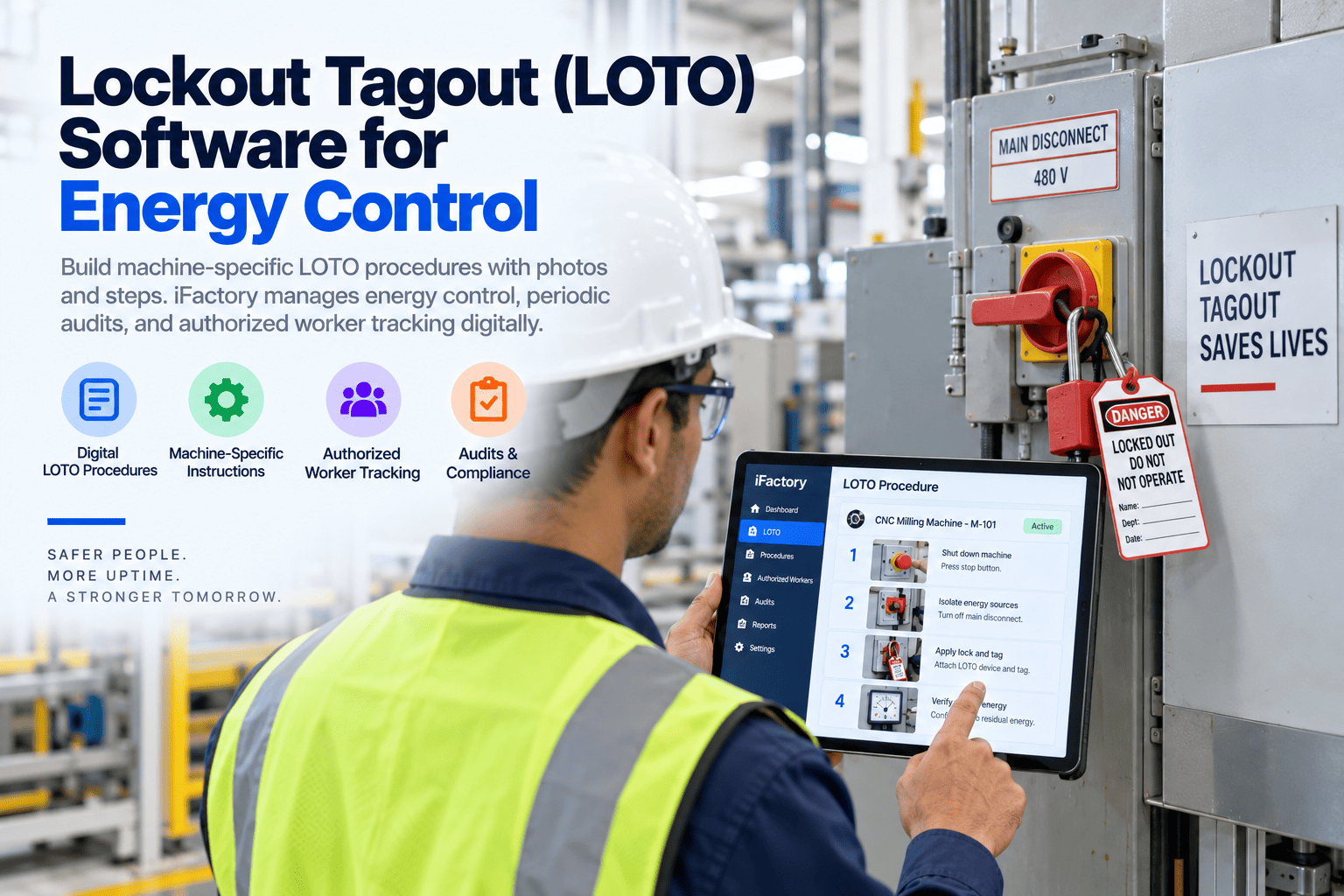
A mechanic clears a jam on a palletizer, locks the main disconnect and reaches in. The cylinder still has air in it. The generic procedure on the wall said isolate all energy but never named the air dump valve. This guide shows how lockout tagout software stores machine-specific procedures with photos and guides each step. See a sample procedure.
Lockout Tagout Software: Machine-Specific Procedures with AI
AI drafts machine-specific procedures from P&IDs, drawings and photos. Technicians follow each isolation and verification step by voice, and annual periodic inspections under OSHA 1910.147 are scheduled and recorded.
- Why generic procedures get cited
- What a machine-specific procedure contains
- How periodic inspections stay on schedule
Why Generic LOTO Procedures Get Cited
One page for every machine is not a procedure.
Control of hazardous energy was again among OSHA’s most-cited standards in FY2025, with plastics products makers and machine shops leading the citations. Under 1910.147(c)(4), each machine needs a documented procedure that names the steps to shut down, isolate, block, secure, lock and verify, unless a narrow set of exception conditions is met. A generic sheet that says “isolate all sources” rarely passes. See how machine-specific procedures are built in a LOTO demo.
Generic wording
Isolate all energy, without naming the points.
Missing points
Stored air, springs and gravity left out.
Out of date
The machine was changed, the procedure was not.
No inspection records
Annual checks done but not certified.
What a Machine-Specific Procedure Contains
Every point named, every point photographed.
A good procedure lets a trained person isolate a machine they have never worked on, without guessing. Each element below is filled from drawings and a walk-down, then approved by someone who knows the machine. Ask our LOTO team to review one of your current procedures.
A photo of the actual valve or disconnect, with its tag visible, removes most of the guessing. It also makes walk-downs faster, because the reviewer can see what the procedure claims before going to the machine.
How AI Drafts Procedures
From drawings to a reviewed draft.
Writing hundreds of procedures by hand is why many plants still have generic ones. AI reads the P&IDs, electrical drawings and photos for each machine, lists the energy sources it can find and drafts the steps. People walk the machine, correct the draft and approve it. Plan a drafting pilot in a scoping call.
Gather
P&IDs, drawings and photos for each machine.
Find energy
Electrical, pneumatic, hydraulic and gravity sources.
Draft
Steps, points and verification written out.
Walk-down
Technician checks the draft at the machine.
Approve
Authorized reviewer signs the procedure.
Turn Generic Procedures into Machine-Specific Ones
Start with the machines your crews lock out most often. A drafting pilot shows how fast the backlog can be cleared.
Voice-Guided Isolation and Verification
Hands on the lock, not on a clipboard.
At the machine, the technician hears each step and confirms it by voice: point reached, lock applied, energy released, zero verified. If a step is skipped, the procedure will not move on. Every confirmation is time-stamped on the work order. Ask our support desk how this works with gloves and noise.
Annual Periodic Inspection
Required, often forgotten, easy to schedule.
Under 1910.147(c)(6), each energy control procedure must be inspected at least once a year by an authorized employee other than the ones using it, and the employer must certify that it was done. The software schedules it, assigns an inspector and records the result. Plan inspection schedules in a planning session.
What was inspected
The machine or equipment the procedure covers.
When
The date of the inspection.
Who used it
The employees included in the inspection.
Who checked
The person who performed the inspection.
What was wrong
Deviations or gaps found during the check.
What changed
Procedure revisions or retraining that followed.
Group Lockout and Shift Change
The hardest moments to get right.
Group lockout under 1910.147(f)(3) puts one authorized person in charge, with each worker applying a personal lock. Shift change under (f)(4) requires a planned transfer of locks so protection is never lost. Digital records make both visible. Our LOTO team can review how your crews handle them today.
Group lockout
- One person in overall charge
- Each worker applies a personal lock
- Lock box or group sheet tracked
- All locks off before release
Shift change
- Incoming locks on before outgoing locks off
- Transfer recorded with names and times
- Open lockouts shown at handover
- Status visible on the work order
LOTO Program Mistakes to Avoid
Most gaps are in records, not intent.
Most crews want to lock out properly. The gaps come from procedures that do not match the machine and records that do not exist. A short program check usually finds them.
What works
- One procedure per machine
- Photos on every isolation point
- Annual inspections certified
- Procedures revised after machine changes
What fails
- Generic procedures for groups of machines
- Stored energy left out
- Inspections done but not recorded
- Old procedures after a rebuild
How iFactory Runs the LOTO Module
Procedures, voice guidance and inspections together.
iFactory’s LOTO Module drafts machine-specific procedures from P&IDs and photos, guides isolation and verification by voice and schedules periodic inspections with records, all on an on-prem server and linked to the asset and work order. Fit questions go to our solutions team.
AI drafting
Procedures drafted from drawings and photos.
Photo points
Every isolation point shown with its tag.
Voice steps
Isolation and verification confirmed hands-free.
Inspection schedule
Annual checks assigned and certified.
Group lockout
Personal locks and transfers tracked.
Asset link
Procedure opens from the work order.
Drafting speed depends on the quality of your drawings and photos. Every procedure is walked down and approved by your people before use.
Turnkey AI: Delivered, Connected and Live in 6–12 Weeks
You do not build this. It arrives ready.
iFactory ships as a pre-configured NVIDIA AI server with the software pre-loaded, racked and ready. Rack it, plug in power and Ethernet, and the AI is live on your network. Our team handles cabling, network setup, PLC, SCADA and CMMS integration, procedure drafting and walk-downs, operator training and 24×7 remote monitoring. Data stays on your network. For a scope matched to your plant, request a turnkey quote.
Ship, network and data
Server installed. Asset list, drawings and photos loaded.
Drafting and pilot
Procedures drafted and walked down for pilot machines.
Go-live and training
Procedures live plant-wide. Technicians trained. 24×7 monitoring begins.
Frequently Asked Questions
What is lockout tagout software?
It is a system that stores machine-specific energy control procedures, guides workers through isolation and verification and records periodic inspections.
Does every machine need its own procedure?
Under 1910.147(c)(4), yes, unless all of the exception conditions in the standard are met. Machines with similar energy sources can share a procedure only if it covers each one exactly.
How often must procedures be inspected?
At least once a year, by an authorized employee other than those using the procedure, with a certification record.
Can AI write the procedure on its own?
No. AI drafts from drawings and photos. A technician walks it down and an authorized reviewer approves it.
What about stored energy?
Each procedure lists stored sources, such as air, hydraulics, springs and gravity, and how to release or block them before work.
Does it replace physical locks?
No. Locks and tags stay. The software guides the steps and keeps the records.
How do we start?
Pick the machines your crews lock out most often, gather their drawings and run a drafting pilot.
Make Every Procedure Machine-Specific
In thirty minutes we look at your current procedures, inspection records and the machines that matter most. You keep the notes either way.
- 1Three of your current procedures
- 2Your machine list
- 3Last year’s inspection records
- 4Drawings for one machine
- 5One lockout that went wrong