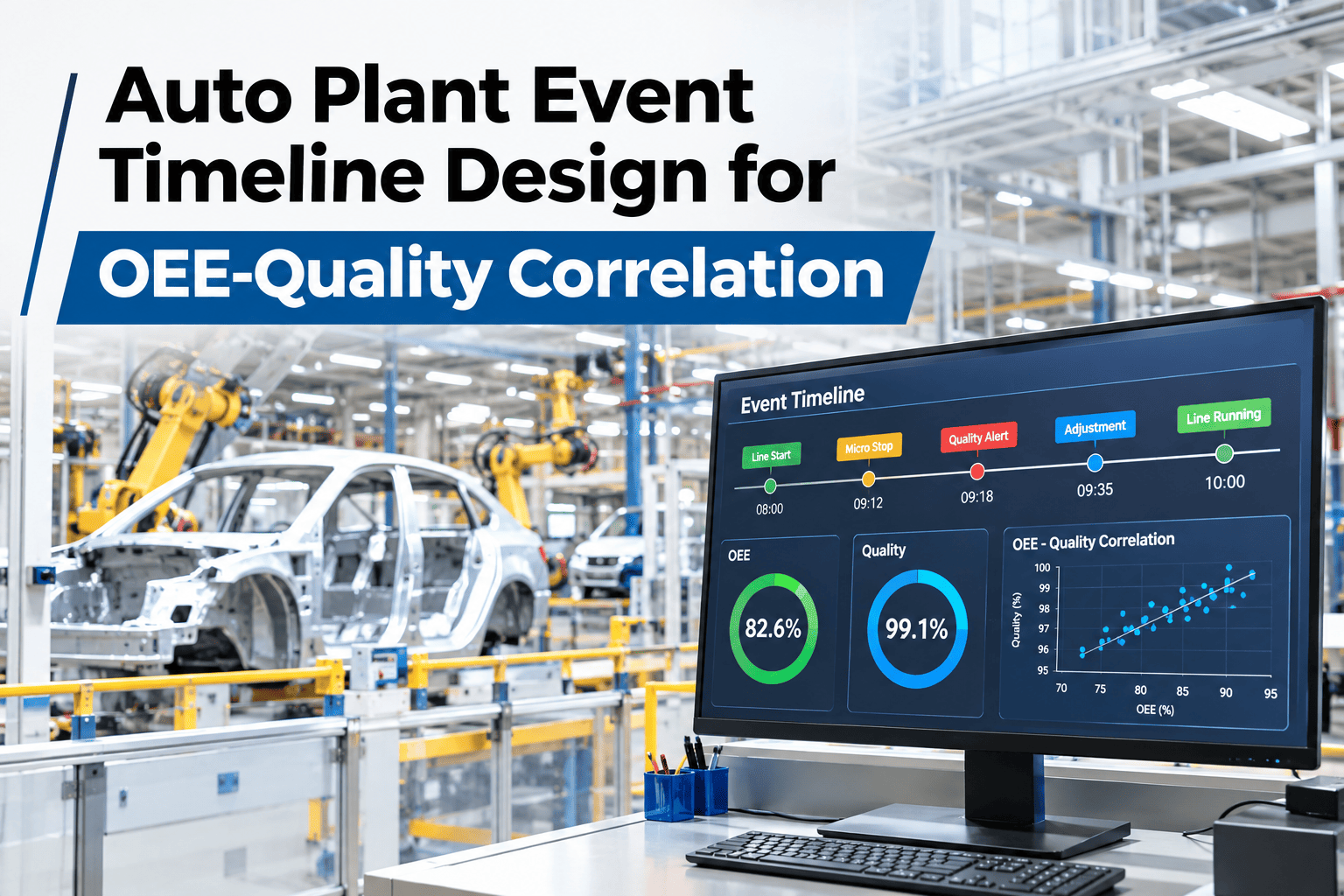
Correlating an OEE event with a quality defect sounds simple until two systems report the same moment three minutes apart because their clocks were never synchronized, at which point every correlation built on top of that mismatch is quietly wrong. Designing a shared event timeline, with proper clock-sync patterns and a defined lag window for how far apart two events can be and still count as related, is the unglamorous engineering work that makes cross-system correlation trustworthy rather than coincidental. iFactory AI, an on-premise AI platform for manufacturing, builds that timeline design around a plant's actual systems, and engineering teams can review a timeline design built around their own OEE and quality data with our team.
A Shared Clock Is What Makes Correlation Trustworthy
Event timeline design for OEE-quality correlation covers timestamped event streams, clock-sync patterns and lag-window logic, so a cross-system match is evidence, not coincidence.
Why Two Systems Rarely Agree on "Now"
An OEE system running on a PLC's internal clock and a quality system running on a separate server rarely stay in perfect sync over weeks without active correction, because clock drift accumulates quietly in small amounts that nobody notices until a correlation built across them turns out to be off by several minutes. A few minutes sounds trivial until it means attributing a defect to the wrong stop event entirely.
What a Reliable Timeline Design Actually Needs
The Three-Minute Drift That Pointed at the Wrong Station
Picture a plant that built an early correlation between a torque anomaly on station four and a fastener defect that showed up in final inspection. The timestamps lined up almost perfectly, so the team concluded station four was the cause and spent a week investigating a tool that turned out to be working fine. The actual culprit was station three, whose clock was running three minutes fast relative to the reference time, making its event look like it happened at the same moment as station four's reading when it had actually occurred earlier on a different part of the line entirely.
Once clock sync was audited and corrected across every station, the real correlation emerged cleanly, pointing at station three instead. The lesson wasn't that correlation itself was unreliable, it was that a correlation is only as trustworthy as the clocks feeding it.
From Two Timestamps to a Trusted Match
See Your Own Clock Alignment Checked
Share which systems generate your OEE and quality events, and iFactory AI will show how a shared timeline design would align them.
What a Few Minutes of Drift Actually Costs a Correlation
Why the Lag Window Should Fit the Process, Not a Default
A lag window set too tight will miss real correlations where a defect surfaces a few minutes after its actual cause due to normal process lag, such as material moving downstream before a quality check catches it. A window set too loose will start matching unrelated events purely by chance, producing false correlations that waste investigation time chasing a connection that isn't real. The right window reflects the actual process lag between a cause and its detectable effect on that specific line, which means it should be set with input from process engineers, not applied as a generic default copied from another plant.
The Same Timeline, Used by Three Roles
What a Plant Needs Before Designing Its First Timeline
The starting point is an inventory of every system that will feed the timeline and how precisely each one timestamps its events, down to the second or only to the minute, since that precision sets a floor on how tight the lag window can realistically be. Most of the early engineering effort goes into establishing the clock-sync process itself, which is worth doing carefully once since every correlation downstream depends on it holding.
What a Trustworthy Timeline Makes Possible Later
Once a plant has confidence that its timeline is correctly aligned, it stops treating each correlation as something to double-check manually before acting on it, which is where the real time savings accumulate. Automated anomaly detection, predictive quality flags and cross-line comparisons all depend on the same underlying trust in the timestamp, and none of them are worth building on top of a timeline whose clock discipline hasn't been verified first.
Mistakes That Undermine Timeline Design
What a Controls Engineer Would Check First
What Engineering Teams Ask About Timeline Design
Build a Timeline You Can Actually Trust
Book a session with iFactory AI to design an event timeline around your own OEE and quality systems.