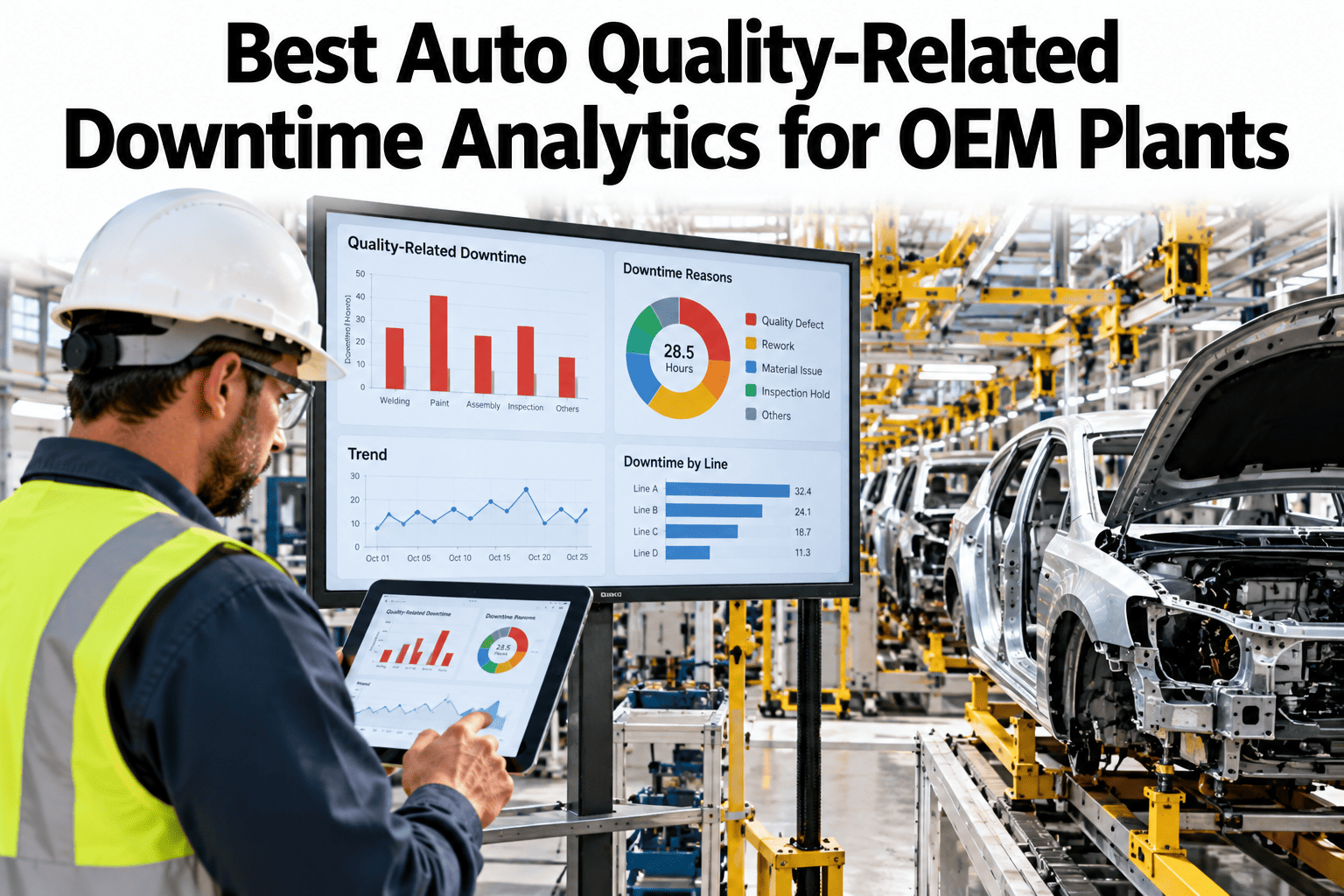
When an auto line stops for a quality reason, the stop itself gets logged easily enough, but the cause rarely does. "Line stop, quality" tells a plant manager almost nothing about whether the issue was a part defect, a rework loop eating cycle time, or a gauge disagreement that halted the line unnecessarily. Separating those causes is the difference between a downtime report that explains itself and one that just counts minutes, and plants that want to see their own quality-stop history broken out this way can walk through a sample classification pass on their own line data.
Not All Quality Stops Are the Same Stop
iFactory AI classifies every quality-related line stop by event type, defect cause and rework-loop impact, separating genuine defect stops from gauge disagreements and avoidable rework cycles.
Why "Quality Downtime" Is Too Broad a Category
A downtime report that lumps every quality-related stop into one bucket treats a five-minute gauge disagreement the same as a thirty-minute rework loop caused by a genuine part defect. Both get coded the same way, both get the same attention in a weekly review, and the plant ends up solving whichever one happened most recently instead of whichever one actually costs the most line time.
Three Categories Worth Separating
Each of these categories has a different root cause and a different fix, which is exactly why combining them into one number hides the right next action from whoever is reviewing the report.
See Your Quality Stops Split Into Real Categories
Book a 30-minute session and bring a week of your line-stop log. iFactory AI will show the split between defect, rework and sign-off delay.
Why This Matters More as Lines Get Faster
As cycle times compress across modern auto lines, the cost of misclassifying a stop grows, because a few extra minutes of unresolved rework time has less slack to absorb before it cascades into the next station's buffer. A line running a generous cycle time can tolerate a vague downtime category for a while without much consequence. A tightly timed line cannot.
That tightening is part of why quality-stop classification has become a bigger priority for plants that were previously comfortable with a single combined number. The margin for not knowing which category is driving a stop keeps shrinking as production targets get more aggressive.
How Rework Loops Hide Inside the Downtime Number
A rework loop rarely stops the line for one clean block of time. A part cycles back, gets corrected, moves forward, and the cycle may repeat if the correction does not hold. Each pass through the loop adds time that gets logged against the original stop event, so the total downtime number can look like one long stop when it is actually several shorter cycles stacked together.
| Rework Pattern | What the Raw Log Shows | What Classification Reveals |
|---|---|---|
| Single-pass correction | One downtime event, moderate duration | Normal rework, low priority for process change |
| Repeat-pass correction | Same event, longer duration | Correction not holding, root cause likely upstream |
| Multiple parts, same defect | Several separate events | Systemic issue at a single station, not isolated parts |
A Composite Week: The Same Number, Three Explanations
The scenario below reflects an illustrative week on an auto OEM trim line, where the total quality-related downtime number looked identical to the prior week's report. The breakdown behind that number told a very different story once the categories were separated.
| Category | Prior Week | This Week | Change |
|---|---|---|---|
| Genuine defect stops | 62 minutes | 58 minutes | Roughly stable |
| Rework-loop time | 40 minutes | 71 minutes | Up sharply |
| Gauge or sign-off delay | 48 minutes | 21 minutes | Down sharply |
Attribution: Where the Defect Actually Started
The station where a line stops for a quality issue is often not the station where the defect was introduced. A fastener torque issue caught three stations downstream still gets logged at the stop location unless the event is explicitly traced back to its source, which means the wrong station can end up carrying the blame, and the wrong team ends up owning the fix.
Stop Location
Where the line physically halted, which is what most legacy downtime logs record by default.
Detection Point
Where the defect was caught, often a gauge or vision station several steps downstream of the actual cause.
Source Station
Where the defect was actually introduced, traced through process data rather than assumed from proximity.
Owning Team
Correctly assigned once source station is known, instead of defaulting to whichever team was nearest the stop.
A Note on False Precision
Classification is only useful if the categories are actually distinct in practice, not just on paper. A taxonomy with too many narrow subcategories can create the appearance of precision while actually fragmenting a real pattern across several near-identical buckets, making the biggest driver harder to spot rather than easier.
The three-category split used here, defect, rework and sign-off delay, is deliberately broad enough to stay stable as a line evolves, while still being specific enough to point a team toward a meaningfully different fix in each case. Plants that start with finer subcategories often find they converge back toward something close to this split within the first few months of use.
Building the Case Across Teams
Separating quality downtime into real categories touches production, quality and engineering differently, and each tends to weigh in with a different concern before supporting a change to how stops are logged and reviewed.
Keeping the Classification Honest Over Time
A classification taxonomy built once and never revisited tends to drift out of accuracy as a line changes, new part families are introduced, or a station's inspection method is updated. What counted as a clean category split a year ago can start misclassifying events once the underlying process has moved on, and nobody notices until the report stops matching what the floor is actually seeing.
Reviewing the classification logic periodically against recent events, rather than treating it as a one-time setup, is what keeps the breakdown trustworthy. A taxonomy that is checked and adjusted as the line evolves continues to separate defect, rework and sign-off delay accurately instead of slowly collapsing back into one undifferentiated number.
Where iFactory AI Fits
Classifying quality downtime accurately requires connecting line-stop events, gauge data and station-level process signals, which is not something a manual downtime log can reconstruct after the fact. iFactory AI classifies and traces each event automatically as it happens, so the split between defect, rework and sign-off delay is available in the same report, not a separate manual analysis.
Automated Event Classification
Every line stop is tagged by type, defect or sign-off related, using existing gauge and station signals.
Rework-Loop Tracking
Repeat passes through a correction loop are linked together instead of logged as separate unrelated stops.
Source-Station Attribution
Defects are traced back to their likely source station, not just the station where the line happened to stop.
Shared Category Dashboard
Production, quality and engineering view the same classified breakdown instead of three separate interpretations.
What Plant Leadership Sees Differently Once Split
A weekly review meeting that works from one combined quality downtime number tends to spend most of its time debating which category is actually driving the figure, rather than discussing what to do about it. Splitting the number before the meeting removes that debate entirely, since the breakdown is already agreed upon by the time anyone sits down to review it.
That shift changes the tone of the review itself. Instead of production, quality and engineering each arguing for their own theory of what happened, the conversation moves directly to which category deserves the next improvement project, based on a shared number everyone already trusts.
Expert Review
Quality engineering leads who have reviewed downtime reports for years tend to flag the same blind spot: a single large "quality downtime" number invites the wrong fix, because it does not say whether the problem is a defect, a rework loop, or a sign-off delay. Splitting the category before assigning an owner is what keeps the fix aimed at the actual cause. Bring a week of your own stop log to a working session and see the real split behind the number.
Frequently Asked Questions
Does this require changing how operators log a line stop?
No, classification runs on existing stop, gauge and station data after the fact, so operators continue logging stops the same way they already do today. Ask support what data sources are typically already available.
How accurate is source-station attribution compared to a manual investigation?
Attribution accuracy improves as the system accumulates process history for a given station and part family, and it is generally more consistent than manual attribution, which tends to default to the stop location rather than the true source.
Can gauge disagreement stops be separated from confirmed defects automatically?
Yes, gauge data and sign-off timestamps are used to distinguish a confirmed defect from a stop that resolved without a defect being found, which is one of the clearest category splits in the classification. See this split run on your own gauge data.
Does the system work across multiple lines with different quality processes?
Each line's classification taxonomy is tuned to its own quality process and gauge setup, so a plant with several lines running different inspection methods gets a consistent breakdown without forcing every line into one generic category set.
How long before a plant sees a reliable category breakdown?
Most plants see a usable breakdown within the first few weeks of connected data, though confidence in source-station attribution improves over a longer period as more events accumulate. Ask support how this timeline compares for a line like yours.
Stop Treating Every Quality Stop the Same
iFactory AI classifies and traces every quality-related line stop automatically. Book a walkthrough using your own downtime data.