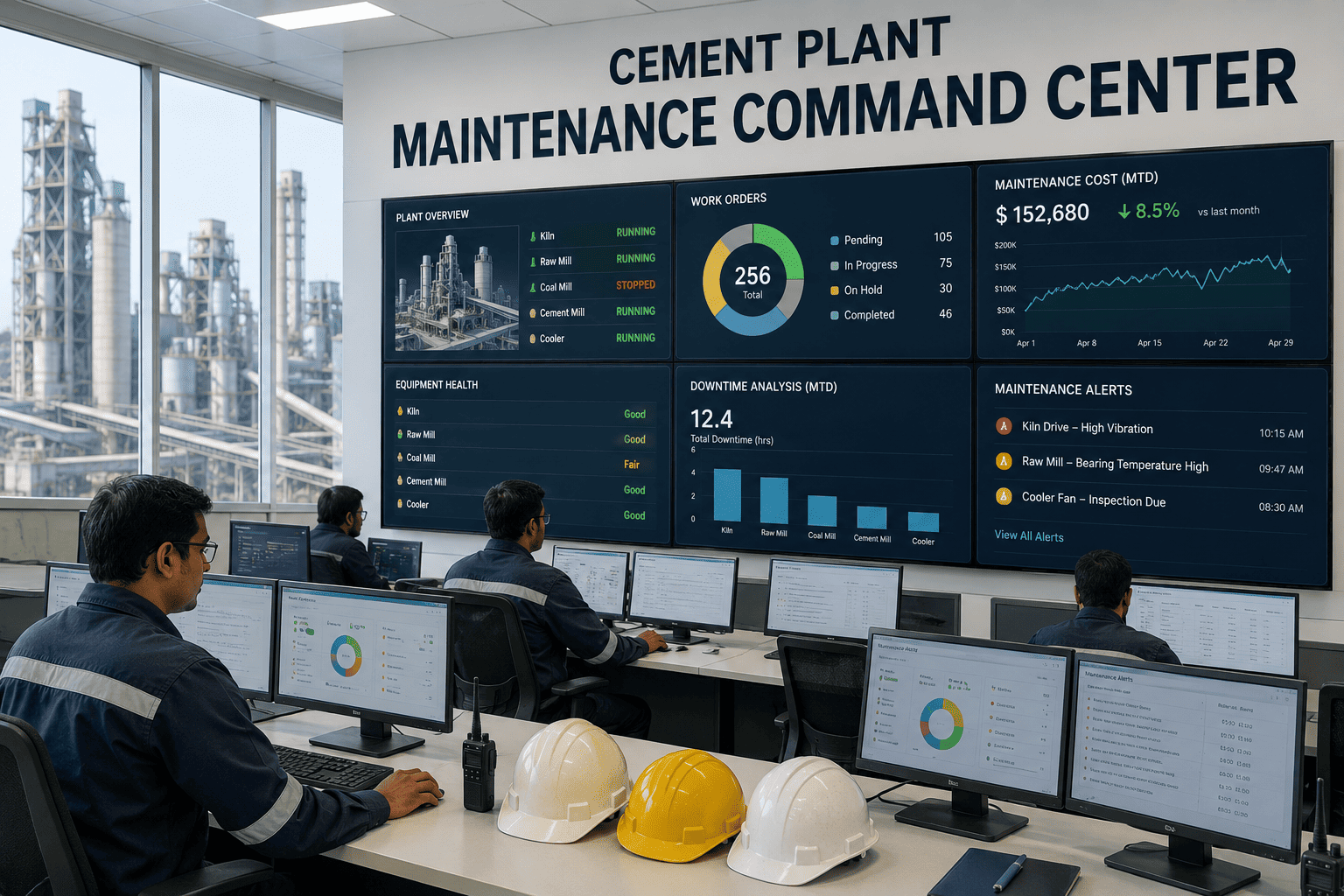
Most cement plant maintenance teams operate across a fractured set of tools — a CMMS for work orders, a separate spreadsheet for inspection rounds, a vibration analyst's standalone software for predictive alerts, and a paper logbook for shift handover notes. This fragmentation means a maintenance planner scheduling next week's work orders often cannot see that a predictive alert was raised on the same asset three days earlier, and a reliability engineer reviewing failure trends has no easy way to pull inspection history alongside work order costs. iFactory's Maintenance Command Center consolidates work orders, inspections, predictive alerts, and asset health scoring into a single operating view built specifically for cement plant maintenance organizations. It becomes the one screen a maintenance manager opens every morning instead of five. Book a Demo to see it configured with your plant's asset hierarchy.
MAINTENANCE COMMAND CENTER · UNIFIED CMMS + PREDICTIVE AI
One Screen for Every Maintenance Decision in the Plant
Work orders, inspections, predictive alerts, spare parts, and asset health scores — unified into a single command center that gives maintenance managers, planners, and reliability engineers the same real-time picture of plant condition.
The Cost of Fragmented Maintenance Systems
1
Predictive Alerts Sit Disconnected From Work Order Planning
Vibration analysis and thermal monitoring tools generate alerts in their own standalone systems, requiring a manual step to convert findings into a scheduled work order — a step that frequently gets delayed or missed entirely.
2
Inspection Rounds Live in Spreadsheets or Paper
Manual inspection data rarely makes it back into the CMMS in a structured, searchable format, meaning trend analysis across inspection findings and equipment failures is essentially impossible.
3
Shift Handovers Lose Critical Context
Verbal or paper-based shift handovers mean the incoming maintenance team frequently lacks visibility into developing issues flagged by the outgoing shift, causing response delays on urgent conditions.
4
Reliability Engineers Cannot See the Full Failure Picture
Without a unified data view, reliability analysis requires manually cross-referencing multiple systems, slowing root cause investigations and delaying corrective action on recurring failure patterns.
See Your Maintenance Data Unified in One View
A guided walkthrough shows how your current CMMS, inspection data, and predictive monitoring tools would consolidate into a single command center, using your own asset hierarchy as the example.
What the Command Center Brings Together
Module
Unified Work Order Management
Work orders generated from predictive alerts, inspection findings, or manual requests all flow into a single prioritized queue with asset criticality weighting built in.
Module
Mobile Inspection Rounds
Digital inspection checklists replace paper rounds, capturing structured data, photos, and readings that feed directly into asset health scoring and trend analysis.
Module
Predictive Alert Integration
Vibration, thermal, and oil analysis alerts from connected monitoring systems automatically generate work order recommendations with supporting diagnostic data attached.
Module
Asset Health Scoring
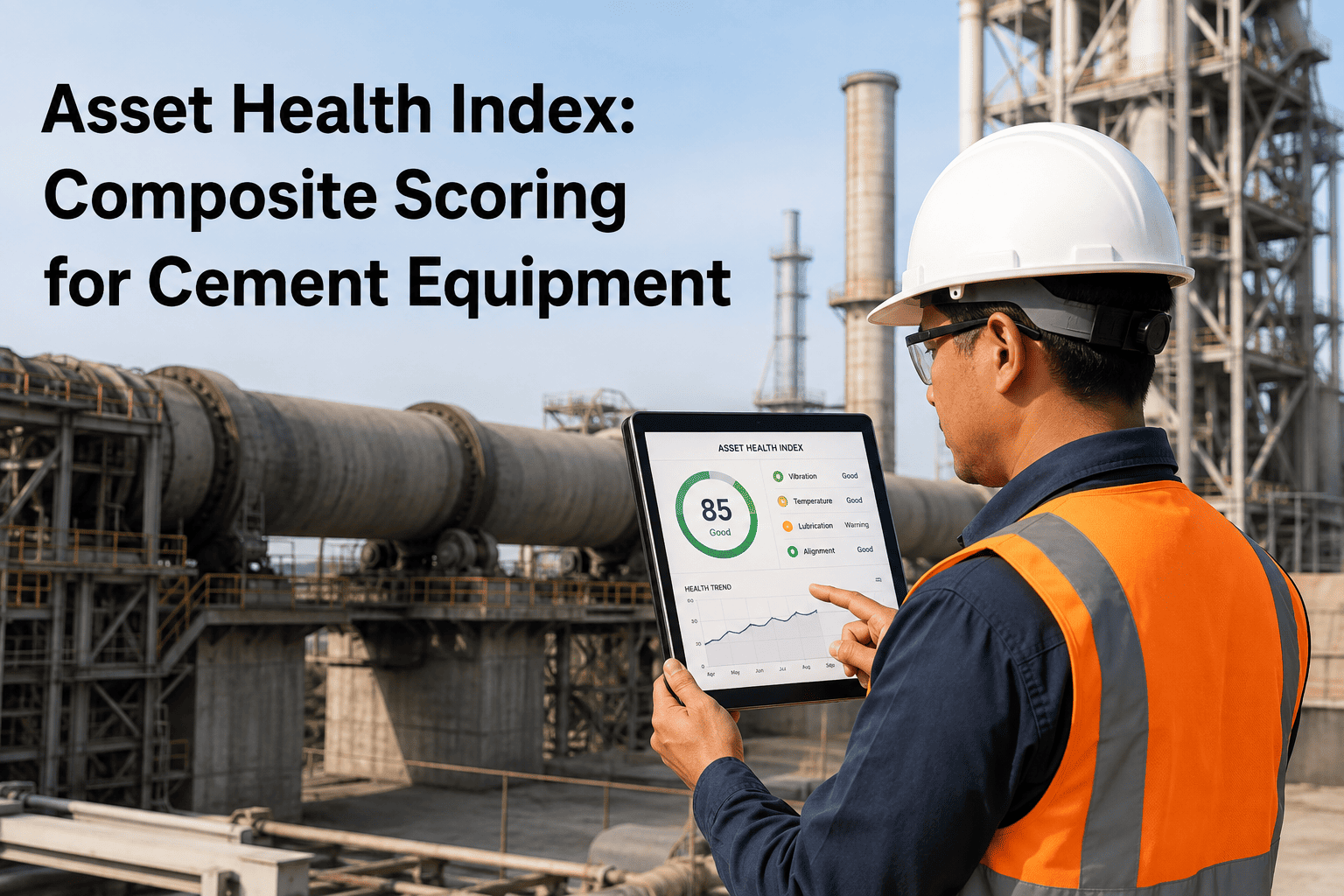
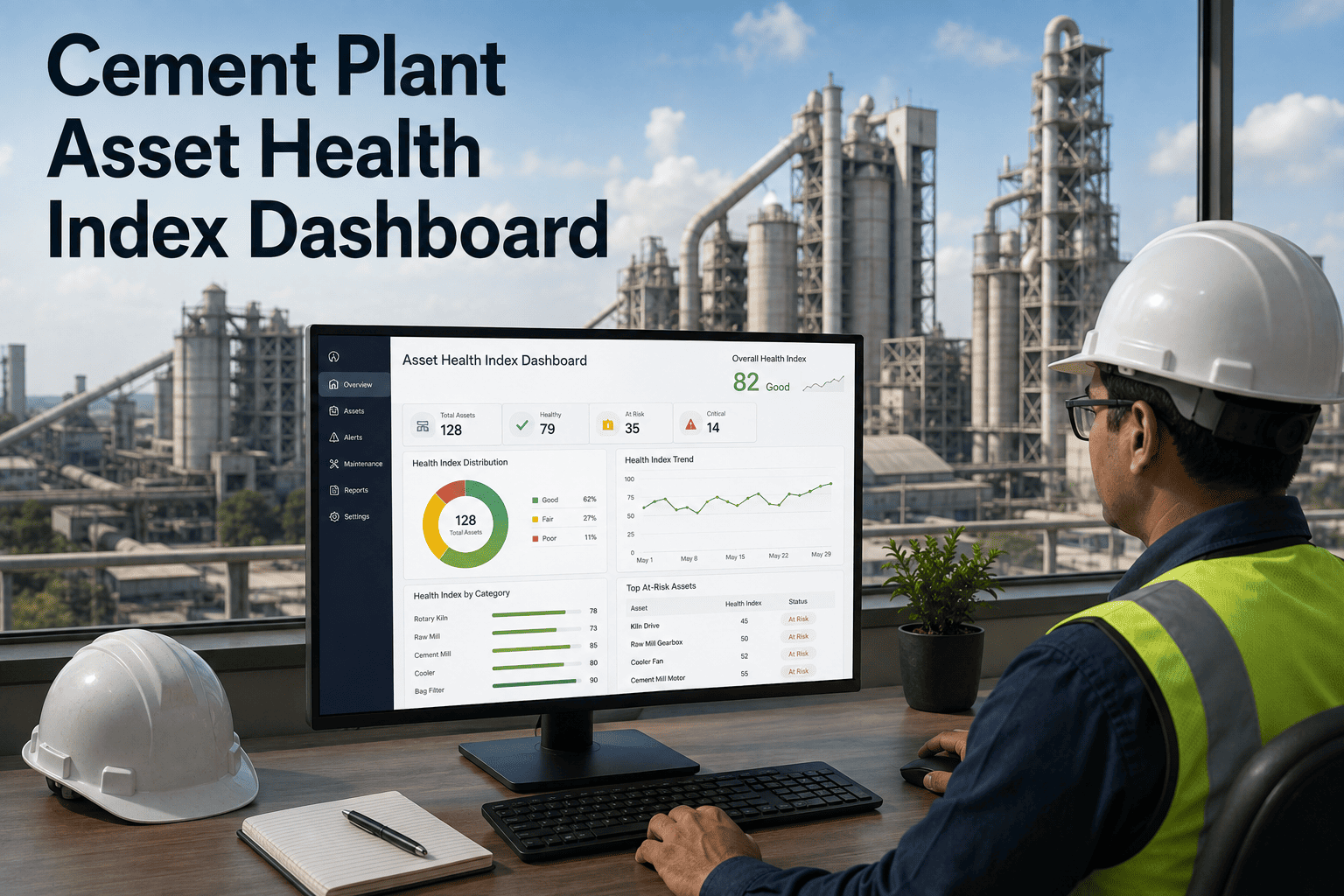
Every major asset receives a continuously updated health score built from inspection history, work order frequency, predictive alert trends, and equipment age.
Module
Digital Shift Handover Log
Structured shift handover notes tied to specific assets and open work orders ensure the incoming team sees exactly what needs attention without relying on verbal transfer alone.
Module
Spare Parts and Inventory Visibility
Work order planning shows real-time spare parts availability, flagging parts shortages before a job is scheduled rather than after a technician arrives on site.
Fragmented Tools vs. Unified Command Center
| Function | Fragmented Tools | Maintenance Command Center |
| Predictive Alert to Work Order |
Manual transfer between systems |
Automatic work order generation |
| Inspection Data |
Paper or spreadsheet, rarely analyzed |
Digital, structured, and trend-analyzed |
| Shift Handover |
Verbal or paper notes |
Structured digital log tied to assets |
| Asset Health Visibility |
Scattered across multiple systems |
Single continuously updated score |
| Reliability Root Cause Analysis |
Manual cross-referencing |
Unified data view across all sources |
Deployment Approach
Phase 1
Asset Hierarchy and Data Migration
Import existing asset registers, work order history, and criticality rankings from your current CMMS into the unified structure.
Phase 2
Predictive System and Mobile Integration
Connect existing vibration, thermal, and oil analysis monitoring tools, and roll out mobile inspection checklists to maintenance technicians.
Phase 3
Command Center Go-Live
Maintenance managers, planners, and reliability engineers begin using the unified dashboard for daily prioritization, with supervised support during the transition.
Phase 4
Ongoing Optimization
Asset health scoring models refine continuously as more data accumulates, with monthly reliability reporting tracking maintenance KPI trends.
Bring Every Maintenance System Into One View
iFactory's Maintenance Command Center connects to your existing CMMS, predictive monitoring tools, and inspection processes without requiring you to replace what already works. Book a demo to see it built around your plant's asset structure.
Built Around How Each Role Actually Works
A single unified view only works if it serves each role's daily decisions differently, which is why the Command Center presents a distinct working view depending on who is logged in.
Maintenance Manager
Sees plant-wide asset health trends, budget impact of open work orders, and compliance against planned maintenance targets in a single morning briefing view.
Maintenance Planner
Works from a prioritized queue that already accounts for asset criticality, parts availability, and predictive alert urgency, cutting manual scheduling effort.
Reliability Engineer
Pulls cross-referenced failure history, inspection trends, and predictive alert data for root cause analysis without switching between separate systems.
Maintenance Technician
Receives mobile work orders with full asset history and diagnostic context attached, along with a simple digital inspection checklist for daily rounds.
Frequently Asked Questions
Does the Command Center replace our existing CMMS or work alongside it?
The Maintenance Command Center can either serve as your primary CMMS or integrate with an existing CMMS platform depending on your plant's current setup and contract status. Most plants choose to migrate their asset hierarchy and work order history into the unified platform to take full advantage of the automatic alert-to-work-order flow, but integration with an existing system is also supported where a full migration isn't the right fit yet.
Book a demo to discuss the right approach for your plant.
How does the platform calculate an asset's health score?
Asset health scores are built from a weighted combination of inspection findings, work order frequency and severity, predictive alert trends from connected monitoring systems, and equipment age relative to expected service life. The scoring model is calibrated per asset class, since a kiln support roller and a conveyor idler have very different failure signatures, and the score updates continuously as new inspection and monitoring data arrives rather than being recalculated on a fixed schedule.
Can predictive monitoring tools we already use connect to the Command Center?
Yes, the platform is built to integrate with existing vibration analysis, thermal imaging, and oil analysis tools through standard data connections rather than requiring you to replace your current predictive monitoring investments. Alerts generated by these systems flow into the Command Center's work order queue automatically, with the original diagnostic data attached so the assigned technician has full context before starting the job.
Contact support to confirm compatibility with your current tools.
How long does it take to migrate our existing maintenance data?
Data migration timelines depend on the size and condition of your existing asset register and work order history, but most plants complete the core asset hierarchy and historical work order import within 3 to 5 weeks. Mobile inspection rollout and predictive system integration typically follow in parallel, with most plants reaching full Command Center go-live within 8 to 10 weeks from project kickoff.
Will maintenance technicians need extensive training to use the mobile inspection tools?
The mobile inspection interface is designed around simple checklist and photo-capture workflows similar to consumer mobile apps, requiring minimal training beyond a short onboarding session. Technicians typically become comfortable with the mobile rounds within their first week of use, and the structured format actually reduces the effort involved compared to filling out paper inspection sheets, since dropdown selections and photo capture replace handwritten notes.