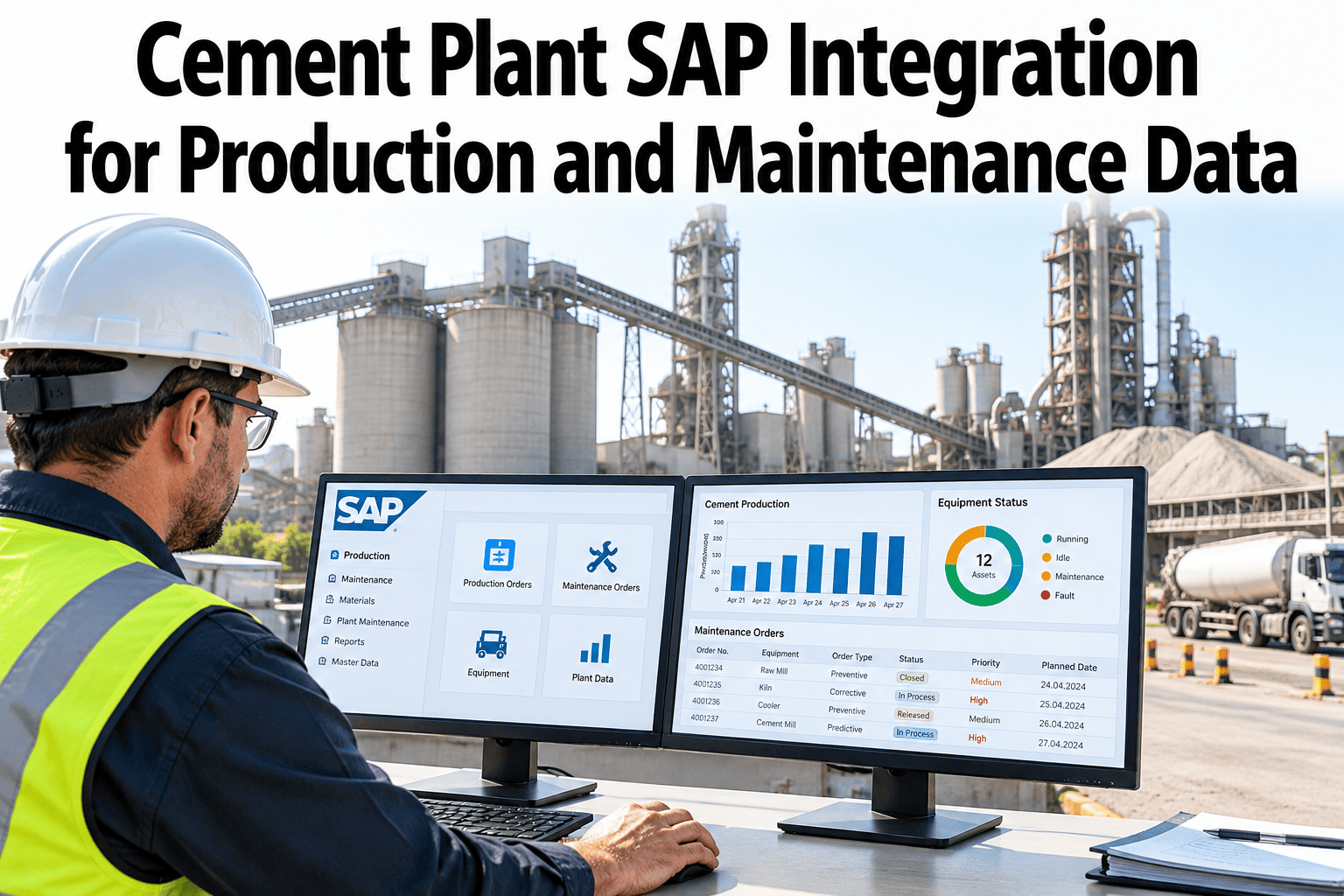
A cement plant runs on two sets of records that rarely meet. SAP holds the equipment list, work orders and costs, while the kiln, mills and packing lines produce a constant stream of operating data. When the two stay apart, maintenance works from a calendar and production works from a screen. Joining them lets a worn fan or a long run time open the right job in SAP automatically. Plants scoping this link can ask iFactory AI which SAP objects connect first.
Cement Plant SAP Integration for Production and Maintenance Data
Map equipment, exchange work orders, handle errors and test the link before go-live. iFactory AI connects plant data to SAP Plant Maintenance without changing how SAP is run.
Integration Scope: Decide What Moves and Who Owns It
Start with a one-page scope. For each type of data, agree the source of truth, the direction of flow and how often it moves. A plant that skips this step usually ends up with two versions of the same record.
| Data Domain | Source of Truth | Direction | Cadence | Purpose |
|---|---|---|---|---|
| Equipment and location master | SAP | SAP to iFactory | Daily and on change | Common asset list |
| Maintenance notifications | Either side | Both ways | Near real time | Raise issues from the floor or from alerts |
| Maintenance orders | SAP | Both ways | Near real time | Plan, release and close work |
| Confirmations and findings | iFactory at the task | iFactory to SAP | On completion | Hours, parts and results into cost |
| Run hours and production counts | Plant systems | iFactory to SAP | Hourly or shift | Runtime-based maintenance |
| Spare part stock | SAP | SAP to iFactory | Daily | Show availability on the order |
Equipment, notifications, orders
These give the biggest return and the least risk. They also exercise every part of the interface.
Stock, run hours, costs
Add them once the core exchange is stable and users trust the data.
SAP PM and Production Context
Integration is easier when everyone uses the same words. In SAP Plant Maintenance the work follows a fixed chain, and the SAP Library describes it as notifications, orders, operations and confirmations.
The SAP Library notes that the link between notifications and orders is switched on in Customizing and works at three levels. At level 1 an existing notification on the operation is used, or a header notification is raised. At levels 2 and 3 the system uses or raises an operation notification. Ask your SAP team which level your plant runs, since it changes what the interface should send.
Plans, orders and costs
Held in SAP Plant Maintenance. This remains the system of record for cost and history.
Run time and output
Kiln feed, mill hours, clinker and cement output come from plant systems and, in some plants, SAP production orders.
Context on every job
A work order that shows recent run hours, alarms and load is easier to plan and to close properly.
Master Data Mapping: One Asset, One Key
Every later problem traces back to mapping. Give each asset one permanent key and map its place in the hierarchy before any work orders flow. The tree below is an illustrative cement line.
| SAP Concept | iFactory Concept | Mapping Rule | Common Problem |
|---|---|---|---|
| Functional location | Plant area and line | Keep the same parent and child order | Flat lists lose the hierarchy |
| Equipment number | Asset record | One-to-one on a permanent key | Duplicates after replacement |
| Maintenance plant | Site | Fixed code per site | Mixed codes across sites |
| Work centre | Crew or trade | Map once and review yearly | Retired crews still active |
| Priority and order type | Priority and work type | List of agreed equivalents | Different meaning on each side |
| Status | Task state | Defined status map | Statuses with no equivalent |
Map Your Plant to SAP With Confidence
Book a 30-minute session and iFactory AI will walk through hierarchy mapping, work-order exchange and error handling on a realistic cement plant example.
Work-Order Exchange: Follow One Job End to End
Walk a single repair through both systems. The same job should be traceable by one order number from the first alert to the final cost.
| Field | Owner | Flows To | Rule |
|---|---|---|---|
| Order number and type | SAP | iFactory | Never changed outside SAP |
| Operations and planned hours | SAP | iFactory | Read-only for the crew |
| Actual hours | iFactory | SAP | Sent as a time confirmation |
| Findings and notes | iFactory | SAP | Text with coded cause |
| Completion state | Agreed rule | Both ways | Overall completion confirmation closes the task |
Production Data That Makes Maintenance Smarter
Production data is what separates a plain SAP link from a useful one. Run hours, load and stoppages show wear in a way the calendar cannot.
| Production Signal | Source | Used For | Sent To SAP As |
|---|---|---|---|
| Kiln running hours | Plant controls | Runtime-based inspections | Counter reading on the equipment |
| Mill operating hours and tonnage | Plant controls | Liner and bearing intervals | Counter reading |
| Unplanned stoppage events | Event log | Downtime by cause | Notification with cause code |
| Motor load and temperature trend | Condition sensors | Early warning | Notification when limits are crossed |
| Planned stops | Production plan | Window for orders | Order dates |
Run-hour triggers
Generate a notification when a counter crosses a threshold, so inspections follow use and not only dates.
Stoppage reasons
Link each unplanned stop to the equipment and the order that fixed it, for honest downtime reporting.
Planned windows
Share planned kiln and mill stops so the planner can schedule long jobs inside them.
Error Handling: Plan for the Bad Day
Interfaces fail in ordinary ways. A good design assumes it will happen, saves the message, retries sensibly and tells a person when it cannot fix itself.
| Error Type | Typical Cause | Response | Prevention |
|---|---|---|---|
| Unknown equipment | Asset missing from the master data | Hold and alert the data owner | Master data checks before go-live |
| Duplicate message | Retry after a slow reply | Detect with a unique key and ignore | Unique message identifiers |
| Locked order | Another user editing | Retry later | Avoid parallel edits on the same order |
| Invalid status change | Order already completed | Reject with reason | Status map reviewed with SAP team |
| Network or service outage | Link down | Queue and replay in order | Store and forward design |
Testing Checklist Before Go-Live
Test in stages, each with a clear pass rule. Do not move to the next stage until the one before is clean.
| Test Stage | What to Check | Pass Rule | Who Signs Off |
|---|---|---|---|
| Master data load | Every asset matches by key and parent | No orphan or duplicate records | Data owner |
| Notification flow | Raise and read notifications both ways | Fields match and no loss | Planner |
| Order flow | Release, assign and view an order | Status and hours agree | Planner and SAP team |
| Confirmation flow | Send time and findings back | Posted once, correct cost | Maintenance lead |
| Error paths | Force a timeout, duplicate and bad record | Handled as designed | Integration lead |
| Load and speed | Send a full shift of events | No backlog and times within target | IT lead |
| User acceptance | Crews run real jobs | Jobs complete without help | Operations lead |
| Cutover rehearsal | Practise the switch-over plan | Completed within the window | Project lead |
Integration KPIs to Watch After Launch
A running interface needs a few numbers on a screen. Watch them daily for the first month, then weekly.
Add a daily reconciliation. Compare counts of open orders and confirmed hours between the two systems and report any difference. Small drifts caught early are cheap to fix.
Common Integration Mistakes
Most problems repeat from plant to plant.
A 90-Day Rollout Path
iFactory AI is built as a turnkey server that racks in, plugs in and goes live in roughly 6 to 12 weeks, so a staged SAP link fits inside a quarter.
What iFactory AI Adds
iFactory AI is smart manufacturing and industrial software. It sits beside SAP and brings production and condition data into maintenance work.
Cement-Specific Cases to Design For
Cement plants have work patterns that a generic template misses. Plan these cases early so the interface handles them without workarounds.
How Often Should Each Record Sync?
Faster is not always better. Match the sync rhythm to how quickly each record changes and how quickly someone needs it.
| Record | Change Speed | Suggested Rhythm | Why |
|---|---|---|---|
| Equipment and location master | Slow | Nightly and on demand | Few changes, large volumes when they happen |
| Notifications | Fast | Within minutes | Faults need quick visibility |
| Orders and status | Medium | Within minutes | Crews act on the latest release |
| Confirmations | Event based | On completion | Cost should post once and correctly |
| Counter readings | Steady | Hourly or per shift | Enough for runtime triggers, light on SAP |
| Stock levels | Medium | Several times a day | Parts availability shapes planning |
Keep the load on SAP modest. Sending a reading every few seconds helps no one and risks slowing the system for every other user. Summarise at the edge and send only what SAP needs to act on.
Security and Access
A link between plant systems and an ERP touches sensitive data. Agree the controls with IT and the SAP team before the first test message goes out.
Who Does What: A Simple Responsibility Map
Integration projects stall when nobody owns a step. Name one lead for each piece of work.
| Role | Owns | Decides | Needed When |
|---|---|---|---|
| Maintenance planner | Order rules and crew workflow | Priorities and completion rules | Design and testing |
| SAP functional lead | Plant Maintenance set-up | Notification-order level and statuses | Design and cutover |
| Integration or IT lead | Interfaces, security and monitoring | Error handling and access | Throughout |
| Master data owner | Equipment and hierarchy quality | Keys and naming | First month |
| Operations lead | Production signals and planned stops | Which signals trigger work | Design and acceptance |
| iFactory AI team | Platform set-up and support | Platform configuration | Throughout |
What Good Looks Like After Three Months
Set clear signs of success before you start, so the project can be judged on evidence and not on impressions.
One asset list
Maintenance, operations and finance all read the same equipment hierarchy, with no parallel spreadsheets.
Jobs with context
Crews see run hours, recent alarms and stock status on the task, and findings flow back without retyping.
Trusted costs
Hours and parts post to SAP once, against the right order, and the monthly reconciliation shows no unexplained gaps.
If these three signs are present on the pilot line, extending to the next kiln, mill or packing line is mostly repeating a proven pattern. If they are not, fix the cause on the pilot before widening the scope.
Plain-Language Glossary
Shared words keep SAP, plant and IT teams aligned.
Frequently Asked Questions
Which data should we connect to SAP first?
Start with equipment master data, notifications and maintenance orders. Add confirmations, run hours and stock once the core exchange runs reliably.
Does the link replace SAP Plant Maintenance?
No. SAP stays the system of record for cost and history. The link brings plant data to the job and returns the results to SAP.
How long does a first SAP link take?
It depends on master data quality and SAP access. Ask support for a scoped timeline for your plant. A single-line pilot often fits in a quarter.
What happens when the link goes down?
Messages are stored and replayed in order once the link returns. Persistent failures raise an alert to a named owner.
Who needs to be involved?
A maintenance planner, an SAP functional lead, an integration or IT contact and a data owner. Operations joins for acceptance testing.
Bring Plant Data Into Your SAP Workflow
iFactory AI links kiln, mill and packing data to SAP maintenance with clear rules for mapping, exchange and errors. Book a walkthrough on a cement plant example.