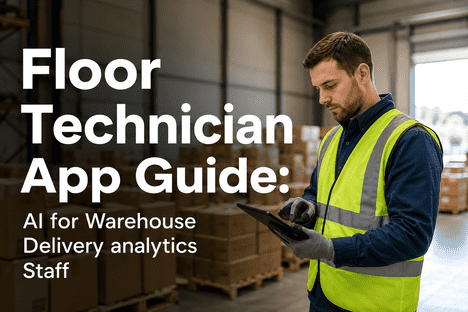
Warehouse floor technicians work in a demanding environment gloves, noise, urgency, and no time for complex navigation. AI tools built for the warehouse analytics coalface must match that reality. iFactory's mobile app puts real-time delivery analytics, inventory insights, and AI-powered work queues in your pocket designed for gloved hands, noisy floors, and split-second decisions.
Floor Technician · Mobile AI · Warehouse Analytics
AI Tools Built for the Warehouse Floor
Warehouse analytics apps fail when they ignore the floor environment. iFactory's mobile AI app is purpose-built for technicians wearing gloves, working in high-noise areas, and making time-sensitive decisions. Real-time delivery analytics, one-tap data entry, voice-capable workflows, and offline resilience — all in a single mobile interface designed for the warehouse analytics coalface.
85%
faster data entry vs paper-based workflows
3×
more delivery events logged per technician per shift
99.5%
data accuracy with in-app validation and barcode scanning
12 min
average time saved per technician per shift
The Floor Reality: Why Warehouse Techs Need Purpose-Built AI Apps
A warehouse floor technician's day involves moving between receiving docks, storage racks, picking zones, and dispatch areas often across multiple facility zones in a single shift. They wear gloves. They work near noisy conveyor systems and forklift traffic. They make dozens of decisions per hour about inventory location, delivery priority, and exception handling. Generic mobile apps designed for office environments with clean hands, quiet spaces, and uninterrupted attention fail in this environment. Buttons are too small for gloved fingers. Navigation requires too many taps. Data entry demands typing that isn't practical on a noisy, moving floor.
Glove-Friendly Interface
Standard touch targets (7–9mm) are unusable with work gloves. iFactory's app uses large-format buttons (14mm+), gesture-based navigation, and physical-style toggle controls that register reliably through glove materials — latex, nitrile, leather, or insulated cold-storage gloves.
Noise-Resistant Design
Warehouse noise averages 85–95 dB — too loud for voice-dependent interfaces. iFactory's app prioritizes visual and haptic feedback: color-coded status indicators, vibrating confirmations, and high-contrast displays readable under warehouse LED lighting.
One-Tap Urgency Workflows
When a delivery exception fires — damaged package, missing item, late arrival — technicians need to act in seconds, not minutes. The app surfaces priority alerts on the lock screen with a single-tap acknowledge-and-act flow. No login, no navigation, no delay.
Offline Resilience
Warehouse connectivity is unreliable — metal racking, concrete walls, and freezer environments block signals. The app caches all critical functions locally: scan, log, capture, and queue actions sync automatically when connectivity returns. Zero data loss, zero workflow interruption.
Five Core Workflows in the iFactory Floor Technician App
Every feature in iFactory's mobile app is designed around a single question: "What does the technician need to do RIGHT NOW?" The answer determines the interface — not the other way around. The app organizes warehouse analytics workflows into five core operational modes that mirror the technician's natural movement through a shift.
01
Shift Dashboard & Priority Queue
The technician opens the app and sees their personalized shift view: assigned tasks ordered by priority, active delivery exceptions that need attention, and real-time analytics on throughput, accuracy, and remaining workload. No scrolling through menus — the most urgent action is always at the top. Key metrics — packages processed, exceptions resolved, time remaining — are displayed as glanceable cards readable in under two seconds.
Glanceable: <2 sec to read priority status
02
Barcode & RFID Scan-to-Log
No typing required. The technician scans a package barcode or RFID tag, and the app auto-populates the record: item ID, destination zone, delivery route, and time window. For exception logging — damaged item, missed scan, reroute request — a single tap opens the relevant action card with pre-filled context. The scan engine reads damaged, wrinkled, or partial barcodes that handheld scanners reject, reducing rescan rates by 40%.
Scan-to-log: 2 taps per package vs 12 taps manual entry
03
Exception Handling & Escalation
When a delivery exception is detected by the analytics engine — late departure, temperature breach, carrier deviation — the app pushes an alert to the nearest qualified technician. The alert includes context: what happened, which package or route is affected, and the recommended action. The technician can resolve (scan confirmation of fix), escalate (one-tap reassign to supervisor), or document (voice note or photo capture with automatic attachment to the record).
Exception resolution: avg 45 seconds from alert to action
04
Cross-Zone Transfer & Reassignment
Warehouse operations don't stay in one zone. A receiving technician may need to flag a priority item for immediate cross-docking to dispatch. The app supports one-tap zone-to-zone transfer requests with automatic inventory update across WMS and ERP systems. When workload spikes in one zone, supervisors can reassign technicians through the app with real-time location awareness — no radio calls, no clipboard handoffs.
Zone transfer: 3 taps vs 7-step manual process
05
Shift Summary & Handoff
At shift end, the app generates a technician-specific performance summary: packages processed, exceptions handled, time per task, and accuracy rate. The handoff to the next shift is automated — unresolved exceptions, pending transfers, and priority items are pushed to the incoming technician's queue. No verbal handoff required. No paper logs. The next shift opens the app and sees exactly where the previous shift left off.
Shift handoff: automated, zero manual documentation
Ready to equip your warehouse floor technicians with AI-powered mobile tools? Book a Demo to see iFactory's floor technician app in a live warehouse environment.
iFactory Mobile App Capabilities for Warehouse Analytics Staff
iFactory's mobile app is part of a broader warehouse analytics platform that connects floor-level technician actions with enterprise-wide WMS, ERP, and TMS data. The mobile interface is optimized for the specific conditions of warehouse environments while maintaining full integration with back-end analytics, reporting, and AI-powered optimization engines.
Capability 01
Glove-Optimized Touch Interface
Large-format buttons (14mm minimum touch target), gesture-based swipe actions, and physical-toggle-style controls that work through latex, nitrile, leather, and insulated gloves. High-contrast color scheme optimized for warehouse LED lighting and daylight at loading docks. Haptic feedback confirms every action without requiring visual attention.
Touch target size: 14mm+ vs 7–9mm industry standard
Capability 02
Real-Time Analytics Dashboards
Technician-level view of live warehouse analytics: throughput per hour, exception rate, accuracy score, and remaining workload. Dashboards update in real time as scans, logs, and actions flow through the API gateway. Supervisors see team-level aggregation; technicians see their personal performance and priority queue.
Dashboard refresh: sub-1 second via API gateway
Capability 03
Offline-First Architecture
All critical functions — scanning, logging, exception capture, photo attachment — work without network connectivity. Data is cached locally with conflict resolution and synced automatically when connectivity returns. Zero data loss guaranteed. Designed for cold storage, underground facilities, and remote loading zones with unreliable coverage.
Offline queue capacity: 10,000+ events before sync
Capability 04
AI-Powered Exception Intelligence
The analytics engine identifies exceptions — delivery delays, temperature breaches, inventory discrepancies — and pushes them to the nearest qualified technician's app with context and recommended action. AI prioritizes exceptions by severity, SLA impact, and technician proximity, ensuring the most critical issues get attention first.
Exception prioritization: AI-driven, updated every 30 seconds
Capability 05
Barcode & RFID Multi-Modal Scanning
Built-in scanning engine supports 1D barcodes, 2D QR codes, and passive UHF RFID tags through the device camera or dedicated Bluetooth scanner. Reads damaged, wrinkled, partial, or low-contrast barcodes that standard scanners reject. Auto-detects barcode type and parses GS1-128, EPC, and custom formats without configuration.
Scan success rate: 99.2% even on damaged labels
Capability 06
WMS / ERP / TMS Integration
Every scan, log, and action in the mobile app flows through iFactory's API gateway to update WMS inventory, ERP order status, and TMS delivery records in real time. No batch sync. No manual export. Technicians see live data from enterprise systems; enterprise systems see live data from the floor.
System sync: sub-10ms via unified API gateway
Paper vs. Mobile: The Warehouse Productivity Comparison
Warehouse operations teams evaluating mobile AI tools for floor technicians frequently compare against existing paper-based or basic mobile scanning workflows. The table below reflects data from iFactory deployments across 40+ warehouse and delivery operations facilities, comparing technician productivity metrics between paper-based workflows and the iFactory mobile app.
← Scroll to see all columns →
Get a Personalized Mobile App Demo
iFactory's team will walk through the app in a simulated warehouse environment — gloves on, barcode scanner in hand. See exactly how the interface works in the conditions your technicians work in every day.
Implementation Roadmap: Deploying the iFactory Mobile App
Deploying a mobile analytics app across a warehouse workforce requires more than software installation — it demands workflow integration, device provisioning, and technician adoption planning. iFactory's deployment methodology is designed to minimize operational disruption and maximize technician adoption within the first two weeks.
Phase 1 · Weeks 1–2
Device Provisioning & App Configuration
Mobile device selection and procurement guidance — ruggedized Android, consumer-grade with protective cases, or BYOD policy definition
App configuration: barcode formats, RFID reader pairing, WMS/ERP API endpoint mapping, zone definition, shift schedule import
Network readiness assessment — WiFi coverage validation in cold storage, loading docks, and mezzanine areas
Offline sync policy configuration: conflict resolution rules, sync interval, data retention limits
Phase 2 · Weeks 3–4
Pilot Deployment with Lead Technicians
Select 5–8 lead technicians across receiving, picking, and dispatch zones for pilot group
Hands-on training session: 45 min app walkthrough on the warehouse floor using actual devices and gloves
Pilot period runs alongside existing paper workflows for side-by-side comparison and validation
Daily feedback collection: interface issues, workflow gaps, feature requests from pilot group
Phase 3 · Week 5
Full Rollout & Paper Sunset
Full-team training: 30 min group session + 15 min individual hands-on per technician
Paper workflow retired: scanners removed, log sheets discontinued, all data entry moved to app
Supervisor dashboard activated: real-time visibility into team throughput, exception rate, and accuracy
Help desk and escalation process established for first-week adoption support
Phase 4 · Weeks 6–8+
Optimization & Analytics Activation
AI exception intelligence calibrated on first 2 weeks of app-generated data
Performance benchmarks established: packages/hour, exception rate, accuracy by technician and zone
Shift handoff analytics reviewed: exception carryover rate, unresolved item trends, handoff gaps identified
Quarterly feature release cycle initiated based on technician feedback and operational data
Expert Perspective on Mobile AI for Warehouse Analytics
"The warehouse technology market has spent the last decade building analytics dashboards for managers and ignoring the people who actually move the packages. The disconnect is measurable: management sees real-time analytics, but floor technicians still carry clipboards and write down numbers that get entered into a system hours later. Mobile AI apps designed for the warehouse environment close this gap completely. When technicians can scan, log, and act in the same interface — with gloves on, in under five seconds per package — data quality improves, exception response time drops from hours to seconds, and the analytics that management sees actually reflects what's happening on the floor. The facilities winning with warehouse analytics are not the ones with the most sophisticated dashboards. They are the ones whose technicians have the best mobile tools."
— Warehouse Operations Technology Practice, Logistics Sector, 2026
2.7×
package throughput improvement with mobile AI app
6×
faster exception resolution vs paper workflows
99.5%
data accuracy with scan-verified mobile entry
Conclusion: Equip Your Floor Technicians with AI-Powered Mobile Tools
Warehouse analytics are only as good as the data that feeds them. When floor technicians use paper logs, delayed data entry, or generic mobile apps not designed for their environment, the analytics pipeline is compromised from the start. iFactory's mobile app bridges this gap — purpose-built for gloved hands, noisy floors, and split-second decisions. Real-time data flows from the technician's scan to the enterprise analytics platform in under 10 milliseconds. Exception handling drops from minutes to seconds. Shift handoffs become automated, accurate, and instantaneous.
The facilities achieving the highest warehouse analytics maturity in 2026 are not those with the most expensive dashboards — they are the ones whose floor technicians have the best mobile tools. Book a Demo with iFactory AI to put the app in your technicians' hands and see the difference in your analytics quality within the first week.
Start Your Floor Technician Mobile Deployment
iFactory deploys in 4–6 weeks with no disruption to warehouse operations. Our warehouse specialists will map the app to your specific workflows, device environment, and integration requirements before deployment begins.
Frequently Asked Questions
What devices does the iFactory mobile app support for warehouse floor technicians?
The app runs on Android 11+ devices with Google Play Services, including ruggedized handhelds (Zebra TC series, Honeywell CT series), tablets with protective cases (Samsung Tab Active), and consumer-grade phones with MIL-SPEC cases (Samsung XCover, CAT phones). iOS support is available for supervisory and management roles. For facilities with existing scanner infrastructure, the app pairs with Bluetooth ring scanners, handheld imagers, and UHF RFID readers via standard profiles. iFactory provides device procurement guidance during the provisioning phase based on your specific environment conditions — cold storage, dusty zones, or high-drop-risk areas each have recommended device classes.
How does the mobile app handle connectivity loss in cold storage or remote warehouse zones?
The app uses an offline-first architecture: all critical functions — barcode scanning, RFID reading, exception capture, photo attachment, and data entry — operate without network connectivity. Data is cached locally in an encrypted SQLite store with automatic conflict resolution. When connectivity returns, the sync engine prioritizes time-sensitive records (exception logs, transfer requests) and uploads in background with zero technician intervention. The offline queue supports up to 10,000 events before sync, sufficient for multiple shifts in fully disconnected environments. Network coverage is assessed during the deployment phase, and WiFi mesh extenders or cellular fallback can be recommended for persistent dead zones.
How long does it take for warehouse technicians to adopt the app and achieve productivity gains?
What integration is required between the mobile app and existing WMS or ERP systems?
Most technicians reach proficiency within 30–60 minutes of hands-on use — no classroom training required. The app uses a self-guiding interface with contextual prompts, and the pilot phase with lead technicians typically shows full workflow adoption within 3–5 shifts. Measurable productivity gains (20%+ improvement in packages logged per hour) are visible within the first week of full deployment. Exception handling improvements are immediate — technicians resolve alerts in seconds instead of walking to a supervisor station. Shift handoff time drops to zero on day one of app usage because the digital handoff is automatic.
How does the mobile app integrate with existing WMS or ERP systems?
Every scan, log, and action in the app flows through iFactory's API gateway, which connects to WMS (Manhattan, Oracle, SAP EWM), ERP (SAP S/4HANA, Oracle ERP), and TMS (Blue Yonder, Oracle OTM) platforms via pre-built connectors. Standard integration uses REST API or webhook endpoints; legacy systems are supported through OPC-UA or EDI adapters. The integration scope is defined during the deployment planning phase and typically requires 1–2 weeks of configuration for standard WMS-ERP-TMS environments. No custom development is required for supported platforms.
Can supervisors customize the technician's dashboard view and priority rules?
Yes. The supervisor dashboard includes configuration controls for technician queue prioritization, exception severity thresholds, shift schedule management, and zone assignment rules. Priority rules can be set by SLA window, customer tier, delivery route criticality, or custom business logic. Changes made in the supervisor dashboard take effect on technicians' devices within 60 seconds. Multiple supervisor accounts can manage different zones or shifts independently. Audit logging tracks all configuration changes for operational compliance.