
Compliance management in fire and life safety is no longer a matter of maintaining paper binders and spreadsheets — it is a mission-critical digital discipline that determines the insurability and operational continuity of modern property portfolios. Most facility teams operate in a state of "reactive compliance," discovering missing inspection reports or expired certifications only during an audit or, worse, following a system failure. This fragmentation creates significant legal and financial exposure across NFPA 25, 72, and 101 standards. Fire & Life Safety Compliance Software solves this by centralizing every life safety asset into a single, QR-verified digital register. By automating inspection schedules, tracking vendor performance in real-time, and providing instant access to audit-ready documentation, iFactory transitions your building operations from uncertain manual logs to a 100% transparent safety ecosystem. iFactory's Compliance Tracking platform handles the complexity of tiered notification intervals, certificate expiry alerts, and remediation workflows — ensuring your entire portfolio is always "audit-ready" while reducing administrative overhead by up to 64%.
Fire & Life Safety Compliance Tracking Software: Portfolio-Wide Visibility
Centralize every fire alarm, sprinkler, Extinguisher, and life safety asset into a dynamic digital register — automated NFPA schedules, document vaults, and real-time audit dashboards.
Five Platforms Pillars — How iFactory Guarantees Total Safety Visibility
Managing compliance across multiple buildings requires a shift from asset tracking to process automation. iFactory's pillars address the root causes of compliance failure: missing data, manual oversight, and delayed remediation. Schedule a platform walkthrough to see your buildings' safety score.
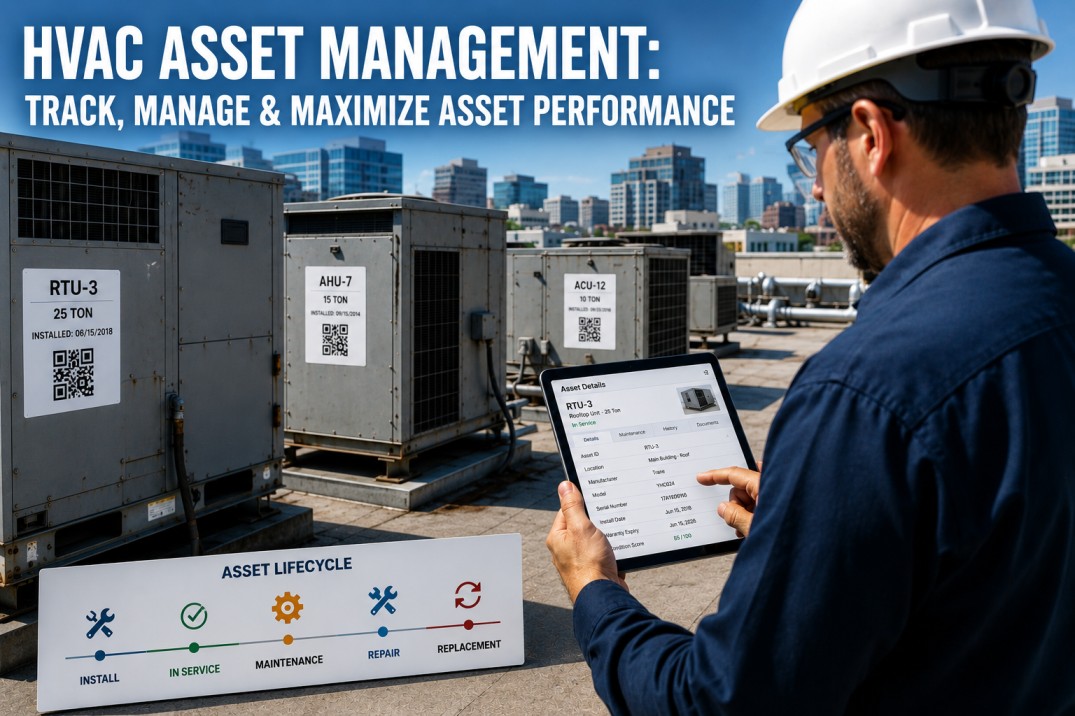
Unified Asset Register
- QR-tag every life safety component in minutes
- Capture model, SN, install date, and warranty
- Geotag asset locations on building floorplans
- Instant mobile access to repair history at asset
Automated NFPA Scheduler
- Auto-triggers per NFPA frequency (Daily, Q, A)
- Vendor-agnostic task list assignment
- Missed inspection alerts before compliance breach
- Conflict detection for multi-building portfolios
Certificate & Permit Cloud
- OCR-powered certificate expiry date tracking
- Bulk upload reports from third-party vendors
- Automatic expiry alerts 30/60/90 days out
- Instant report generation for AHJ or Insurance
Deficiency Multi-Workflow
- Failed inspection points auto-spawn work orders
- Track quote approval, dispatch, and final fix
- Evidence of repair (Photos) stored at asset record
- Close the compliance gap minutes after repair
Executive Dashboard (REIT)
- Heatmap of property compliance status
- Historical trend of vendor performance (KPIs)
- Predictive forecast of upcoming compliance costs
- Single glass-pane for global portfolio oversight
AHJ & Insurance Export
- Pre-formatted PDF reports for Fire Marshals
- NFPA-aligned data structure for easy review
- Secure, time-stamped visual evidence logs
- Shareable audit links for third-party inspectors
The Path to Digital Compliance — iFactory's Deployment Pipeline
Transitioning from paper to digital compliance is a structured engineering process that ensures no data is lost and every stakeholder is trained. iFactory delivers a live, portfolio-wide dashboard in less than 48 hours for core asset tracking.
iFactory imports existing binders, spreadsheets, and vendor reports. Our OCR engine identifies asset IDs, expiry dates, and previous deficiencies to build your "Baseline Compliance Score" overnight.
Technicians walk the site, deploying iFactory QR Tags to every component. This geotags assets on the digital floorplan, creating a "live map" of protection that syncs with the asset register.
Scheduler activates per-building specific NFPA cycles. Vendors and in-house teams receive automated task queues on their mobile devices, ensuring the sequence of testing matches regulatory requirements.
Platform enters "Continuous Compliance" mode. Reports are auto-generated and stored as they are completed. Dashboards reflect live safety status, ready for instant export to AHJ, Insurers, or Property Owners.
The Financial Impact of Digital Tracking — Manual vs. iFactory Compliance
We've benchmarked properties before and after switching to digital tracking. The results show a total elimination of audit "crunch time" and a radical reduction in legal risk exposure due to missing documentation.
| Metric | Manual Logs | iFactory Digital |
|---|---|---|
| Missed mandatory inspections | 12–18% annually | Zero |
| Audit prep time (per property) | 14–20 hours | Less than 5 minutes |
| Deficiency remediation cycle | 18–24 days avg | 4.2 days avg |
| Certificate expiry lag time | 32 days avg | Zero (Forward-track) |
| Vendor performance KPI drift | Untracked | Real-time Visibility |
| Compliance admin cost saving | Baseline | −64% Reduced |
What a Regional Property Director Said
Our fire safety compliance was 'binder-based'—if an inspector arrived, we spent hours digging through cabinets for certificates that were often expired or illegible. iFactory brought us into the 21st century. Now, every certificate is geotagged to the building and I receive a notification on my phone if a vendor fails an inspection or if a certificate is 60 days from expiry. We passed our last municipal audit without a single citation.
Frequently Asked Questions
How does iFactory handle third-party inspection agencies?
iFactory is vendor-agnostic. You can provide your external inspection contractors with a 'Vendor Portal' link where they upload their reports and usage decisions directly. Our AI OCR engine then ingests that data into your dashboard, maintaining your unified source of truth.
Can we track our local building codes alongside NFPA 25/72 standards?
Yes. iFactory is fully configurable. You can load specific municipal ordinances, state codes, and insurance requirements as custom 'Compliance Tracks' alongside the standard NFPA pre-built templates.
What happens if a critical life safety asset fails an inspection?
The system triggers an 'Immediate Deficiency' alert to your maintenance supervisor and auto-creates a repair work order. This ensures the remediation loop begins in minutes, not weeks, and the corrective action remains tied to the original audit for a complete paper trail.
How long does it take to move a portfolio of 50+ buildings onto iFactory?
Initial setup and data ingestion typically happen in Week 1. Site tagging (QR deployment) happens in Week 2–3. By Week 4, your portfolio is 100% digital, transparent, and audit-ready.
Go Live with Digital Compliance in 48 Hours
Audit-ready documentation, automated schedules, and portfolio-wide risk mapping — live for your buildings.

.jpg)