Most infrastructure teams don't have a data problem — they have a translation problem. The readings, work orders, and inspection notes all exist somewhere in the system, but getting an answer out of them means knowing which dashboard to open, which filter to apply, and which report was last updated. A reliability engineer who wants to know which pumps are trending toward failure this quarter usually has to build that answer by hand, screen by screen. An AI assistant that understands plain-language questions about asset health changes that math entirely, and turning years of scattered asset data into a system anyone on the team can simply ask is what the rest of this page walks through.
AI Asset Intelligence · Natural Language Analytics
Ask Your Infrastructure a Question. Get a Straight Answer.
iFactory's AI assistant reads asset health, maintenance history, risk scores, costs, failures, and backlog data the way your team already thinks about them, so a plain question like "which transformers are at highest risk this quarter" returns a real answer instead of a stack of dashboards to dig through.
Plain Language
No filters, no query builder, no dashboard hunting
Every Asset
One assistant across health, cost, risk, and backlog data
Instant
Answers return in seconds, not after a report request
Where the Time Actually Goes
Why Asset Questions Take So Long to Answer
Ask any reliability engineer how long it takes to answer a simple question about equipment risk, and the honest answer is rarely "a minute." It's usually "let me check a few systems and get back to you," because the data that would answer the question is real, current, and complete, but it was never organized around the way people actually ask questions. It's organized around the systems that happened to collect it. That mismatch is where most of the delay comes from, and it shows up in a handful of predictable ways across almost every infrastructure-heavy operation.
Every Question Needs a Different Screen
Asset condition lives in one module, cost history in another, and open work orders in a third, so a single question about a pump often means opening three different views and manually combining what each one shows. Multiply that across dozens of assets and the time adds up fast, even for people who know exactly where to look.
Reports Answer Yesterday's Question
By the time a scheduled report reaches an inbox, the situation on the floor has usually already moved on, and the one question a manager actually needs answered right now isn't the one the report was built to cover. Building a one-off version means waiting on whoever maintains the reporting tool.
Only a Few People Know Where to Look
Pulling the right numbers often depends on one analyst who knows which table joins to which, which means everyone else waits in line behind that person whenever a question comes up. That single point of dependency slows the whole team down, and it doesn't scale as the asset base grows.
Backlogs Hide the Real Priorities
A maintenance backlog with hundreds of open items rarely shows which ten actually matter most, so urgent risk can sit buried under routine tickets until someone happens to notice it. Sorting by due date alone misses the items that carry the highest actual cost if they're ignored.
What Asking Actually Looks Like
A Conversation, Not a Query Builder
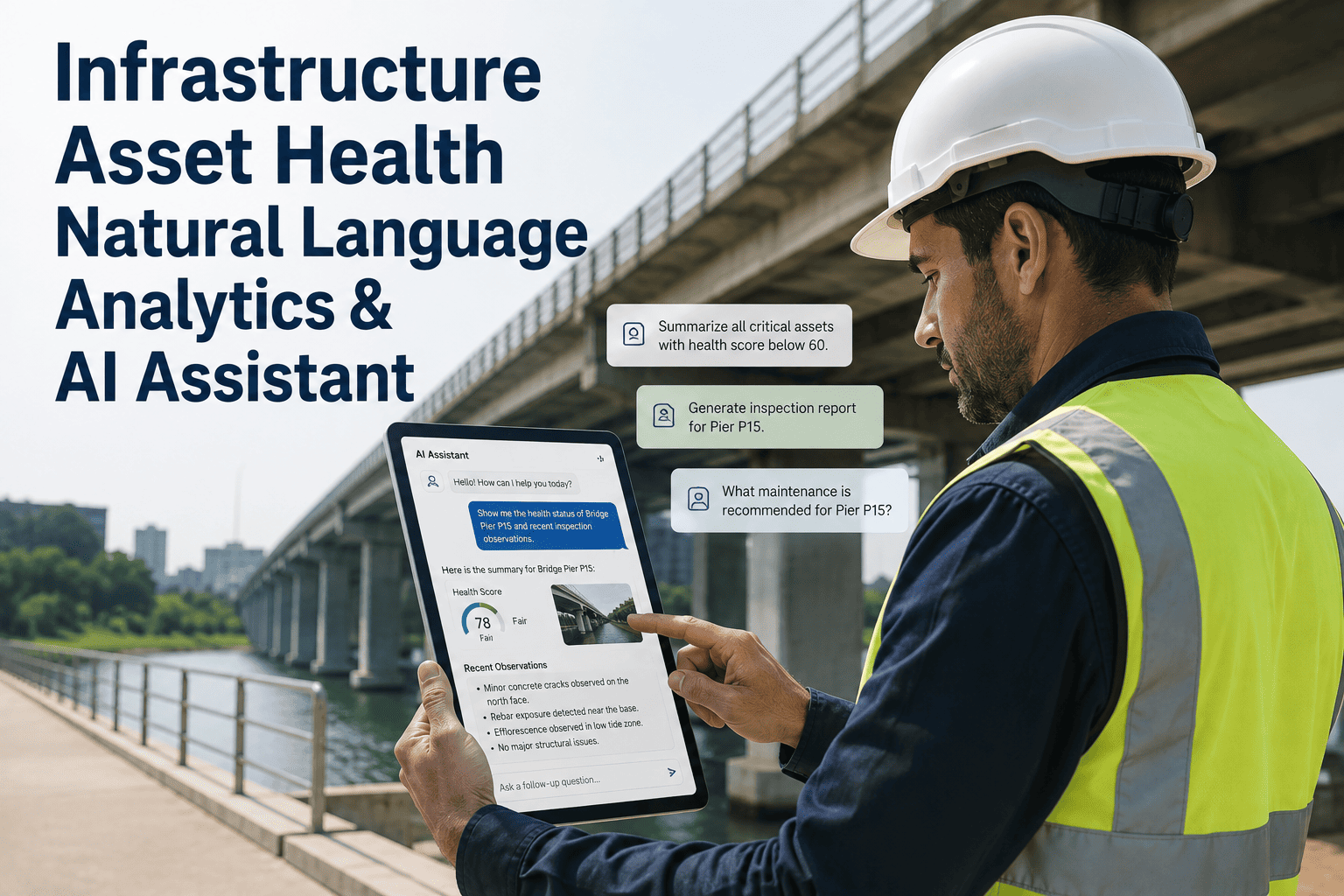
The difference is easiest to see in an actual back-and-forth. Instead of opening a risk dashboard, applying a site filter, cross-referencing a separate cost report, and then pulling up the work order queue in a fourth screen, the whole exchange below happens in one place, in the same plain language a manager would use talking to a colleague. Each follow-up question builds on the one before it, the same way a real conversation would.
Reliability Manager
Which assets in the west yard have the highest failure risk this month?
iFactory Assistant
Four pumps and one compressor are flagged high risk, driven mostly by vibration trends and overdue inspections. The compressor accounts for the largest cost exposure if it fails this month.
Reliability Manager
What did we spend on that compressor's maintenance over the last year?
iFactory Assistant
Maintenance spend on that compressor totaled a noticeable share of the yard's annual budget, with three unplanned callouts driving most of the increase over routine service.
Reliability Manager
Show me the open work orders tied to it.
iFactory Assistant
There are two open work orders, one overdue by several days for a bearing inspection and one scheduled for next week covering a seal replacement.
Built for Asset-Heavy Operations
The Same Assistant, Trained on Your Kind of Equipment
Infrastructure looks different from one industry to the next, and so does the language people use to talk about it. A cement plant asks about kiln refractory wear and grinding mill vibration. A power generation site asks about boiler tube leaks and turbine bearing temperatures. An airport asks about escalator step chains and baggage system conveyors, while a water treatment facility asks about pump seal life and clarifier performance. The assistant is built to understand that vocabulary rather than forcing every industry into the same generic asset categories.
Cement & Materials
Power Generation
Oil & Gas
Airports & Facilities
Water Treatment
Heavy Manufacturing
Old Way vs. New Way
Dashboards You Search vs. Answers You Ask For
Dashboards aren't going away, and they shouldn't — they're still the right tool for a scheduled review of an entire facility's condition. But most of the questions that come up during a normal workday aren't scheduled reviews, they're specific and immediate, and forcing them through a dashboard built for a different purpose is where the friction comes from. The table below lays out where each approach actually fits.
| What You Need | Traditional Dashboard | Natural Language Assistant |
|---|---|---|
| Finding an answer | Navigate menus, apply filters, cross-reference screens | Type or ask the question in plain words |
| Combining data sources | Export from each system and merge manually | Assistant pulls health, cost, and backlog data together automatically |
| Who can get an answer | Whoever knows the reporting tool best | Anyone on the team, in their own words |
| Follow-up questions | Rebuild the filter set from scratch | Ask a follow-up in the same conversation |
| Time to answer | Minutes to hours, depending on who's available | Seconds, day or night |
How Answers Stay Reliable
Every Answer Traces Back to Real Asset Data
An assistant is only useful if people trust the numbers it gives them, and that trust has to be earned the same way it would be from a colleague: by showing its work. Every answer the assistant returns is grounded in the actual asset records, work orders, and sensor readings already inside your systems, not generated from a general sense of what a plausible answer might look like. When it doesn't have enough data to answer confidently, it says so instead of filling the gap with a guess, which matters far more once teams start making real maintenance and budget decisions based on what it tells them.
Grounded in Your Records
Every figure ties back to the underlying asset, work order, or cost record it came from, so a number can always be checked against its source.
Clear About Its Limits
If a question needs data that isn't connected yet, the assistant says so directly rather than returning an answer that looks confident but isn't accurate.
Consistent Across the Team
Two different people asking the same question get the same underlying numbers, closing the gap between whichever analyst happened to build last month's report.
See It Answer Your Own Questions
Bring a Real Asset Question and Watch It Get Answered Live
Instead of a generic walkthrough, bring one question your team actually struggles to answer quickly, and we'll show you exactly how the assistant handles it against your kind of data.
Questions Teams Actually Ask
What People Use the Assistant For Every Day
None of these are exotic questions. They're the same ones reliability engineers, planners, and shift supervisors have always needed answered — the difference is how long it used to take to get there, and how many of them simply went unasked because the effort wasn't worth it for a question someone had a hunch about. Once asking is as easy as typing a sentence, teams tend to ask more of these questions, more often, which is where the earliest warning signs usually show up. A question that would once have been dismissed as "probably not worth the effort to check" becomes something a supervisor asks on instinct between other tasks, and every so often that instinct turns out to be right.
Asset Health Checks
"Which assets are showing declining health scores?" surfaces early warning signs before a routine inspection would have caught them.
Risk Prioritization
"Rank our highest-risk equipment by likely cost of failure" turns a long list of assets into a short list worth acting on first.
Maintenance Cost Tracking
"How much have we spent on unplanned repairs this quarter compared to last?" gives a budget answer without waiting on finance to pull numbers.
Failure Pattern Review
"What's the most common failure mode on our conveyor motors?" pulls the pattern out of years of scattered maintenance notes in one step.
Backlog Triage
"What's overdue and tied to a high-risk asset?" filters a crowded backlog down to the handful of items that actually deserve attention today.
Shift Handover Summaries
"Summarize anything that changed on critical assets overnight" gives an incoming shift a two-minute briefing instead of a screen-by-screen review.
Getting Started
How a Team Starts Asking Questions Instead of Hunting for Them
Rolling this out doesn't mean replacing every existing system on day one. Most teams start narrow, prove the value on the questions that already cost them the most time, and expand deliberately from there. The rough sequence below is what that usually looks like in practice, though the pace depends entirely on how much of your asset data is already centralized versus scattered across separate tools.
1
Connect Existing Asset and Maintenance Data
2
Let the Assistant Learn Your Asset Hierarchy
3
Start With the Questions Your Team Asks Most
4
Expand to Cost, Risk, and Backlog Questions
5
Roll Out Access Across the Whole Team
A Composite Scenario
A Reliability Team That Stopped Waiting on the Analyst
Before
Every risk question went through one senior analyst who knew how to pull the numbers, so questions queued up behind whatever they were already working on. A simple "what's our highest-risk equipment this week" could take a day or more to answer, by which point the week had often already moved on. Morning planning meetings regularly started without the numbers they were supposed to be built around, and decisions got made on memory and instinct instead of current data. Newer supervisors, who hadn't yet learned which report lived where, waited the longest of anyone.
After
Shift supervisors and planners now ask the assistant directly, in their own words, and get an answer before a meeting even starts. The analyst still handles the deep investigations that actually need expert judgment, but the routine questions no longer sit in a queue waiting for their attention. Planning meetings open with current numbers instead of last week's, and newer team members ask the same questions as the most experienced planner without needing to learn where anything is stored first.
Before You Start
Getting Ready to Roll Out an Asset Question Assistant
List the systems that currently hold asset health, cost, and maintenance data, including any spreadsheets that live outside the main platform
Collect the handful of questions your team asks most often but answers slowest, since those are the fastest wins to show once the assistant is live
Identify who currently owns pulling those answers by hand, so their time gets freed up first and they can help validate early answers
Decide which teams should get access first — reliability, planning, or operations — and plan to expand from there once it proves out
Common Questions
Natural Language Asset Analytics — FAQ
Does the assistant replace our existing dashboards and reports?
No, it sits alongside them. Dashboards are still useful for a broad, scheduled view of a facility, while the assistant is built for the specific, in-the-moment question that a dashboard usually isn't organized to answer directly. Most teams keep both, using dashboards for regular reviews and the assistant for everything that comes up in between. Our team can walk through how the two typically work together.
What kind of questions can it actually answer?
It covers asset health scores, maintenance and repair costs, failure history, risk rankings, and open work order backlogs, along with follow-up questions that build on an earlier answer in the same conversation. If a question needs data the platform doesn't have connected yet, it will say so rather than guess, which keeps answers reliable enough to actually act on. It's built to handle the everyday operational questions a team asks constantly, rather than replacing the deeper statistical analysis a reliability engineer might run for a major capital decision.
Does everyone on the team need training to use it?
Not really, since the entire point is asking in plain language rather than learning a query syntax or a reporting tool. Most people are productive with it within their first few questions, and the assistant clarifies when a question is ambiguous instead of returning the wrong answer silently. Teams that roll it out usually find that adoption spreads on its own once a few people demonstrate how much faster it is than the old process, without needing a formal training session at all.
How does it handle data from multiple sites or asset types?
It works across whatever asset hierarchy your organization already uses, so a question can be scoped to one site, one equipment class, or the entire portfolio depending on how it's asked. That flexibility is what lets a plant manager and a corporate reliability lead both use the same assistant for very different scopes of question. Book a demo to see it run against a scope similar to your own operation.
How long does it take to get useful answers after setup?
Once your asset and maintenance data is connected, teams are typically asking real questions within the first week, starting with whatever they already ask most often. Coverage then expands gradually as more data sources get connected and the assistant learns the specific vocabulary your team uses for its own equipment. Most rollouts start with a single site or asset class as a pilot, prove out the time savings there, and then extend to the rest of the portfolio with far less setup work the second time around.
Stop Waiting on the Report
Give Your Team an Assistant That Answers Asset Questions Instantly
iFactory's natural language AI assistant turns asset health, cost, risk, and backlog data into answers anyone on your team can simply ask for, in seconds.