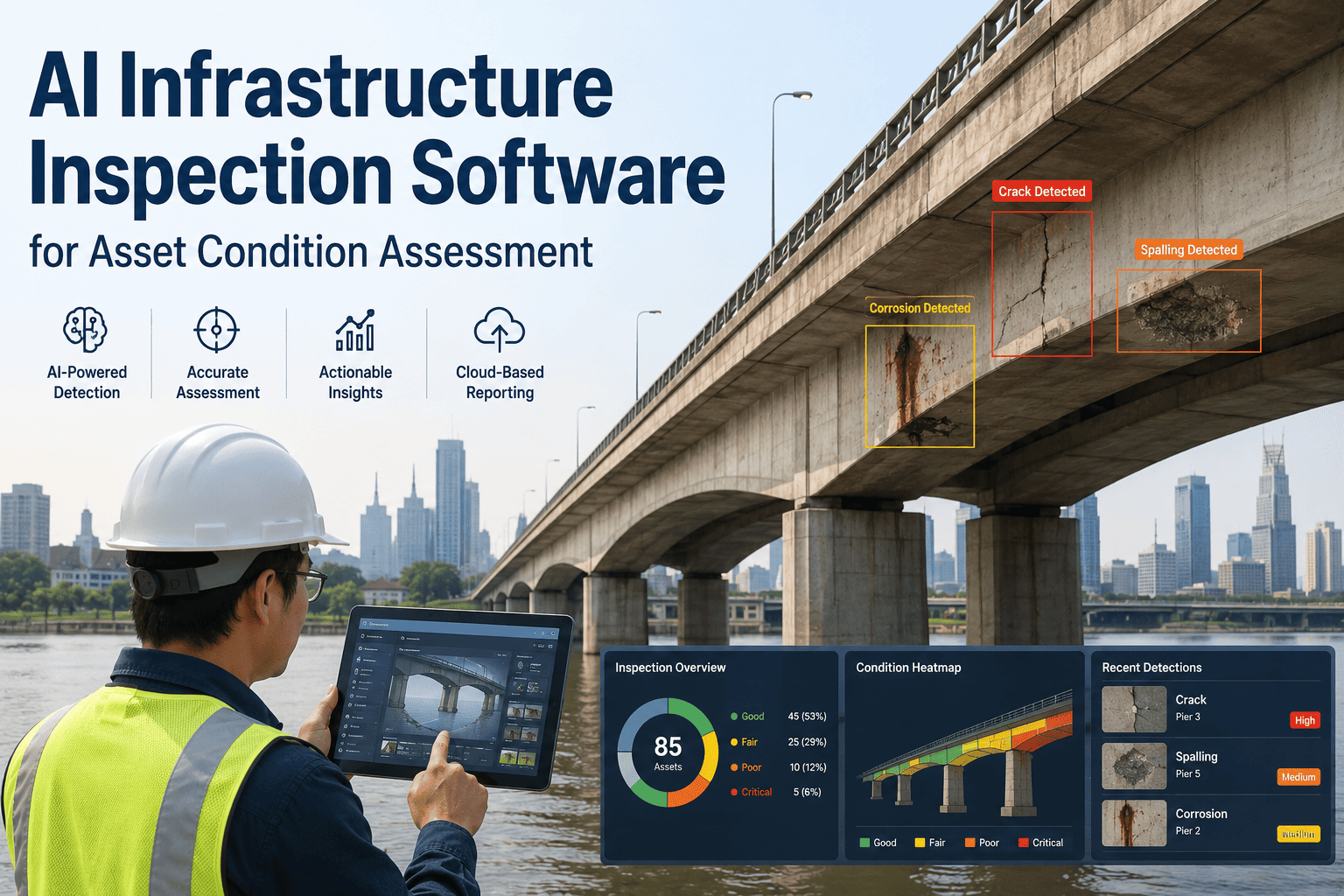
Every infrastructure project reaches a fragile turning point: the day construction ends and operations begin. Years of design intent, commissioning test results, equipment schedules, and inspection findings are meant to move cleanly from contractor to owner, yet on most projects that information lands as a scattered mix of PDFs, spreadsheets, and email threads that operations teams spend months untangling before a single maintenance plan can be trusted. Public agencies responsible for bridges, water systems, transit assets, and airport infrastructure feel this gap most acutely, because a missing warranty date or an unlinked inspection requirement does not just slow down a desk task, it delays the moment an asset can be safely and efficiently operated. iFactory AI converts fragile handover packages into structured operational asset records, so maintenance schedules, warranty tracking, and inspection requirements are usable from day one instead of being rebuilt from scratch. If you manage infrastructure assets and want to see this applied to your own handover package, you can book a demo and walk through it live.
Turn Construction Handover Chaos Into Structured Operational Asset Data
iFactory AI converts as-built drawings, commissioning records, equipment schedules, warranties, and inspection requirements into a structured asset register your operations team can act on from day one — no rebuilding, no missing files, no six-month cleanup project.
What an unstructured handover actually costs your operations team
Infrastructure owners rarely lose the fight to keep an asset running because of a single bad decision. They lose it in the first ninety days, when nobody on the operations side can find the commissioning report, the warranty terms, or the inspection interval a new asset actually requires. The pattern below shows up across bridges, water treatment plants, transit systems, and airport infrastructure alike.
Why infrastructure handover data falls apart between construction and operations
The gap between construction closeout and operational readiness is not caused by any single missing document. It is caused by a chain of small coordination failures that compound across every discipline, contractor, and phase of a project until the owner is left holding a closeout package that looks complete but is not actually usable.
Every contractor keeps its own version of the truth
Mechanical, electrical, civil, and specialty subcontractors each maintain drawings, commissioning results, and equipment records in their own formats and systems. Field revisions keep changing details until the final weeks of the project, and without a shared data standard defined in the contract, nobody reconciles those versions until the owner asks for a single answer and gets three conflicting ones.
Design intent never connects to maintenance reality
Owner information requirements are supposed to flow into asset information requirements long before construction starts, but on most infrastructure programs that chain breaks early. The result is a model or document set that satisfies a contractual closeout checkbox while still failing to answer the operational questions a maintenance planner actually needs answered on day one.
Inspection and compliance requirements get lost at handoff
Bridges, tunnels, water systems, and airport assets carry regulatory inspection intervals that must be scheduled from the moment an asset enters service. When those requirements are buried in a specification document instead of linked to the asset record, the first missed inspection window is usually the first sign anyone notices the data never made it across the handover line.
Nobody owns the data after the ribbon-cutting
Construction teams are contractually finished once closeout documents are submitted, and operations teams were rarely involved early enough to know what they are missing. That ownership gap is where warranty windows quietly expire, spare parts lists go untracked, and an asset that should be under a maintenance plan instead sits on a shared drive waiting for someone to notice it exists.
A completed asset is only as valuable as the data your operations team can act on the moment it goes live. Book a demo to see how iFactory AI structures your next handover package before the ribbon is even cut.
Six capabilities that turn closeout documents into an operational asset system
iFactory AI does not ask your operations team to become data entry clerks after handover. It reads the handover package you already have — drawings, spreadsheets, scanned PDFs, commissioning reports, and vendor submittals — and structures it into records your maintenance, compliance, and planning systems can use immediately.
Structured asset register creation
iFactory ingests as-built drawings, BIM models, COBie worksheets, and spreadsheet-based equipment schedules and converts them into a single structured asset register with consistent naming, hierarchy, and location tagging across every discipline.
Warranty and document management
Every warranty term, O&M manual, and vendor submittal is linked directly to its asset record, with expiration tracking that alerts your team before a warranty window closes instead of after a failure forces you to check the fine print.
Maintenance schedule generation
Manufacturer specifications, commissioning results, and criticality ratings are converted into draft preventive maintenance schedules, so your CMMS is populated with work plans instead of a blank asset list waiting for someone to build one manually.
Inspection requirement mapping
Regulatory and code-driven inspection intervals for bridges, tunnels, water infrastructure, and airport assets are extracted and mapped directly to the relevant asset, so the first inspection window is scheduled before the asset has even completed its first month in service.
Commissioning and defect data capture
Commissioning test results and outstanding punch list or defect items are captured against the asset record they belong to, giving your operations team full visibility into what was verified, what was deferred, and what still needs closeout attention.
Handover readiness dashboards
A live dashboard tracks the percentage of assets with complete mandatory fields, linked documentation, and assigned maintenance plans — giving project and operations leaders a shared, real-time view of how close the handover actually is to done.
Traditional closeout packages compared to a structured iFactory handover
The difference between a closeout package and an operational asset record is not the volume of documents delivered. It is whether the operations team can search, trust, and act on that information without having to rebuild it first.
| Handover characteristic | Traditional closeout package | iFactory structured handover |
|---|---|---|
| Document format | Mixed PDFs, scanned binders, spreadsheets from each contractor | Normalized, searchable asset register with consistent structure |
| Time to usable data | Six to twelve months of manual reconstruction | Structured and validated within weeks of receiving the package |
| Warranty tracking | Buried in individual vendor documents, easy to miss | Linked to each asset with automatic expiration alerts |
| Inspection scheduling | Manually cross-referenced against specifications, if at all | Mapped directly to each asset and ready to schedule on day one |
| Searchability | Requires opening multiple files across shared drives | Single searchable register across every discipline and asset type |
| Ongoing updates | Ad hoc, dependent on individual staff memory | Structured intake process for every future phase or change order |
The ten data categories iFactory structures at every asset handover
Infrastructure owners rarely need more documents at handover. They need the documents they already receive organized around the asset, not around the contractor who happened to produce them. This is the core data set iFactory extracts and structures for every project it processes.
As-built drawings and BIM models
Final construction geometry reconciled against design intent, tagged to each physical asset location
Equipment schedules and nameplate data
Manufacturer, model, serial number, and specification data pulled from submittals and field verification
Commissioning test results
Functional performance testing outcomes linked to the specific asset or system that was verified
Warranty terms and expiration dates
Coverage periods, conditions, and claim contacts structured for proactive tracking rather than reactive lookup
O&M manuals and vendor documentation
Operating procedures and maintenance guidance indexed and linked directly to the relevant asset record
Preventive maintenance intervals
Manufacturer-recommended service intervals converted into draft maintenance plans ready for CMMS import
Regulatory inspection requirements
Code and compliance-driven inspection windows mapped to each applicable asset and jurisdiction
Outstanding punch list and defect items
Unresolved closeout items tracked against the asset they affect until formally closed and verified
Spare parts and consumables lists
Recommended stocking levels and part numbers structured for inventory and procurement planning
Asset criticality and risk classification
Operational risk and criticality ratings assigned so maintenance and inspection resources are prioritized correctly
What infrastructure asset managers say about the handover gap
Owners keep treating handover as an administrative checkbox instead of a data product with its own quality bar, and that is exactly why it keeps failing the same way project after project. There is no easy button that automatically turns a construction closeout binder into a usable maintenance plan. What actually moves the needle is defining what operations needs before design even starts, then structuring every document against the asset it belongs to the moment it is received, not six months later when someone finally asks where the warranty paperwork went.
From closeout package to operational asset register in four steps
iFactory AI is built to work with the handover package you already receive, not a redesigned data standard your contractors have to learn from scratch. The process is designed to run alongside your existing closeout schedule, not delay it.
Ingest the handover package
We accept as-built drawings, BIM models, COBie exports, scanned O&M binders, spreadsheets, and vendor submittals in whatever format your contractors actually deliver them.
Structure and validate the data
AI models extract asset attributes, warranty terms, commissioning results, and inspection requirements, then validate completeness against your asset information requirements.
Map to your operational systems
Structured records are mapped into your CMMS, EAM, or asset management platform, with maintenance schedules and inspection requirements pre-populated and ready for review.
Go live with a readiness dashboard
Your team gets a live dashboard showing handover completeness by asset, discipline, and location, so nothing goes into service without the data behind it being verified first.
FAQ: Infrastructure asset handover data management with iFactory AI
Stop rebuilding asset data your contractors already delivered
See how iFactory AI structures a real handover package — drawings, warranties, commissioning records, and inspection requirements included — into an asset register your operations team can use from day one.