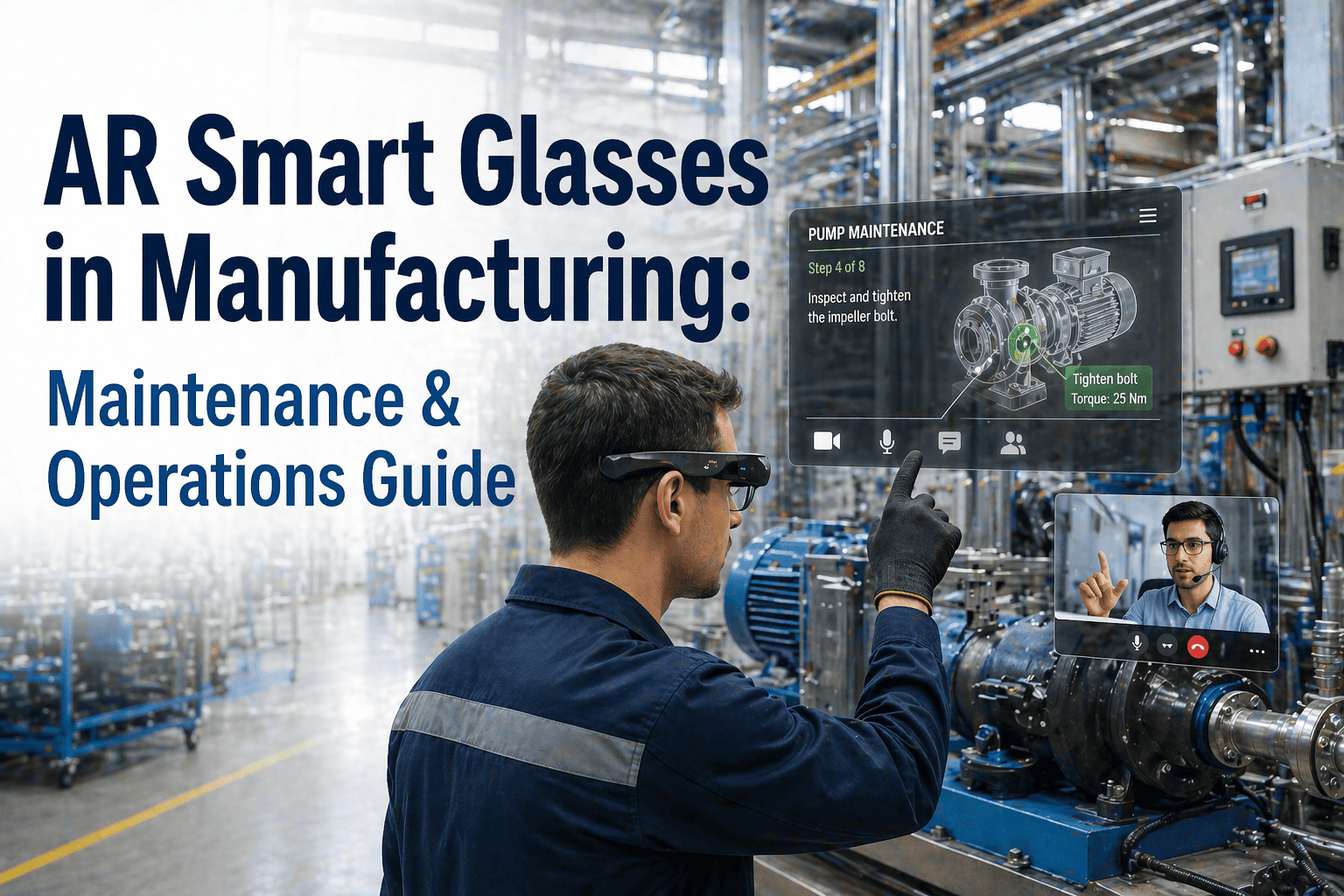
A technician troubleshooting a complex fault usually splits their attention three ways: one hand on the equipment, one eye on a paper manual or tablet screen, and a radio call to a supervisor who is not standing next to the machine either. Every time they step back to check a torque spec or scroll through a PDF, the repair pauses and the clock on downtime keeps running. AR smart glasses remove that split entirely by putting the work order, the procedure, and the parts data directly in the technician's line of sight, hands still on the machine the whole time. Book a demo to see hands-free AR maintenance guidance in action on equipment like yours.
AR Maintenance: Work Orders and Repair Procedures Displayed Hands-Free
Step-by-step guidance, live parts identification, and torque specs overlaid directly on the equipment, so technicians repair with both hands on the machine instead of one hand on a manual.
32%
faster average task completion time with AR-guided instructions
40%
reduction in procedural error rates versus paper or tablet manuals
30-50%
MTTR reduction on complex repairs with remote expert access
The Repair Interruption Loop
What Actually Slows a Technician Down Mid-Repair
Step Away From the Machine
The technician stops working to walk to a workstation or dig a printed manual out of a toolbox, because the next step in the procedure is not something they memorised.
Search for the Right Page or File
Minutes disappear scrolling through a PDF or flipping pages to find the exact torque spec, wiring diagram, or fault code that applies to this specific asset and this specific failure.
Return, Re-Orient, and Continue
Every interruption costs re-orientation time on top of the search time itself, and on a complex repair this loop can repeat a dozen times before the job is done.
Log the Job Manually, Later
Completion notes, parts used, and time spent are often written up after the fact from memory, producing maintenance records that are incomplete or inaccurate by the time they reach the CMMS.
What the Technician Actually Sees
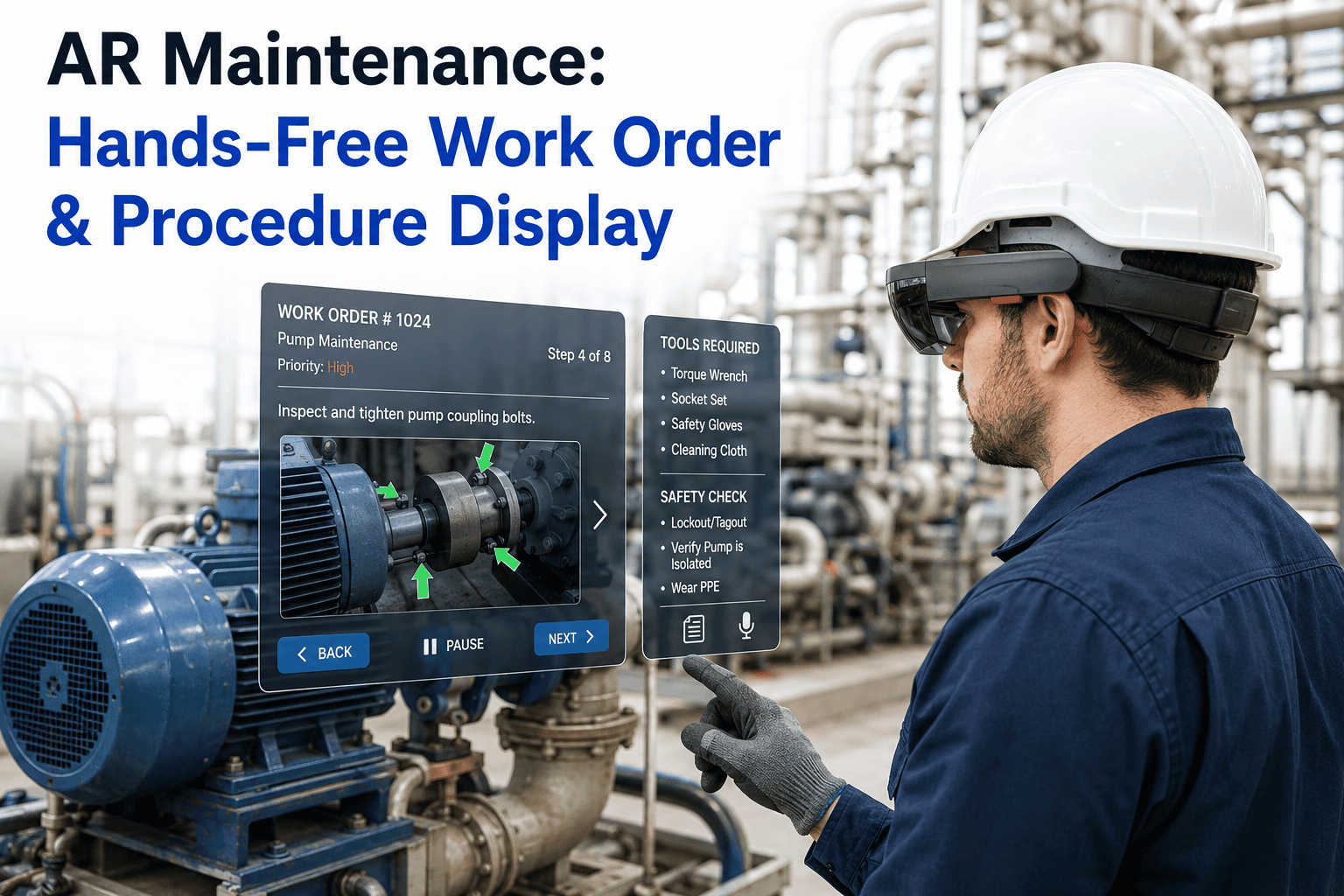
The Heads-Up View: Work Order, Steps, and Specs in One Field of View
Active Work Order
WO #4521 — Conveyor Gearbox
Procedure Progress
Step 3 of 7
Parts Identified
Bearing 6205-2RS, Seal Kit SK-14
Torque Spec
45 Nm, sequence A-B-C-D
This is the core shift from paper or tablet-based work: the technician never has to look away from the equipment to know what asset they are working on, which step comes next, which exact part they need, or what setting to apply, because all of it is overlaid directly on their view of the machine itself.
How a Repair Actually Runs
From Asset Scan to Documented Completion
1
Scan or Glance at the Asset
A quick scan of a QR code or asset tag, or in some deployments simple visual recognition, pulls up the correct equipment record and any open work orders instantly.
2
Work Order Loads Automatically
The relevant work order, fault history, and prior repair notes for that specific asset appear directly in view, pulled live from the connected CMMS rather than searched for manually.
3
Follow the Guided Procedure Step by Step
Each step is displayed one at a time, overlaid on the relevant part of the machine, with the technician confirming completion by voice command before the next step appears.
4
Escalate to a Remote Expert if Needed
A single voice command connects the technician to a senior expert who sees the same live point-of-view feed and can annotate directly onto it, without either party leaving their location.
5
Completion Documents Itself
Parts used, time spent, and step-by-step confirmation are logged automatically as the technician works, closing out the work order with an accurate record rather than a memory-based summary.
Watch a Real Repair, Guided Live
See a Work Order Walked Through Start to Finish on AR Glasses
We will show you a real work order — asset lookup, step-by-step procedure, parts identification, and completion sign-off — displayed exactly as your technician would see it, on equipment similar to what runs in your plant.
The Practical Difference
Paper and Tablet Manuals vs. AR-Guided Maintenance
| Factor | Paper / Tablet Manuals | AR-Guided Maintenance |
|---|---|---|
| Hands available during repair | One hand often occupied with device | Both hands free on the equipment |
| Finding the right procedure | Manual search through pages or PDFs | Loads automatically on asset scan |
| Expert help on unfamiliar faults | Phone call, description-based guidance | Remote expert sees live point-of-view feed |
| Completion documentation | Written up afterward, from memory | Logged automatically during the repair |
| Training a new technician | Shadowing an experienced technician | Guided by recorded expert procedures |
Why It Matters at Scale
The Numbers Behind AR-Guided Maintenance
32%
Average improvement in task completion time reported across industrial and commercial AR-guided maintenance programs.
40%
Reduction in procedural error rates when AR-guided instructions replace paper or static digital manuals.
30-50%
MTTR reduction achievable on complex or unfamiliar equipment failures when remote expert access is built into the AR workflow.
2-4 hrs
Typical time for a technician to reach productive competency using AR-guided work instructions on a new task.
These figures come from documented AR maintenance programs across industrial and commercial facilities, not a single vendor case study, and they hold most consistently on complex, multi-step repairs where a paper manual would otherwise force repeated interruptions. Simple, highly routine tasks tend to see a smaller relative improvement, since an experienced technician already performs them close to memory, which is why most plants see the fastest payback by starting AR guidance on their most complex or least standardised repair categories first.
Getting It Running
Deployment Considerations Before You Roll Out AR Glasses
Device Selection for Your Environment
Battery life, ruggedisation, and display type all matter differently depending on whether technicians work in a clean assembly area, a hot foundry floor, or an outdoor field service setting.
Network and Connectivity Coverage
Live CMMS syncing and remote expert video calls need reliable connectivity across the areas where repairs actually happen, which sometimes means addressing dead zones before rollout rather than after.
Integration With Your Existing CMMS
The value of AR guidance depends on pulling real work orders, asset history, and parts data from the system you already run, rather than maintaining a separate, duplicate content library.
Change Management With Veteran Technicians
Experienced technicians sometimes see AR guidance as a challenge to their expertise rather than a tool, so positioning it as a way to capture and scale their knowledge for newer hires tends to build buy-in faster than mandating adoption outright.
A realistic pilot typically starts with a small number of glasses on your highest-value or most error-prone repair category, running for several weeks alongside existing paper or tablet processes so your team can compare outcomes directly before committing to a full rollout across every technician and every asset class.
Maintenance Floor Perspective
The technicians who were most skeptical when we piloted AR glasses were often our most experienced ones, and I understood why — they had spent years building the exact knowledge this technology was now displaying to a rookie in their first week. What changed their minds was seeing their own repair recorded once, turned into a guided module, and reused across every shift and every plant in the network. It stopped feeling like a replacement for their expertise and started feeling like the first tool that actually scaled it.
Osei Vandermolen-Trask
Senior Reliability Engineer · 19 years in industrial maintenance and field service · Led AR wearable pilot across three manufacturing sites
AR Maintenance Questions
Frequently Asked Questions
Do we need expensive smart glasses like HoloLens, or can this run on devices we already have?
Most AR maintenance deployments in 2026 run on standard smartphones and tablets your team already carries, so a full hardware investment is not required to get started with guided work instructions and remote expert calls. Dedicated smart glasses deliver the best fully hands-free experience for high-complexity repairs where a technician genuinely needs both hands free throughout, so many plants start with mobile devices and add dedicated glasses for their highest-value repair categories once the workflow proves out. Book a demo to see both approaches and decide what fits your team.
How does the system know which work order and procedure to display for a specific machine?
Each asset is linked to its work order and procedure library through a scan of a QR code or asset tag, or through visual recognition in more advanced deployments, which pulls the correct equipment record, open work orders, and repair history directly from the connected CMMS the moment the technician approaches the machine. This removes the manual search step entirely, since the right procedure is already loaded before the technician even opens a toolbox.
What happens if a technician runs into a fault that is not covered by the standard procedure?
A single voice command connects the technician to a remote expert, who sees the same live point-of-view feed the technician sees and can annotate directly onto it with arrows, text, or highlighted parts to guide an unfamiliar repair in real time. The full session, including voice narration and step completion, is recorded and attached to the work order, so an unusual fault handled once can be turned into a reusable guided procedure for the next technician who encounters it. Contact support to see how escalation and recording work in practice.
How accurate is the completion documentation compared to a technician filling out a report manually?
Completion documentation is captured automatically as the technician works through each step, logging parts used, time spent, and step-by-step confirmation in real time rather than relying on a technician reconstructing the job from memory after the fact. This produces a far more complete and accurate maintenance record, which matters directly for warranty claims, compliance audits, and identifying recurring failure patterns across your asset base over time.
How long does it take for a new technician to get comfortable using AR-guided work instructions?
Most technicians reach productive competency using AR-guided instructions within a few hours of first use, since the interface is designed around voice commands and simple gaze-based controls rather than a complex new system to learn. The bigger adjustment for many technicians is trusting the guidance itself rather than the device, which is why starting with a pilot on a well-understood repair category tends to build confidence faster than starting with your most difficult, least familiar equipment. Book a session to walk through a realistic onboarding timeline for your team.
Give Every Technician Both Hands and the Right Answer
Put Work Orders, Procedures, and Parts Data Directly in Their Line of Sight
iFactory connects your CMMS work orders, asset history, and repair procedures to AR-guided displays, so technicians repair faster, with fewer errors, and documentation that writes itself.