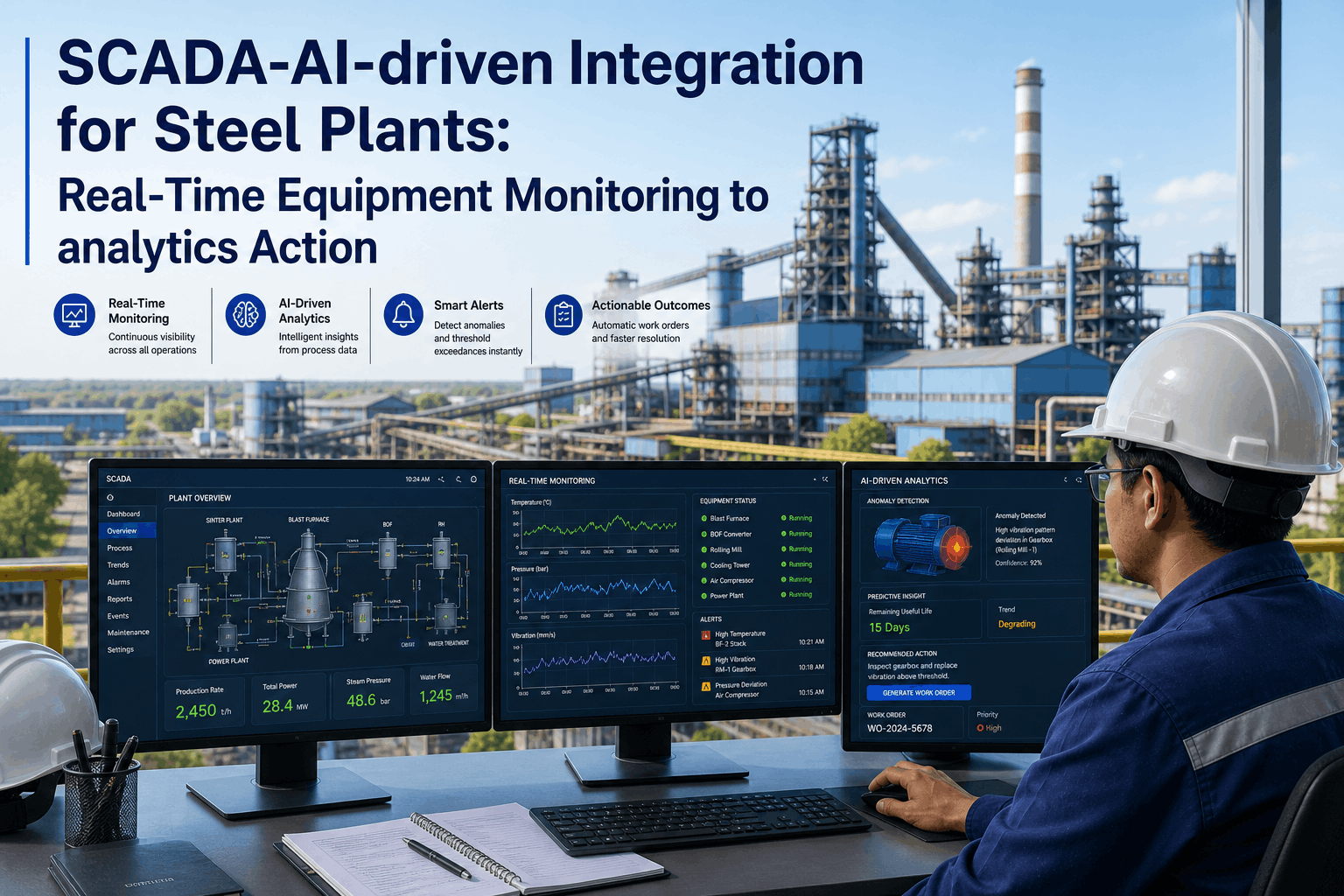
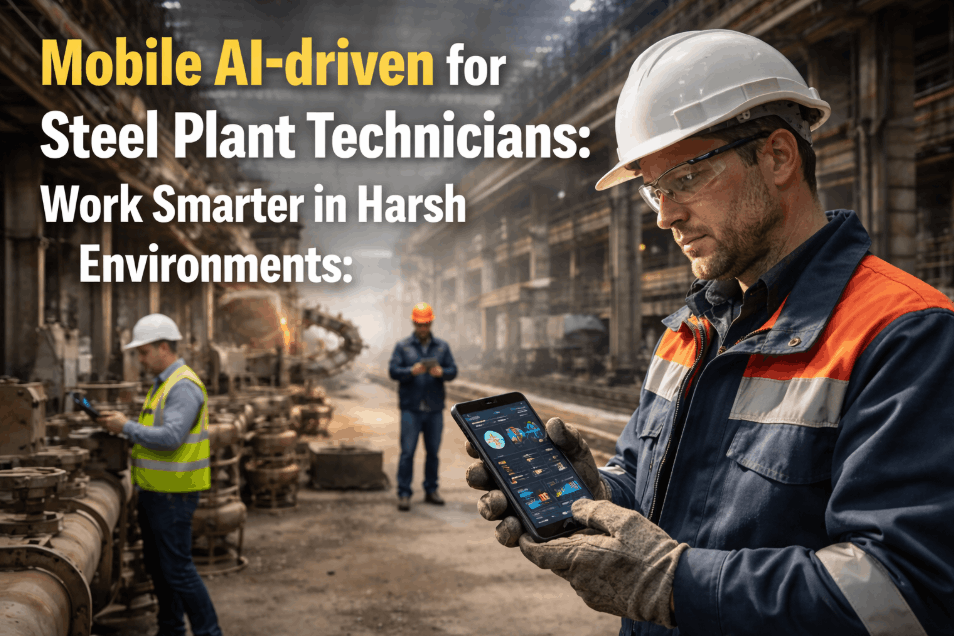
In the cavernous, steel-reinforced environments of an integrated mill, the biggest barrier to reliability isn't a lack of data—it's a lack of mobility. Traditional analytics platforms fail at the "Last Mile" because they require constant connectivity and delicate hardware, both of which are non-existent on a Blast Furnace floor or in a Rolling Mill pit. **Mobile AI-driven for steel plants in extreme environments** is bridging this gap by placing the full power of iFactory's predictive engine directly into the hands of field technicians, regardless of signal strength or environmental temperature. By utilizing ruggedized, intrinsically safe devices and a true offline-first architecture, iFactory ensures that the "Digital Twin" of your most critical assets is accessible exactly where it is needed most: at the machine. Organizations that book a field-mobility demo are discovering that digitizing the frontline is the fastest path to reclaiming lost OEE from manual reporting delays.
Empower Your Frontline in Every Corner of the Mill
iFactory's mobile platform delivers offline-first predictive analytics, QR-driven asset identification, and AI-guided repair procedures built for the rugged reality of steel manufacturing.
Why Traditional Field Analytics Fails in Steel Manufacturing
A steel plant is essentially a massive Faraday cage. Thick reinforced concrete walls and multi-layered steel structures create "Dead Zones" where standard Wi-Fi and LTE signals cannot penetrate. This is why paper logs have persisted for so long—they don't need a signal. iFactory's mobile architecture was built specifically to solve this "Faraday Problem." Our native application uses a local SQLite database and edge-AI inference, allowing technicians to perform full predictive inspections and log **Key Data Elements (KDEs)** in deep-pit environments with zero connectivity. When the technician returns to a connected zone, the platform performs a multi-way sync, ensuring the plant-wide digital twin is updated instantly. Field leaders looking to eliminate the "Sync Delay" often schedule a technical review to see our offline-first logic in action.
True Offline-First Architecture
Full database caching and local AI inference allow for predictive inspections in signal-dead zones. No "Reconnecting..." spinners—just seamless reliability workflows in the deepest mill pits.
QR-Driven Asset Identification
Instant access to an asset's live health score, historical failure modes, and 3D digital twin just by scanning a ruggedized QR tag. No searching through endless menus in high-heat zones.
Rugged UI & Device Support
Optimized for Intrinsically Safe (IS) tablets and smartphones. High-contrast interfaces designed for high-glare environments and large touch-targets for glove-wearing technicians.
AI-Guided Field Repairs
Generative AI creates dynamic, step-by-step repair guides in the field. Technicians can use voice-to-text to log anomalies, which the AI automatically categorizes into failure mode trees.
"Before iFactory, we were effectively flying blind whenever we went into the caster pits. We'd take measurements on paper, walk back to the office an hour later, and then type them into a spreadsheet. Half the time, we'd realize we missed a reading and have to go back. Now, I scan the QR code at the machine, get the AI's health prediction right there, and sync it all the moment I hit the pulpit. It's saved us thousands of man-hours in travel time alone."
The Three Pillars of iFactory Field Mobility
iFactory transforms the mobile device from a simple "Data Entry Tool" into a "Mobile Command Center" for the technician. By focusing on the specific constraints of the steel mill floor—heat, noise, and connectivity gaps—we ensure that the frontline is an active participant in the reliability ecosystem. Teams looking to maximize their mobile ROI often book a demo to map their field workflows to these mobile pillars.
Pillar 1 — The Offline Edge Intelligence Layer
Unlike standard cloud-based apps, iFactory's mobile client contains its own "Edge AI" engine. This means the app can analyze vibration or thermal patterns locally on the device without needing to talk to the server. If a bearing is entering a critical failure state, the technician gets an instant "High Alert" even if they are 100 feet underground in a pump room. This "Zero-Latency" feedback loop is what prevents catastrophic failures during high-risk inspection rounds.
Pillar 2 — Rugged UX for Extreme Environments
Design matters in a steel plant. Our mobile interface uses high-contrast typography and oversized "Touch-Zones" to accommodate the heavy gloves and safety goggles worn by mill workers. We support voice-activated commands for "Hands-Free" logging, allowing a technician to record an anomaly while they are physically inspecting a motor or gearbox. This focus on the "Rugged UX" is why iFactory has the highest user adoption rate in the industrial analytics market.
Pillar 3 — QR-Driven "Point-and-Predict" Workflows
Searching for an asset in a mill with 50,000 components is a waste of time. iFactory's QR workflow allows a technician to simply "Point and Predict." Scanning the QR tag on a hydraulic pump instantly pulls up its **Remaining Useful Life (RUL)**, the latest oil analysis, and the open work order backlog. This 5-second workflow replaces the traditional 5-minute search, resulting in a 25% increase in "Wrench-Time" across the maintenance department.
Traditional Field Reporting vs. iFactory Mobile AI
The gap between "Paper-and-Clipboard" and "Mobile AI" is measured in lost production and increased risk. This comparison table highlights the major operational shifts that occur when a steel mill fully digitizes its frontline. Stakeholders looking to build a business case for field mobility often schedule a ROI consultation to quantify these shifts for their specific plant footprint.
| Capability | Traditional Approach (Paper) | iFactory Mobile AI-driven | Operational Impact |
|---|---|---|---|
| Asset ID | Manual tag search / Memory | Instant QR Code Scanning | Zero misidentification risk |
| Connectivity | N/A (Static) | Offline-First Native Cache | 100% data capture in pits/Faraday zones |
| Data Validation | Retrospective (Shift-end) | Real-Time AI Edge Validation | Eliminates "Dirty Data" at source |
| Intelligence | None (Observation only) | Local AI Health Predictions | Instant "Stop/Go" repair decisions |
| Documentation | Manual transcription into ERP | Instant Sync to Digital Twin | -88% Administrative labor reduction |
| Repair Support | Paper Manuals / Expert call | GenAI 3D Guided Procedures | +35% First-time fix rate |
Frontline Digitization: The Mobile Implementation Path
Successfully deploying mobile AI in a steel plant requires more than just handing out tablets; it requires an integrated approach to hardware, network, and workflow design. iFactory's deployment team ensures that the mobile rollout is seamless and stable. If you are ready to digitize your frontline, book a Tier-1 field audit to evaluate your current infrastructure.
Hardware Selection & QR Tagging
Identify the right Intrinsically Safe (IS) devices for your specific zones and deploy ruggedized QR tags across the asset hierarchy. This creates the "Physical-to-Digital" link required for mobile success. Timeline: 4–6 weeks.
Offline Workflow Config & Workforce Training
Configure the offline data cache for deep-pit zones and train technicians on the "Point-and-Predict" workflow. Establish the baseline for mobile data integrity and user adoption. Timeline: 6–10 weeks.
AI-Guided Field Repairs & ERP Integration
Activate Generative AI repair guides and bidirectional sync with your SAP/Oracle ERP. The mobile device now becomes a command center for autonomous field maintenance. Timeline: Ongoing.
The "Mobile Multiple": KPI Gains from Field Digitization
When technicians have the full power of iFactory in their pocket, the impact on plant-wide KPIs is immediate and compounding. The benchmark chart below shows the average improvements achieved by steel mills within 12 months of full mobile AI-driven deployment. This is the "Mobile Multiple"—the factor by which field intelligence accelerates reliability ROI. Steel executives who book a demo today are securing this competitive advantage.
Mobile Field Analytics for Steel — Frequently Asked Questions
How does the "Offline Mode" work if there is no signal in the pit?
iFactory uses a native offline-first architecture. The mobile app caches the entire asset hierarchy, latest health data, and local AI models while in a connected zone. You can perform full inspections, log KDEs, and receive AI health alerts deep in the pit. Once connectivity is restored, the app automatically performs a bidirectional sync with the central server.
What kind of rugged hardware do we need for a steel plant?
We recommend "Intrinsically Safe" (IS) devices rated for C1D2 or ATEX Zone 2 environments depending on your specific mill location. iFactory is optimized for ruggedized tablets (like Getac or Samsung Tab Active) and mobile devices, featuring high-contrast UI for high-glare environments and glove-compatible touch targets.
How do QR codes survive in high-heat, high-dust environments?
We use ruggedized, laser-etched stainless steel or ceramic QR tags that are bonded to the asset. These tags are resistant to temperatures up to 800°C and can be cleaned with a simple wipe if they become covered in mill scale or grease. Our mobile app's scanner is also optimized for low-light and partially obscured tags.
Can a technician use voice commands to log a failure hands-free?
Yes. iFactory features a native "Voice-to-Reliability" engine. Technicians can dictate observations directly into the app while they are inspecting a motor or gearbox. The AI automatically parses the dictation, identifies the relevant failure mode, and creates a work order draft—keeping the technician's hands where they belong: on the tools.
Does this app replace our existing SAP/Oracle mobile work order system?
Not necessarily. iFactory can either replace or **amplify** your existing system. Most of our customers use iFactory as the "Intelligence Layer" where the actual reliability work is done, and we then sync the final data and work orders back into SAP/Oracle for financial and logistical tracking.
How long does it take to train a technician to use the app?
Our "Rugged UX" is designed to be intuitive enough for a first-time user to perform a basic inspection in under 10 minutes. Most technicians achieve full mastery of the "Point-and-Predict" workflow within their first two shifts. We prioritize "Minimum Friction" design to ensure 100% workforce adoption.
What happens if a technician forgets to sync the device at the end of a shift?
The app features "Smart-Sync" persistence. If the technician walks into a connected pulpit or charging station, the app automatically begins the sync in the background. It also provides a visual "Sync Status" indicator on the home screen to ensure no data is left behind at the end of the day.
How do we justify the cost of the mobile rollout?
The ROI comes from the **25% increase in wrench-time** and the **88% reduction in reporting delays**. By catching an incipient fault in the pit and syncing it instantly, you prevent the $50,000-per-hour unplanned downtime event that happens when a "Paper Report" sits on a supervisor's desk for 6 hours. Request an ROI model here.
Put the Power of iFactory AI in Every Technician's Pocket
iFactory's mobile analytics platform is the only solution built to survive and thrive in the extreme environments of a modern steel mill — delivering 100% field visibility.