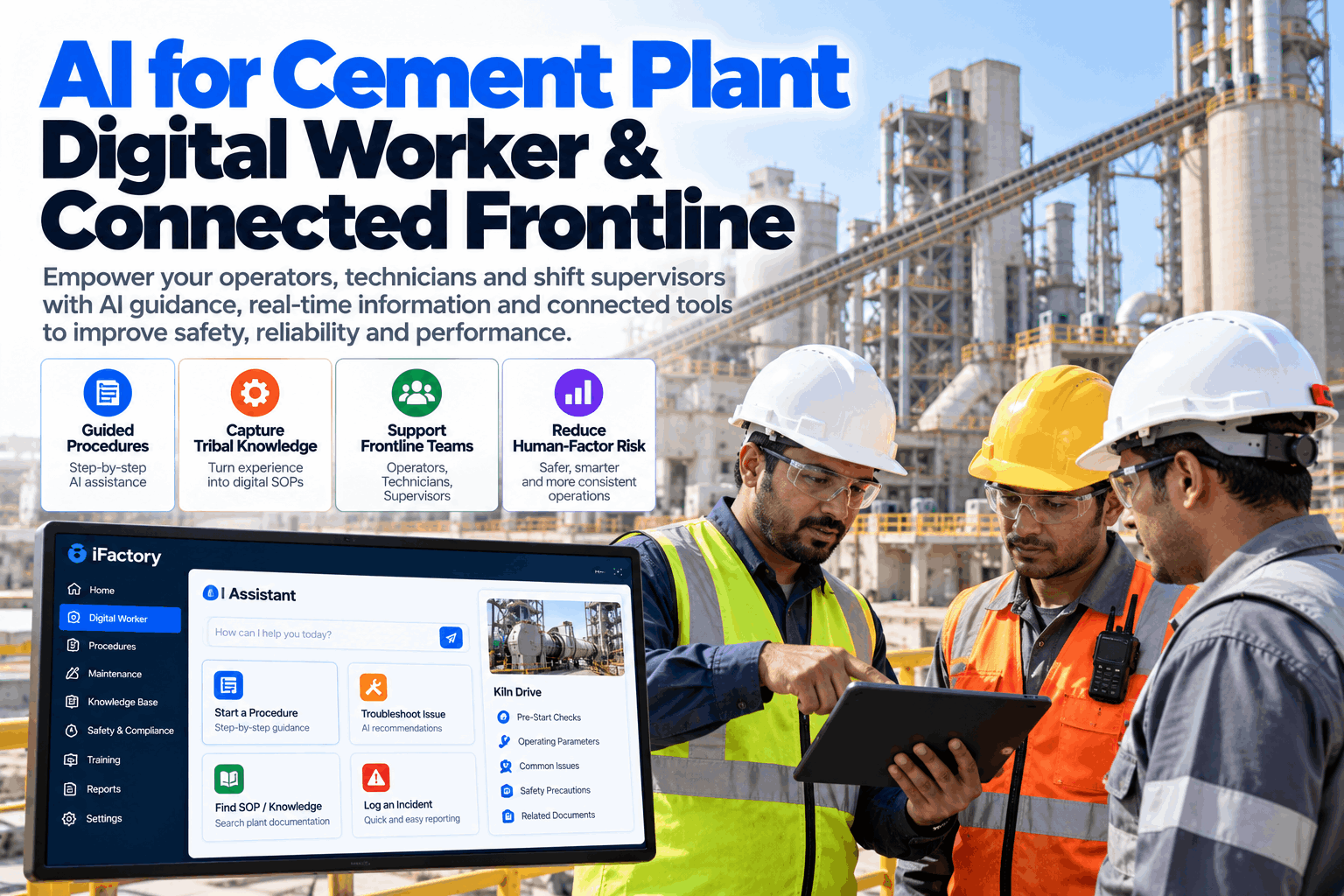
Every cement plant has a person who knows why raw mill 2 sounds wrong before the alarm does. That knowledge lives in one head, one notebook and one shift's habits. When that person retires, changes shift or takes leave, the plant loses it. A digital worker platform captures what experienced people know, guides the next person through the job and connects operators, technicians and supervisors on one shared picture. To see it on your own shift routines, book a digital worker walkthrough.
AI for the Cement Plant Digital Worker and Connected Frontline
The AI turns expert know-how into guided procedures, shift handovers and live plant context on every worker's device. New and experienced people work from the same playbook, and human-factor incidents fall.
- How tribal knowledge is captured from your best operators
- How guided procedures and handovers cut human-factor incidents
- How shift supervisors see the whole plant on one screen
Three causes account for three quarters of the incidents, and all three are about information not reaching the person at the right time. The dashed line marks where the cumulative share passes 80%.
The Frontline Knowledge Gap
The people closest to the process have the least access to its data and its history.
Cement plants run around the clock in hot, noisy and dusty areas, across kilometres of conveyors and kilns. Operators and technicians work with paper checklists, radio calls and memory. Senior people hold the real know-how, and many are close to retirement. At the same time, new hires and contractors need to be productive faster. The AI closes the gap by moving knowledge from heads and notebooks into a form everyone can use. Our workforce team can show how it would look on your shifts.
Record the expert
Voice notes, photos and short videos turned into steps.
Step-by-step jobs
Procedures with checks, photos and sign-off.
One shared picture
Control room, field and supervisor see the same status.
Improve with use
Findings and feedback sharpen the next procedure.
List the five jobs that only one or two people on site really know how to do. Capture those first. The value is easy to see, and the experts take part more willingly when their knowledge is clearly treated as an asset.
What Each Role Gets
One platform, a different view for every job.
A digital worker is not one screen for everyone. Each role sees what it needs to act, and nothing more. To plan the views for your site, book a role mapping session.
A worker with gloves, a helmet and a noisy environment will not read long text. Procedures should use short steps, photos and voice, with the full detail one tap away for those who need it.
What One Human-Factor Incident Costs
Most incidents are not about carelessness. A missing piece of information at the wrong moment is often the real cause, and it is far cheaper to fix than the incident.
Capturing Tribal Knowledge
Ask the expert once, help the whole plant for years.
The AI makes capture simple enough to do in the middle of a normal shift. An expert talks through a job while doing it, and the AI turns that into a structured procedure that a colleague can review and approve.
Ask
Pick the job and the expert.
Record
Voice, photos and video during the task.
Structure
AI drafts steps, checks and warnings.
Verify
Expert and safety lead approve.
Share
Published to the right roles and shifts.
Update
Feedback and findings improve it.
Shift Handover That Does Not Lose Anything
Many incidents start in the ten minutes between two shifts.
A verbal handover at the gate depends on memory and time. The platform builds the handover from what actually happened: open work orders, alarms, set-point changes, safety notes and unfinished tasks. The incoming crew starts with the same picture the outgoing crew ended with.
Handover today
- Verbal and based on memory
- Notes in different books and formats
- Open issues easy to miss
Handover with the platform
- Summary built from live plant data
- Open tasks, alarms and changes in one list
- Incoming crew confirms each item
Agree the platform's rules with operators, supervisors and worker representatives. It is built around tasks and procedures, not around watching people, and trust on the shop floor is what makes people use it.
How iFactory Digital Worker Platform Works
Know-how in, guided and connected work out.
iFactory's AI Analytics and Digital Worker Platform connects your plant data, maintenance system and procedures. It captures expert knowledge, builds guided jobs and handovers, gives each role its own view, and learns from findings and feedback. It runs on an on-prem server inside your plant network, on phones, tablets or rugged devices. Questions on fit go to our support desk.
Expert know-how
Voice, photo and video turned into steps.
Jobs and checks
Procedures with sign-off and plant context.
Every role
Operators, technicians and supervisors in sync.
Skills and incidents
Gaps and causes shown for training and safety.
Results depend on how many procedures are captured, how well they are kept up to date and how crews adopt the tool. We measure incidents, task quality and ramp-up time on your own area during the pilot, rather than promising a general figure.
Turnkey AI: Delivered, Connected and Live in 6–12 Weeks
You do not build this. It arrives ready.
iFactory ships as a pre-configured NVIDIA AI server with the software pre-loaded. Rack it, plug in power and Ethernet, and the AI is live on your network. Our team handles cabling, network setup, DCS and maintenance system integration, device set-up, crew training and 24×7 remote monitoring. Data stays on your own network. For a scope matched to your plant, request a turnkey quote.
Ship, network and connect
Server installed. Plant data, maintenance system and devices connected for the pilot area.
Capture and test
Key procedures captured from experts. Crews try the guided jobs and give feedback.
Go-live and training
Handovers and guided jobs go live. Crews trained. 24×7 remote monitoring begins.
Frequently Asked Questions
What is a digital worker or connected worker platform?
It is software that puts procedures, plant data and communication on each worker's device, so people have the right information at the right time while they do the job.
How does it capture tribal knowledge?
Experts record a job by voice, photo or video while they do it. The AI drafts the steps, checks and warnings, and the expert and safety lead approve the result before it is shared.
Is it used to monitor workers?
The platform is built around tasks, procedures and plant context. Your site decides what is collected, and we recommend agreeing the rules with crews and worker representatives first.
What devices does it run on?
Phones, tablets and rugged devices on your plant network. Hands-free options such as headsets can be added where gloves or noise make screens hard to use.
Can it help with contractors and new hires?
Yes. Role-based guided steps give new people the same playbook as experienced staff, with fewer questions to the shift supervisor.
How do we start?
With one area and a handful of jobs that only a few people really know. A 6-week pilot captures those jobs, tests them with crews and measures the effect. To plan it, contact our team.
Keep the Knowledge When the Expert Moves On
In thirty minutes we look at your shift routines, the jobs that depend on a few people and how handovers work today. You keep the notes whether or not you go further with iFactory.
- 1A list of jobs that depend on one or two people
- 2Your current SOPs and checklists
- 3Recent human-factor incident reports
- 4How shift handover is done today
- 5Expected retirements and hiring plans