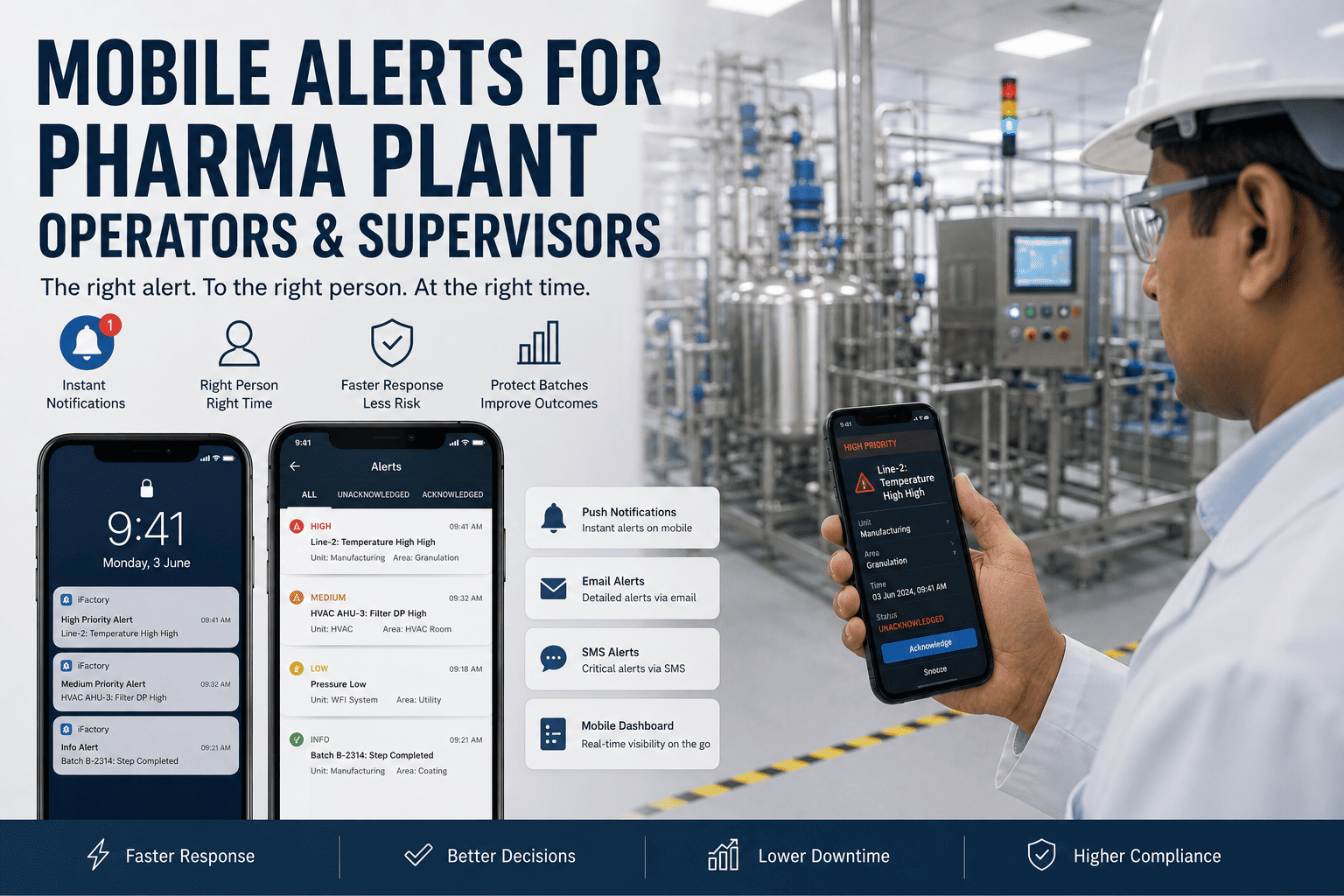
A cleanroom operator is gowned and two rooms away. A supervisor is in a production meeting. The night-shift lead is at home on call. And in the freezer bay, a compressor has just failed — the temperature is climbing toward the limit on a rack of product worth more than the equipment that stores it. The control room screen is blinking, but no one is standing in front of it, and the next scheduled round is ninety minutes away. By then the decision will already have been made for you. Some pharma events simply cannot wait for someone to walk past a screen. iFactory pushes the right alert to the right phone — so operators and supervisors act while there is still a batch to save.
Production Execution for Pharma Teams
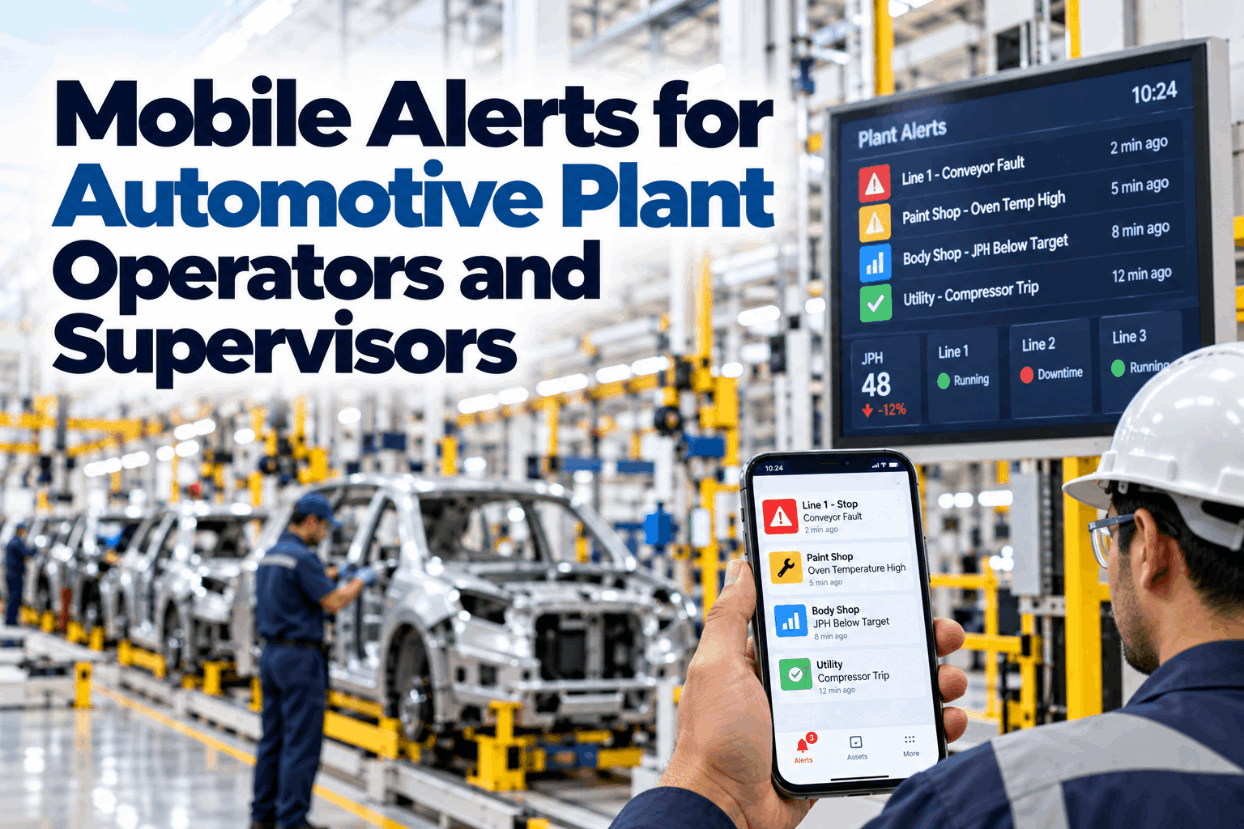
Mobile Alerts for Pharma Plant Operators and Supervisors
Time-critical events reach the right person wherever they are — routed by role, area, and shift, escalated if no one answers, and logged for the record. Not every alarm on a phone; only the ones that cannot wait.
Seconds
to the right phone
Role
area and shift routing
Logged
for the audit trail
The Right Person Is Rarely in Front of the Screen
Control-room alarms assume someone is watching the control room. In a real plant, the person who can actually act is mobile — gowned in a cleanroom, moving between suites, off the floor, or on call from home. The event does not wait for them to return, and the routine round that would have caught it may land long after the window to respond has closed. Mobile alerting closes the distance between the event and the person, so proximity to a screen stops deciding whether a batch survives.
Some Events Have a Window, and It Is Short
Every time-critical event comes with a window: a stretch of time in which action still saves the batch. Miss it and the outcome is fixed. The whole point of a mobile alert is to land inside that window, while a scheduled round often lands after it has closed.
The window to act
Window to act
Batch at risk
Mobile alert, acted in minutes
Next round, hours later
A freezer excursion, a pressure breach, a utility trip — each has its own window. The alert has to arrive inside it, not at the next convenient moment.
But You Cannot Push Everything
The fastest way to make people ignore their phones is to send every alarm to them. Mobile alerting only works if it is ruthlessly selective — filtering the flood down to the few events that are genuinely time-critical, then routing each to the specific person who can act on it right now.
Thousands of plant signals
Only time-critical events
Routed by role, area, shift
The one right phone
The Alert That Actually Helps
A useful alert does not just say something is wrong. It says what, where, how bad, and what to do — and lets the person acknowledge with one tap, so the plant knows the message landed and who has it.
iFactory Alerts
Critical
Cold-chain excursion
AssetFreezer FZ-04, Bay 2
Reading-58°C, limit -65°C
Rising+3°C in 8 min
Check compressor and transfer product if trend continues
What a good alert carries
What the event, in plain terms and severity
Where the exact asset, bay, and area
How bad the value, the limit, and the trend
What to do the recommended first action
One tap to acknowledge, so the loop closes
If No One Answers, It Escalates
An alert that is sent but never seen is worse than no alert, because everyone assumes it was handled. Escalation removes that gap: if the first person does not acknowledge in time, the alert moves up automatically until someone does.
0 min
Operator on shift
Push to the operator responsible for the area.
+5 min, no ack
Shift supervisor
Push and SMS to the supervisor on duty.
+10 min, no ack
Manager / on-call
Call and SMS until the event is owned.
Events That Cannot Wait for the Next Round
Not everything belongs on a phone, but these are the events where minutes decide the batch — the ones mobile alerting exists for.
Cold-chain excursion
Freezers and stability chambers holding product that degrades fast once the limit is crossed.
Cleanroom pressure breach
A dropped pressure cascade means a contamination risk to whatever is exposed right now.
Utility failure
WFI, clean steam, or HVAC lost mid-batch, with a hold clock already running.
In-process OOS
A result that needs a batch decision now, not after the next scheduled review.
Equipment down mid-batch
A bioreactor or lyophilizer fault where every idle minute widens the impact.
Every Alert, on the Record
In a GMP plant, who was told and when is part of the story. Mobile alerting keeps the full closed loop, so the response is not only faster but fully documented for the deviation record and the audit trail.
Notified
Acknowledged
Actioned
Logged
Who was notified, who acknowledged, when, and what happened next — captured automatically, aligned with data-integrity and 21 CFR Part 11 expectations.
What Mobile Alerting Delivers
Reaching the right person in seconds, wherever they are, changes what a plant can catch in time.
Faster
Response
action inside the window, not after it
Right
Person reached
routed by role, area, and shift
Nothing
Dropped
escalation until the event is owned
Full
Audit trail
notified, acknowledged, actioned, logged
Frequently Asked Questions
Won't mobile alerts just create alarm fatigue on the phone?
Only if you push everything, which is exactly what this does not do. Mobile alerting is deliberately selective — the same rationalization discipline used for control-room alarms decides what is time-critical enough to reach a phone. A small set of genuinely urgent events, routed to the one person who can act, keeps the channel trusted rather than tuned out.
How does it know who to send an alert to?
Routing is based on role, area, and the current shift or on-call schedule, so an event in a given suite goes to the operator responsible for it at that moment, with the supervisor and manager defined as escalation tiers. When shifts change, the routing follows, so alerts always reach whoever is actually on duty.
What if the operator does not see the alert?
That is what escalation is for. If the first recipient does not acknowledge within the configured time, the alert automatically moves to the next tier, and continues until someone owns it. The system also records every step, so an unacknowledged alert is never silently lost.
Is mobile alerting acceptable in a GMP environment?
Yes, when it keeps a complete record. iFactory logs who was notified, who acknowledged, when, and the action taken, which supports deviation documentation and aligns with data-integrity and 21 CFR Part 11 expectations. It complements your validated control and monitoring systems as a notification and response layer, not a replacement for them.
What channels does it use, and can we choose?
Rich push notifications to the app are the primary channel because they carry full context and track acknowledgement, with SMS and email available as fallbacks and for escalation. The channel mix, timing, and escalation tiers are configurable per event type and per role. The best next step is a demo where we set up a sample critical event and show it routed, escalated, and logged.
Reach the Right Person Before the Batch Is at Risk.
See a Critical Event Routed, Escalated, and Logged
Bring the events that cannot wait for the next round in your plant. We'll show how they would be filtered, routed to the right phone by role and shift, escalated if unanswered, and captured for the audit trail.