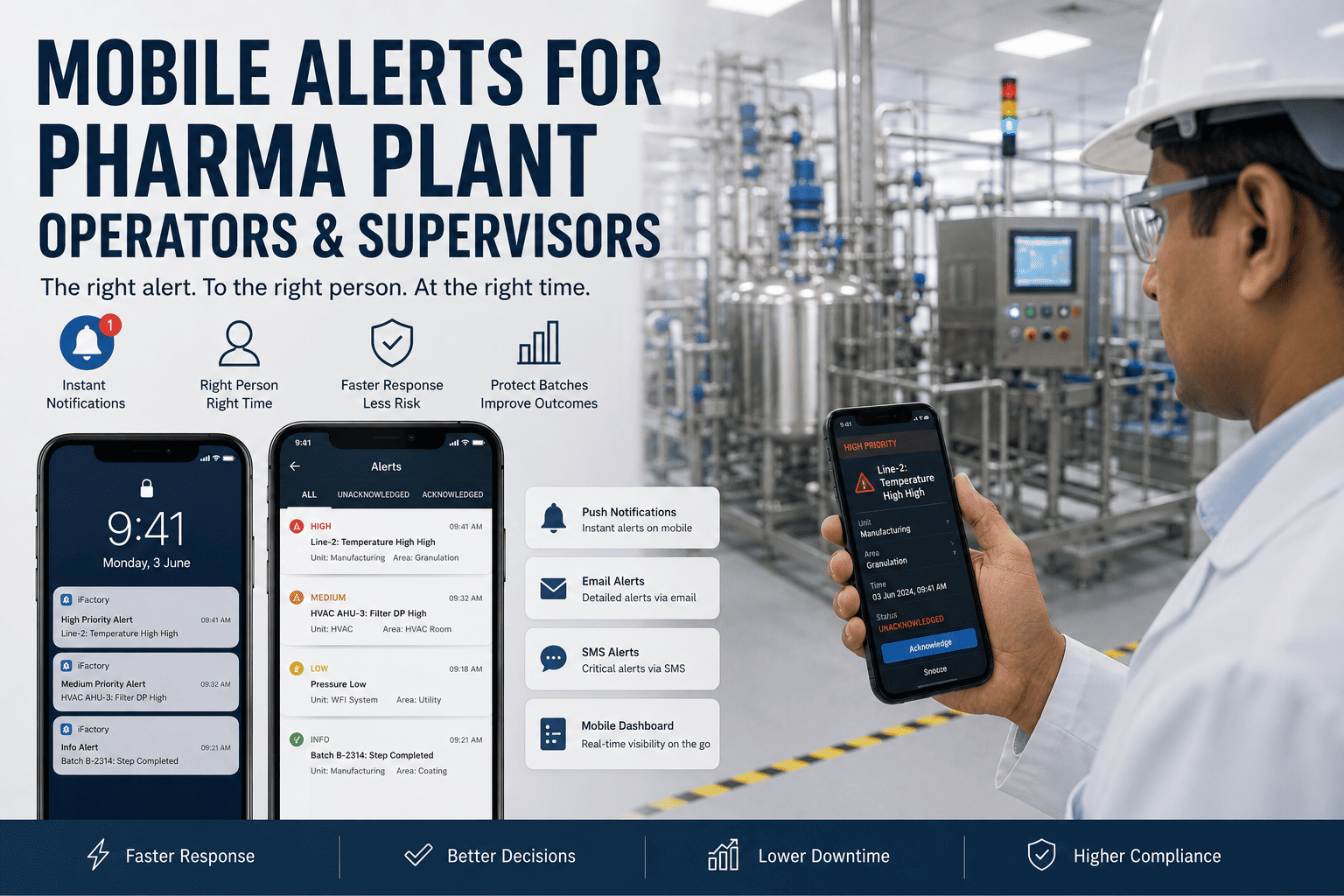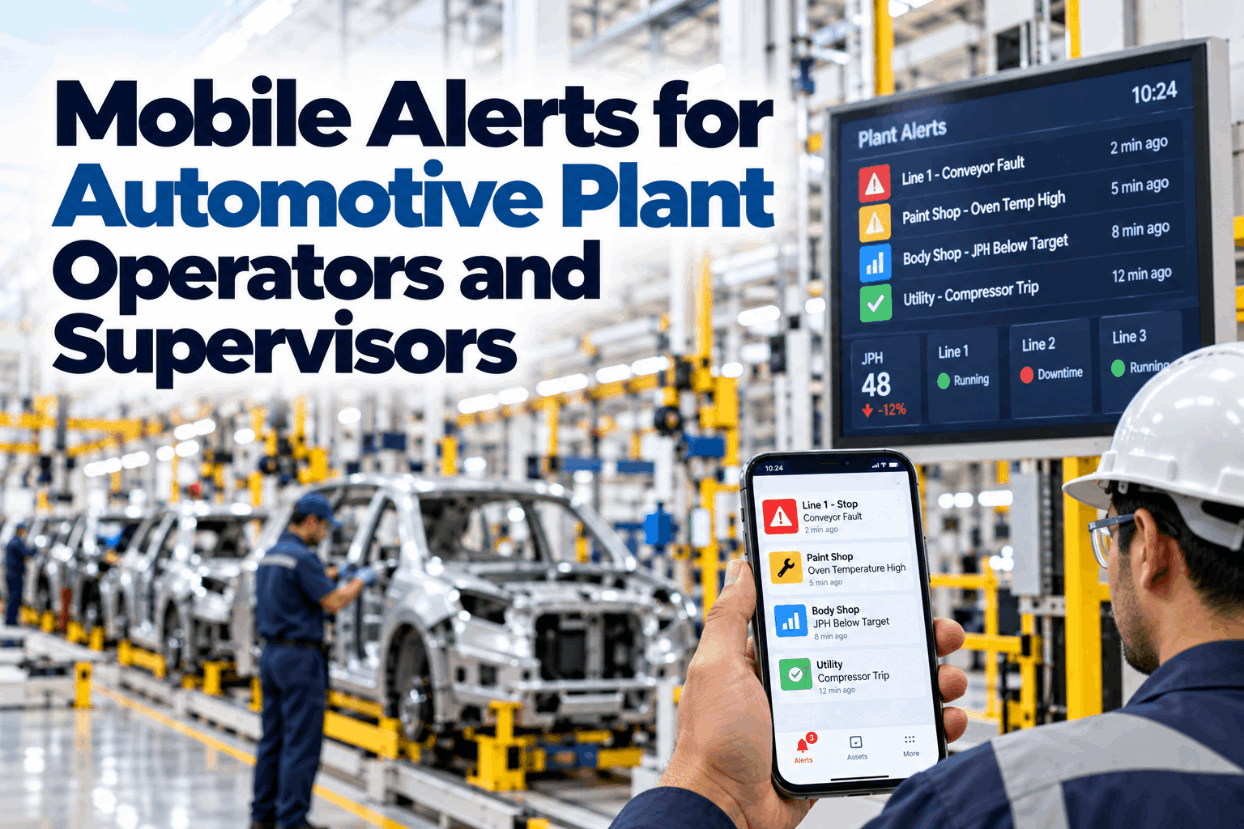
An automotive line can lose a lot of output in the time it takes a supervisor to walk to a stopped station. Andon boards and lights help, but they only work for people who can see them. Supervisors, maintenance technicians, quality engineers and material handlers spend much of their time away from any board. Mobile alerts close that gap by sending the right event to the right person’s phone or wearable, with enough context to act. Done badly, they become another source of noise that people learn to ignore. This guide explains how to design useful alerts, route them, escalate them, limit alert load and measure response. To see mobile alerts for an automotive line, book a short walkthrough.
Mobile Alerts for Automotive Plant Operators and Supervisors: Act Before JPH Is at Risk
The right event sent to the right phone with context and a clear action, escalated when unanswered and kept to a manageable rate so every alert is worth reading.
Why Boards and Rounds Are Not Enough
Andon systems are one of the most effective tools in automotive production. An operator pulls the cord, the light goes on, a team leader responds. The weakness is that the response depends on someone seeing the signal. Supervisors cover large areas, maintenance technicians work inside equipment and quality engineers are often in meetings or labs. A signal that nobody sees for three minutes costs three minutes of output.
Those minutes are expensive. Siemens’ True Cost of Downtime 2024 report puts automotive downtime at about $2.3 million per hour, or close to $40,000 a minute. Even a small reduction in response time on frequent stops adds up over a year.
The opposite problem is just as real. Plants that send every event to every phone quickly overwhelm people, who start ignoring or muting alerts. Alarm management practice from the process industries shows that alert rate and priority discipline matter as much as delivery.
The aim is fewer, better alerts that reach the right person fast. We can review your current alerting on a call.
What Makes a Useful Mobile Alert
A mobile alert should let the recipient understand and act within seconds.
Every alert should have one intended owner and one expected action. If nobody can say what the recipient should do, the alert should not be sent to a phone.
Wording matters more than it seems. Codes and tag names that make sense on a PLC screen mean little on a phone in a noisy hall. Plain descriptions, written with the people who will receive them, make alerts faster to act on and reduce calls asking what an alert means.
Designing alerts with the people who receive them makes them far more useful. Our specialists run those sessions with your teams.
Routing Alerts to the Right Person
Routing decides who gets each alert. It should follow roles, areas and shifts, not individual names hard-coded into systems.
| Event | First recipient | Response target | Channel |
|---|---|---|---|
| Andon call | Team leader for the zone | Within takt or a set time | Wearable or phone |
| Line stop over set time | Zone supervisor | Minutes | Phone with priority |
| Robot or equipment fault | Maintenance technician for the area | Minutes | Phone with fault details |
| Repeated quality defect | Quality engineer for the line | Within the shift | Phone and dashboard |
| Line-side stock low | Material handler for the zone | Before stock runs out | Handheld or phone |
| JPH behind plan | Area manager | Within the hour | Phone summary |
Routing by role and shift means the alert goes to whoever is on duty for that area, not to someone who went home. Rosters should feed the routing directly so changes do not require manual edits.
Linking routing to rosters is usually the step that makes alerts reliable. See it working in a demo.
Escalating Unanswered Alerts
Alerts need a clear path when the first recipient does not respond.
Operator signals the problem at the station.
Mobile alert to the team leader for the zone.
If unanswered within a set time, escalated to the zone supervisor.
Maintenance, quality or material teams added as needed.
Long stops or JPH risk escalated with a summary.
Major stops or safety events reported immediately.
Escalation times should be set by event type. A stopped station on a tightly coupled line needs faster escalation than a slow drift in output. Acknowledgement should stop escalation, but the alert should stay open until the problem is resolved.
Escalation also needs a clear closure step. When the problem is solved, the person who solved it should record the cause, even in a few words. Those short notes build the history that makes later alerts more useful and show where recurring problems sit.
Escalation rules are best agreed with production and support leaders together. Ask our team for a template.
Keeping Alert Load Manageable
Alarm management guidance from the process industries, including ISA-18.2 and EEMUA 191, gives useful benchmarks for how many alerts people can handle.
Illustrative. Informational events stay on dashboards; phones get only events that need action.
Other useful benchmarks from the same guidance: an alert flood is often defined as more than 10 alerts in 10 minutes for one person; priorities are commonly split so that about 80% are low, 15% medium and 5% high; and alerts that stay active for more than a day should be reviewed as stale.
These benchmarks come from control rooms rather than assembly lines, so they are a starting point rather than a rule. The principle carries over well: if a person receives more alerts than they can act on, the important ones get lost among the rest.
Reviewing the top alerts every week keeps the system clean. We provide an alert quality report in every rollout.
Mobile Alerts Versus Andon Alone
Mobile alerts do not replace andon; they extend it to people away from the board.
- Signal visible only nearby
- Response depends on someone looking
- Little context on the problem
- Escalation by walking or phoning
- Response times hard to measure
- History kept on paper or not at all
- Signal reaches the right person anywhere
- Response triggered directly
- Context and images on the phone
- Escalation automatic by time
- Response times recorded
- History available for review
The combination keeps the simplicity of andon at the station while adding speed and accountability for the people who respond.
Many plants roll out mobile alerts one zone at a time, starting where response delays are most costly. That lets teams learn how to write good alerts and set sensible escalation times before the whole plant depends on them.
Mobile alerts can also go to wearables where phones are not allowed on the line. Discuss device options with our engineers.
Mobile Alert Checklist
Use this checklist to set up mobile alerts in an automotive plant.
The first quick win is usually routing andon calls to team leader wearables. Plan it in an alert review.
What Mobile Alerts Are Worth
The value of mobile alerts comes from faster response and better accountability.
With automotive downtime around $2.3 million an hour on Siemens’ figures, saving even one minute on a frequent stop type is worth a lot. The exact value depends on how often each event happens and how long responses take today.
Measuring response times before the rollout is the best way to prove value. A few weeks of baseline data, even from manual logs, gives a clear before-and-after comparison once alerts are live.
A review of your stop history and response times usually shows the size of the gain. Book one with our advisors.
How iFactory Delivers Mobile Alerts
Andon, PLCs, MES, quality and material systems.
Alerts to whoever is on duty for the area.
Automatic by event type and time.
History, readings and images with each alert.
Duplicates suppressed and floods grouped.
Acknowledge and resolve times tracked.
It works with your andon, MES, CMMS and rostering systems. Share a week of stop data and we will show your response gaps in a session.
Find the Minutes Lost Waiting for a Response
Share a week of andon and stop data. We measure response times, design the first mobile alerts and show how much output faster response protects.
Line stopped 4 minutes. Andon unanswered after 2 minutes, escalated to the zone supervisor’s phone with the station camera image.
A Stop Escalated to the Right Phone
This exchange shows how a zone supervisor might use iFactory.
iFactory ships as a pre-configured NVIDIA AI server, racked and ready with the mobile alerting and execution analytics models loaded. Rack it, plug in power and Ethernet, and the AI is live on your network. Our scope covers sensors and data connections across body, paint, assembly and utility systems, PLC/SCADA, MES, CMMS and ERP integration, cabling and network setup, operator and quality team training, and 24×7 remote monitoring.
Server installed, PLC, MES and ERP links live, historical production, quality and maintenance data loaded.
Models calibrated on your own lines, then run in advisory mode on one line or area with your planners and engineers reviewing every output.
Rollout to the agreed lines under your change management, planner, supervisor and engineer training, and 24×7 remote monitoring in place.
Software, server and integration come as one package. For pricing on your plant, contact our sales team.
Frequently Asked Questions
Notifications sent to phones or wearables when events such as line stops, andon calls, equipment faults, quality issues or material shortages need a response, routed to the person on duty for that area.
No. They extend andon to people away from the board, adding context, automatic escalation and response time tracking.
Alarm management guidance such as ISA-18.2 and EEMUA 191 suggests about 12 alerts per hour per person as an upper manageable rate, with fewer being better.
By event type and time: team leader first, then supervisor, support functions, area manager and plant management if the problem is not acknowledged or resolved.
Give each alert one owner and one action, suppress duplicates, keep informational events on dashboards, group floods and review the top alerts every week.
A first line can typically have mobile alerts running within a 6–12 week rollout. Plan it with our engineers.
Put Every Critical Event in the Right Hand, Fast
iFactory routes andon, equipment, quality and material events to the right phone with context and escalation, and keeps alert load low enough that people trust every notification.
Illustrative. Fewer, better alerts: the target keeps each person under about 12 an hour.