Siemens S7 PLC Fleet → SPC via OPC UA — Production-Grade Setup

By Henry Green on June 3, 2026

siemens-s7-plc-fleet-→-spc-via-opc-ua-—-production-grade-setup

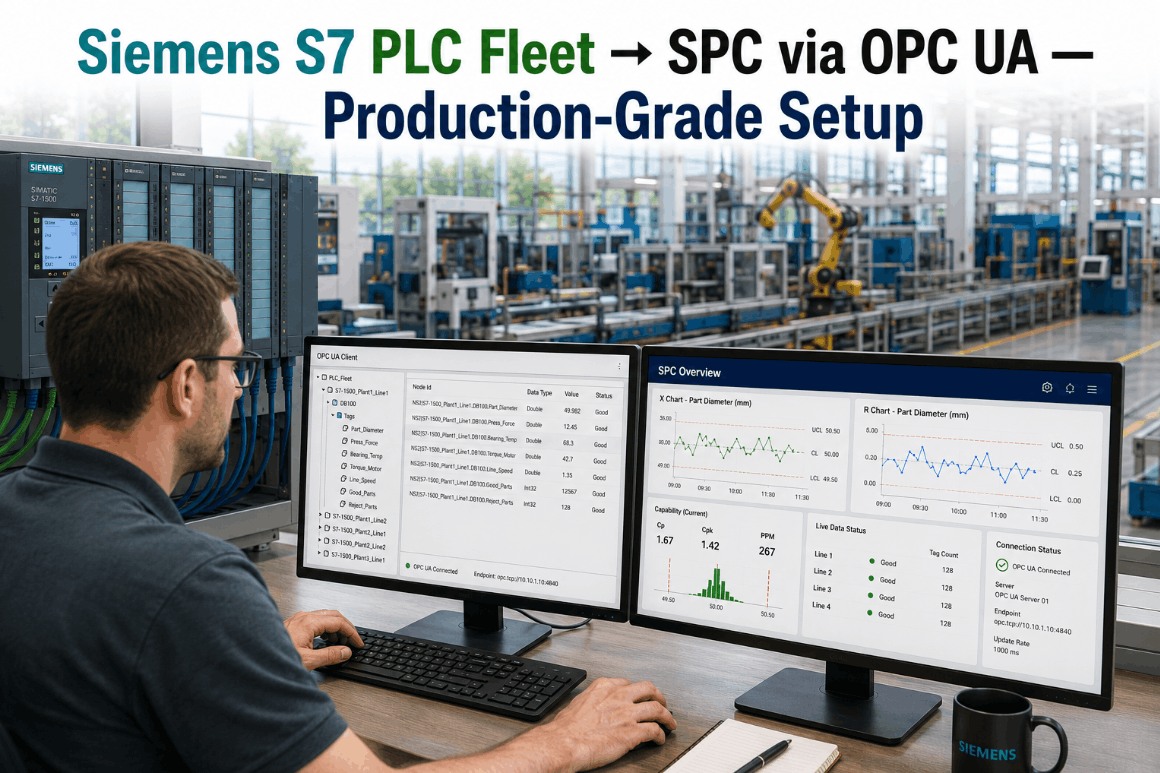
For automation engineers managing a Siemens S7 PLC fleet — whether that fleet runs S7-1500 controllers with native OPC UA servers, S7-1200 units on firmware 4.4 and above, or legacy S7-300 hardware that predates OPC UA entirely — the path to live Statistical Process Control has historically meant a SCADA replacement project, a historian middleware layer, or a manual data export workflow that turns real-time process data into shift-end quality reports. iFactory's OPC UA PLC fleet connector eliminates that path entirely. It reads directly from your S7 controller's OPC UA endpoint — or bridges legacy S7-300 hardware through a SIMATIC NET OPC UA gateway — streams critical process tags into a live SPC engine, and places every Siemens controller on your floor in a single unified quality monitoring namespace alongside any Allen-Bradley, Mitsubishi, or other OPC UA-capable hardware already in use. No SCADA replacement. No TIA Portal program modification. No batch export. For a conversation about how iFactory connects to your specific S7 fleet configuration, Book a Demo with our OPC UA integration team.

S7-1500 · S7-1200 · S7-300 · OPC UA · TIA Portal · Live SPC
Siemens S7 PLC Fleet → SPC via OPC UA: Production-Grade Setup for Every Generation of Controller
iFactory's OPC UA connector reads S7-1500, S7-1200, and legacy S7-300 tags and streams them directly into a live AI-powered SPC engine — one unified namespace, no SCADA replacement, no TIA Portal modifications required.
S7-1500
Native OPC UA Server
Built-in OPC UA server from firmware V2.0 — iFactory connects directly, no gateway hardware required
S7-300
Gateway-Bridged OPC UA
Legacy S7-300 fleet connected via SIMATIC NET OPC UA gateway — same SPC namespace as modern controllers
One NS
Unified Tag Namespace
Siemens S7 and Allen-Bradley controllers side-by-side in one SPC namespace — mixed-fleet plants fully supported

Why Siemens S7 Plants Still Report Quality After the Shift Ends — Not During It

Most S7-equipped production facilities have all the process data they need for live SPC sitting inside their PLCs right now. The gap is not sensor coverage. It is the absence of a direct OPC UA path from S7 tag memory into a real-time SPC engine — and the dependency on SCADA polling, historian batching, or manual export that fills that gap instead.

Delayed
SCADA historians and batch exports introduce 5–60 minute lag between process excursion and SPC chart update — defects are already downstream
Siloed
S7-1500, S7-1200, and legacy S7-300 controllers live in separate monitoring views — no unified quality picture across the production floor
Excluded
S7-300 legacy hardware — still running critical lines in thousands of U.S. plants — is routinely excluded from SPC because native OPC UA is unavailable
Reactive
Without live SPC connected to S7 tags, quality teams are inspecting outcomes rather than controlling the process — a detection program, not a prevention program
S7 SPC Architecture: Traditional Historian Path vs. iFactory OPC UA Direct
Traditional S7 Quality Architecture

SCADA → Historian → Export → SPC

The conventional path from S7 PLC data to an SPC chart passes through three or four intermediate systems: a SCADA or WinCC layer polls the PLC at its configured scan rate, a historian archives those values on a time-stamped record, a scheduled export or manual pull moves the historian data into the quality system, and the SPC chart is updated — typically once per shift, once per hour, or manually by the quality technician. Every hop adds latency. By the time a control chart shows an out-of-control condition, the production run that caused it is already complete. The SPC system documents the failure. It does not prevent it.

5–60 min data latency SCADA + Historian dependency S7-300 excluded from pipeline SPC detects — does not prevent
iFactory OPC UA Direct Connection

S7 Tag → OPC UA → SPC Engine

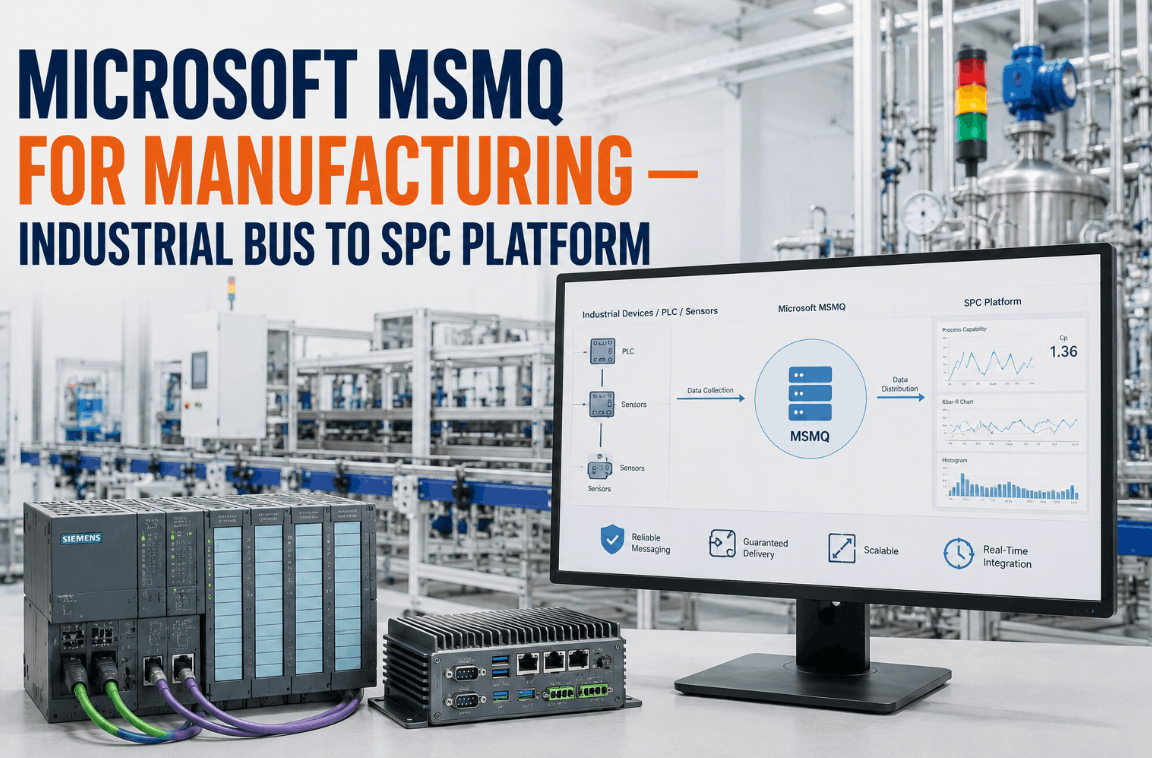
iFactory's OPC UA connector reads directly from the S7 controller's OPC UA server endpoint — or from a SIMATIC NET gateway bridging legacy S7-300 hardware — and streams tag values into the SPC engine without passing through SCADA, WinCC, or a historian. The SPC chart updates at the OPC UA subscription rate, typically 100–500 ms, which means Nelson rule violations and control limit breaches are flagged within the same production cycle the process event occurred. The automation engineer does not modify TIA Portal programs. No ladder logic changes. No new I/O. The OPC UA connection is a read-only client session that the PLC treats like any other authorized client on the network.

100–500 ms OPC UA subscription rate No SCADA or historian dependency S7-300 gateway-bridged into same namespace Zero TIA Portal program changes

How iFactory Connects Each Generation of Siemens S7 Controller to Live SPC

iFactory's OPC UA connector handles S7-1500, S7-1200, and S7-300 hardware through connection paths appropriate to each generation. Book a Demo to confirm the integration path for your specific CPU model and firmware version.

01
S7-1500 — Native OPC UA Server
S7-1500 CPUs from firmware V2.0 onward include a built-in OPC UA server that iFactory connects to directly over opc.tcp on port 4840. In TIA Portal, the automation engineer marks the relevant data block variables as "Accessible from HMI/OPC UA" — the only configuration step on the PLC side. iFactory's connector then browses the server's address space, selects the tags to monitor, creates a subscription at the configured publishing interval, and begins streaming values into the SPC engine. CPU 1511, 1513, 1515, 1516, 1517, and 1518 models are all natively supported.
Connection path: Direct OPC UA — no gateway required
02
S7-1200 — OPC UA from Firmware 4.4
S7-1200 CPUs running firmware 4.4 and above support OPC UA server functionality through the same TIA Portal configuration workflow used for S7-1500. iFactory connects via the embedded OPC UA server on the CPU's PROFINET port. CPU 1211C, 1212C, 1214C, 1215C, and 1217C are supported at firmware 4.4+. For S7-1200 units on firmware below 4.4, iFactory supports connection via SIMATIC NET OPC server or an OPC UA gateway device, preserving the same SPC data stream and namespace structure as native OPC UA units on the same floor.
Connection path: Native OPC UA (FW ≥ 4.4) or gateway (FW < 4.4)
03
S7-300 — SIMATIC NET OPC UA Gateway
The S7-300 CPU family — CPU 315-2 PN/DP, CPU 317-2 PN/DP, and related models — has no native OPC UA capability by hardware design. iFactory bridges these controllers using a SIMATIC NET OPC UA Server gateway that connects to the S7-300 via its existing PROFINET or Profibus interface and presents the controller's data blocks and memory areas as an OPC UA address space. From iFactory's perspective, the gateway-connected S7-300 appears identically to a native OPC UA controller — same connection method, same subscription model, same unified SPC namespace.
Connection path: S7-300 → SIMATIC NET gateway → OPC UA → iFactory
04
Mixed Fleet — Unified OPC UA Namespace
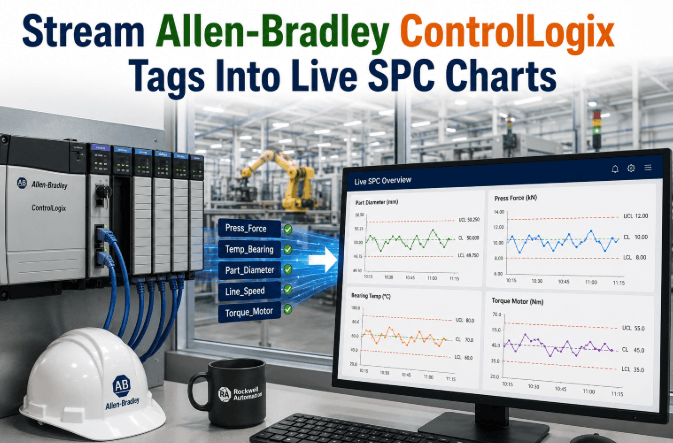
Plants running a mix of S7-1500, S7-1200, S7-300, and non-Siemens controllers — including Allen-Bradley ControlLogix or CompactLogix — are handled in a single iFactory OPC UA namespace. Each controller appears as a node in the namespace hierarchy under its plant area, machine, or asset grouping. SPC charts for Station 01 (S7-1500) and Station 02 (S7-300 via gateway) display in the same quality dashboard with synchronized timestamps — giving quality and production teams a unified floor view rather than controller-brand-specific monitoring islands.
Siemens + Allen-Bradley side-by-side in one SPC namespace
05
AI-Powered SPC Engine and Control Limit Calculation
Once S7 tag data begins streaming via OPC UA, iFactory's AI-powered SPC engine calculates control limits automatically from the first 25–30 subgroups — no manual UCL/LCL entry required. X-bar/R, I-MR, p-chart, and c-chart types are assigned per tag based on data type and process context. All eight Nelson rules and Western Electric zone tests are applied continuously. Violations are flagged within the same OPC UA subscription cycle and routed to operators via dashboard alert, email, or SMS — without a quality technician manually reviewing the chart first.
Nelson rules + Western Electric tests — automated, real-time
06
Process Capability and Compliance Reporting
Cp, Cpk, Pp, and Ppk indices are calculated continuously from the live OPC UA tag stream against user-defined specification limits. Capability trending is maintained per tag, per production order, and per shift — giving quality engineers the data needed for PPAP submissions, customer scorecards, and IATF 16949 or ISO 9001 audit documentation. Compliance data is assembled automatically from the continuous SPC record — no manual data compilation, no shift-end data pull required.
PPAP, IATF 16949, and ISO 9001 documentation — auto-assembled

From TIA Portal Tag to Live SPC Chart: The iFactory OPC UA Connection Workflow

iFactory's S7 OPC UA integration follows a four-step workflow from initial connection to live SPC charts on the plant floor dashboard. No SCADA replacement. No historian reconfiguration. No TIA Portal program changes.


Step 01
TIA Portal Tag Accessibility Configuration
In TIA Portal, the automation engineer sets the "Accessible from HMI/OPC UA" flag on the relevant data block variables — the only PLC-side change required. This exposes selected tags in the S7-1500 or S7-1200 OPC UA server's address space without modifying any ladder logic, function block, or organization block in the control program. For S7-300 controllers, this step is replaced by mapping the relevant data block addresses in the SIMATIC NET gateway configuration — no TIA Portal involvement at all since the S7-300 does not use TIA Portal for program development.

Step 02
iFactory OPC UA Client Session Establishment
iFactory's connector establishes an OPC UA client session to the S7 controller's endpoint at opc.tcp://[PLC IP]:4840, authenticating using the security policy configured in TIA Portal — None, Basic256Sha256, or certificate-based depending on the plant's OT security requirements. iFactory supports all three OPC UA security policies defined in the UA specification and manages certificate exchange with the PLC's trusted certificate store automatically. The connection appears in TIA Portal's diagnostic view as an authorized OPC UA client session — visible, auditable, and manageable from the existing engineering station.

Step 03
Tag Browse, Selection, and SPC Mapping
iFactory browses the OPC UA address space exposed by the S7 controller and presents the available tags in a selection interface grouped by data block and variable name — matching the structure the automation engineer defined in TIA Portal. Tags are selected for SPC monitoring and mapped to chart types: REAL-type tags for continuous process variables (temperature, pressure, torque, flow) map to X-bar/R or I-MR charts; INT and DINT counters map to c-charts; BOOL pass/fail bits map to p-charts. Engineering unit conversions, specification limits, and subgroup size are configured at the tag level. Arrays and structured DB members are addressed using standard OPC UA node ID syntax.

Step 04
Live SPC Charts Active on Plant Floor Dashboard
iFactory activates OPC UA subscriptions for each mapped tag at the configured publishing interval. Tag values begin streaming into the SPC engine; control limits are calculated from the first statistically valid sample set; and live SPC charts become visible on the plant floor dashboard — typically within the same shift the OPC UA connection is configured. From that point forward, every process excursion that crosses a control limit generates an alert within the same subscription cycle, routed to the responsible operator or quality engineer without manual chart review. The automation engineer's job is done at Step 01.
See It on Your S7 Configuration
Watch iFactory Connect to Your S7 Fleet — S7-1500, S7-1200, and Legacy S7-300 in One Live SPC Demo
We configure the demo to your specific CPU models, firmware versions, and TIA Portal project structure — showing exactly how the OPC UA connection works with your existing hardware and network configuration.

S7 PLC Generation Comparison: OPC UA Capability and iFactory Connection Path

This table maps each major Siemens S7 controller generation to its OPC UA capability, minimum firmware requirement, and the specific integration path iFactory uses to connect it to live SPC monitoring.

iFactory S7 Fleet Integration — Controller-by-Controller Reference
Controller Family OPC UA Capability Min. Firmware iFactory Connection Path SPC Namespace
S7-1500 (CPU 1511–1518) Native OPC UA server — built in V2.0 (TIA Portal V13+) Direct opc.tcp connection — no gateway Unified
S7-1200 (CPU 1211C–1217C) Native OPC UA server — firmware 4.4+ V4.4 (TIA Portal V16+) Direct opc.tcp — or gateway for < V4.4 Unified
S7-300 (CPU 315, 317, etc.) No native OPC UA — hardware limitation N/A SIMATIC NET OPC UA gateway bridge Unified
S7-400 (CPU 414, 416, etc.) No native OPC UA — gateway required N/A SIMATIC NET or third-party OPC UA gateway Unified
Allen-Bradley (ControlLogix, CompactLogix) EtherNet/IP CIP — iFactory native Logix FW 20+ Native CIP — same unified namespace Unified

Expert Perspective: What Automation Engineers Say About OPC UA-Connected SPC on Siemens Floors

Automation engineers who have implemented OPC UA-connected SPC on mixed Siemens fleets identify the same structural problem — and the same outcome when it is corrected.

The conversation I have most often with quality managers at Siemens-heavy plants goes like this: they have S7-1500s on the new lines, S7-300s on the lines that have been running for fifteen years, and they want SPC across all of it without touching SCADA, without a new historian project, and without telling the line operators anything has changed. The OPC UA path is the right answer for the 1500s — it is already there, it just needs to be enabled and pointed at the right data blocks. The 300s need a gateway, but once that gateway is in place, from the SPC engine's perspective there is no difference between data coming from a 1500 and data coming from a 300 via gateway. They both look like OPC UA nodes. The mistake I see most often is plants that solve this for the new hardware and leave the legacy lines out of the quality program entirely — which means the oldest, most variable process equipment is the least monitored equipment on the floor. That is precisely backwards from a risk management perspective. When you get all of it into one namespace and start seeing I-MR charts from the 300-series lines for the first time, you typically find things that have been drifting for months that nobody noticed because the data was never in a form anyone could trend.
Senior Automation and Controls Engineer, U.S. Discrete Manufacturing 19 Years Siemens S7 Platform Experience · TIA Portal Certified · Former Lead Controls Engineer, Tier 1 Automotive Supplier · ISA Member · Mixed-Fleet OPC UA Integration Specialist
Zero
TIA Portal program changes required — OPC UA tag exposure is a properties checkbox, not a code change
<1 Shift
From OPC UA connection setup to live SPC charts on plant floor dashboard for S7-1500 controllers
18–30%
Typical scrap rate reduction on first production lines connected to live OPC UA SPC monitoring
One NS
Unified OPC UA namespace for all S7 generations plus Allen-Bradley — one quality dashboard for the entire floor
Book a Demo to see iFactory's unified OPC UA namespace demonstrated across a mixed S7-1500, S7-300, and Allen-Bradley plant floor configuration.

The S7 OPC UA Path to Live SPC Is Already Built Into Your Controllers — iFactory Just Uses It

Every S7-1500 and S7-1200 controller running firmware 4.4 or above already has an OPC UA server built in. Every critical process tag in those controllers is one TIA Portal checkbox away from being accessible to an authorized OPC UA client. The barrier to live SPC on a modern Siemens floor is not hardware — it is the absence of a production-grade OPC UA client that connects that tag stream directly to a real-time SPC engine without requiring a SCADA replacement or historian middleware project.

For legacy S7-300 hardware, the same outcome is achievable through a SIMATIC NET OPC UA gateway — bringing equipment that predates OPC UA by decades into the same quality monitoring namespace as the newest S7-1500 lines, without touching the control programs that have been running reliably for fifteen years. iFactory's OPC UA PLC fleet connector handles both paths — and places Siemens and Allen-Bradley hardware side by side in a single unified SPC namespace that the automation engineer configures in hours, not months. Book a Demo to see iFactory's S7 OPC UA integration configured for your specific controller fleet and production environment.

Siemens S7 OPC UA SPC — Frequently Asked Questions

Does iFactory require any modification to the existing TIA Portal control program to connect to an S7-1500?
No program modification is needed — the only step is checking "Accessible from HMI/OPC UA" on the relevant data block variables in TIA Portal's properties panel, which exposes those tags to the OPC UA server without touching any ladder logic or function block code.
Can iFactory connect to an S7-300 that has no native OPC UA capability?
Yes — iFactory bridges S7-300 controllers using a SIMATIC NET OPC UA gateway that connects to the S7-300's existing PROFINET or Profibus interface and presents its data as an OPC UA address space, placing it in the same SPC namespace as native OPC UA controllers. Book a Demo to see the gateway configuration for your specific S7-300 CPU model.
Will iFactory's OPC UA client session affect the S7-1500's CPU load or PLC scan cycle performance?
iFactory operates as a read-only OPC UA client subscription — it does not write to the PLC — and CPU load impact on S7-1500 hardware is typically under 1–2% at standard publishing intervals, well within the headroom of all 1500-series CPUs.
How does iFactory handle a plant floor with both Siemens S7 and Allen-Bradley PLCs on the same production lines?
iFactory's unified namespace places Siemens OPC UA nodes and Allen-Bradley EtherNet/IP CIP nodes in the same SPC hierarchy — quality dashboards show S7-1500 and ControlLogix controllers side by side with synchronized timestamps and a single alert routing configuration.

Connect Your Entire S7 Fleet

S7-1500, S7-1200, Legacy S7-300 — All in One Live SPC Namespace. No SCADA Replacement Required.

iFactory's OPC UA PLC fleet connector reads every generation of Siemens S7 controller — native OPC UA for modern hardware, gateway-bridged for legacy S7-300 — and streams critical process tags directly into a live AI-powered SPC engine. One unified namespace. Zero TIA Portal program changes. Live charts on the plant floor dashboard in under one shift.
S7-1500, S7-1200, S7-300 — all supported
Native OPC UA + SIMATIC NET gateway paths
Siemens + Allen-Bradley unified SPC namespace
Zero TIA Portal program modifications

Share This Story, Choose Your Platform!