A vision system inspecting parts at 30 frames per second cannot afford to send every frame to a data center a hundred miles away and wait for a response before deciding whether to reject a defective unit. By the time that round trip finished, the part would already be three stations down the line. This is the practical reason industrial edge computing exists — not as a buzzword, but as a genuine architectural requirement for any AI workload that has to make a decision in milliseconds rather than seconds. Understanding what edge computing actually does, and where it fits relative to the cloud, matters for anyone evaluating a new AI vision, predictive maintenance, or automation project. See how iFactory approaches edge deployment at our edge computing page.
Why Some AI Decisions Can't Wait For The Cloud
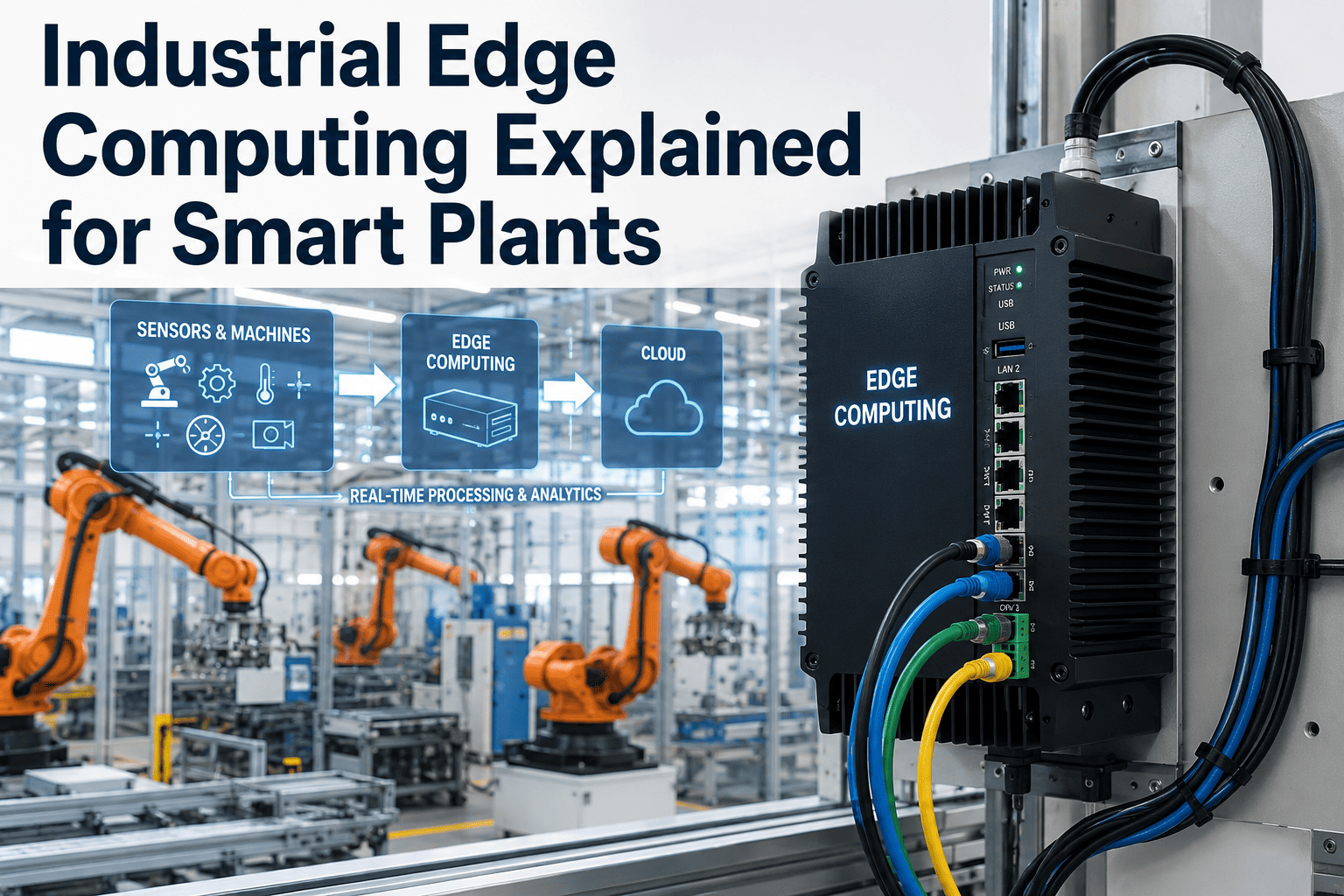
Industrial edge computing explained — how processing data locally on the factory floor enables real-time AI inference, cuts latency, and keeps sensitive data on-site.
What Edge Computing Actually Means on a Factory Floor
Edge computing means processing data physically close to where it is generated — on a server rack in the plant, or even directly on a camera or sensor — rather than sending raw data over a network to a distant data center or cloud region for processing. The "edge" refers to the edge of the network, as close to the source of the data as the architecture allows. For an industrial setting, that usually means a compute rack sitting in the same room as the production line it is monitoring.
The alternative, cloud-only processing, works fine for workloads that can tolerate delay — end-of-day reporting, historical trend analysis, long-term model training. It works poorly for anything that needs a decision inside a production cycle time measured in milliseconds, because network latency, bandwidth limitations, and the risk of a connectivity drop all become liabilities the moment a real-time decision depends on a round trip to somewhere far away.
The Latency Budget Behind Every Real-Time Decision
Every automated decision on a production line operates within a latency budget — the maximum time available before the decision becomes useless. A vision system rejecting defective parts on a line moving at a fixed speed has a hard physical deadline determined by the distance between the camera and the reject mechanism. Miss that window, and the good part gets rejected or the bad part ships. The chart below illustrates how different plant floor use cases carry very different latency budgets, and why some workloads simply cannot be architected around a cloud round trip.
Not sure which of your planned use cases actually need edge processing? Book a walkthrough and we'll map your latency requirements together.
What Runs at the Edge vs. What Stays in the Cloud
A well-designed industrial AI architecture rarely picks one or the other exclusively — it splits work between edge and cloud based on what each layer does best. The edge handles anything time-critical or bandwidth-heavy, like raw video inference. The cloud handles anything that benefits from aggregating data across many sites, like long-term model retraining or enterprise-wide reporting.
Data Sovereignty Is Often the Second Reason, After Speed
Latency gets most of the attention in edge computing conversations, but keeping data on-site is frequently just as important to the manufacturers adopting it. Video footage from a production line, proprietary process parameters, and quality data tied to specific customer contracts often carry contractual or regulatory restrictions on where they can be stored and processed. Edge architectures that keep raw data local and only send summarized, non-sensitive results upstream sidestep a large category of data governance concerns that a fully cloud-based system would need to solve separately.
| Consideration | Edge-First Approach | Cloud-Only Approach |
|---|---|---|
| Real-time decision latency | Milliseconds, deterministic | Variable, network-dependent |
| Functions during internet outage | Yes, local processing continues | No, dependent on connectivity |
| Raw video/data leaves the site | No, only summaries sent upstream | Yes, full raw data transmitted |
| Bandwidth requirement | Low, only processed results transmitted | High, continuous raw data streaming |
| Best suited for | Time-critical, high-volume inference | Aggregation, training, long-term reporting |
Sizing the Right Amount of Edge Compute
One of the most common mistakes in edge deployment planning is either over-provisioning hardware that sits mostly idle, or under-provisioning compute that cannot keep pace with camera count and model complexity once the system is fully loaded. The right sizing depends on how many concurrent video streams need real-time inference, how complex the underlying AI model is, and how much headroom is built in for adding use cases later without a hardware refresh. Getting this wrong in either direction is an expensive mistake to correct after deployment.
Frequently Asked Questions
Find Out Which of Your Use Cases Actually Need Edge Processing
Not every workload does. We'll help you map latency requirements against what your architecture actually needs before you spend on hardware.