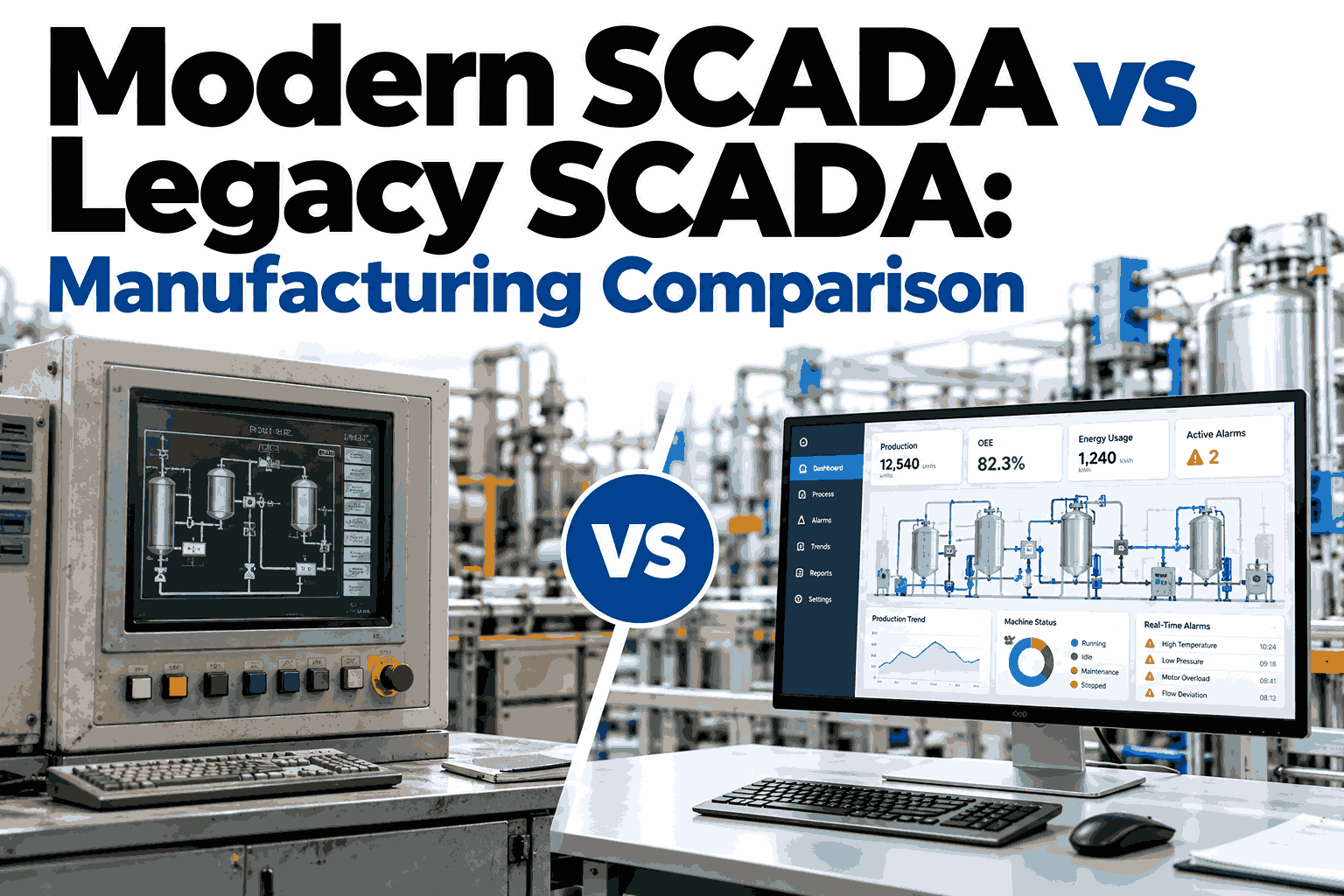
Plenty of plants still run SCADA that was commissioned fifteen or twenty years ago, and it keeps running, which is exactly why replacing it feels like an unnecessary risk. The real question is not whether legacy SCADA works, but what it quietly prevents: remote access, data sharing with maintenance and quality systems, analytics and clean cybersecurity. This comparison breaks down where modern and legacy SCADA genuinely differ in manufacturing, which differences matter most, and how to decide between upgrading, wrapping or replacing, and a short working session with iFactory can map those options to your own lines.
MODERN VS LEGACY SCADA
Same Plant Floor, Very Different Visibility
See how modern SCADA architecture compares with legacy systems across data, integration, security and cost, and how iFactory AI adds intelligence on top of either.
ARCHITECTURE
Two Ways to Build the Same Control Layer
Legacy SCADA is usually a closed stack tied to one vendor. Modern SCADA is layered and open, so data can travel beyond the control room.
Legacy Stack
Thick-client HMI on a dedicated PC
Proprietary server and database
Vendor-specific drivers and serial links
PLCs and field devices
Modern Stack
Web-based HMI on any approved device
Analytics and AI layer such as iFactory
OPC UA, MQTT and open APIs with historian
PLCs, sensors and edge gateways
SIDE BY SIDE
Where the Differences Show Up
Most comparisons list features. These are the factors that change day-to-day plant outcomes.
| Factor | Legacy SCADA | Modern SCADA |
|---|---|---|
| Data access | Locked inside the control room | Shared with maintenance, quality and planning |
| Integration | Custom drivers per system | Open standards such as OPC UA |
| Remote access | Limited or ad hoc | Role-based, secured browser access |
| Cybersecurity | Older operating systems, patching gaps | Segmentation, user roles and audit trails |
| Analytics | Trends and alarms only | Historian data feeds AI and reporting |
| Scalability | Tag-count and licence limits | Scales across lines and sites |
| Skills and support | Shrinking pool of specialists | Current tooling and active vendor roadmaps |
CAPABILITY LEVELS
How Each Approach Typically Performs
Illustrative ratings based on common architectures. Individual systems vary widely.
Open integration
Remote visibility
Analytics readiness
Proven stability
Top bar: legacyBottom bar: modern
Not sure which category your SCADA falls into?
iFactory AI can review your current architecture and show what data you could unlock without stopping production.
YOUR OPTIONS
Keep, Wrap or Replace
Modernization is rarely all or nothing. Most plants choose one of three paths per line.
A
Keep and Monitor
Leave stable control in place. Add read-only data collection through a gateway.
Best for stable lines with low change
B
Wrap and Extend
Publish legacy data through OPC UA or MQTT into a modern analytics layer.
Best for fast insight with low risk
C
Replace in Phases
Migrate screens and logic line by line during planned shutdowns.
Best for unsupported or unsafe platforms
WARNING SIGNS
Signs It Is Time to Move
If several of these sound familiar, the cost of waiting is probably higher than the cost of a phased upgrade.
01
Spare parts and engineers are hard to find
02
Operating system or database no longer supported
03
Reports are built by exporting spreadsheets by hand
04
New equipment will not connect without custom work
05
Audits flag access control or security gaps
06
Managers cannot see line status without calling the floor
COST AND RISK
What Each Path Really Costs You
Licence price is only part of the picture. Downtime, workarounds and lost data carry real cost too.
Staying Legacy
Rising support and spare part cost
Manual reporting hours every week
Higher exposure to security findings
Slower response to line problems
Modernizing
Upfront engineering and testing effort
Operator retraining during rollout
Shared data across teams and sites
Foundation for AI and predictive analytics
FAQS
Modern vs Legacy SCADA Questions
Is legacy SCADA unsafe to keep running?
Not automatically. A stable system on an isolated network can run reliably for years. Risk rises when systems are unpatched, remotely reachable or unsupported by the vendor. A short assessment shows where you actually stand. Request an architecture review with our team.
Can we add AI without replacing our SCADA?
Yes. Data from legacy SCADA or PLCs can be read through gateways and OPC UA, then analyzed in a separate layer. Control logic stays untouched, which keeps risk low. Many plants start here before deciding on larger changes. Ask support how integration works for your platform.
How long does a SCADA migration take?
It depends on tag count, screens and available shutdown windows. A wrap-and-extend project can show results in weeks, while full replacement is usually phased over months, line by line. Good planning matters more than speed. Plan a realistic timeline with a specialist.
Will operators need to relearn everything?
Some retraining is normal, but familiar screen layouts and naming can be kept to ease the change. Involving operators early in screen design improves adoption. Short, hands-on sessions work better than long classroom training. Get training guidance from our team.
What should we do first?
Inventory your systems, versions and network paths, then rank lines by risk and value. That list shows whether a quick wrap, a phased replacement or a simple hold is the right move. It also gives vendors a clear brief. Walk through your inventory with iFactory.
Turn Legacy Data Into Decisions
Book a session with iFactory AI and see what your current SCADA could reveal with the right analytics layer.