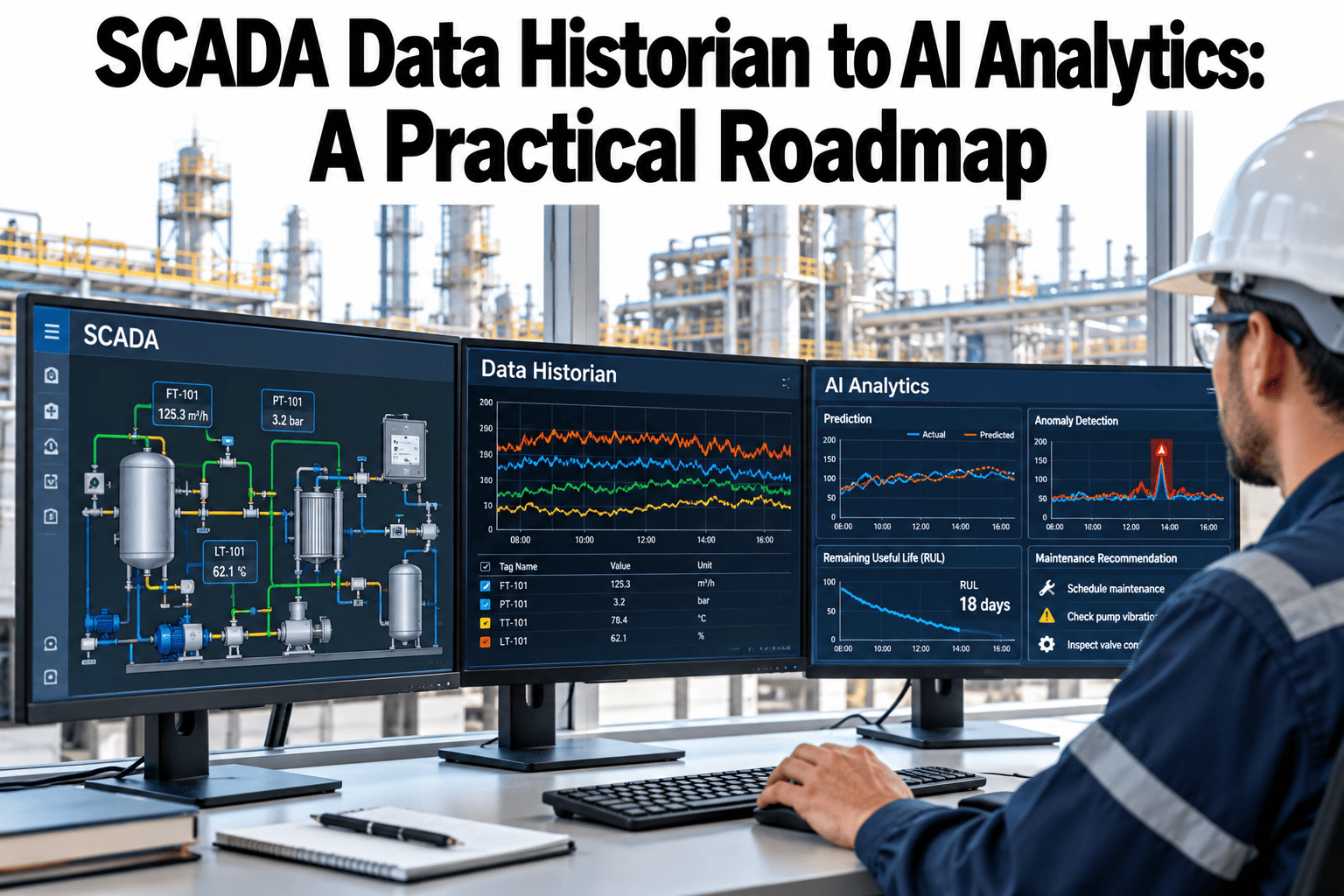
Most plants already have a SCADA data historian quietly accumulating years of tag data, yet that data rarely gets used for anything beyond a trend chart an engineer pulls up when troubleshooting a specific problem. The gap between a historian full of raw tags and an AI system that can actually predict a failure or optimize a process isn't one leap, it's a sequence of steps, each building on the last. Skipping from raw historian data straight to "AI" without contextualizing and structuring that data first is why so many analytics projects stall. Plants can map their own historian against this roadmap in a short session.
Five Steps From Raw Tags to Predictive Analytics
iFactory moves plants through each step deliberately, so AI analytics sit on a foundation that can actually support them.
Why Skipping Steps Stalls AI Projects
A historian full of tag data without context, which tag belongs to which equipment, what normal looks like, how tags relate to each other, isn't ready for AI analysis no matter how much data it holds. Each step in the roadmap exists because the one before it is a prerequisite, not optional polish.
| Roadmap Step | What It Produces | Why Skipping It Fails |
|---|---|---|
| Collect | Reliable, continuous data capture from the SCADA system | Gaps in collection become gaps in any later analysis |
| Historize | Long-term, queryable storage of tag data | Without history, there's no baseline to compare current conditions against |
| Contextualize | Tags linked to equipment, processes and each other | Raw tags without context can't be meaningfully correlated or modeled |
| Analyze | Trend and relationship analysis across contextualized data | Analysis without context produces correlations nobody can interpret |
| Predict | Models trained to forecast failures or optimize processes | Prediction built on weak analysis produces unreliable, low-trust results |
Find Out Which Step Your Historian Is Actually On
Book a 30-minute session and iFactory will assess where your current historian sits on this roadmap.
What Contextualization Actually Involves
Equipment Hierarchy Mapping
Tags are linked to the specific equipment and process area they belong to, so a reading has a meaningful location, not just a tag name.
Normal Range Definition
Establishing what "normal" looks like for each tag under different operating conditions turns a raw number into something comparable.
Cross-Tag Relationships
Related tags, like a motor's current draw and the load it's driving, are linked so analysis can account for how they move together.
Signals Your Historian Isn't Ready for AI
Where iFactory Fits
iFactory works through this roadmap deliberately, building the contextualization layer that makes analysis and prediction actually reliable.
Reliable Data Collection
Collection gaps are identified and addressed first, since every later step depends on continuous, trustworthy data.
Equipment Context Mapping
Tags are mapped to equipment hierarchy and normal operating ranges, turning raw data into something analyzable.
Relationship-Aware Analysis
Analysis accounts for how related tags move together, producing correlations that actually make sense.
Trustworthy Prediction Models
Prediction models are built on a properly contextualized foundation, supporting results teams can actually act on.
Reviewed by iFactory's Industrial Analytics team for alignment with standard data maturity practice for SCADA and historian systems. The roadmap shown is a general framework; your specific timeline and priorities should reflect your plant's current historian state and data quality.
Frequently Asked Questions
Do we need to replace our existing historian?
Usually not, since most historians can serve as the data source for this roadmap without replacement. The work is in contextualizing and structuring the data your historian already holds. Support can confirm compatibility with your current historian.
How long does the contextualization step typically take?
This depends heavily on how many tags and equipment types your plant has, but it's usually the most time-intensive step in the roadmap, which is exactly why it gets skipped under schedule pressure.
Can we start at a later step if our data is already well-organized?
Yes, an assessment confirms which steps are already solid, so plants with good contextualization already in place can move faster to analysis and prediction rather than redoing completed work. See an assessment of where your own historian stands in a short session.
What's a realistic first use case once the foundation is in place?
A well-defined, high-value use case like predicting a specific recurring failure mode is usually a better starting point than a broad "predict everything" goal, since it proves the approach on something measurable.
Does this work across multiple SCADA systems in the same plant?
Yes, data from multiple SCADA systems can be brought into a consistent contextualized structure, though specific integration details depend on what systems are in use. Ask support about your specific SCADA environment.
Build the Foundation Before Chasing the Prediction
iFactory takes your historian data through collection, contextualization and analysis before prediction. Book a walkthrough on your own data.