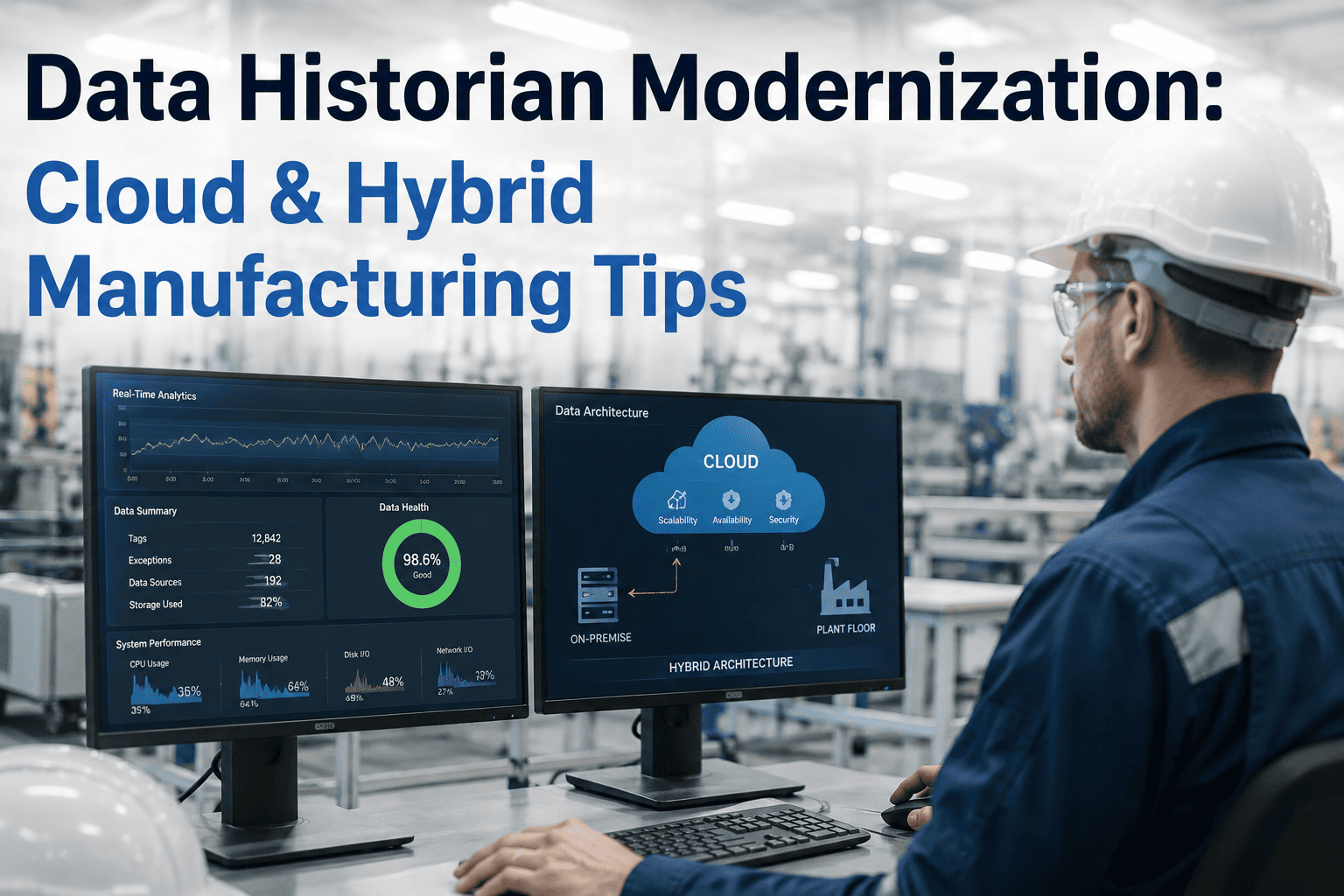
Somewhere in most plants sits a historian server that has been running quietly for over a decade, holding years of process data nobody wants to lose and nobody quite trusts to migrate either. It works, until the hardware it runs on becomes unsupported, the vendor sunsets the version, or someone in corporate IT asks why plant data still lives on a single on-premises box with no disaster recovery plan. Modernizing a historian is not just a lift and shift, it means deciding what stays on-site for low-latency control decisions and what moves to the cloud for enterprise analytics, without losing a single tag of historical context along the way. iFactory plans and executes that migration so plants get modern analytics without gambling with irreplaceable data, and you can book a demo to see a migration path built around your actual tag count and retention needs.
Modernize Your Historian Without Losing a Decade of Process Data
iFactory migrates legacy historians to cloud or hybrid architectures, preserving every tag and timestamp while enabling the analytics your current platform was never built to support.
The Server That Never Needed Attention Suddenly Needs a Lot of It
Legacy historians rarely fail all at once, they degrade in ways that are easy to ignore until they are not: a compression setting nobody documented, a backup that has not been tested in years, a hardware platform the vendor stopped patching. By the time the risk becomes visible, the person who originally configured the system has usually left, and the documentation trail is thin at best.
The risk compounds because a historian is rarely treated with the same operational discipline as a production system, even though the data inside it often carries just as much business value. A PLC failure gets an immediate maintenance response because the line stops, but a historian quietly falling out of sync, losing a redundant backup path, or slowly filling its storage rarely triggers the same urgency until someone needs a report and discovers the data simply is not there. That mismatch between how critical the data actually is and how it gets maintained day to day is the core reason modernization projects tend to get postponed until a failure forces the issue.
Start With a Tag Inventory, Not a Guess
iFactory audits your current historian, tag count, compression settings, retention gaps, before recommending an architecture. Book a demo to see the assessment applied to your own system.
Cloud, Hybrid, or Edge-Retained, the Right Answer Depends on Latency Needs
There is no single correct target architecture for every plant, the right choice depends on how fast control decisions need historical context, how much bandwidth the site has, and how centralized the analytics team wants visibility to be.
Multi-site manufacturers face an additional wrinkle worth planning for early, sites often end up on different architectures for good local reasons, a well-connected flagship plant might go fully cloud while a remote site with limited bandwidth stays edge-retained, and the modernization plan needs a consistent data model across both so enterprise reporting still works cleanly regardless of where each site's data physically lives. Treating architecture selection as a per-site decision within a shared overall data standard, rather than forcing one architecture everywhere, tends to produce a rollout that fits real conditions instead of fighting them.
A Modernization Project Is Only as Good as What It Does Not Lose
The value of a historian is not the software, it is the years of context inside it, the ability to pull up what a line looked like during a quality event three years ago. A rushed migration risks compression artifacts, timestamp misalignment, or simply dropped tags, all of which quietly erase that value.
Timestamp handling deserves particular attention and is one of the most common sources of subtle migration errors, historians frequently store data in a specific timezone convention or with a particular handling of daylight saving transitions, and a migration that does not explicitly preserve that convention can silently shift an entire year of trend data by an hour without anyone noticing until a comparison against a known event, like a quality incident with a documented timestamp, comes up misaligned. Validating timestamp handling explicitly, rather than assuming it carries over correctly by default, is a small step that prevents a very hard problem to diagnose later.
| Migration Aspect | Rushed or DIY Migration | iFactory-Managed Migration |
|---|---|---|
| Tag Mapping | Manual, error-prone spreadsheet tracking | Validated tag-by-tag mapping with reconciliation checks |
| Historical Continuity | Gaps or duplication risk during cutover | Parallel run before cutover with gap detection |
| Compression Fidelity | Original compression settings often lost or altered | Settings preserved or intentionally re-tuned with sign-off |
| Analytics Readiness | Raw data moved, structure left for someone else to fix later | Data structured for immediate use in modern analytics tools |
| Downtime Risk | Cutover often requires a hard stop on data collection | Migration executed with no interruption to live collection |
Signs Your Historian Modernization Is Overdue
Modernization projects are easiest when they are planned ahead of a failure, not in response to one. These are the situations where waiting starts to carry real risk.
Waiting until a failure forces the decision almost always produces a worse outcome than planning ahead, a hardware crash on an unsupported historian can mean scrambling to restore from an untested backup under production pressure, with no time to properly validate that the restored data is complete or to design the target architecture thoughtfully. Plants that treat modernization as a scheduled infrastructure project, evaluated on the same cadence as any other major system nearing end of life, consistently end up with a smoother transition and a better-designed result than those that treat it as an emergency response.
What a Well-Run Cutover Weekend Actually Looks Like
The moment plants tend to dread most in a migration project is cutover, the point where the legacy historian is finally retired and the new system becomes the system of record. Done well, this is a formality rather than a risk, because the parallel run that preceded it already proved the new system matches the old one tag for tag, and operators have already been trending data on the new platform for weeks without knowing anything critical was different.
The teams that handle cutover smoothly treat it as a checklist confirmation rather than a leap of faith, final reconciliation report reviewed, legacy system placed into read-only archive mode rather than deleted outright, and a defined rollback window in case something unexpected surfaces in the first few days of full production reliance. That archive step matters more than it might seem, keeping the legacy historian queryable in read-only mode for a defined retention period gives everyone confidence to move on without permanently closing the door on the old system before the new one has proven itself under real conditions.
Questions Plant and IT Teams Ask Before Migrating
Move Your Historian Forward Without Betting Your History On It
iFactory plans and executes historian modernization with validated, gap-free migration so your years of process data survive the move intact. Book a demo to start with an assessment of your current system.