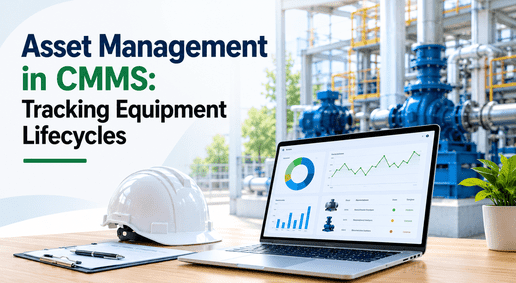
A typical industrial plant runs somewhere between 5,000 and 50,000 maintainable assets, and treating them all the same is both mathematically impossible and operationally wasteful. Yet most maintenance programs try — because the asset data they'd need to do better lives in disconnected spreadsheets, a filing cabinet of warranty PDFs, and the memory of the technician who's been there longest. That gap is where reliability quietly erodes: a register that goes stale the day after it's built, spare parts that aren't linked to the equipment they serve, criticality that nobody has actually scored, and maintenance history that gets reconstructed from guesswork every time an audit arrives. Asset management done right closes that gap by making one centralized, self-updating record the single source of truth for every asset's identity, history, criticality, warranties, spares, and live health. iFactory builds that record and keeps it current automatically, so every downstream decision runs on accurate data instead of memory. To see your own asset hierarchy come alive as a living system, book a demo.
iFactory CMMS · ASSET MANAGEMENT
One Living Record for Every Asset — From Commissioning to Retirement.
Centralized asset records, complete maintenance history, criticality ranking, inspections, warranties, spare parts, and real-time health — unified in one hierarchy that updates itself with every work order. The foundation every other maintenance decision depends on, finally kept accurate instead of decaying in a spreadsheet nobody trusts.
5K–50K
Maintainable assets in a typical industrial plant
15–35%
Of MRO catalogs holding duplicate or near-duplicate records
3 tiers
Critical, Important, Non-Critical — set maintenance intensity
Real time
Asset health index, updated with every inspection
Why the Asset Register Is the Foundation Everything Else Sits On
An asset register is the centralized record of every physical asset in your operation — its identity, location, specifications, maintenance history, and criticality ranking. It sounds administrative, but it's the foundation every other maintenance process quietly depends on: PM scheduling pulls from it, work order routing pulls from it, spare parts matching pulls from it, warranty tracking pulls from it, and compliance reporting pulls from it. When the register is wrong, every one of those processes inherits the error. When it's out of date — which a spreadsheet-based register becomes almost immediately — the whole program runs on stale information nobody fully trusts.
The problem is that most operations never notice the register decaying until something downstream breaks. A PM gets scheduled against an asset that was decommissioned two years ago. A spare part is ordered for equipment that no longer exists. A work order routes to a location that's been reconfigured. None of these are dramatic failures — they're small frictions that accumulate into a program that runs slower, costs more, and gradually loses the confidence of the people who rely on it. The register isn't glamorous, but it's the difference between a maintenance operation that compounds its knowledge over time and one that keeps relearning the same lessons.
Stale the Day After You Build It
A register kept in disconnected spreadsheets goes out of date the moment the first repair happens and isn't logged back. A CMMS-based register stays accurate for the opposite reason: every work order and inspection updates it automatically, so the record reflects reality rather than the last time someone had time to tidy it up.
Duplicate Records, Inflated Inventory
Between 15 and 35 percent of MRO catalogs contain duplicate or near-duplicate records — multiple stock codes for the same part, inflated inventory, and spares that can't be trusted. Without clean asset data underneath, every spare-parts and criticality decision is built on a shaky count.
Every Asset Treated the Same
With no criticality ranking, a conveyor idler and a critical kiln drive get the same generic PM calendar — which wastes maintenance effort on low-consequence equipment while under-protecting the assets whose failure would actually halt production or compromise safety. Without a way to rank consequence, effort spreads evenly across everything, which is the same as protecting nothing well.
History Rebuilt From Memory
When service records are scattered across paper files and spreadsheets, root cause analysis turns into guesswork and recurring failures quietly get accepted as normal. Audit preparation becomes a scramble to retrieve records that should have been one search away.
CMMS, EAM, and APM are often confused, but the relationship is simple: a CMMS manages the daily maintenance work, EAM extends it across the full asset lifecycle from procurement to disposal, and APM optimizes the maintenance strategy for each asset based on its actual condition and risk. All three stand on the same thing — an accurate asset record. Get that wrong and nothing above it can be right.
What Lives Inside a Complete Asset Record
A real asset record is far more than a name and a location. iFactory gives every asset a full digital identity that consolidates everything a maintenance decision needs into one place — so a technician, a planner, and a reliability engineer are all looking at the same truth, updated in real time. Six layers make up that record, and each one feeds the others: identity anchors the hierarchy, history feeds the metrics, criticality drives the priorities, health closes the response gap, warranties protect the budget, and spares protect the uptime.
LAYER 1
Identity & Hierarchy
Nameplate data, specifications, location, and a QR identity for instant field lookup, organized in a parent-child hierarchy — facility, then system, then component — aligned to standards like ISO 14224. This hierarchy is how the whole team navigates and searches, and it's what lets costs roll up and drill down to exactly the right piece of equipment.
LAYER 2
Maintenance History
A complete cradle-to-grave log of every installation, failure, repair, part replaced, inspection, and cost — captured automatically as work happens rather than transcribed later. This is the history that turns MTBF, MTTR, and failure-code analysis into available data instead of a data-collection project, and it's what makes real root cause analysis possible.
LAYER 3
Criticality Ranking
Every asset scored on the consequence and likelihood of failure and classified into a tier — Critical, Important, or Non-Critical. That single score drives everything downstream: PM intensity, condition-monitoring coverage, spare-parts stocking, and inspection frequency, so finite maintenance resources flow to the equipment where failure hurts most.
LAYER 4
Inspections & Health
Configurable inspection frequencies and alert thresholds set by criticality — critical assets monitored continuously or at every operator round, lower-tier assets on reduced schedules. Each inspection indicator is scored and aggregated into an overall asset health index, giving a live view of condition that closes the lag between a change and a maintenance response.
LAYER 5
Warranties & Documents
Warranty status, OEM specs, manuals, and invoices attached directly to the asset profile, so a technician scanning a QR code in the field instantly sees whether a repair is covered and pulls up the exact document they need. No more paying for work the manufacturer owes, and no more hunting through a shared drive for a manual mid-repair.
LAYER 6
Spare Parts Linkage
Each spare part linked to its parent asset as a functional bill of materials, so parts inherit the asset's criticality. Critical-asset spares are guaranteed available to cut repair time, while low-criticality parts follow just-in-time principles — the linkage that turns a parts catalog from a cost center into a reliability tool.
See Your Assets as One Connected System
Bring your current asset list — however messy — to the call. iFactory engineers will show how it maps into a clean hierarchy with criticality, history, spares, and health unified, and where your existing data is costing you reliability.
Criticality: The One Score That Organizes Everything
If there's a single idea that separates a mature asset management program from a reactive one, it's criticality. Because maintenance resources are finite and asset populations are not, the only rational way to allocate effort is to rank assets by the consequences of their failure and focus first where failure hurts most. That ranking isn't a spreadsheet exercise for its own sake — it becomes the routing logic for the entire program.
CRITICAL
Failure halts production, compromises safety, or triggers regulatory consequence. These assets get the most intensive PM, continuous or every-round condition monitoring, guaranteed spare-parts availability, and the highest inspection frequency.
IMPORTANT
Failure disrupts operations but doesn't stop them or endanger anyone. These assets receive structured preventive maintenance and periodic condition checks, with spares stocked according to lead time and replaceability.
NON-CRITICAL
Failure has minimal operational impact. Often managed with a deliberate run-to-failure strategy to reduce cost, with parts sourced just-in-time rather than held in inventory that ties up capital.
Criticality is not static, and that's exactly why it belongs in a live system rather than a one-time study. A supplier discontinuing a critical spare part can raise an asset's ranking overnight; a process change can lower it. With criticality scores held in the asset record, the CMMS automatically generates risk-ranked work orders so high-criticality equipment always gets attention first, dynamically adjusts PM schedules by priority, and links predictive alerts to high-risk assets for early intervention. The score stops being a document and becomes the operating logic of the whole maintenance program.
Spreadsheet Register vs Living Asset System
The difference between a spreadsheet register and a CMMS-based asset system isn't the number of fields — it's whether the record stays true on its own. A spreadsheet is a snapshot that decays; a living system is a record that maintains itself. The comparison below traces the same asset through both, at the moments where the difference actually costs money.
A structured criticality analysis is only as good as the data behind it and the system used to act on the results. That's the whole case for a living asset record: the analysis, the history, and the health index are worthless if they sit in a file no one trusts and no one updates. Kept live, they become the backbone of every reliability decision.
What Changes When Assets Are Managed as a System
Moving from scattered records to a unified asset system changes what a planner, a technician, and a reliability engineer can each see and do — turning asset data from an administrative burden into the raw material of better decisions. The four shifts below are where a living asset record pays back the effort of building it, usually within the first months of running the daily work through the system.
01
Work Routes to the Right Assets First
With criticality scored in the record, the system automatically generates risk-ranked work orders so a failing critical asset outranks a routine job on low-consequence equipment. Finite maintenance hours flow to where failure hurts most, instead of to whoever asked loudest or logged the ticket first.
02
Spares Are Ready When They Matter
Because parts inherit their parent asset's criticality through the linked bill of materials, spares for critical equipment are guaranteed on hand to cut repair time, while non-critical parts follow just-in-time principles. The same inventory budget protects uptime better and ties up less capital in the wrong places — and the duplicate stock codes that inflate most catalogs get resolved as part of building the linkage.
03
Condition Change Meets Fast Response
A live asset health index built from scored inspection indicators closes the lag between a condition change and a maintenance response. Instead of discovering deterioration at the next scheduled round, a threshold breach surfaces immediately, letting the team intervene before an early-stage issue becomes a failure.
04
Replacement Planning Stops Being a Surprise
With complete lifecycle history and cost tracked per asset, leadership can forecast when critical equipment approaches end-of-life and budget for replacement in advance — turning capital planning from a reaction to a failure into a planned, defensible line in next year's budget. Instead of a surprise capital request after a breakdown, replacement becomes a scheduled decision backed by the asset's own cost and failure history.
How iFactory Asset Management Deploys
The richer the asset data at launch, the faster the team sees value — so deployment front-loads a clean hierarchy and good records, then lets the system keep them accurate on its own from there. The four steps below take an operation from scattered spreadsheets to a self-maintaining asset system without turning the rollout into a multi-year data project.
1
Build the Asset Hierarchy
Assets are organized facility, then system, then component, aligned to a standard framework so parent-child relationships support cost roll-up, drill-down, and criticality analysis. Existing lists are cleaned and deduplicated on the way in, resolving the duplicate records that inflate inventory and distort every downstream count.
2
Import Data & Attach Documents
Nameplate data, maintenance history, and QR identities are bulk-loaded, and manuals, warranties, invoices, and photos are attached to each asset profile — so the record is complete and field-ready from day one rather than filled in gradually over months of use.
3
Score Criticality & Link Spares
Each asset is scored and tiered, and spare parts are linked to their parent assets as a bill of materials so they inherit criticality. Inspection frequencies and health thresholds are then set by tier, concentrating monitoring on the equipment that carries the greatest risk.
4
Go Live With Self-Updating Records
Once work orders, inspections, and mobile execution are running, every completed job writes back to the asset record automatically. The register stops being something the team maintains and becomes something that maintains itself — accurate because it's fed by the daily work.
Frequently Asked Questions
The questions maintenance and reliability leaders ask most often before centralizing their asset management.
What's the difference between CMMS asset management, EAM, and APM?
They're layers of the same discipline. A CMMS manages daily maintenance work — work orders, PM schedules, parts, and the asset records those run on. EAM extends that across the full asset lifecycle, adding capital planning, procurement, depreciation, and multi-site portfolio management. APM sits on top and optimizes the maintenance strategy for each asset using condition data and risk models to answer what the right strategy is for a given asset. All three depend on an accurate asset record underneath, which is why getting asset management right is the prerequisite for everything above it. To see where your operation fits,
book a demo.
Our asset data is a mess of spreadsheets and duplicates. Can we still start?
Yes — messy data is the normal starting point, not a disqualifier. Between 15 and 35 percent of MRO catalogs contain duplicates, so cleaning and deduplicating records is built into the deployment as a foundational step rather than something you're expected to fix beforehand. The hierarchy is structured on the way in, existing lists are imported and consolidated, and documents are attached to each profile. The richer and cleaner the data at launch the faster the value, but the cleanup itself is part of the process, not a prerequisite you have to complete alone. Most teams find the deduplication alone surfaces inventory savings, because they stop carrying multiple stock codes for what turns out to be the same part.
How does criticality ranking actually change day-to-day maintenance?
Criticality turns from a static study into live operating logic once it lives in the asset record. The system uses each asset's score to automatically generate risk-ranked work orders, so a failing critical asset always outranks routine work on low-consequence equipment. It dynamically adjusts PM intensity by tier, concentrates condition monitoring on high-risk assets, and guarantees spare-parts availability for critical equipment while letting non-critical parts run just-in-time. Because criticality can change overnight — a discontinued spare part alone can raise a ranking — keeping it in a live system means the whole program adjusts automatically rather than waiting for the next annual review.
How is the real-time asset health index calculated?
Each inspection indicator on an asset is scored independently and then aggregated into a single overall health index for that asset, giving a live condition view rather than a pass or fail at the last round. Inspection frequency and alert thresholds are configured by criticality, so a critical asset can be checked continuously or at every operator round while lower-tier equipment follows a reduced schedule. When an indicator crosses its threshold, the platform surfaces it immediately, closing the lag between a condition change and the maintenance response — which is exactly where early-stage deterioration usually escapes a calendar-based program. The index also gives leadership a single at-a-glance number per asset, rather than requiring them to interpret raw inspection notes.
Will the asset register actually stay accurate, or decay like our spreadsheets?
The core design difference is that the register updates itself. In a spreadsheet, accuracy depends on someone remembering to log every repair, which is why it decays almost immediately. In a CMMS-based system, every completed work order and inspection writes back to the asset record automatically, so the history, cost, parts consumed, and health all update as a byproduct of the daily work rather than as a separate task. That's what keeps the register a trustworthy single source of truth over time instead of a document that's already wrong the day after you finish it. Contact
iFactory support to see the write-back workflow in detail.
MAKE YOUR ASSET DATA THE ASSET
Stop Guessing About Your Equipment. Start Managing It as One System.
Centralize identity, history, criticality, inspections, warranties, spares, and live health into one self-updating record — the foundation that makes every PM schedule, work order, and reliability decision run on accurate data instead of memory.