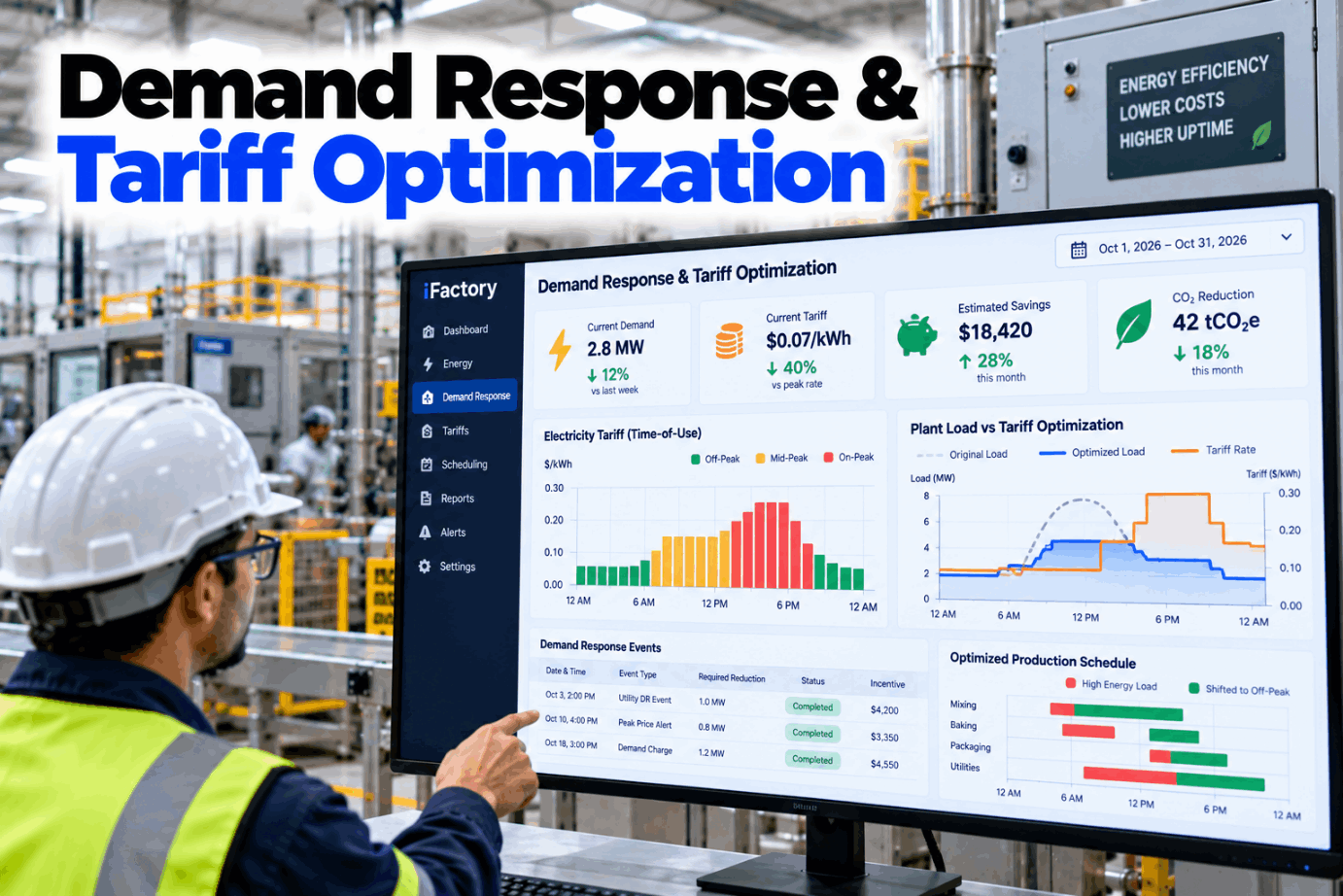
Demand Response & Tariff Optimization

By Jackson T on October 24, 2026

energy-monitoring-demand-response-tariff

Two plants that use the same kWh in a month can pay very different electricity bills. The difference is when the power is used and how high the peak climbs. Time-of-use prices, demand charges and grid events all reward plants that know which loads can move and which cannot. Demand response and tariff optimization turns that knowledge into a daily routine instead of a monthly surprise. See it on a real load profile in a short peak demand demo.

PEAK DEMAND MANAGER · TARIFF OPTIMIZATION

Keep the Peak Under Your Limit and Get Paid When the Grid Calls

iFactory Peak Demand Manager watches the running 15-minute average against your tariff, moves flexible loads to cheaper hours and handles demand response events from notice to settlement. Production limits set by your engineers always come first.

Main incomer · 15-min demandPeak window
Interval 15:00–15:15 · closes in 6 min
Running average 4,480 kWLimit 4,600 kW
Month peak so far4,590 kW
Compressor 4 startHeld 6 min
Chiller loadOn chilled water storage
DR notice 14:10 · event 16:00–18:00 · 500 kW committed
ELECTRICITY TARIFF MANAGEMENT

Five Ways a Tariff Charges You for Power

Most industrial bills mix several charges, and each one rewards a different behaviour. Energy charges price kWh. Demand charges price the highest kW. A survey of US tariffs by NREL describes demand charges as based on the highest average use within a defined interval, usually 15 minutes, and estimates that nearly 5 million US commercial customers could subscribe to tariffs with demand charges above $15 per kW. Read your own tariff sheet line by line with our tariff team.

01
Demand charge$/kW on the highest 15 or 30 minute average in the bill period, sometimes only in on-peak hours
02
Time-of-use energyDifferent $/kWh for on-peak, mid-peak and off-peak hours, by weekday and season
03
RatchetBilled demand cannot fall below a share of an earlier peak, so one bad interval lasts for months
04
Real-time pricingHourly prices that follow the wholesale market, cheap most hours and very high in a few
05
Flat energyOne $/kWh at all hours. Timing does not matter, only total use
DEMAND CHARGE MANAGEMENT

How a Five-Minute Spike Becomes a Monthly Charge

A demand meter averages power over each interval. On a 15-minute interval, demand in kW equals the kWh used in that interval times four. In the illustration below, the line ran at 4,700 kW for ten minutes, then a compressor and a chiller restarted together and load hit 5,600 kW for five minutes. That gives (4,700 × 10 + 5,600 × 5) ÷ 15 = 5,000 kW, and that one number sets the demand charge for the month. Watch the running average build in a live walkthrough.

Main incomer · one afternoon15-minute demand, bars start at 4,000 kW
14:30–14:454,420
14:45–15:004,480
15:00–15:155,000
15:15–15:304,550
15:30–15:454,390
Billed demand5,000 kW for the month
CauseTwo restarts in one interval
FixStagger restarts by minutes
TIME-OF-USE ENERGY · A UK EXAMPLE

Red, Amber and Green Bands Outside the US

Time-of-use pricing is not only a US idea. In Great Britain, Distribution Use of System (DUoS) charges on larger sites use red, amber and green time bands. Modo Energy's guide notes that the red band is typically 16:00 to 19:00 on weekdays and the green band is typically overnight. Each network operator sets its own band times and rates, so the same plant can face a different red band in another region. Check your own bands with our energy team.

Red band
Highest unit rateTypically weekday evenings, 16:00 to 19:00. The first window to plan loads around
Amber band
Middle unit rateDaytime and shoulder hours around the red band on working days
Green band
Lowest unit rateTypically overnight, with weekends often green as well
Read the whole charging statement

DUoS bills on larger sites also carry fixed and capacity charges. Moving load out of the red band cuts the unit rate part, not the capacity part, so size savings on the right line of the bill.

PEAK SHAVING VS LOAD SHIFTING

Two Different Jobs That Often Get Mixed Up

Peak shaving lowers the highest interval. Load shifting moves energy from expensive hours to cheap ones. A plant can do one without the other: staggering two motor starts shaves the peak but moves almost no kWh, while running a batch at night shifts kWh but may leave the daytime peak where it was. Most tariffs reward both, so plan them together. Model both on your own data in a tariff session.

PEAK SHAVING
  • Target: the single highest 15 or 30 minute interval
  • Saves on the demand charge and any ratchet
  • Tools: staggered starts, held starts, brief sheds
  • Acts in minutes, inside the current interval
  • Total kWh barely changes
LOAD SHIFTING
  • Target: the hours with the highest price
  • Saves on time-of-use and real-time energy prices
  • Tools: storage, buffers, batch timing, pre-cooling
  • Planned hours or a day ahead
  • Same kWh, used at a cheaper time

One Call From the Grid, One Plan Already Ready

When a demand response notice arrives, Peak Demand Manager already knows which loads can move, by how much and for how long. It proposes the plan, holds the line through the event and brings loads back in steps.

Energy desk · Energy manager and iFactory
Energy managerEvent called for 16:00. What can we give without touching the lines?
iFactoryAbout 620 kW from the movable list: chillers on chilled water storage, two air compressors on receiver storage and the batch mixer after 18:00. Line 3 is not touched.
Energy managerCommit 500 kW.
iFactoryCommitted. I will hold the average below the agreed level and restore loads in three steps after 18:00 so we do not set a new peak.
DEMAND RESPONSE PROGRAM

Programs, Notice Times and How They Pay

Demand response programs pay plants to cut load when the grid is tight or prices are high. The rules differ by market and change from year to year, so read this as a map, not a contract. The notice times below come from current program documents: PJM, ERCOT's annual ERS report and PG&E's Base Interruptible Program fact sheet. Check which programs your site can join with our program advisors.

Program
What you commit
Notice
How you are paid
PJM Load Management (Capacity Performance DR)
Cut to a firm service level, or by a guaranteed amount, when PJM calls
30 min default 60 or 120 min with an approved exception
Capacity payment through a curtailment service provider
ERCOT Emergency Response Service
Curtail during grid emergencies in the contracted hours
10 or 30 min ERS-10 or ERS-30
Clearing price in $/MW per hour, adjusted for availability and performance
CAISO Proxy Demand Resource
Load reduction bid into the wholesale market, usually through an aggregator
Market award day-ahead or real-time
Energy market payments measured against a baseline
Utility interruptible tariff (PG&E BIP)
Cut to a firm service level, at least 100 kW of reduction
15 or 30 min by enrolment option
Monthly payment per kW whether or not an event is called, $6.00 per kWh charge above the firm level
Price-responsive programs
Voluntary cuts when prices are high
Price signal day-ahead or hour-ahead
Energy payment per MWh reduced
DEMAND RESPONSE BASELINES

Capacity, Energy and How Your Reduction Is Counted

Two plants that cut the same load can be paid very differently, because programs measure the cut in different ways. In PJM's 2025/2026 delivery year, firm service level accounted for 99.7% of committed capacity. CAISO's default for proxy demand resources is a "10 in 10" non-event day baseline. Any move that changes your normal load, such as pre-cooling just before an event, can change the measured result. Test your baseline in a settlement review.

CAP
Capacity paymentPaid to be available, whether or not an event is called. Penalties if you do not perform
MWh
Energy paymentPaid for energy actually reduced during an event, often voluntary
FSL
Firm service levelYou agree to run at or below a set kW during events. Simple to verify on the meter
GLR
Guaranteed load reductionA promised kW cut, measured against what load would have been without the event
10/10
Day-matching baselineYour normal load for the event hours, worked out from recent similar non-event days
ADJ
Day-of adjustmentMany baselines are scaled to load in the hours before the event, so pre-event moves matter
LOAD FLEXIBILITY

Which Industrial Loads Can Move, and Which Cannot

Load flexibility comes from storage of some kind: chilled water, ice, compressed air, product in a buffer silo, or the thermal mass of a cold store. Without a buffer, moving a load means moving production. Grade every major load once, with operations and quality in the room, and keep the list current as the plant changes. Ask for a blank load register from our support team.

Shift hours
Chillers with chilled water or ice storage, cold store pre-cooling inside product limits, batch mixing or grinding into a buffer, EAF heat timing from the melt plan
Shift minutes
Air compressors on receiver storage, pumps filling tanks, forklift battery charging
Shed briefly
Office and warehouse comfort cooling, non-critical lighting and ventilation
Hold only
Continuous processes such as furnaces, kilns and extruders mid-run. Hold steady, do not add
Never touch
Safety systems, cleanroom and lab ventilation, product-critical refrigeration, life safety
DEMAND RESPONSE EVENT PLAYBOOK

Six Steps From Notice to Settlement

The most common failure in an event is not the cut itself but the recovery. When every load comes back at once, the plant can set a new monthly peak in the first interval after the event. A written playbook keeps curtailment in a fixed order and recovery in steps. Walk through your own event order in a playbook session.

1NoticeEvent time, length and commitment received
2CheckProduction plan and product limits confirmed
3CurtailLoads cut in the agreed order, storage first
4HoldRunning average kept under the committed level
5RecoverLoads restored in steps to avoid a new peak
6SettleMetered result checked against the baseline
ENERGY COST OPTIMIZATION · COST AND ROI

A Worksheet With Assumed Inputs

The worksheet below shows the arithmetic only. Every input is an assumption for illustration, not a result from any plant. Replace each one with figures from your own tariff, interval data and program offer, and check rescheduling costs before you count a saving. Build your own version with our energy analysts.

Billed peak today5,000 kW, assumed
Peak after staggered and held starts4,600 kW, assumed
Demand rate$15 per kW-month, assumed
Demand saving per year, if held every month400 × $15 × 12 = $72,000
Energy moved from on-peak to off-peak2,000 kWh per weekday, assumed
Price gap, $0.14 vs $0.08 per kWh$0.06 per kWh, assumed
Shifting saving per year, 250 weekdays2,000 × $0.06 × 250 = $30,000
DR capacity, 500 kW at $5 per kW-month500 × $5 × 12 = $30,000, assumed offer
Total before costs$72,000 + $30,000 + $30,000 = $132,000

Take off program penalties for missed events, any overtime from moved batches and the cost of storage you do not already own. Check whether a ratchet still holds billed demand at an older peak.

TURNKEY AI DEPLOYMENT

Peak Demand Manager, Meter Links and AI Server in One Package

iFactory delivers Peak Demand Manager as a turnkey bundle. A pre-configured NVIDIA AI server ships racked and ready with the tariff models, meter connectors and load register pre-loaded, so interval data is read and acted on site. You rack it, plug in power and Ethernet, and the AI is live. To scope it for your site, request a turnkey quote.

What's Included
  • Pre-configured NVIDIA AI edge server, racked and ready
  • Connectors for the main meter, sub-meters and BMS
  • Tariff model: time-of-use periods, demand interval, ratchet, bands
  • Flexible load register with limits set by your engineers
  • Demand response notices linked to curtailment plans
  • Baseline and settlement report for every event
  • 24×7 remote monitoring of models and hardware
Live in 6–12 weeks
Wk 1–4
Connect and Model

Server installed, main meter and sub-meters linked, tariff modelled, load register drafted.

Wk 5–8
Advise and Test

Peak alerts and load moves run in advisory mode, and one test curtailment is run with operations.

Wk 9–12
Go-Live and Training

Approved moves automated inside limits, program enrolment supported, staff trained.

HOW iFACTORY FITS

Utility Tariff Software Built Around Your Loads

Peak Demand Manager starts from your tariff and your process limits, not from a generic savings promise. Our support team can walk you through a pilot plan.

1
Watches the interval live. The running 15 or 30 minute average is tracked against your limit before the interval closes.
2
Moves only what can move. Every action comes from the graded load register and stays inside product limits.
3
Answers grid calls. Demand response notices turn into a curtailment plan and a staged recovery.
4
Proves every kW. Each event is checked against the program baseline before settlement.
1000+
Industrial clients running iFactory
99.9%
Platform uptime for round-the-clock plants
6-12 wks
From racked server to live peak control
FREQUENTLY ASKED QUESTIONS

What Plant Managers Ask About Demand Response and Tariffs

What is a demand charge and how is it measured?
It is a charge in $/kW on the highest average demand in the bill period, usually over a 15 minute interval and sometimes 30. The meter averages power across each interval, so a few minutes of very high load can set the charge for the whole month. Some tariffs count only on-peak intervals.
What is the difference between peak shaving and load shifting?
Peak shaving lowers the single highest interval, for example by staggering motor starts, and mainly cuts the demand charge. Load shifting moves energy into cheaper hours, for example by running a batch at night, and mainly cuts time-of-use energy cost. Most plants need both.
How much notice do demand response programs give?
It depends on the program. PJM Load Management expects reductions within 30 minutes by default, or 60 or 120 minutes with an approved exception. ERCOT procures ERS with 10 or 30 minute response. PG&E's Base Interruptible Program gives 15 or 30 minutes. Price-based programs often signal a day or an hour ahead.
How is our reduction measured during an event?
Either against a firm level you agreed to run below, or against a baseline that estimates what your load would have been. Day-matching baselines use recent similar non-event days, and many are adjusted to the hours before the event. Your program documents say which method applies.
Will moving loads hurt production or product quality?
It should not, if limits are set first. Each load in the register has hard limits from operations and quality, such as product temperature or receiver pressure, and loads marked never touch are excluded. Run in advisory mode first so people can see each decision before anything is automated.
How do we get started?
Start with twelve months of interval data and your current tariff sheet. Find the intervals that set each month's bill, grade your major loads, and run peak alerts in advisory mode before joining any program. Our support team can help you plan that first step.

Lower the Peak Without Touching the Product

Track every interval, move the loads that can move and answer grid events with a plan. The full system is delivered turnkey and goes live in 6 to 12 weeks.
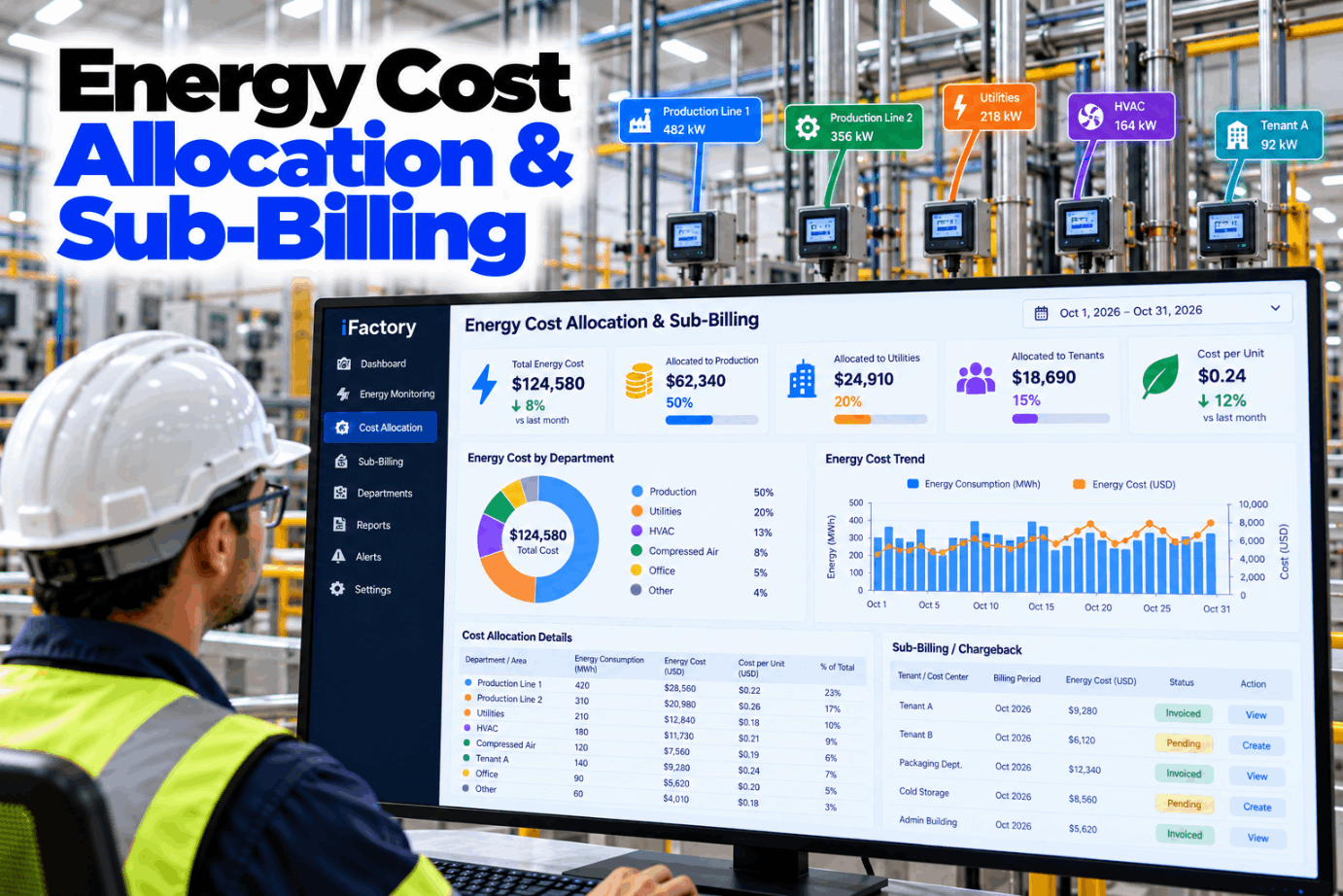

Example month · Peak Demand Manager
Demand limitSet by you, per tariff
Peak alertsBefore the interval closes
DR eventsNotice, curtail, verify
RecoveryStaged to avoid a new peak
Every curtailment logged against the baseline

Share This Story, Choose Your Platform!