Most plants track OEE on one screen and energy on another, so nobody sees what a stop, a slow cycle or a scrapped part costs in kilowatt-hours. Linking the two changes the question from "how much did we use?" to "how much did each good unit really take, and where did the rest go?" This guide shows how to split energy by OEE state, measure energy per good unit and build a baseline that accounts for throughput. See it on your own line data in a short energy and OEE demo.
See What Every Good Unit Really Costs in Energy
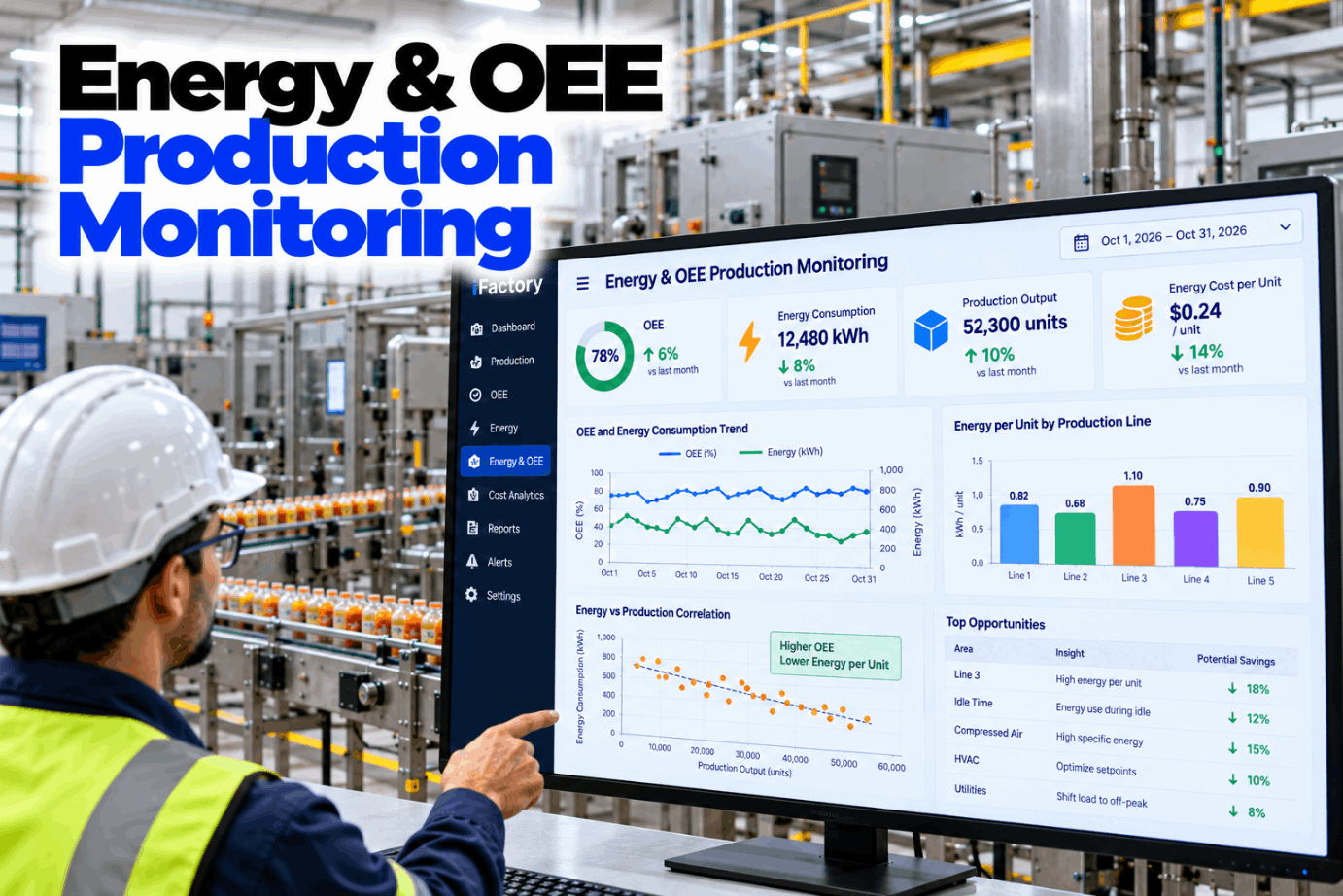
iFactory Energy Cost Analytics joins meter data with OEE states and counts. It splits each line's kWh into running, idle, changeover and down, then reports energy and cost per good unit, not just per unit made.
Each OEE Factor Has an Energy Cost
OEE is Availability × Performance × Quality. Availability is run time over planned production time. Performance compares actual output with what the ideal cycle time allows in that run time. Quality is good units over total units. The same formula is defined as a KPI in ISO 22400-2. Each factor is a loss of time, and most lines keep drawing power while that time is lost. Talk through how your line reports OEE with our support team.
OEE also equals good units × ideal cycle time ÷ planned time. That makes it a natural partner for energy per good unit. Both use the same good count, so they move together when quality slips.
Energy per Unit Produced vs Energy per Good Unit
Many energy reports divide kWh by everything the line made. That rewards a line for making scrap quickly. Energy per good unit divides by what you can actually ship, so scrap and rework show up as higher energy cost instead of disappearing into the total. Rework is easy to miss. A reworked unit is counted once in output but may pass through an oven, a press or a test cell twice. See both ratios side by side in a line energy walkthrough.
- Divides energy by total count, good and bad
- Improves when the line runs fast, even if scrap rises
- Hides the energy spent on rework passes
- Useful for comparing raw machine efficiency
- Divides energy by good count, first time right
- Rises when scrap or rework rises, as it should
- Matches the good count used in OEE Quality
- Best basis for energy cost per unit shipped
Split Energy by OEE Loss State
The most useful step is to tag every interval of meter data with the line state from your OEE system. Running, idle, changeover and down each draw power in a different way, and each has a different owner. The matrix below is a typical starting point. Your own states and reason codes set the final list. Map your line states with our energy team.
Why Energy Does Not Fall in Step With Output
A line's power has two parts. Variable load rises and falls with throughput: cutting, pressing, pumping product, heating each unit. Base load stays on whenever the line is energised, whatever it makes. On machining lines the base share can be large. Gutowski and colleagues at MIT reported that on one automotive machining line, actual machining was at most 14.8% of total energy, with the rest going to auxiliary equipment and other functions not tied to cutting. Measure your own split in a base load review.
Ask Why Energy per Good Unit Moved
iFactory Energy Cost Analytics explains each change in plain words: which state used the energy, which OEE loss caused it and what it cost. Supervisors get the answer without exporting meter data.
How Idle Time and Scrap Inflate kWh per Good Unit
The example uses illustrative inputs for one line over one day, not data from a real plant. Planned time is 16 hours. The line runs at 120 kW, draws 30 kW while down, 45 kW during changeovers with heaters held, and 25 kW for the 8 unscheduled hours. The ideal rate is 60 units per hour. Check the arithmetic against your own line with our support team.
Regress Energy Against Throughput, Not Just Divide
ISO 50006 describes several kinds of energy performance indicator, from a measured value and a ratio such as kWh per unit to models built by regression against relevant variables like output. A plain ratio assumes the line passes through zero, which is wrong when there is base load. Fit daily energy against daily good units instead. The intercept estimates base load, the slope is energy per extra unit, and the model gives an expected value for any output. The figures below are assumed. Build your first baseline in a baseline session.
The ratio falls from 3.30 to 2.55 as output rises, with no change in efficiency at all. Judging a line by the ratio alone would praise busy weeks and blame quiet ones. Compare actual energy with the model's expected energy instead.
One Energy and OEE Card per Line, per Shift
Keep the same fields on every line so shifts and sites compare fairly. Each field comes from either the meter, the OEE system or the baseline model. Ask our support team for a blank version.
Three Patterns the State Split Usually Shows
These are illustrations of common patterns, not case studies or results from a named plant. Walk through your own line history in a data review.
Price the Energy Your Losses Use Today
Start with the energy you already spend outside running and on scrap. Use your own figures and tariff. The worksheet uses assumed inputs to show the arithmetic only, not a savings claim. Our team can help you build the case with your meter data.
Do the same for scrap energy and changeover holding energy, then add demand charges if your tariff has them. Keep figures you cannot measure out of the total.
Meters, OEE Links and AI Server in One Package
iFactory delivers Energy Cost Analytics as a turnkey package. A pre-configured NVIDIA AI server ships racked and ready with the state-tagging and baseline models pre-loaded, so meter and OEE data are joined on site. You rack it, plug in power and Ethernet, and the AI is live. To scope it for your lines, request a turnkey quote.
- Pre-configured NVIDIA AI edge server, racked and ready
- Connectors for existing power meters and sub-meters
- Links to your OEE, MES or PLC line states and counts
- State tagging: running, idle, changeover, down, off
- Regression baselines per line, refreshed on schedule
- Energy and cost per good unit by line and shift
- Training and 24×7 remote monitoring
Server racked, meters and OEE states linked, metering gaps listed.
Energy split by state, regression baselines fitted and checked with your team.
Shift cards and alerts switched on, supervisors trained, weekly review started.
OEE Energy Software That Prices Every Loss
iFactory Energy Cost Analytics puts OEE and energy on one timeline, so losses carry a kWh and a cost, not just minutes. Our support team can outline a pilot on one or two lines.
What Operations Leaders Ask About Energy and OEE
Give Every Loss a kWh and a Price
Split energy by OEE state, track energy per good unit and judge each line against a throughput-aware baseline. The full system is delivered turnkey and goes live in 6 to 12 weeks.