A new vehicle program has one launch date and hundreds of ways to miss it. Advanced Product Quality Planning exists to catch those risks early, when a design change is cheap, instead of at start of production, when the same fix costs ten times more and threatens the launch timeline itself. iFactory's launch readiness platform gives automotive program teams a live view of APQP risk instead of a static Gantt chart that goes stale the week it's published.
APQP Has Five Phases. Most Launch Delays Trace Back to the Same Two.
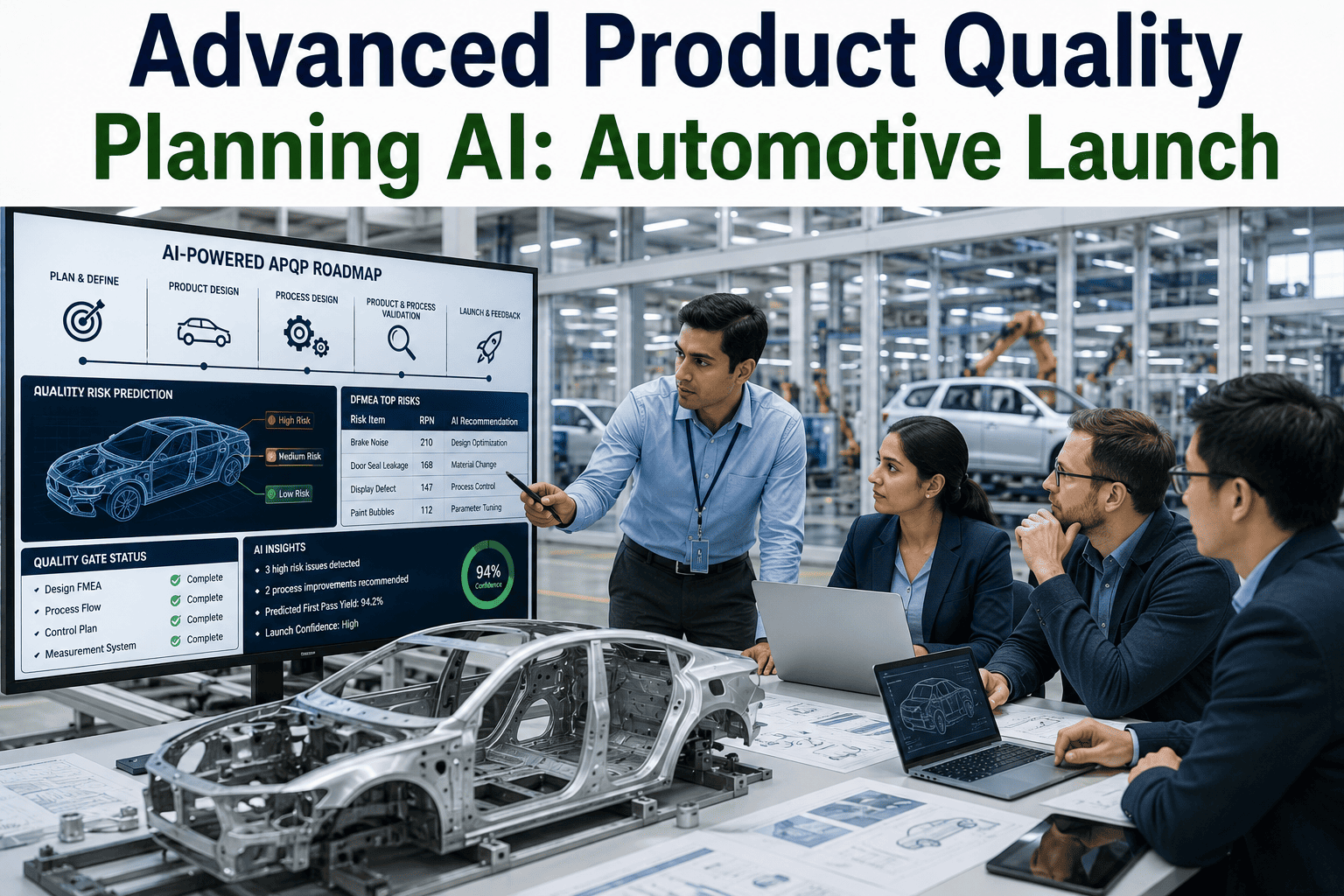
Advanced Product Quality Planning structures a new product launch into five sequential phases, each with its own deliverables and gate criteria. Process validation and launch feedback are where the majority of avoidable delays actually surface.
Why the Last Two Phases Carry the Most Risk
The first three APQP phases are largely paper and design work — plans, drawings, process flows — where problems are visible to the team creating them and relatively cheap to correct. Process validation is where design assumptions meet real tooling and real production conditions for the first time, and launch and feedback is where the process has to sustain quality at full volume rather than in a controlled pilot run. Both phases expose gaps that the earlier phases couldn't have revealed, no matter how thorough the planning was.
Plan & Define
Establishes customer requirements, voice of customer input, and preliminary quality targets that every later phase gets measured against.
Product Design & Development
Produces DFMEA, design verification plans, and drawings — the stage where design-stage failure modes are identified before any tooling is cut.
Process Design & Development
Builds the process flow, PFMEA, and control plan that define how the product will actually be manufactured and how quality will be controlled at each step.
Product & Process Validation
Runs a significant production trial to confirm the process can actually produce parts meeting specification at rate — this is where PPAP submission happens.
Where Traditional APQP Tracking Falls Short
A spreadsheet-based APQP tracker captures deliverable status as of the last time someone updated it, which for a fast-moving launch program can be days or weeks out of date by the time it's reviewed in a program meeting. The result is that risks are frequently identified in the meeting itself, reactively, rather than surfaced automatically as soon as a deliverable slips or a validation result comes back marginal.
| Tracking Approach | Spreadsheet / Manual Tracker | AI-Assisted Launch Tracking |
|---|---|---|
| Status Freshness | As current as the last manual update | Live, pulled from connected quality and production data |
| Risk Flagging | Reactive, surfaced in review meetings | Proactive, flagged as soon as a threshold is crossed |
| Cross-Program Visibility | Limited to individual program files | Patterns visible across multiple concurrent launches |
| Milestone Dependency Tracking | Manual, easy to miss a downstream impact | Automated dependency mapping across phases |
Cross-program visibility matters more than it sounds like it should. A plant running three concurrent launches often sees the same validation issue appear on more than one program — a supplier material inconsistency, a tooling wear pattern, a control plan gap — but without a connected view, each program team discovers it independently instead of the second and third teams benefiting from what the first one already learned.
Give Your Program Team a Live View of Launch Risk
iFactory connects APQP milestones to real production and quality data, so risk gets flagged automatically instead of discovered in the next status meeting.
Predicting Risk Before a Gate Review, Not During It
Connect deliverable status to live source data
Pull actual DFMEA, PFMEA, and control plan completion status from the systems where the work happens, rather than relying on a manually updated tracker.
Map dependencies across phases
Identify which downstream milestones are affected when an upstream deliverable slips, so the full impact is visible immediately rather than discovered phase by phase.
Flag validation results trending toward marginal
Watch process capability and trial run data as it comes in, flagging results trending toward a marginal outcome before the formal validation deadline arrives.
Surface cross-program patterns
Compare issues across concurrently running launches to catch a shared supplier or tooling problem before it repeats itself on a second or third program.
Bring gate reviews decisions, not discovery
Enter each gate review already knowing where the risk sits, so the meeting is spent deciding what to do about it rather than finding out about it for the first time.
A Composite Scenario: The Trim Line That Almost Missed SOP
A new interior trim program was tracking green across its first three APQP phases, with all major deliverables completed on the spreadsheet tracker used by the program office. Three weeks before the scheduled process validation run, an assembly torque parameter on a fastening station had been drifting slightly outside its target range during pilot builds — visible in the equipment's own data log, but not connected to anything the program team was actively monitoring, since the spreadsheet tracker only captured deliverable completion, not underlying process trend data.
The drift wasn't caught until the formal validation run, where torque results came back marginal on a meaningful percentage of samples, triggering a validation failure and an unplanned two-week delay to investigate and correct the fastening station's calibration before start of production could proceed. A retrospective review found the drift had actually begun during pilot builds, visible in equipment data the entire time — it simply wasn't connected to the launch tracking process in any way that would have surfaced it as a risk before the formal validation deadline. The program's next launch built a direct connection between pilot build process data and its APQP tracker, specifically to catch this exact pattern earlier next time.
Catch Launch Risk in Week Three, Not Validation Week
iFactory connects pilot build and process data directly into your APQP tracking, so drift and marginal results get flagged as they happen, not discovered at the formal validation gate.
Frequently Asked Questions
Which APQP phase most commonly causes launch delays?
Product and process validation is the most common source of delay, because it's the first point where design and process assumptions get tested against real production conditions at meaningful volume — issues that were invisible on paper often only appear once tooling and process run together for the first time. Visit support to see how live process data can surface these issues earlier.
How does AI-assisted APQP tracking differ from a standard program management tool?
A standard program management tool tracks task and milestone status as manually reported by team members, while AI-assisted tracking connects those milestones to live quality and production data, so risk is flagged automatically as soon as a metric trends toward a marginal outcome rather than waiting for a manual status update.
Can APQP risk prediction work across multiple concurrent launches?
Yes, and this is one of the more valuable applications — patterns like a shared supplier issue or a similar tooling wear signature often show up on more than one program, and a connected view lets the second and third programs benefit from what the first one already revealed. Book a demo to see cross-program risk tracking in practice.
Does APQP still apply once a product has launched?
The formal phases end at launch and feedback, but the control plan and lessons captured during APQP continue to inform ongoing production monitoring, and any significant process or design change after launch typically triggers a return to relevant APQP activities for that specific change.
How early can a process drift like a torque parameter be caught with connected tracking?
When pilot build and process data is connected directly to the launch tracker, a drift pattern can typically be flagged during the pilot build phase itself, weeks before a formal validation run would otherwise catch it, giving the program team time to correct it without delaying the validation gate. Contact support to see how this connection is set up for a specific program.