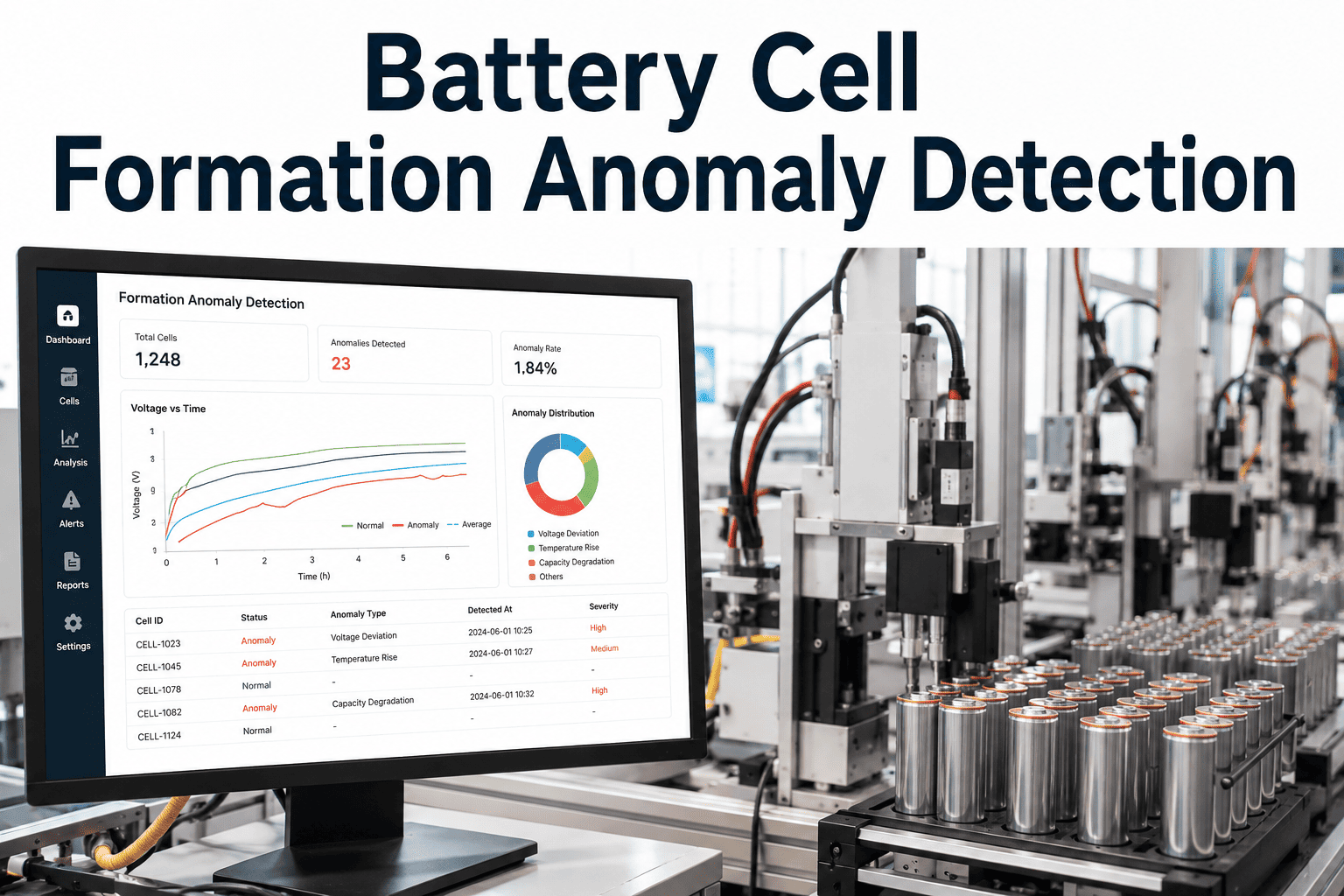
Formation is the one step in battery manufacturing where a cell's entire future life is partly written into a single voltage curve, and most gigafactories still read that curve as a pass/fail gate rather than a dataset. A cell that technically passes formation can still carry a subtle voltage-curve signature associated with early capacity fade, and that signature is invisible unless the curve shape itself is being analyzed rather than just the endpoint value. Catching it at formation is cheaper than catching it in a field warranty claim by several orders of magnitude. See voltage-curve analytics running on your own formation data.
Read the Formation Curve, Not Just the Endpoint
iFactory AI analyzes voltage-curve shape, capacity binning, and outlier patterns from formation data to catch early-life quality signals before cells ship.
A Passing Cell Can Still Carry a Warning Sign
Formation pass/fail criteria are usually built around a capacity threshold and a voltage endpoint, both of which a cell can meet while still showing an abnormal curve shape along the way. The inflection points, plateau width, and rate of voltage change during formation all carry information about how the cell's internal chemistry formed, and that information correlates with later-life capacity fade and internal resistance growth — a threshold check at the end of the curve throws all of that shape information away the moment the cell crosses the line.
Capacity Binning, Done Against Shape
Binning cells by final capacity is standard practice; the gap is comparing curve shape within each bin rather than treating capacity as the only grouping signal.
Analyze Your Own Formation Curves
Book a 30-minute session and run curve-shape analytics against formation data from your own line.
What the Curve Shape Reveals
Different parts of the formation curve correlate with different downstream quality risks.
| Curve Feature | What It Reflects | Downstream Risk if Abnormal |
|---|---|---|
| Plateau width | Electrode formation consistency during the voltage plateau | Early capacity fade |
| Inflection timing | Phase transition behavior in the active material | Internal resistance growth |
| Rise rate | Rate of ion transport establishing during formation | Reduced cycle life |
| End-of-curve slope | Stabilization behavior as formation completes | Inconsistent capacity retention |
From Raw Curve to Flagged Outlier
The analytics pipeline runs against the same formation tester data your line already produces, with no new instrumentation required.
Rolling Out on the Formation Line
iFactory AI connects to your existing formation and cycling test equipment, pulling raw curve data without changing the formation protocol.
Expert Review
Curve-shape analytics earns the fastest buy-in from gigafactory quality teams when it is validated against cells that passed formation but later showed field capacity fade, since tracing that outcome back to a specific curve-shape signature turns the case from a statistical argument into a concrete, traceable example.
Frequently Asked Questions
Does this change our formation test protocol?
No, the analytics run on data already produced by your existing formation tester, so the test protocol and cycle time stay the same. Support can confirm compatibility with your formation equipment.
How much historical data is needed to build the baseline?
A baseline curve-shape model typically needs several weeks of historical formation data per cell chemistry, though an initial model can begin working with a smaller sample and improve as more data accumulates.
What happens to a flagged outlier cell?
Flagged cells are routed for additional review or extended cycling before release, with the specific curve feature that triggered the flag shown to the reviewing engineer. See the review workflow on a call.
Can this run across multiple cell chemistries at once?
Yes, curve-shape baselines are maintained separately per chemistry, so a gigafactory running more than one cell type on the same formation line gets chemistry-specific outlier detection.
Does this connect formation data to field performance tracking?
Yes, formation curve data can be linked to field performance data where available, which is what allows the baseline model to keep improving against real-world outcomes. Ask support how field data linkage works.
Catch the Signal Hiding Inside a Passing Cell
iFactory AI analyzes formation curve shape to flag early-life quality risk before cells ship. Book a demo to run it on your own formation data.