Airport maintenance teams lose hundreds of hours each month switching between disconnected spreadsheets, standalone CMMS terminals, paper checklists, and email threads just to track a single work order from creation to closure. When ground support equipment breaks down at gate 14, the GSE team logs it in one system while parts and compliance teams work in entirely separate tools, creating operational data silos that delay turnarounds and inflate costs across every terminal. This fragmentation is not an inconvenience but a structural problem that compounds with every new aircraft movement, additional contractor onboarding, and regulatory update your airport handles. An airport integrated maintenance operations platform eliminates these silos by connecting every maintenance function, asset record, inspection result, and compliance document into a single system. You can book a demo to see how iFactory unifies your airport maintenance operations end to end.
AVIATION MAINTENANCE · DATA INTEGRATION · AIRPORT CMMS · OPERATIONAL PLATFORM
Stop Managing Airport Maintenance Across Six Disconnected Systems — Unify Everything Into One Platform
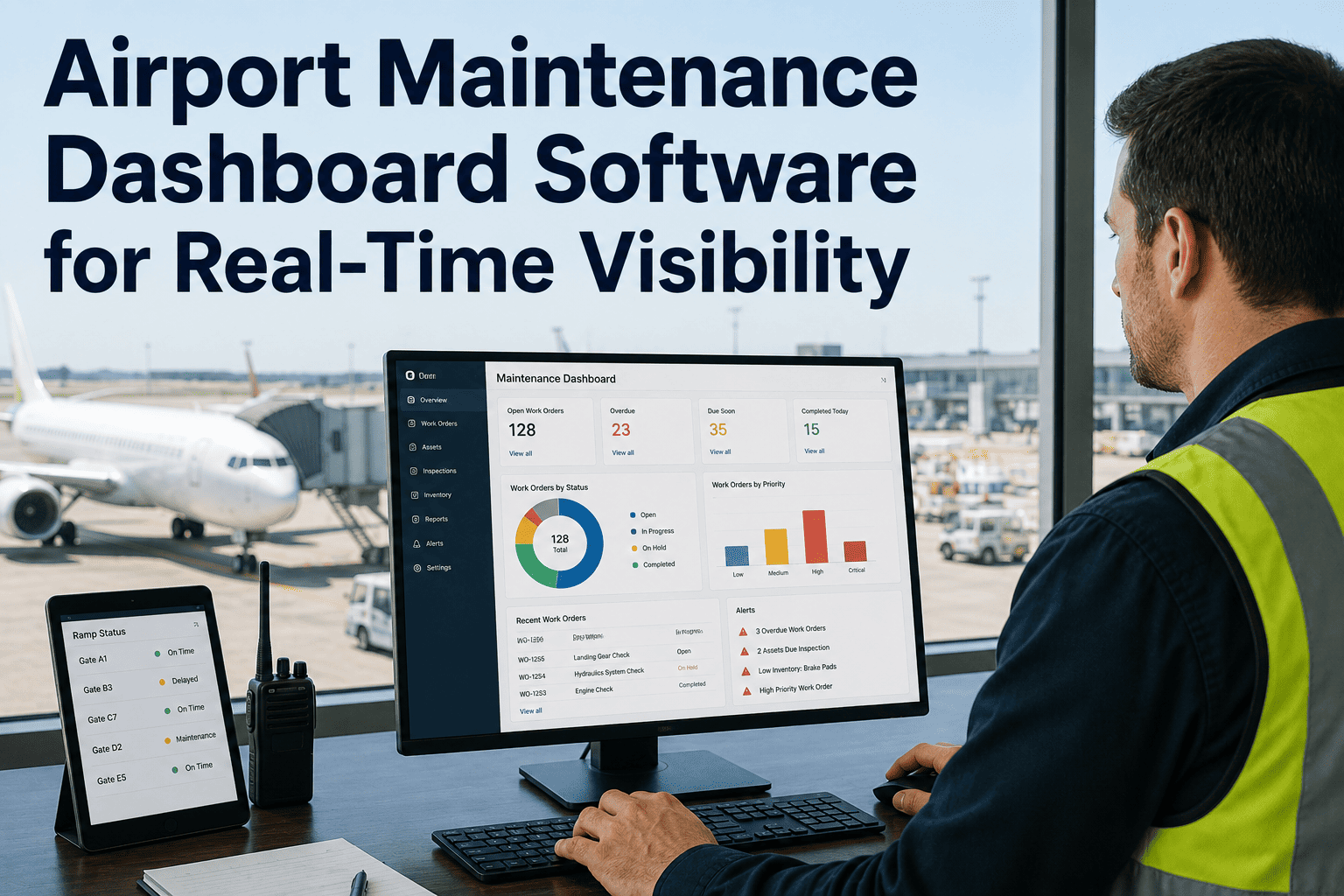
iFactory's airport integrated maintenance operations platform connects GSE tracking, asset management, inspections, compliance, contractor coordination, and airside operations into a single system that eliminates data silos and accelerates every maintenance workflow from request to resolution.
THE SILO PROBLEM
Six Systems Running Your Airport Maintenance — Zero of Them Talking to Each Other
Most airports have not built an integrated maintenance platform but instead accumulated separate tools over years of operational growth, each solving one departmental need while creating an invisible web of data gaps that costs more than any single system saves. The blocks below represent the typical disconnected landscape found at mid-size and large airports, where each system holds critical information that other departments need but cannot access without manual effort.
Asset Spreadsheets
Equipment records maintained in Excel by maintenance planners with no connection to work orders or inspection results
GSE Logbooks
Standalone system tracking ground support equipment hours, fuel logs, and servicing schedules separate from maintenance queues
Inspection Forms
Paper-based or PDF checklists completed during airside rounds with results filed in cabinets or scattered network folders
Compliance Files
Regulatory documentation stored in shared drives with no version control, expiration tracking, or link to maintenance evidence
Contractor Portals
Third-party workforce managed through email chains, separate access badges, and manual timesheet reconciliation processes
Operations Dashboards
Disconnected BI tools pulling data from none of the above systems, producing reports that are outdated before they reach decision makers
Information trapped in separate systems with no automated data flow between any of them
THE HIDDEN COST
What Operational Data Silos Actually Cost Your Airport Every Year
These cost figures emerge consistently from airport maintenance audits where separate systems force teams to manually bridge information gaps that an integrated platform would close automatically. Each metric represents a direct, measurable expense that disappears the moment maintenance data flows freely between departments.
67%
Airports Use Four or More Disconnected Maintenance Tools
The majority of mid-size and large airports rely on at least four separate systems for maintenance operations, with many exceeding six, each requiring its own data entry, training, and support overhead.
$2.4M
Average Annual Cost of Data Re-Entry and Reconciliation
Manual transcription of work order details, asset data, compliance evidence, and contractor hours between disconnected systems consumes an average of two point four million dollars annually in labor costs at large airports.
34%
Longer Turnaround Times Due to Cross-System Information Gaps
Maintenance tasks that require information from more than one system take thirty-four percent longer on average because technicians wait for data from departments using tools they cannot access directly.
3.2x
Higher Audit Preparation Effort with Siloed Records
Compliance teams spend over three times as long preparing for regulatory audits when maintenance evidence is scattered across multiple systems compared to airports with unified maintenance platforms.
UNIFIED ARCHITECTURE
One Platform Connecting Every Airport Maintenance Operation
iFactory replaces the six disconnected systems shown above with a single integrated platform where every maintenance module shares a common data layer. Asset records created in the registry are instantly available to work orders, inspections automatically update compliance records, and contractor activities are tracked against the same asset and location data that maintenance engineers use daily.
iFactory Integration Hub
Asset and Equipment Management
Centralized registry of every airport asset with maintenance history, specifications, location mapping, and lifecycle costing in a single searchable database accessible to all departments.
GSE Fleet Management
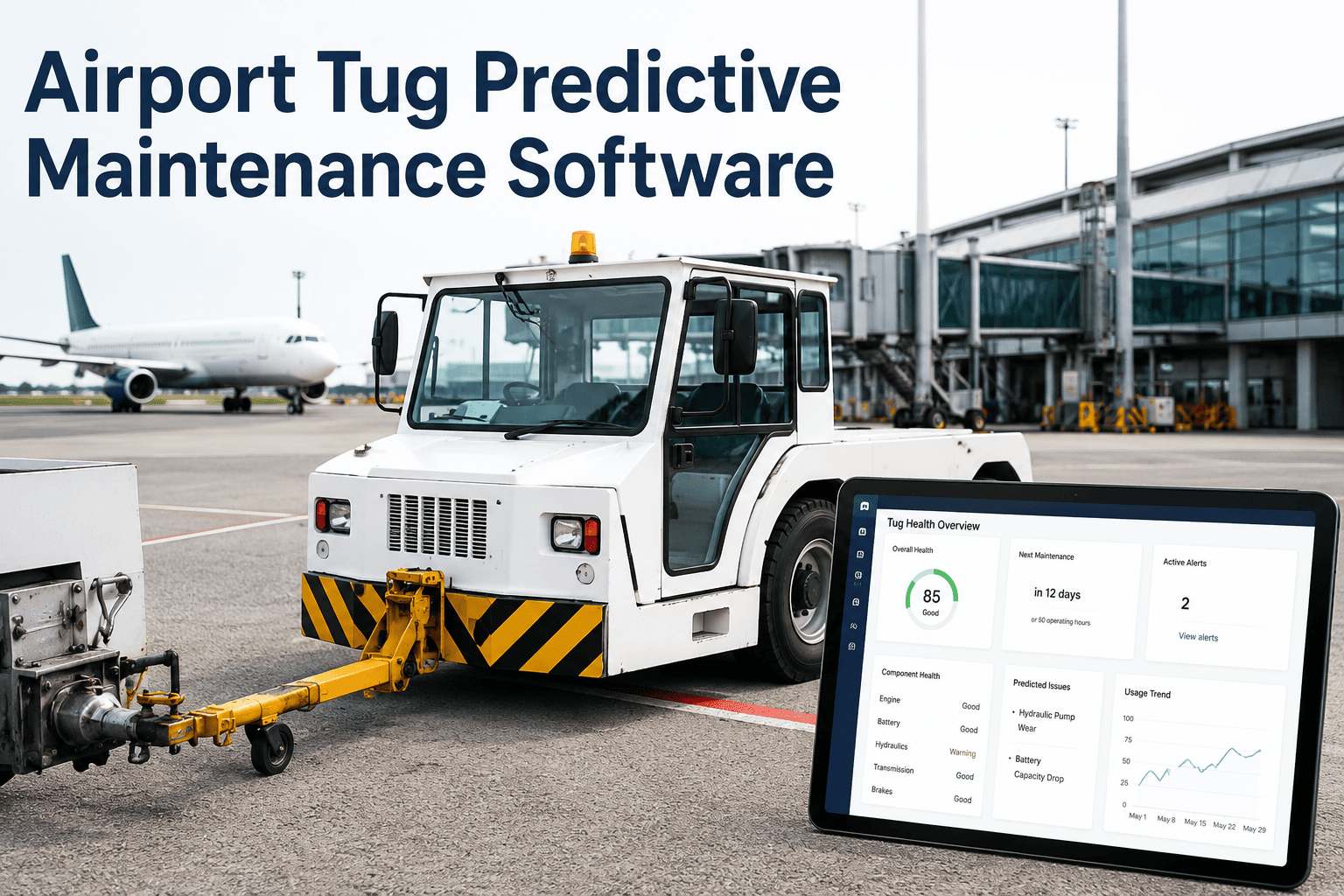
Real-time tracking of ground support equipment utilization, servicing intervals, hour logging, and availability status across all terminals, gates, and apron areas.
Inspection and Checklist Management
Digital inspection workflows with configurable checklists, photo evidence capture, automatic defect routing, and scoring that feeds directly into work order creation.
Compliance and Regulatory Tracking
Automated compliance documentation aligned with ICAO, FAA, EASA, and local CAA requirements with audit-ready report generation and certification expiration alerts.
Contractor and Workforce Coordination
Unified contractor management with structured task assignment, time tracking against work orders, performance documentation, and access control from one platform.
Airside and Landside Operations
Integrated view of maintenance activities across all operational zones with scheduling, resource allocation, conflict detection, and real-time status visibility for operations controllers.
DEPARTMENT IMPACT
How Every Maintenance Department Gains from a Unified Platform
The value of integration is not abstract. Each department experiences specific, measurable improvements when their tools share data instead of operating in isolation. The cards below detail the operational changes that maintenance leaders report after transitioning from disconnected systems to an integrated platform.
Maintenance Engineering
Eliminates manual data re-entry between asset registers and work order systems
Provides complete equipment history at the point of task assignment
Automates parts requisition by linking work orders to integrated inventory data
Reduces time spent searching for asset specifications across multiple sources
GSE Operations
Replaces separate logbooks with real-time fleet utilization dashboards
Enables predictive servicing based on actual equipment usage hours
Provides instant availability status to ramp coordinators and flight dispatch
Connects fuel consumption data directly to cost tracking and budgeting modules
Facilities Management
Connects building maintenance requests to asset records and contractor assignments
Automates recurring inspection scheduling for terminal and landside infrastructure
Provides campus-wide maintenance status visibility across all managed zones
Links tenant service requests to response time tracking and SLA compliance
Compliance and Safety
Generates audit-ready documentation automatically from maintenance records
Tracks certification expirations with proactive alert workflows
Maintains single source of truth for all regulatory evidence requirements
Reduces audit preparation time by eliminating cross-system data gathering
Contractor Management
Replaces email-based task coordination with structured work assignments
Tracks contractor time and deliverables against service level agreements
Manages access permissions and zone authorizations from the same platform
Consolidates contractor performance data for renewal and evaluation decisions
Your Airport Already Has All the Data — It Just Needs to Flow Between Systems
iFactory connects your existing maintenance data sources into one platform where every department shares the same asset records, work orders, inspection results, and compliance evidence without re-entry or reconciliation.
WORKFLOW TRANSFORMATION
From Disconnected Handoffs to Automated Information Flow
The comparison below traces a single maintenance task through both environments. In the disconnected workflow, every handoff between steps requires a person to manually move information from one system to another. In the integrated workflow, data created at any step is automatically available to every subsequent step without manual intervention.
DISCONNECTED WORKFLOW
1
Work order created in CMMS by maintenance controller with manual data entry for asset ID, location, and reported issue
2
Asset specifications and maintenance history looked up in separate spreadsheet by technician before proceeding to site
3
Parts availability confirmed via phone call or separate email to warehouse team with no automated stock check
4
Compliance requirements verified by checking shared drive documents and manually cross-referencing with work type
5
Contractor assigned through email exchange with separate time tracking and access request processes initiated
6
Completion data manually entered in CMMS, compliance log, and contractor timesheet as three separate transactions
INTEGRATED WORKFLOW
1
Work order created with asset data, location, and history auto-populated from the shared asset registry
2
Technician views complete asset profile, previous work orders, and relevant inspection history on a single screen
3
Parts availability checked automatically from integrated inventory with reservation triggered by work order creation
4
Compliance requirements automatically triggered based on work type, location, and asset category with documentation templates pre-loaded
5
Qualified contractors suggested from integrated workforce pool with availability, certifications, and zone access pre-verified
6
Single completion entry updates work order, compliance record, asset history, and contractor log simultaneously
REGULATORY COVERAGE
Compliance Frameworks Built Into Every Maintenance Workflow
Regulatory compliance in airport maintenance is not a separate activity but a continuous requirement that runs parallel to every task. iFactory embeds compliance checking into the workflow itself, so maintenance teams generate audit evidence as a natural byproduct of doing their work rather than as a separate documentation exercise after the fact.
ICAO Annex 14
Aerodrome design and operations standards with automated documentation of maintenance activities affecting aerodrome certification requirements and safety-critical systems.
FAA Part 139
Certification requirements for airports serving scheduled air carrier operations with inspection scheduling, deficiency tracking, and compliance evidence generation built into daily workflows.
EASA Aerodrome Regulations
European aerodrome safety requirements with integrated audit trails and regulatory reporting aligned to EASA oversight frameworks and safety management system documentation.
ISO 55001 Asset Management
International standard for asset management systems with lifecycle tracking, performance measurement, and continuous improvement data integrated into routine maintenance processes.
Local CAA Requirements
Country-specific civil aviation authority regulations configured as compliance rules with automated checking against maintenance activities and configurable reporting formats.
Internal Quality Standards
Airport-operator-specific quality management requirements with customizable checklists, approval workflows, and performance metrics embedded in every maintenance process.
CAPABILITY MATRIX
Airport Maintenance Platform — Full Capability Comparison
This table compares how common airport maintenance functions are handled across disconnected tools versus a single integrated platform, covering the operational dimensions that matter most when evaluating whether unification will deliver measurable improvement at your airport.
IMPLEMENTATION ROADMAP
Five Phases From Assessment to Fully Integrated Airport Operations
iFactory's implementation methodology is designed for operational environments where maintenance cannot stop during a technology transition. Each phase produces a working deliverable, and the first department can be operational on the new platform before the next department's data migration begins.
01
Airport Operations Assessment
Comprehensive audit of current maintenance systems, data sources, department workflows, pain points, and integration requirements across all operational areas including airside, landside, terminal, and GSE operations. This assessment identifies the highest-impact migration starting point based on data complexity and operational dependency.
02
Data Migration and System Configuration
Historical data extracted from existing spreadsheets, legacy CMMS databases, paper records, and standalone systems, then cleaned, validated, and imported into the unified platform. Department-specific configurations, workflow rules, user roles, and approval hierarchies are established during this phase with full traceability to source data.
03
Department-by-Department Rollout
Phased platform activation starting with the highest-impact department identified in the assessment phase. Each department goes through structured training, parallel operation with legacy tools, validation against real work orders, and formal sign-off before the next department begins its onboarding sequence.
04
Cross-Department Integration Activation
Data flows between departments are activated including automated work order triggers from inspections, compliance record updates from maintenance completions, contractor task assignment from work queues, and shared dashboards for operations controllers. Each integration point is validated against real operational scenarios before full activation.
05
Go-Live and Continuous Optimization
Full production deployment with ongoing performance monitoring, user feedback integration, workflow refinement, and expansion to additional use cases. Legacy systems are decommissioned on a department-by-department schedule, and the platform enters a continuous improvement cycle with periodic reviews and capability expansions.
FREQUENTLY ASKED QUESTIONS
Questions From Airport Operations and Maintenance Leaders
How does iFactory handle the migration of data from our existing airport maintenance systems?
iFactory's data migration process begins with a comprehensive audit of all existing data sources including spreadsheets, legacy CMMS databases, paper records, and standalone departmental systems. The migration team maps each data element to the unified platform's data model, cleans and validates historical records, and imports them in structured phases with full traceability back to source data. Each migration batch is verified against the original data before the next phase begins, ensuring no information is lost or corrupted during the transition. Existing systems remain fully operational throughout the migration period so there is zero downtime risk to active airport maintenance operations.
Contact our support team to discuss your specific data migration requirements.
Can the platform integrate with our existing airport operational systems like flight information displays and resource management tools?
The platform provides integration APIs that connect to common airport operational systems including flight information display systems, resource management tools, gate assignment platforms, and baggage handling interfaces. These integrations enable maintenance activities to be automatically contextualized with real-time flight schedules, gate assignments, and resource availability data, so maintenance teams can prioritize work based on actual operational impact rather than static schedules. Integration architecture is configured during the implementation phase based on your specific technology stack and operational priorities.
Book a demo to see how iFactory integrates with your existing airport systems.
How does the platform handle multi-terminal and multi-concessionaire maintenance coordination?
The platform supports multi-terminal operations through a hierarchical location structure that maps every asset, inspection point, and work zone to its specific terminal, concourse, gate, or landside area with full filtering and reporting capability at each level. Each terminal can maintain its own maintenance teams, contractor pools, and inspection schedules while sharing a common asset registry, parts inventory, and compliance framework across the entire airport. Concessionaire-managed areas are handled through configurable access boundaries that allow concessionaire teams to submit issues and view assigned tasks without accessing operational areas outside their responsibility.
Book a demo to explore multi-terminal configuration options for your airport.
What compliance frameworks are supported out of the box, and can we add custom regulatory requirements?
iFactory includes pre-configured compliance frameworks for ICAO Annex 14, FAA Part 139, EASA aerodrome regulations, and ISO 55001 asset management standards, each with relevant inspection templates, documentation requirements, evidence collection workflows, and reporting formats aligned to the regulatory body's expectations. Beyond these built-in frameworks, compliance officers can create custom regulatory requirements with associated checklists, multi-level approval workflows, evidence requirements, and reporting templates tailored to local civil aviation authority regulations or internal airport quality management standards. New regulatory requirements can be added at any time without system modifications or vendor involvement.
Contact our support team to discuss your specific compliance framework requirements.
How long does a typical airport implementation take from initial assessment to full operational deployment?
A typical airport implementation takes between ten and sixteen weeks from the initial operations assessment to full operational deployment across all maintenance departments, with the first department going live on the platform within four to six weeks of project kickoff. The total timeline varies based on the number of terminals and operational zones, the complexity and cleanliness of existing data sources, the number of departments being onboarded, and the extent of external system integrations required with flight information, gate management, and resource scheduling platforms. High-priority departments with well-structured existing data can be operational quickly, while full cross-departmental integration with legacy system connections typically reaches the upper end of the range.
Book a demo to receive a detailed implementation timeline estimate for your specific airport environment.
Every Month You Operate With Disconnected Systems Is a Month of Preventable Cost and Delay
iFactory's airport integrated maintenance operations platform connects your existing data sources into one unified system where maintenance, assets, GSE, inspections, compliance, and contractor coordination share a single source of truth. Book a demo to see the integration path for your airport.