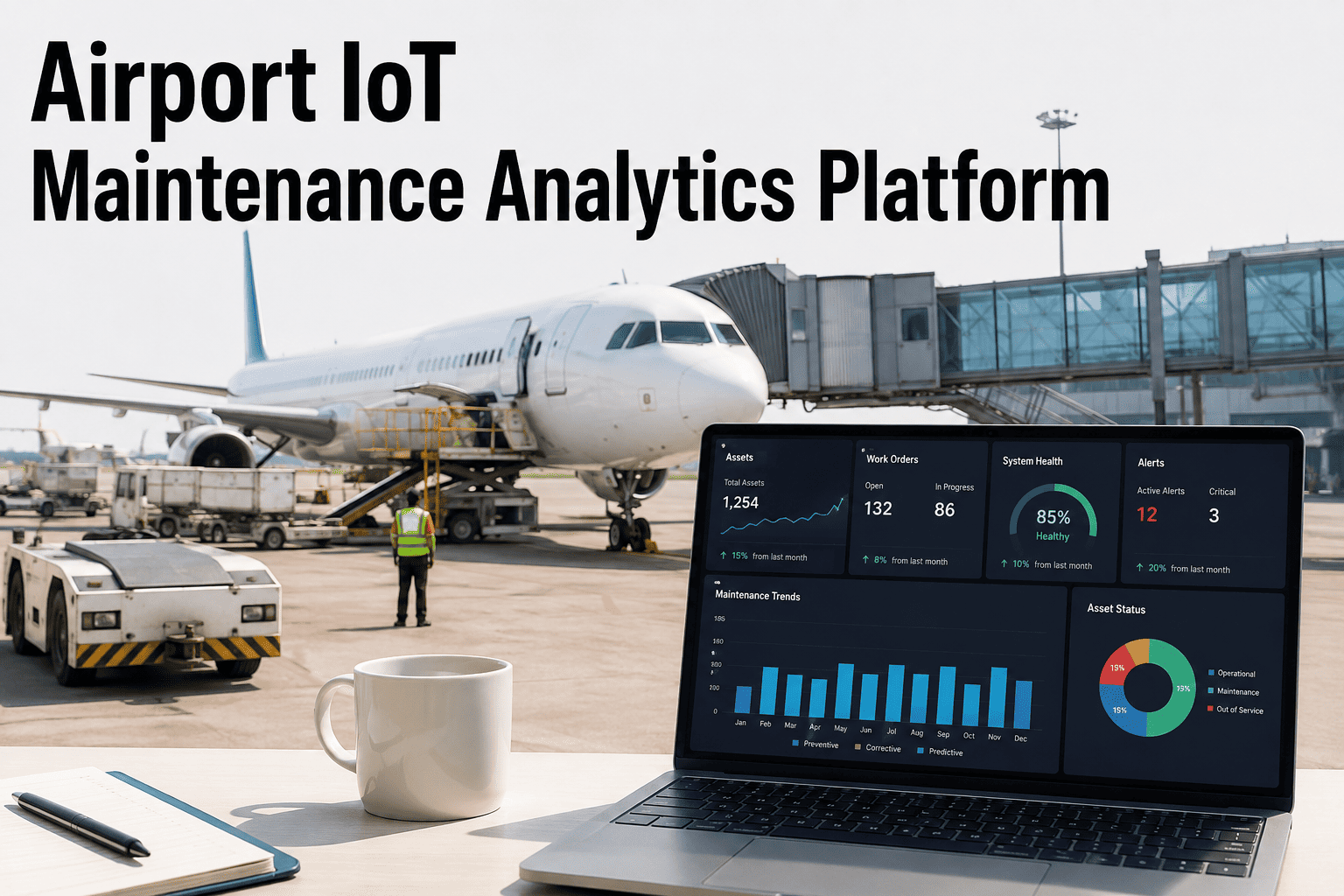
Most airports today are already covered in sensors — vibration monitors on escalators, temperature probes in chiller plants, current meters on baggage conveyors, door and access sensors at every gate. The problem is rarely a lack of data. It is that this data sits in six or seven different vendor portals, each with its own login, its own alarm thresholds, and no shared view of what is actually happening across the terminal right now. A chiller trending toward failure and an escalator drawing unusual current might both be flashing warnings at the same moment, in two systems nobody is cross-checking, while the maintenance team works from whichever dashboard they happened to open first. iFactory AI's IoT maintenance analytics platform pulls every one of those signals into one place and turns them into work orders your team can act on — Book a Demo to see your systems unified.
Turn Scattered Airport IoT Data Into Maintenance Action, Automatically
iFactory AI connects your BMS, CMMS, and equipment-vendor sensor feeds into a single analytics layer that spots anomalies, ranks risk, and opens the work order before your team has to go looking for the problem.
Six Systems, Six Logins, and Zero Correlation Between Them
Walk through a typical terminal's technology stack and you will find sensors everywhere, but almost none of them are talking to each other. Each vendor built its platform to manage its own equipment well, not to tell your facilities team what is happening across the building as a whole. That gap is where early warnings get missed, and it is rarely a technology failure in any single system — it is a failure of the space between systems, where nobody owns the job of looking across all of them at once.
The Systems Every Airport Already Has, Sitting Apart
Before a unified layer can correlate anything, it helps to see exactly what it is unifying. Most mid-size to large airports are already running most of the systems below — the challenge has never been buying more sensors, it has been getting the ones already installed to speak to each other and to the people who need to act on them. Each of these platforms was designed to be excellent at managing its own slice of the building, and none of them were ever asked to think about the terminal as a single connected system.
Building Management System
HVAC, chiller plants, lighting, and energy metering, usually the largest single data source in the terminal and often the most isolated from maintenance workflows.
Escalator and Elevator OEM Portals
Vibration, current, and fault data owned by the equipment manufacturer's own service platform, rarely exposed to in-house facilities teams in real time.
Baggage Handling Controls
Conveyor motor load, jam detection, and sortation system faults logged inside a proprietary interface that facilities teams almost never have direct access to.
CMMS and Work Order History
The system of record for repairs and inspections, but one that is only as good as the manual entries it receives after something has already gone wrong.
Perimeter and Access Sensors
Door, gate, and access control data that lives inside a security platform with essentially no connection to equipment maintenance planning.
Power Quality and Metering
Electrical monitoring that frequently shows the earliest signature of a mechanical fault elsewhere in the building, long before that fault becomes visible anywhere else.
What Disconnected IoT Data Actually Costs an Airport
Sensors that never reach a shared analytics layer are, in practical terms, no better than no sensors at all. The value of predictive data only shows up once it turns into a prioritized action someone actually takes, and that is exactly the step most airport IoT deployments stop short of today. The numbers below reflect what that gap typically looks like once an airport actually starts measuring it.
Separate Systems Per Terminal
Typical number of distinct vendor platforms — BMS, CMMS, escalator, baggage, chiller, security — a facilities team juggles with no shared view across them.
Alarms Never Reviewed
Share of low-priority alerts across siloed systems that commonly go unreviewed, buried under alarm volume with no way to separate signal from noise.
Lost to Manual Cross-Checking
Time facilities engineers spend each week manually comparing readings across separate portals to confirm whether an anomaly is real or just sensor drift.
Between Fault and Discovery
Typical delay between when a fault first appears in isolated sensor data and when it is actually noticed, without a system correlating signals in real time.
How iFactory Connects Every Airport System Into One Analytics Layer
Unifying IoT data across an airport is not about ripping out existing systems — it is about building a normalization and correlation layer on top of what is already installed. Here is how raw sensor signals from a dozen different systems become one ranked, actionable view for your team, without a single controller or sensor needing to be swapped out in the process.
Source Systems and Sensors
Escalator and elevator controllers, BMS and chiller plant sensors, baggage handling PLCs, and access control feeds — every existing system stays exactly where it is.
Protocol Normalization
Connectors translate BACnet, Modbus, OPC-UA, MQTT, and vendor-proprietary APIs into a single common data model, regardless of manufacturer or install date.
Cross-System Correlation Engine
AI models look for patterns spanning multiple systems at once — a chiller anomaly that coincides with an HVAC load spike, or a conveyor fault that lines up with a power quality event.
Unified Risk Dashboard
Every flagged anomaly lands in one ranked view, scored by urgency and operational impact, so facilities leadership sees the whole terminal's risk at a glance.
Automated Work Order Routing
Confirmed anomalies convert into structured work orders with asset, symptom, and recommended action, routed directly into your CMMS or dispatched to the relevant contractor.
Disconnected IoT vs. a Unified Analytics Platform
The equipment does not change when you unify your data — the sensors you already have stay exactly where they are. What changes is how fast a signal becomes a decision, and how much of your team's time goes into chasing information instead of acting on it.
| Capability | Disconnected IoT | iFactory Unified Platform |
|---|---|---|
| Cross-system visibility | Separate login per vendor system | One dashboard covering every connected asset |
| Alarm prioritization | Every alarm treated equally, easy to miss the critical one | Anomalies ranked by real operational risk |
| Root cause analysis | Manual comparison across systems, if it happens at all | Automated correlation across sensor feeds |
| Work order creation | Typed in manually after the fault is already visible | Generated automatically the moment a pattern is confirmed |
| Historical reporting | Scattered across vendor exports and spreadsheets | Centralized, searchable history for every asset |
See Every Connected System On One Airport-Wide Dashboard
iFactory AI maps your current sensor landscape — BMS, CMMS, escalators, baggage, chillers — and returns a fully scoped integration plan for your terminal.
What Airport Facilities Teams Get With iFactory
A unified IoT analytics layer only earns its place if it makes daily operations noticeably easier, not just more instrumented. Here is what comes standard with an iFactory deployment across your terminal's connected systems.
Unified Asset Health Index
A single, comparable health score for every connected asset — escalators, chillers, baggage conveyors — so leadership can rank risk across completely different equipment types.
Cross-System Anomaly Detection
Correlation models flag patterns that span multiple systems at once, catching issues no single vendor dashboard would ever be positioned to see.
Automated Work Order Generation
Confirmed anomalies open structured work orders automatically, complete with asset, symptom detail, and recommended repair action.
Protocol-Agnostic Connectors
Pre-built connectors for BACnet, Modbus, OPC-UA, MQTT, and common vendor APIs mean existing sensors rarely need to be replaced to get connected.
Role-Based Dashboards
Facilities engineers, contractors, and airport operations leadership each see the view relevant to their role, from a single shared data source.
Centralized Audit History
Every anomaly, alert, and repair across every connected system is logged in one searchable history, ready for compliance and performance reviews.
The Same Morning, With and Without a Unified Platform
The clearest way to see the value of unifying airport IoT data is to walk through an ordinary morning shift twice — once the way it plays out with disconnected systems, and once the way it plays out with everything flowing into one analytics layer. Neither version involves anything dramatic. That is the point — most of the value of a unified platform shows up in ordinary shifts, not in rare emergencies.
The facilities lead opens four different portals before their coffee is done — one for the chiller plant, one for escalators, one for the CMMS, one for baggage handling. A minor chiller alert from overnight sits unread in a queue of forty other notifications. By mid-morning, the chiller trips under load, forcing an emergency HVAC response during a peak passenger bank, and the team spends the rest of the shift reacting instead of planning.
The facilities lead opens one dashboard and sees a single ranked anomaly at the top of the queue — the chiller trend from overnight, already correlated with a related HVAC load pattern and scored as high priority. A work order was generated automatically at 6 a.m. A technician is dispatched before the morning rush even begins, and the rest of the shift runs on the plan the team actually made, not the one an emergency forced on them.
From an Instrumented Airport to an Airport That Actually Acts On Its Data
Most airports investing in IoT over the last several years have already solved the hard part of getting sensors installed — the gap that remains is turning that instrumentation into a maintenance program the team can actually run on. Data sitting in a vendor portal nobody checks daily delivers none of the value it was purchased for, no matter how sophisticated the sensor behind it is. The real return on an IoT investment only shows up once every signal reaches a shared analytics layer that can weigh it against everything else happening in the building at the same moment.
That shift changes the day-to-day rhythm of a facilities team more than any single piece of hardware could. Instead of a morning spent logging into separate portals hoping nothing was missed overnight, the team opens one ranked queue and already knows exactly where to focus first. Instead of discovering a cross-system failure after it has already disrupted operations, the correlation between two unrelated alarms gets caught while there is still time to plan the repair on the team's own schedule. iFactory AI is built to make that shift practical on the systems an airport already has installed, without waiting for a multi-year technology refresh to get started.
Airport IoT Maintenance Analytics — FAQs
Do we need to replace our existing sensors and vendor systems to use iFactory?
In most cases, no. iFactory is built with protocol-agnostic connectors for BACnet, Modbus, OPC-UA, MQTT, and common vendor APIs, which means the sensors and controllers already installed across your terminal typically stay exactly where they are. The platform sits on top of what you already have, pulling data out of each system rather than requiring a hardware swap. Where a genuine gap exists — a system with no data output at all — we scope that separately during onboarding. Book a Demo to review your current sensor landscape.
How does cross-system correlation actually work in practice?
The correlation engine looks for patterns across otherwise unrelated data streams — for example, an escalator drawing higher current at the same time a power quality event shows up on the electrical monitoring system, or a chiller anomaly that lines up with an HVAC load spike. Individually, each of those signals might look minor. Correlated together, they often point to a root cause a single-system dashboard would never surface on its own, which is exactly the gap disconnected IoT leaves open.
Does this replace our CMMS or work alongside it?
iFactory is designed to work alongside your existing CMMS rather than replace it. Confirmed anomalies generate structured work orders automatically, and those work orders route directly into the CMMS your team already uses day to day, so technicians keep working from the same system they know while the analytics layer handles detection and prioritization behind the scenes. Contact our team to confirm compatibility with your CMMS.
How long does it take to connect our terminal's systems to the platform?
Timelines depend on how many systems and protocols are involved, but most airports start with a focused integration covering their highest-priority systems — often BMS, escalators, and one or two other high-impact assets — before expanding coverage terminal by terminal. An initial integration review maps every connected system and gives you a realistic rollout timeline before any work begins. Book an integration review to get a timeline specific to your airport.
Who actually uses the unified dashboard day to day?
The platform is built for role-based access, so facilities engineers see live anomaly queues and work order status, maintenance contractors see the assets and tickets relevant to their contract, and airport operations leadership sees a rolled-up risk view across the entire terminal or airport. Everyone works from the same underlying data, just filtered to what is relevant for their role, which is a large part of what eliminates the cross-checking that disconnected systems require today.
Stop Checking Six Dashboards for the One Alert That Matters
Book a working session with iFactory AI. We map your BMS, CMMS, and equipment-vendor systems, then return a fully specified plan to unify them into one analytics layer.