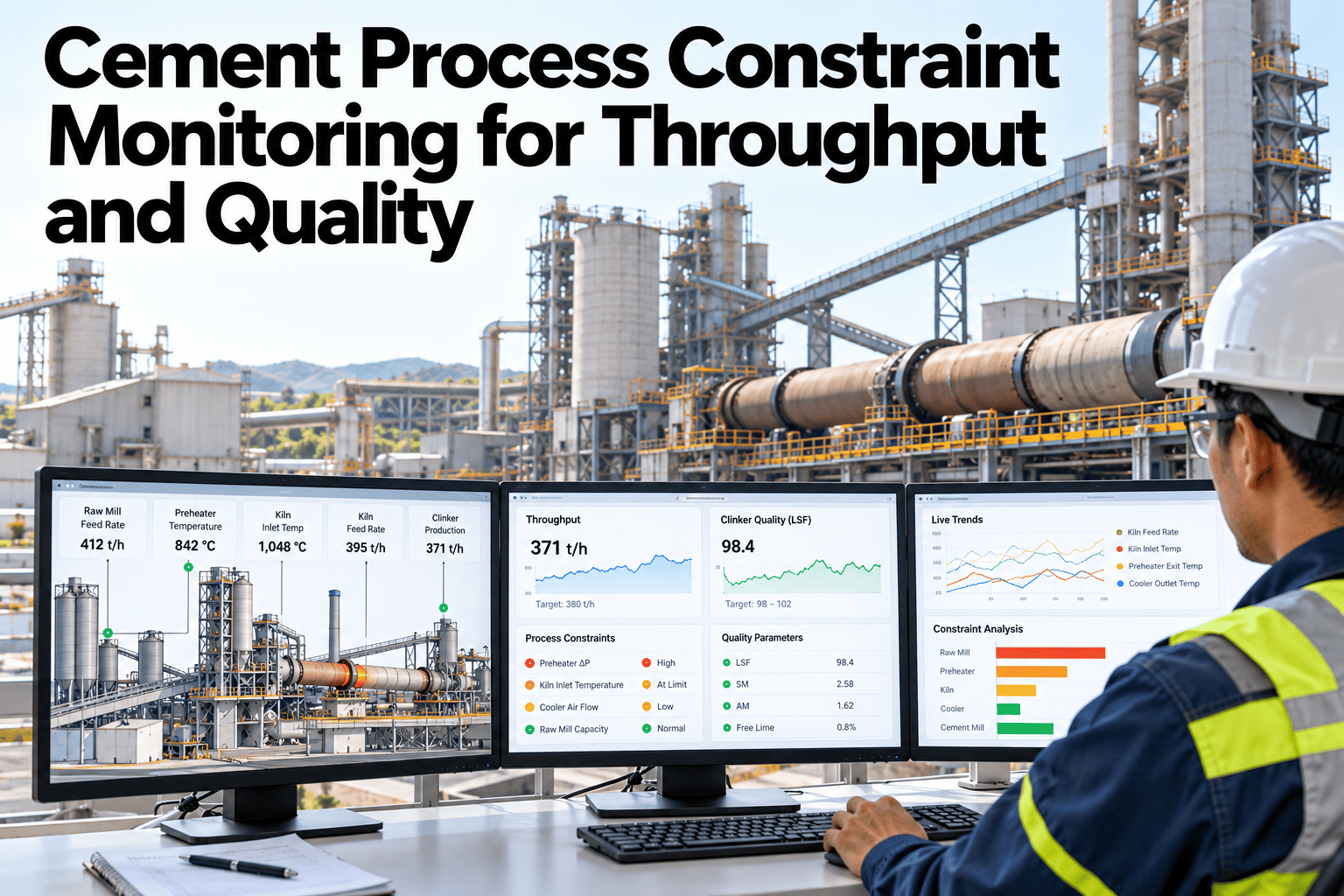
Every cement line has a ceiling on how much it can produce without breaking quality, and that ceiling moves. A wet raw mix lowers it. A worn liner lowers it. A tight customer specification lowers it further on some days than others. Plants that treat throughput and quality as two separate dashboards tend to discover the conflict only after a batch is already out of spec. This guide walks through building one constraint view that tracks both together. Teams ready to connect their own limits can book a demo with the iFactory AI team.
Cement Process Constraint Monitoring for Throughput and Quality
A constraint is any limit that, if crossed, either stops the line or puts a batch out of spec. Monitoring them together means every throughput decision carries its quality cost alongside it, visible in the same view.
Defining a Constraint Before Monitoring It
A constraint is only useful once it is written as a number with a direction. "Mill is tight" is not a constraint. "Cement mill power draw above 3,450 kW drops Blaine fineness below spec" is one. The first step for any plant is turning its informal list of known limits into this exact format.
Cannot be crossed
Kiln NOx permit ceiling, maximum fan speed, structural load limits. Crossing these stops production or triggers a compliance event.
Degrades quality or cost
Free lime trending up, Blaine fineness drifting down, fuel cost per tonne climbing. These can be crossed briefly but carry a growing penalty.
Most plants carry both types in their heads, distributed across shift supervisors and lab technicians. Writing them down with a number, a direction and an owner is what makes them monitorable rather than tribal knowledge.
Throughput Metrics Worth Watching
Throughput is usually measured as tonnes per hour, but the number alone hides whether the line is running near a constraint or comfortably inside it. Pairing the rate with its nearest constraint changes the conversation.
| Metric | What It Shows | Nearest Constraint |
|---|---|---|
| Kiln feed rate | Raw meal into the kiln, tonnes per hour | Burnability, free lime |
| Cement mill throughput | Output of ground cement, tonnes per hour | Blaine fineness, residue |
| Clinker production | Kiln output, tonnes per day | NOx, SO2, thermal limits |
| Packing rate | Bagged tonnes per hour | Bag weight tolerance |
Quality Limits That Compete With Speed
Almost every speed increase trades against a quality parameter somewhere downstream. The chart below shows an illustrative relationship between cement mill throughput and Blaine fineness for one grade, where pushing the mill faster grinds coarser particles.
The 165 t/h point is the operating sweet spot for this illustrative grade, where throughput is high and fineness sits exactly on target. Pushing past it buys a small speed gain at a real quality cost, which is exactly the trade a constraint-aware view should surface before the batch ships.
See Throughput and Quality on One Screen
iFactory AI pairs live production rates with the quality limits they affect, so a speed decision shows its quality cost immediately. Book a 30-minute walkthrough.
Operating Context Changes the Limit
A constraint is rarely a fixed number. Raw material moisture, ambient temperature, fuel quality and equipment wear all shift where the real ceiling sits on any given day. A static limit written once a year will be wrong on both wet days and dry ones.
Handling Exceptions When a Constraint Is Crossed
Even a well-built constraint view will see a limit crossed sometimes. What matters is what happens in the following minutes, not whether it happened at all.
Review and Action Log
The constraint list is never finished. A weekly or monthly review of which limits were approached, which were crossed and why keeps the list honest and surfaces where equipment or process changes have quietly moved a ceiling.
| Review Question | What It Catches |
|---|---|
| Which constraints were approached most this period? | Shows where the line is actually operating near its ceiling |
| Which crossings led to quarantined output? | Connects constraint discipline directly to yield |
| Has any limit shifted since last review? | Flags equipment wear or raw material changes |
| Are any limits consistently never approached? | Suggests room to push throughput safely |
Plain-Language Glossary
A shared set of terms keeps production, quality and process engineering reading the same constraint list the same way.
Expert Review
Plant engineers reviewing constraint programs across cement lines keep returning to the same two notes.
Keep the list short
Starting with every limit the plant could possibly track buries the handful that actually bind on a normal day. Five to eight live constraints per line, reviewed monthly, beats a static spreadsheet of forty.
Name an owner
A constraint without a named owner tends to drift out of date within a quarter. Assigning each limit to process engineering or quality, with a review date attached, keeps it trustworthy.
Frequently Asked Questions
How many constraints should we track per line?
Most plants find five to eight live constraints per line is enough to catch the real binding limits, without burying operators in alerts for numbers that rarely move. Book a demo to see a starter constraint set.
Can hard and soft limits be shown on the same screen?
Yes, and they should be, since an operator deciding whether to push speed needs both the compliance ceiling and the quality trend in view at once.
Does this replace our lab's quality control process?
No, it complements it by giving production visibility into the same limits the lab already tests against. Ask support how lab results connect to the constraint view.
How often should constraint limits be re-tuned?
A monthly review catches most drift from equipment wear or raw material changes, with an immediate review after any major maintenance or mix change. Book a demo to see a sample review cadence.
What data do we need to get started?
A written list of known limits, access to the relevant process tags and recent lab results is enough to build a first version, with refinement following from there.
Make Every Speed Decision Show Its Quality Cost
iFactory AI connects throughput and quality limits into one constraint view for your cement lines. Book a walkthrough built around your own data.