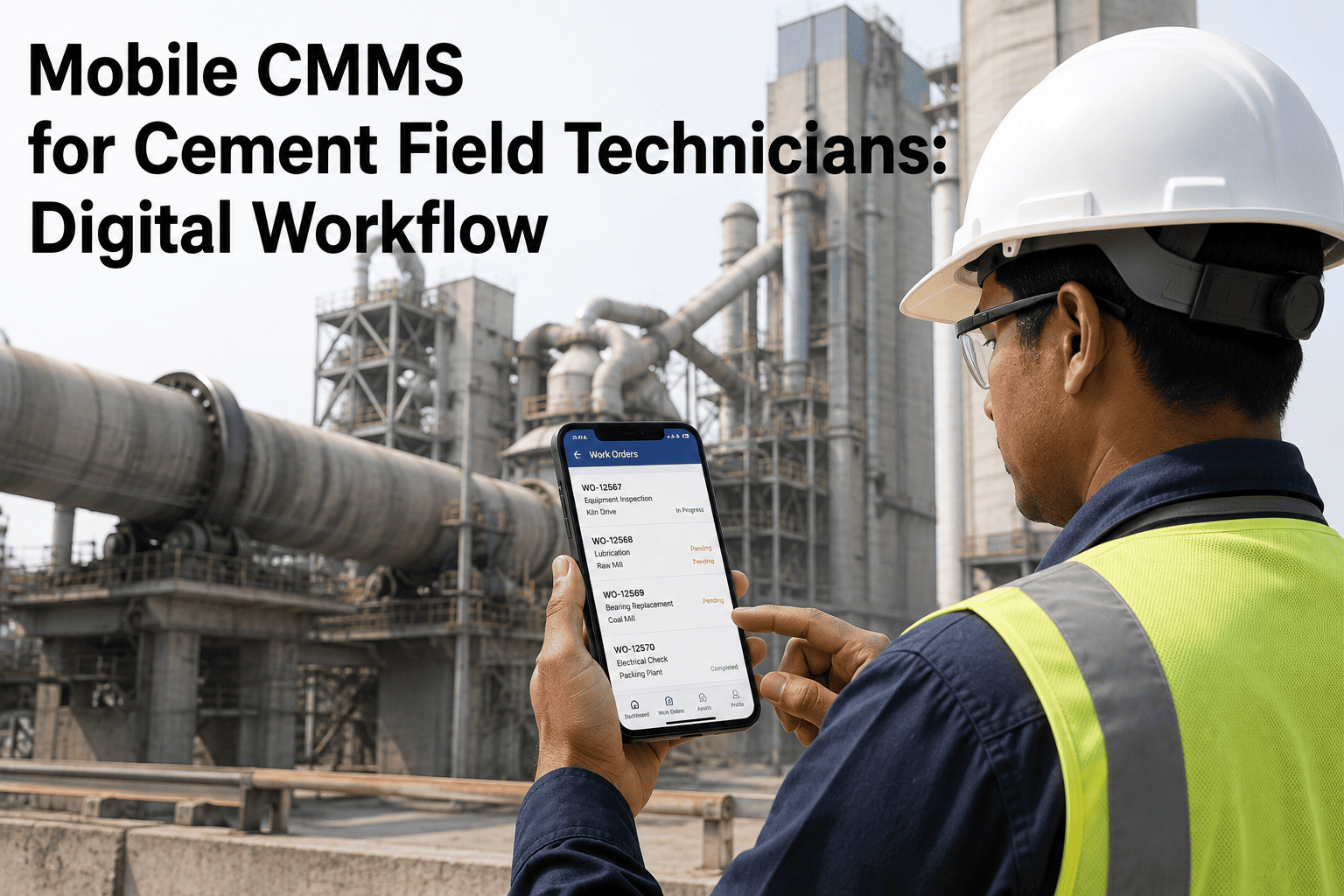
Compare the top AI-powered mobile CMMS apps for cement plant technicians in 2026. AI work order prioritization, offline capability & smart barcode scanning — ranked. The modern cement plant is a harsh, disconnected environment where traditional desktop-bound maintenance systems go to die. When a technician is 200 feet up a preheater tower or deep inside a subterranean clinker tunnel, a paper work order or a desktop CMMS terminal is useless. In 2026, AI field maintenance cement 2026 requires a mobile-first approach. Technicians need an AI technician mobile app that functions entirely offline, intelligently prioritizes their daily tasks, and provides instant access to schematics via AI smart barcode scanning. As cement plants aggressively transition to digital workflows, finding the right top AI mobile CMMS cement solution is critical to reducing wrench time and eliminating the "fix it when it breaks" cycle. This guide compares the leading AI-powered maintenance apps, focusing on the features that actually matter to the worker on the floor: offline reliability, AI work order prioritization, and AI digital inspection capabilities. Schedule a free assessment to see how the iFactory AI mobile app performs in your plant's most challenging environments.
Step 1: Understand the Mobile-First Mandate for Cement
Before comparing the top AI mobile CMMS cement options, plant managers must understand why legacy web-apps fail in heavy industry. The cement environment is uniquely hostile to standard mobile software. Dust, extreme temperatures, and massive steel structures creating WiFi dead zones dictate a specific set of technical requirements. If an app cannot function smoothly under these four conditions, it will be abandoned by technicians within weeks.
The Connectivity Void
Cement plants are notorious for network dead zones. An AI offline CMMS cement app must store full asset histories locally and queue updates seamlessly when reconnecting.
Task Overload & Chaos
Technicians face dozens of daily tasks. AI work order prioritization analyzes criticality, location, and required tools to auto-generate the most efficient walking route.
Data Entry Friction
Typing with heavy gloves is impossible. The app must rely on AI smart barcode scanning, voice dictation, and one-tap photo uploads for AI digital inspections.
Disconnected Inventory
Walking 20 minutes to the storeroom only to find a part is out of stock wastes hours. The app must provide live inventory counts and one-click digital reservations.
Not sure if your current CMMS can handle true offline mode? Book a free mobile readiness assessment with our implementation engineers.
Step 2: Compare the Top AI Mobile CMMS Apps
We evaluated the leading solutions deployed in heavy industry for 2026, focusing specifically on their performance in cement manufacturing environments. The comparison centers on the absolute non-negotiables: offline stability, AI task management, and rugged usability.
The iFactory AI Advantage: While generic apps treat mobile as an afterthought, iFactory is an AI-powered maintenance app designed for the field. By integrating AI smart alerts mobile directly with predictive machine sensors, a technician's route is optimized in real-time, ensuring they arrive at the failing bearing before it halts the kiln.
Want to test the offline capabilities yourself? Contact iFactoryApp Support | Get Help & Technical Assistance to request a sandbox mobile trial.
Step 3: Evaluate Core Features for Technician Adoption
An app is only as good as its adoption rate. If technicians find the software harder to use than paper, they will revert to paper. Here are the core features that drive 90%+ adoption rates in cement plant deployments.
True Offline Reliability
When a tech is inspecting a bucket elevator in a concrete shaft, they must be able to open work orders, view PDF schematics, and log meter readings without a loading spinner. The best apps download the user's entire daily shift data locally during morning sync, allowing uninterrupted work. When they return to a WiFi zone, the sync happens silently in the background.
AI Work Order Prioritization
Photo/Video & Voice Documentation
Instead of typing "belt looks worn," a technician snaps a photo, circles the fraying edge with their finger, and uses voice-to-text to dictate the AI digital inspection notes. This creates an undeniable visual history of asset degradation, which is critical for root cause analysis later.
AI Smart Barcode Scanning
Asset tags get covered in cement dust. Standard QR readers fail. AI barcode scanning maintenance utilizes computer vision to read damaged, dusty, or poorly lit barcodes instantly, instantly pulling up the asset's BOM, lockout/tagout procedures, and historical failure data.
Step 4: Execute a Successful App Rollout
Deploying a new AI technician mobile app requires change management. Do not simply hand out tablets and expect results. Follow this rollout sequence to ensure high adoption and data integrity.
Pilot & Champion
Actions:
- Issue ruggedized devices
- Have them execute daily PMs
- Gather UI feedback & adjust
QR Tagging Blitz
Actions:
- Print industrial-grade metal QR tags
- Affix to kilns, mills, and major drives
- Test scan speed in the field
Full Deployment
Actions:
- Conduct shift-level training
- Mandate all parts requests via app
- Monitor sync errors daily
AI Activation
Actions:
- Enable IoT AI smart alerts mobile
- Review tech routing efficiency
- Measure wrench-time improvements
Ready to Digitize Your Field Operations?
Equip your technicians with the iFactory AI mobile platform. Give them the offline reliability, smart scanning, and AI prioritization they need to keep the plant running.
Step 5: Measure the Impact of Mobile AI
How do you know the mobile deployment is working? The success of AI field maintenance cement 2026 is measured by the reduction of administrative burden on your technicians and the increase in data quality for your reliability engineers.
The Old Way (Paper)
- 30 mins walking to pick up work orders
- Illegible handwriting & missing data
- No photos of failing parts
- End-of-shift data entry backlog
- Asset history unavailable in the field
iFactory AI Mobile
The New Reality (2026)
- Work orders pushed directly to device
- Rich visual history of every asset
- +35% increase in active repair time
- Zero data entry at the end of shift
- Instant access to safety procedures
Mobile App Vetting Checklist for Cement
Need to prove the ROI of mobile devices to management? Book a consultation to build a business case based on wrench-time recovery.
Expert Perspective
"The biggest mistake cement plants make when buying a CMMS is letting the IT department or the planning office choose it based on desktop features. If the guy wearing the hard hat hates the mobile app, your CMMS will fail. Period. We tested several platforms in a 4,000 TPD plant. Generic apps froze in the tunnels. The ERP mobile interface required 14 taps just to close a work order. We deployed an AI-native app with robust offline caching and smart QR scanning. Within a month, the 'shadow' paper system disappeared. The techs loved having PDFs and histories in their pockets, and management finally got accurate data because it was easy to input with voice-to-text. Mobile isn't an add-on in 2026; it's the entire battleground."
Schedule your iFactory mobile demo to experience true offline capability and AI routing — or visit iFactoryApp Support | Get Help & Technical Assistance for deployment questions.
Ditch the Clipboards. Empower Your Technicians.
iFactory connects your field teams with offline reliability, smart barcode scanning, and AI-driven prioritization — transforming cement plant maintenance for 2026.
Deploy iFactory AI — Give Your Techs the Tools They Need
Join leading cement manufacturers using iFactory to eliminate paper, boost wrench time, and capture high-quality maintenance data directly from the field.