Multi-item orders force a choice at the pack bench in seconds: which box, which cushioning, and whether to ship in one carton or two. Written rules make that choice the same on every shift, and they keep cube, damage and cost in balance. See how iFactory AI turns packing rules into carton choices for your own item range.
One Set of Rules for Every Multi-Item Box
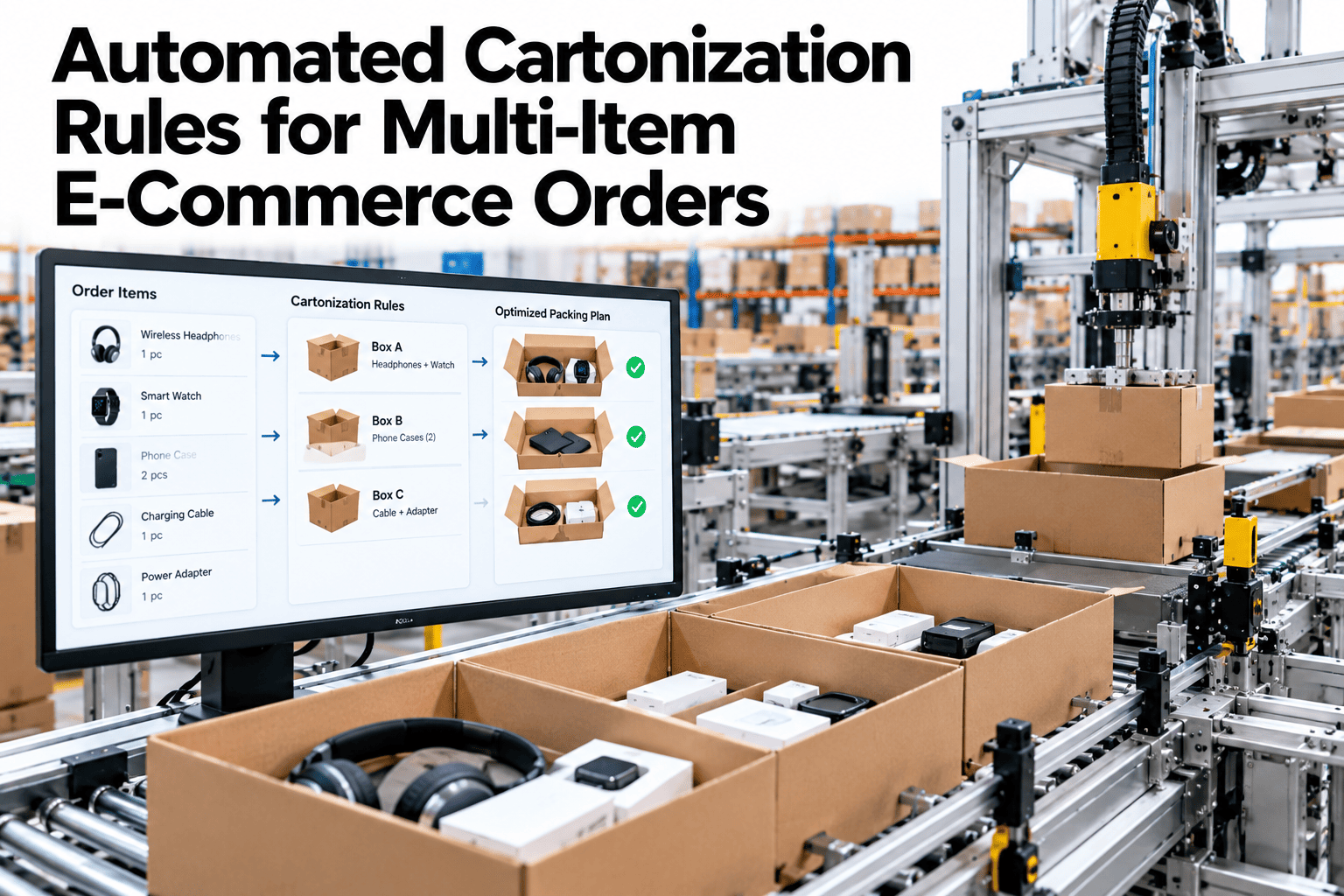
iFactory AI checks item sizes, compatibility, the carton library and cushioning needs, then picks the carton, or a split, that protects the order at the lowest total cost.
Why Cartonization Needs Written Rules
Picking a box looks simple until an order holds six items of different shape and weight. Then every packer solves the same puzzle alone, and every answer is a little different.
Bills follow size
Carriers price large light parcels by dimensional weight, which is length times width times height divided by a divisor.
The puzzle is hard
Choosing the smallest set of boxes for an order is a form of three-dimensional bin packing, which is NP-hard.
Packers improvise
Without rules, boxes are chosen by habit, and void fill is used to hide the mismatch.
Costs hide
Oversize boxes, damage claims and extra shipments all show up in different reports.
A Chalmers thesis on warehouse box choice found that solver-based methods can beat simple heuristics on packing efficiency, while heuristics suit cases when computing load matters most. It also noted that human workers sometimes did better than the solver, mainly because of limits in the model, so a human override belongs in the design.
Rule Area 1 · Item Dimensions
Every carton choice rests on item master data. If the length, width, height or weight is wrong, the best algorithm still picks the wrong box.
| Data field | Rule | Why it matters | Common gap |
|---|---|---|---|
| Length, width, height | Measure the packed item, round each side up to the next whole unit | Rounding decides which cube band the carton falls into | Supplier sizes used instead of measured sizes |
| Weight | Gross weight with retail packaging | Sets carton strength and weight limits | Net product weight stored |
| Orientation | Mark items that must stay upright or flat | Limits which carton shapes work | No orientation flag |
| Shape type | Box, cylinder, bag or irregular | Irregular shapes waste space in a box | Everything treated as a rectangle |
| Nesting and folding | Flag items that nest or compress | Can reduce the carton size | Not recorded |
| Fragility class | Rate each item on a short scale | Feeds the cushioning rule | Rated by one person's opinion |
Rule Area 2 · Compatibility
Some items should never share a carton, and some need a barrier. Write these pairings once, so the system blocks unsafe combinations and the bench never has to guess.
| Item class | With paper goods | With heavy hard goods | With liquids | With batteries |
|---|---|---|---|---|
| Liquids | Separate or sealed bag | Place low, with a divider | Allowed if sealed | Check carrier rules |
| Fragile glass | Allowed | Separate | Separate | Allowed |
| Heavy hard goods | Place at the base | Allowed with dividers | Place at the base | Allowed |
| Batteries and regulated goods | Check label rules | Allowed | Check carrier rules | Check label rules |
| Strong-smelling goods | Separate | Allowed | Allowed | Allowed |
| Sharp items | Guarded and separate | Guarded | Guarded and separate | Guarded |
Test Your Rules on Real Orders
Book a 30-minute session and iFactory AI will replay a sample of your multi-item orders against a draft rule set.
Rule Area 3 · The Carton Library
The library is the set of boxes and bags the system may choose among. A well-built library has enough sizes to fit your range, and not so many that nobody can find them.
Cover the range
Benefits fall sharply without an adequate range of appropriately sized cartons, so test fit across a year of orders.
Use steady steps
Sizes should climb in even steps, so no order jumps two sizes up.
Retire rare sizes
A box used a few times a month adds stock and confusion for little gain.
Set limits
Each carton has a weight limit, inner size and strength grade in the record.
Match the bin
Cartons sit at the bench by speed of use, with the top five within reach.
Review twice a year
Re-run the fit test whenever the range or the carrier terms change.
How Dimensional Weight Changes the Math
Carriers bill the greater of actual weight and dimensional weight. Dimensional weight is volume divided by a divisor, and a lower divisor makes the same box cost more.
Rule Area 4 · Cushioning Needs
Right-sizing a box saves money until a product arrives broken. Cushioning rules tie each fragility class to a protection method, and they should be tested.
Robust goods
Clothing, books and sealed plastics. Snug fit, minimal fill.
Moderate goods
Boxed gadgets and cosmetics. Fill to stop movement and corner crush.
Fragile goods
Glass, ceramics and screens. Wrap each piece and keep a gap to the carton wall.
Test-led goods
High value or high claim items. Pack-out is set by a lab test, not by opinion.
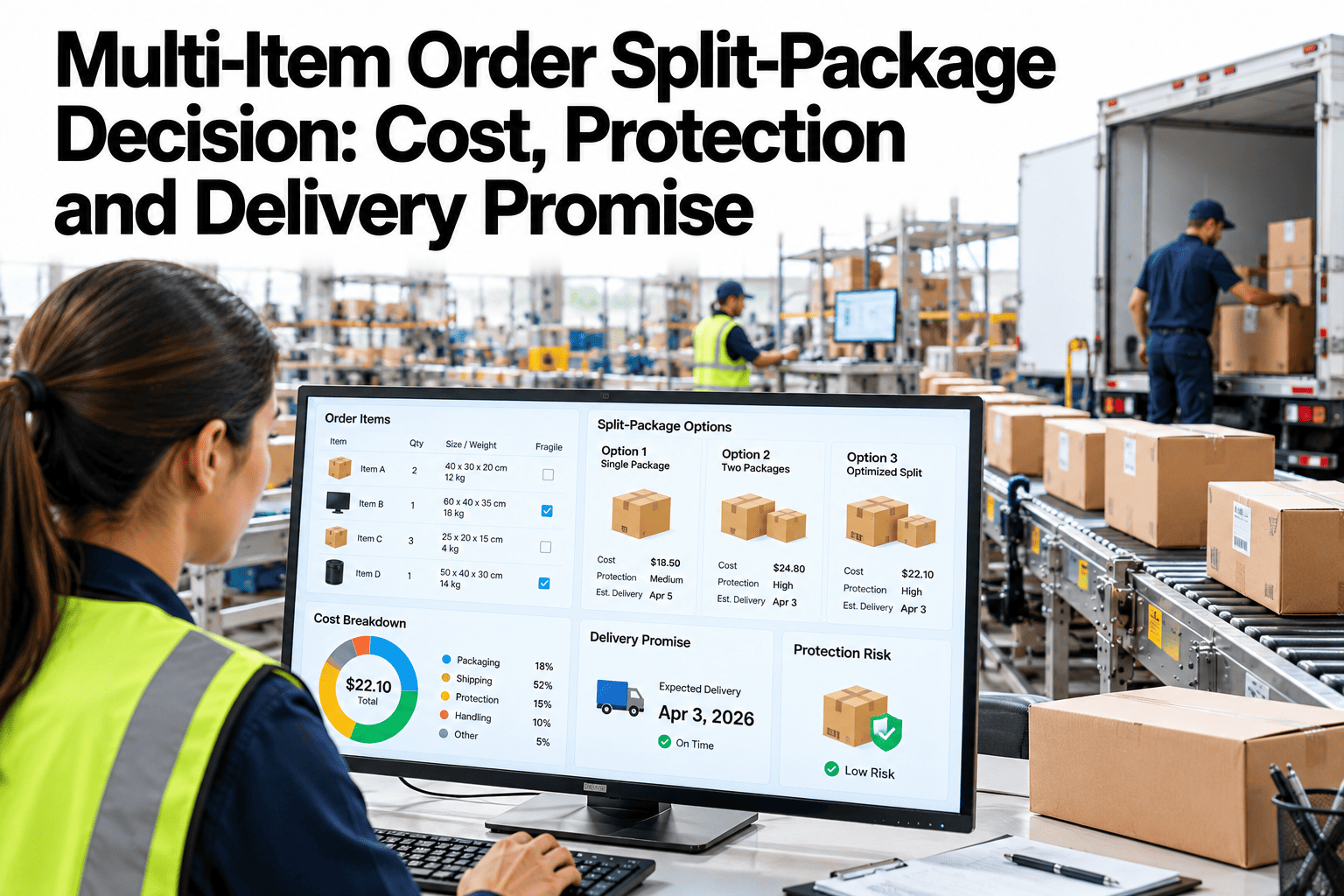
Rule Area 5 · Split-Package Trade-Offs
Sometimes the best answer is two cartons. The rule needs a clear cost view, so splits happen for good reasons and not because the engine ran out of ideas.
| Cost factor | One large carton | Two smaller cartons | Question to ask |
|---|---|---|---|
| Shipping charge | One label, higher billed size | Two labels, each with its own base fee | Which total is lower for this lane? |
| Materials | More fill and a bigger box | Two boxes, less fill each | Which uses fewer materials? |
| Handling time | One pack, one scan | Two packs, two scans | What is the extra labor? |
| Damage risk | Heavier mixed load | Safer separation of fragile goods | Is there a compatibility conflict? |
| Customer experience | One delivery | Possible different arrival dates | Does the promise still hold? |
| Returns | One return pack | Two return packs | Does the split raise returns handling? |
How the Engine Reaches a Decision
Filter
Remove carton options that break weight, size or compatibility rules.
Fit
Test whether the items can be placed in each remaining carton.
Score
Rank fits by billed size, materials, protection and labor.
Choose
Pick the best single carton, or the best split if it scores better.
Show the packer
Display carton, item order and fill, with a one-tap override.
Learn
Log overrides and damage, then refine rules each month.
What the Packer Sees at the Bench
The best rule set fails if the screen is hard to read. Keep the bench view short, clear and fast, because the packer has seconds, not minutes.
The carton
One clear carton code, with a picture and the bin location.
The pack order
Heavy goods first at the base, fragile goods last, with barriers marked.
The fill
Cushioning type and amount, based on the fragility class.
The split notice
If the order splits, show both cartons and the items in each.
Special Cases That Need Their Own Rules
Peak Season and Rule Changes
Peak weeks stress every rule. Orders grow, temporary packers join, and carton stock runs short. Plan for that before the season starts.
Replay last season
Run last year's peak orders through the rules and check stock for the cartons they choose.
Watch overrides
A jump in overrides often means a size is missing or a stock-out is forcing substitutes.
Freeze major changes
Limit rule edits to urgent fixes, with a clear owner and a note on each.
Review and reset
Study damage, overrides and splits, then refresh the library for the new year.
Materials, Waste and Sustainability
Right-sizing also trims materials. Smaller boxes use less board, and less void fill means less paper or plastic in the bin at the customer's door.
Treat the rule set as a living document. Each month, pull the ten most overridden orders, the ten most damaged orders and the ten highest billed-weight gaps. Review them together with packers, a packaging engineer and the carrier account owner, and write down one change for each pattern.
Small, steady fixes beat large rewrites. A single added carton size, a corrected item dimension or a clearer compatibility line can lift a whole product family, and it is easy to measure the effect in the next month's report.
Keep the language plain. Rules written in packer terms, such as heavy at the base or glass never beside liquid, are followed. Rules buried in codes and grids are ignored, however good they look on a slide.
Finally, share the results with the people who make them. A weekly note showing how much void space fell, how many overrides were logged and which fix helped most keeps the pack floor engaged. When packers see their feedback change a rule, they report problems sooner and with better detail.
Start the first month with a narrow scope. Choose one pack bench, one carrier and the top fifty items, then widen once the override rate and damage rate are steady. A narrow start gives clean numbers, and clean numbers are what convince finance and operations leaders to extend the rules across the building.
Write down the baseline before go-live: current void share, billed against actual weight, damage rate and average pack time. Without that record, no result can be proved later.
Governance Checklist
How to Judge the Results
| Measure | How to count it | What good looks like |
|---|---|---|
| Void share | Empty carton volume divided by carton volume | Falling without more damage |
| Billed against actual weight | Billed weight divided by scale weight | Closer to one |
| Damage rate | Damaged orders per thousand shipped | Steady or lower |
| Override rate | Orders in which the packer changed the carton | Falling, with a clear reason list |
| Split rate | Orders shipped in more than one carton | Steady and explainable |
How iFactory AI Supports Cartonization
iFactory AI holds the item master, the carton library and the rule set, then runs them on live orders at the pack bench.
Item master checks
Flags missing or doubtful sizes and weights before they hit an order.
Compatibility engine
Blocks unsafe pairings and suggests barriers or splits.
Carton fit scoring
Ranks carton options by billed size, materials and protection.
Cushioning rules
Links each fragility class to a method and records the result.
Split advisor
Compares one carton against two on total landed cost.
Override log
Captures every packer change and the reason given.
A 90-Day Starting Plan
Fix the data
Measure top sellers and clean the carton library records.
Write the rules
Agree compatibility, cushioning and split rules with the floor team.
Replay past orders
Run a month of orders through the rules and compare with what shipped.
Go live on one line
Start at one pack bench, track overrides and tune the rules.
Frequently Asked Questions
Do we need perfect item dimensions to begin?
No, but you need good data for the items that drive most orders. Start with the top sellers and widen coverage over time. Book a demo to check your item data against a sample of orders.
Can packers still override the suggested carton?
Yes. Overrides are logged with a reason, and repeated overrides show which rule needs attention. Book a demo to see the override log, or ask support about packer workflows.
How do carrier rule changes affect the carton library?
A change in divisor, size threshold or rounding can move a carton into a higher billed band. The library should be re-tested when terms change. Book a demo to test your library against current carrier rules.
When is splitting an order the right choice?
Split when it removes a compatibility conflict or lowers total landed cost by an agreed margin, and when the delivery promise still holds. Book a demo to model split trade-offs on your lanes.
How long does a cartonization pilot take?
The turnkey build runs 6–12 weeks, with replay of past orders before any bench goes live. Book a demo to plan your pilot around your peak season.
Put Every Multi-Item Order in the Right Box
iFactory AI turns your packing rules into a clear carton choice at the bench. Book a walkthrough on your own order mix.