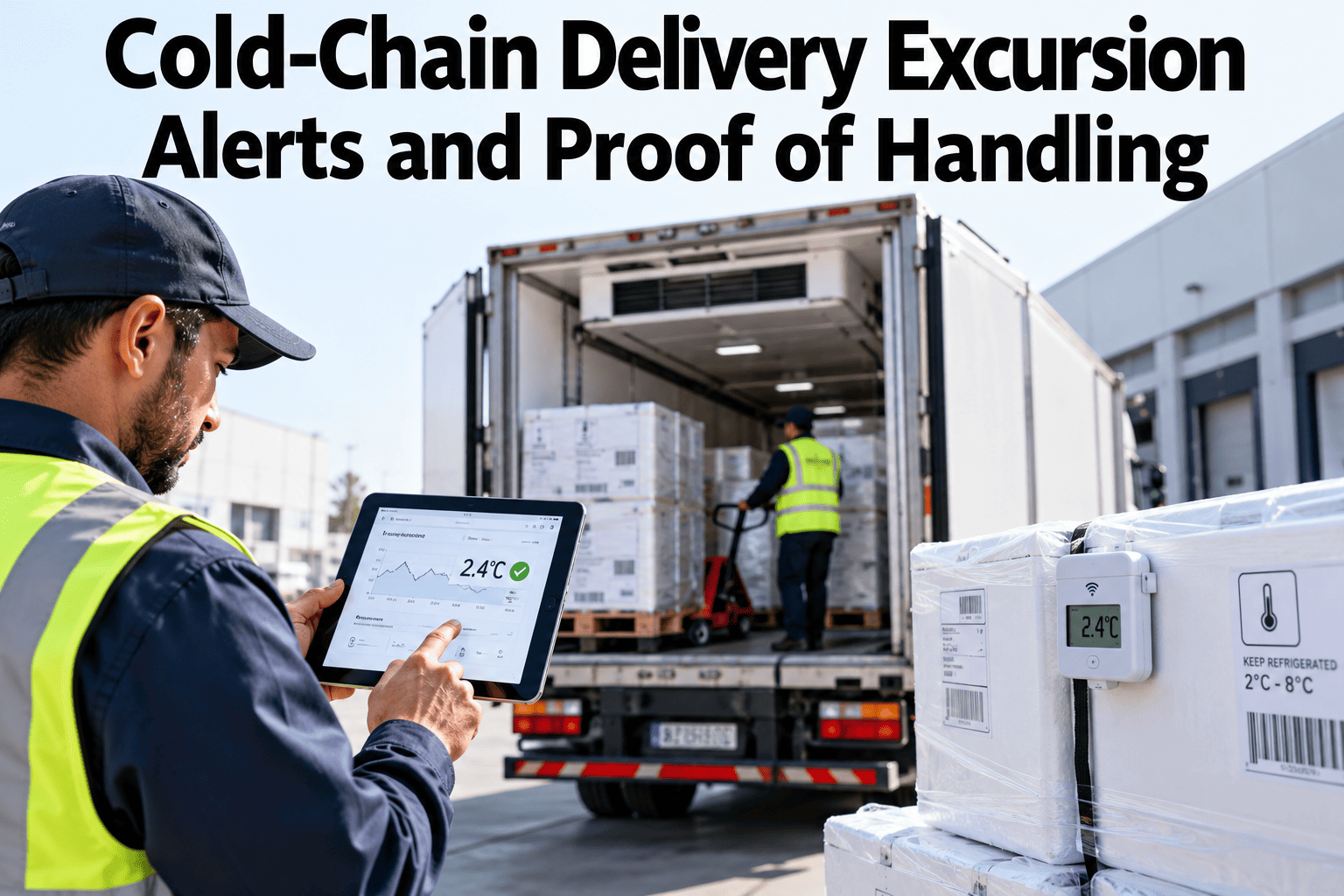
A refrigerated vehicle can leave the depot at the right temperature and still arrive with a problem nobody saw. A door left open at a stop, a failed unit or a warm load can push product outside its safe range for long enough to matter, yet the first sign may be a customer complaint days later. Cold-chain delivery excursion alerts tell the right person quickly, and proof of handling records what happened and what was done about it. Together they protect product, brands and customer trust. To see how this could work for your fleet, you can review an excursion alert design with our team.
Cold chain, perishable and time-critical delivery
Know the Moment a Delivery Leaves Its Temperature Range and Prove What You Did About It
iFactory AI links temperature readings to trips, shipments and stops, then alerts the right people and builds a record of every response.
Trailer 12 is above range
Excursion alert
Cargo temperature has been above the limit for 11 minutes after the second stop. Door open event recorded. Please acknowledge and check the unit.
Shipment 4471Needs acknowledgement
The visibility gapProblems Often Surface Long After They Begin
Temperature logs are often downloaded after delivery, if at all. By then the product has been delivered, sold or discarded, and the question is who is responsible.
Trip starts
Load leaves the depot at the right temperature
Excursion happens
A door, a fault or a warm load changes conditions
Nobody is alerted
Data sits in a logger until it is read
Complaint or rejection
The customer finds the problem first
Real-time alerts shorten that gap from days to minutes, so action can be taken while product can still be protected.
Setting thresholdsTemperature Limits Come From the Product, Not the Vehicle
Thresholds must reflect the product specification, customer agreements and regulations. The examples below are illustrative only.
| Product type | Example range | Notes |
|---|
| Chilled food | Often around 0 to 5 degrees Celsius | Check the product specification and local rules |
| Frozen food | Often minus 18 degrees Celsius or colder | Short rises may matter less than long ones |
| Pharmaceuticals, standard cold | Often 2 to 8 degrees Celsius | Good distribution practice rules apply |
| Fresh produce | Varies widely by product | Some items are damaged by being too cold |
| Chocolate and sensitive goods | Narrow range with limited swings | Stability matters as much as the number |
Always set limits from the product specification and your quality team. Never copy another company's thresholds.
Trip and shipment contextAn Alert Without Context Is Hard to Act On
A temperature number alone does not say what happened. Context turns a reading into a decision.
Shipment
Which orders, products and customers are on board.
Vehicle and unit
Which vehicle and which refrigeration unit and settings.
Route and stops
Where the vehicle is and which stop is next.
Events
Door openings, unit alarms and ambient conditions.
With context, a driver or dispatcher can see at once whether the alert is a short door-open spike or a genuine unit fault.
See Excursions With the Context to Act on Them
Share your thresholds and route data and see how iFactory AI would link temperature readings to trips, doors and shipments.
How serious is itSeverity Depends on How Far and How Long
A brief small rise is not the same as a long large one. Many operations score severity using both size and duration.
Excursion severity = how far above the limit x how long above the limit
20
Minutes above the limit
60
Degree-minutes of exposure
Rule
Compare with the product's agreed tolerance
The numbers are illustrative. Product tolerance rules should come from the quality team and be applied consistently.
Alert designFour Steps From a Reading to a Response
Good alerts are timely, specific and fair. Too many false alarms train people to ignore them.
1
Detect
A reading passes the limit or a trend suggests it soon will.
2
Check context
The system looks for door events, defrost cycles and sensor faults.
3
Notify
The right person receives a clear message with the shipment and location.
4
Track response
Acknowledgement and actions are recorded until closure.
Use short delay timers for expected events, such as door openings during deliveries. Escalate quickly if the reading does not recover.
AcknowledgementMake the Response Visible and Quick
An alert is only the start. The record of who saw it, what they did and when matters just as much.
1
Acknowledge
The driver or dispatcher confirms they have seen the alert.
2
Assess
They check the unit, doors and product condition.
3
Act
Adjust settings, close doors, restart the unit or divert to another vehicle.
4
Record
Notes and photos are added to the shipment record.
5
Close
The alert is closed with a reason and outcome.
Proof of handlingWhat Evidence Builds Confidence With Customers and Auditors
Proof of handling shows that product stayed within range, or that any excursion was handled properly.
| Evidence | Source | Why it helps |
|---|
| Temperature history | Sensors or loggers on the vehicle | Shows conditions across the whole trip |
| Door and stop events | Vehicle and delivery data | Explains short rises |
| Alerts and responses | Alert system | Shows timely action |
| Handover record | Driver and customer | Confirms condition at delivery |
| Photos and notes | Driver device | Supports unusual cases |
Keep the record attached to the shipment so it can be retrieved in seconds when a customer or inspector asks.
EscalationMake Sure Serious Problems Reach the Right Person
Minor alerts can stay with the driver. Serious ones need quality or management attention without delay.
Driver or dispatcher
Short or small excursions, handled during the trip.
Operations manager
Longer excursions or repeated alerts on the same vehicle.
Quality and customer contact
Excursions that may affect product safety or customer commitments.
Define the escalation rules before problems occur. In an emergency there is no time to decide who should be called.
Real-time versus data loggersCompare Two Ways to Collect Temperature Data
Data loggers only
Data is read after the trip
Problems found too late
Cheap and simple
Good as a backup record
Real-time monitoring
Data arrives during the trip
Alerts allow action in time
Needs connectivity and setup
Strong for proof and prevention
Many operations use both. Real-time data allows action, while loggers provide an independent record.
Why excursions happenAn Illustrative Split of Causes
Causes differ by operation. This split is illustrative.
35 percent: Door and handling practice
Long openings and slow unloading.
25 percent: Unit faults
Refrigeration failures or poor maintenance.
25 percent: Loading issues
Product loaded warm or vehicle not pre-cooled.
15 percent: Other
Power loss, blocked airflow and sensor problems.
Track causes over time. They point to the training, maintenance and loading changes that prevent repeat events.
Connected dataBring Sensors, Routes and Orders Together
A single view of temperature, trip and order data makes every alert easier to understand.
Vehicle temperature sensorsRoute and door event dataOrder and shipment records
Cold-chain monitoring layer
Driver and dispatcher alertsCustomer proof of handlingQuality and audit reports
Start with the vehicles that carry the most valuable or sensitive product. To plan your integration, ask our team about connecting vehicle and order data.
Who does whatResponsibility Is Shared Along the Chain
Driver
I respond to alerts and record what I do.
Dispatcher
I see all vehicles and escalate when needed.
Quality team
I decide what happens to product after an excursion.
Customer service
I share proof of handling when customers ask.
Short training and clear roles make sure alerts are answered the same way on every shift.
What improvement looks likeBefore and After Real-Time Excursion Alerts
Track the same measures before and after. This view is illustrative.
Loggers read after delivery
Time to learn of an excursion
Product rejected on arrival
Disputes without evidence
Real-time alerts and records
Time to learn of an excursion
Product rejected on arrival
Disputes without evidence
Key measuresSix Numbers That Show Whether Alerts Are Working
| Measure | What it shows | Why it matters |
|---|
| Excursions per 1,000 trips | How often vehicles leave range | Overall cold-chain health |
| Time to acknowledge | Minutes from alert to response | Speed of action |
| Time to recover | Minutes back inside the range | Effect of the response |
| Product at risk | Value exposed during excursions | Business impact |
| False alert rate | Alerts that needed no action | Trust in the system |
| Proof availability | Trips with complete records | Audit and customer readiness |
RolloutFive Steps From Pilot Vehicles to Fleet Standard
1
Choose pilot vehicles
Start with high-value or sensitive routes.
2
Set thresholds and delays
Agree limits and expected-event rules with quality.
3
Run alerts in parallel
Send alerts and compare with existing checks.
4
Train drivers and dispatchers
Practise the acknowledgement and escalation steps.
5
Review and extend
Tune alerts, then roll out to more vehicles.
Thresholds approved by quality for each product class
Temperature sensors validated and calibrated
Door and stop events linked to temperature data
Delay timers set for expected events
Escalation rules written and tested
Acknowledgement and closure recorded for every alert
Proof of handling stored with each shipment
Monthly review of causes and false alerts
Regulated goodsExtra Care When Product Is Pharmaceutical or Otherwise Regulated
Pharmaceutical and some other regulated products carry stricter documentation and handling duties. Requirements differ by country and product, so always confirm what applies to you.
Good distribution practice
Guidelines set expectations for storage and transport conditions and records.
Vehicle qualification
Vehicles and units may need to show they hold temperature under test conditions.
Deviation handling
Excursions follow a documented process with quality sign-off.
Documentation
Records must be complete, accurate and retained for set periods.
Digital records help because each requirement can be checked and retrieved quickly, but the rules themselves come from your regulator and quality system.
Alert fatigueBalance Frequency and Impact to Keep Alerts Meaningful
Too many alerts teach people to ignore them. A simple grid helps decide which events deserve a notification.
Event profile
Frequent
Rare
High impact
Fix the cause and alert
Chronic, costly problems need action beyond alerts
Alert immediately
Rare but serious events need attention at once
Low impact
Summarise
Frequent minor events belong in reports
Log only
Low-impact events need no notification
Review alert counts monthly. Rules that fire often with no action should be tuned or removed.
MaturityMove From Records to Prevention
Most fleets move through several stages as they improve control of temperature.
Level 1: LoggersData read after the trip
Level 2: Live viewTemperatures visible during the trip
Level 3: Managed alertsAlerts, acknowledgement and escalation
Level 4: PredictiveTrends warn of problems before limits are crossed
Each level builds on the previous one. There is no need to jump straight to the top.
Sharing proofFour Ways to Show Customers You Handled Their Product Well
Customers value evidence, especially after an incident. Sharing it proactively builds trust.
On request
A proof of handling summary is sent when a customer asks.
With each delivery
A short temperature summary accompanies the proof of delivery.
For incidents
A full record with actions is shared promptly.
Periodically
Monthly performance reports show trends and improvements.
Expert reviewWhat a Cold-Chain Quality Manager Would Check First
Alerts earn trust when they are rare, relevant and answered quickly. A flood of false alarms undermines every programme, however good the technology.
Verdict
Strong when thresholds come from product specs and every alert has an owner.
Watch for
Thresholds copied from other companies and alerts that nobody acknowledges.
Do next
Pilot a few vehicles, count false alerts and tune before extending.
Frequently asked questionsWhat Delivery Teams Ask About Cold-Chain Excursion Alerts
What temperature thresholds should we use?
Use limits from the product specification, customer agreements and regulations, set with your quality team. Typical examples exist, but they are only illustrations. Review thresholds when products or customers change.
Review your thresholds.
How do we avoid false alarms from door openings?
Use short delay timers for expected events, link temperature data to door and stop events, and escalate only if the reading does not recover. Review false alerts monthly and tune the rules.
Ask about alert tuning.
What counts as proof of handling?
A temperature history for the trip, door and stop events, alerts with acknowledgement and notes, and a handover record from the customer. Keep it attached to the shipment so it can be shared quickly.
See an evidence pack example.
Do we need real-time monitoring if we have loggers?
Loggers provide a useful record but only after the trip. Real-time monitoring allows action during the trip. Many operations use both for prevention and proof.
Ask about combining both.
How do we decide what to do with product after an excursion?
Follow your quality procedures, which should consider product type, size and duration of the excursion and any testing options. The alert system supplies the data, and the quality team decides.
Plan decision rules.
Alert fast, prove everything
Catch Temperature Problems While You Can Still Fix Them
Book a session with iFactory AI to design your thresholds, plan real-time alerts and build proof of handling that customers and auditors can rely on.