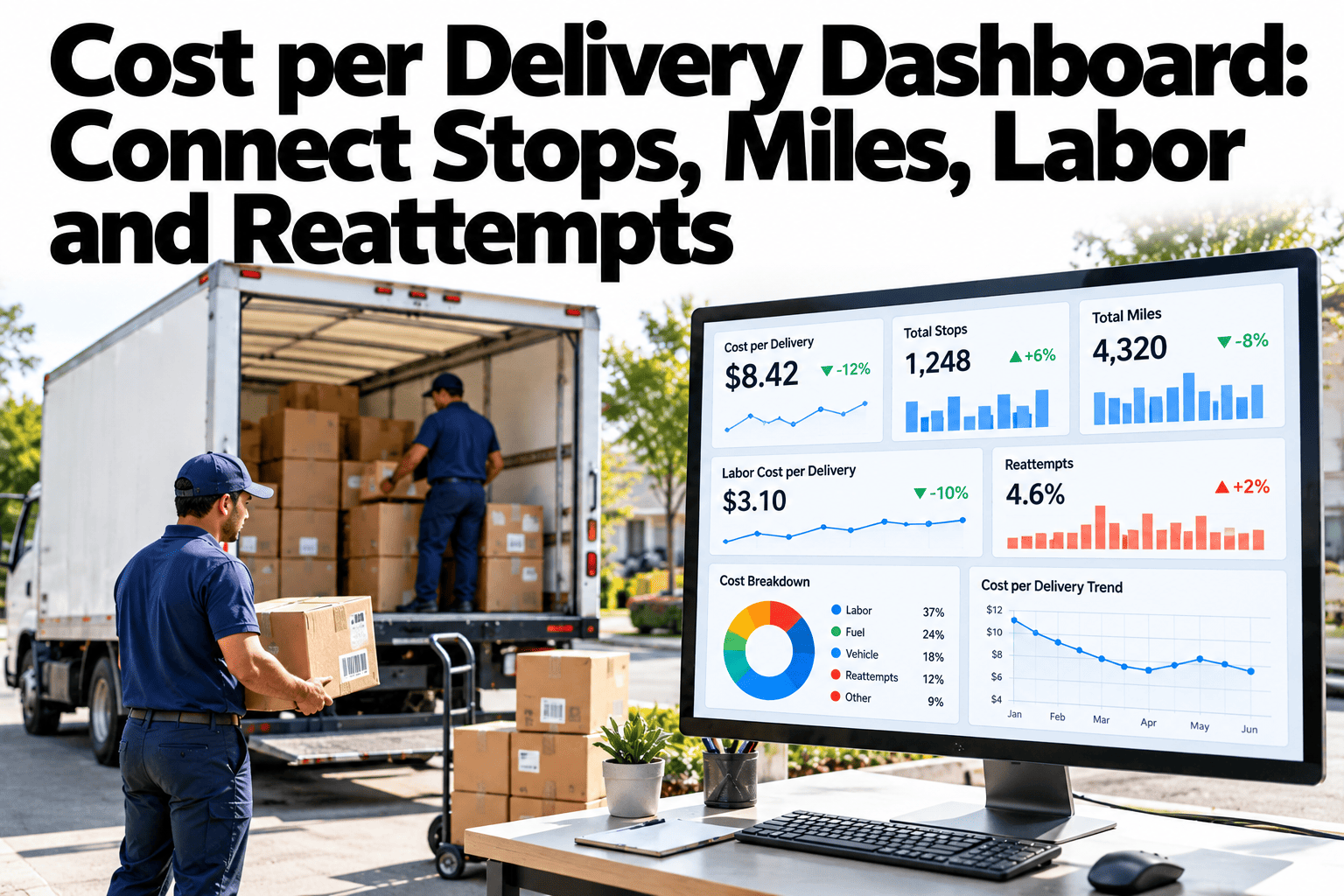
Ask a delivery team what a stop costs and you will hear three different answers. Finance divides the fuel bill by parcels. Dispatch counts miles per route. The depot counts driver hours. None is wrong, but none tells the whole story, because a stop is shaped by distance, time and whether the customer was home. A good cost per delivery dashboard joins those four views into one number that everyone shares. Teams who want to build that view can ask iFactory AI how delivery cost data is brought together.
Cost per Delivery Dashboard: Connect Stops, Miles, Labor and Reattempts
See what every stop really costs. iFactory AI joins stops, miles, driver time and failed attempts into one cost view for delivery operations leaders.
The Cost Model: One Route, One Day
Start with a single route-day. Add every cost that route carried, then divide by the stops it served. The receipt below uses illustrative figures for one van and one driver.
Cost per stop
Total route cost divided by stops attempted. In the receipt, 325 divided by 100 gives 3.25 per stop.
Cost per completed delivery
Total cost, including reattempts, divided by deliveries that actually finished. It is the number customers and finance feel.
Cost per parcel
Useful when one stop carries several parcels. Keep it beside cost per stop so dense drops are visible.
Cost per Stop: What Each Stop Is Made Of
Dividing the receipt by 100 stops splits each stop into its parts. Labor leads, which matches the published estimate that labor takes half or more of last-mile cost.
| Cost Part | Per Route-Day | Per Stop | Share | Moves With |
|---|---|---|---|---|
| Driver labor | 180 | 1.80 | 55% | Hours paid, stop count, service time |
| Fuel and wear | 60 | 0.60 | 18% | Miles driven and idle time |
| Vehicle lease and insurance | 60 | 0.60 | 18% | Fleet size and vehicle utilisation |
| Depot and dispatch overhead | 25 | 0.25 | 8% | Volume and planning effort |
| Total | 325 | 3.25 | 100% | All of the above |
Put Stops, Miles and Labor on One Screen
Book a 30-minute session and iFactory AI will show how stops, miles, driver time and reattempts combine into cost per stop on realistic delivery data.
Miles: Density Beats Distance
Miles per route matter, but miles per stop matter more. Two routes with the same stop count can cost very different amounts to drive.
120 miles for 100 stops
About 0.83 stops per mile and 1.2 miles per stop. Fuel and wear cost 60 in the receipt.
80 miles for 100 stops
About 1.25 stops per mile and 0.8 miles per stop. Fuel and wear fall to 40, a saving of 0.20 per stop.
Stops per mile
The simplest density KPI. A falling value means routes are stretching out.
Miles per stop
The inverse view, easier to multiply by a per-mile cost.
Empty miles
Distance to the first stop and back from the last is cost with no delivery on it. Track it on its own.
Labor Time: Where the Paid Hours Go
A paid shift is not all driving. Split the 540 minutes of the sample day into what drivers actually do, and the cost of each activity becomes visible.
Stops per route hour
100 stops in 9 hours gives about 11.1 stops an hour. It is the headline productivity figure for labor.
Service time per stop
Minutes from arrival to departure. Compare building types and parcel counts, not just averages.
Waiting time
Wait at a site is paid time with no progress. Report it by customer so repeat delays are visible.
Failed Attempts: The Hidden Second Delivery
A failed first attempt is paid for twice, because the same parcel needs another stop. Published first-attempt failure estimates run from about 8 to 20 percent, so your own rate deserves a line on the dashboard.
Here is the sample route with 8 failures in every 100 stops. Each reattempt adds one stop at 3.25 and a customer contact assumed at 2.00.
Published cost estimates
One often-cited figure puts an average failed package at 17.78 in a 2020 Loqate study, covering reattempt labor and service. Treat it as a benchmark to test, not a rule.
Failure rates differ
A UK industry study reported failed attempts falling from 4.65% in 2014 to 2.77% by early 2019. Context changes the rate a lot.
Record the reason
No one home, wrong address, access blocked and refusal need different fixes. A reason code on every failure is essential.
Customer and Route Segmentation: Where Cost Hides
An average hides the segments that lose money. The grid below shows an illustrative cost index, where 100 is the network average for cost per completed delivery.
Route segments
Group by area type, depot, time window and vehicle. Rural routes in the sample cost almost twice the average.
Customer segments
Group by delivery type, building, parcel size and service level. Signature and appointment drops cost more time.
Price against cost
Compare each segment's cost with what it earns. A segment can look busy and still lose money.
The One-Screen Dashboard Layout
Six tiles cover most daily and weekly reviews. Each tile has one owner and opens into the detail behind it.
Dispatch view
Yesterday's cost per stop by route, waiting time and any route that ran late.
Operations view
Trend by depot, density, failure reasons and overtime against plan.
Leadership view
Cost per completed delivery by segment, price against cost and capacity released by fewer reattempts.
The Assumption Log
Every cost model rests on choices. Record them so a reviewer can challenge each one and results can be repeated next quarter.
| Assumption | Value Used | Source | Review When |
|---|---|---|---|
| Driver cost per hour | Wage plus on-costs | Payroll | Pay or overtime rules change |
| Cost per mile | Fuel plus wear | Fuel cards and maintenance records | Fuel prices or fleet mix change |
| Vehicle daily share | Lease and insurance per day | Finance | Contracts renew |
| Overhead allocation | Share per route-day | Finance and operations | Depot structure changes |
| Stop definition | One address or one parcel | Operations team | Service model changes |
| Reattempt contact cost | Support minutes per failure | Customer service | Contact channels change |
Common Cost per Delivery Mistakes
Most errors come from habits. Pair each with its fix and the dashboard stays trusted.
What iFactory AI Adds to Delivery Cost Tracking
iFactory AI is smart manufacturing and industrial software that brings operational data into one KPI view. Tour the cost dashboards on sample operations data to see it in action.
A 30-Day Plan to Start
A month is enough to agree the cost model and publish a first dashboard for one depot.
Questions to Ask Before Cutting Cost
The dashboard answers most of these. Each question points to the view that settles it.
Plain-Language Glossary
Shared words keep the review short. Agree these terms once and use them in every report.
Worked Scenario: Three Levers on the Same Route
Cost work often stalls because every idea sounds good. Test each lever on the sample route and rank the results by cost per completed delivery, using the assumptions already in the receipt.
| Lever | Change Tested | Effect on Route-Day | New Cost per Completed Delivery |
|---|---|---|---|
| Baseline | 8 failures in 100 stops | None | 3.67 |
| Lever A: cut waiting | Save 30 minutes of waiting | Labor falls by 10 | 3.57 |
| Lever B: raise density | Remove 40 empty and spread miles | Fuel and wear fall by 20 | 3.47 |
| Lever C: halve failures | 4 failures in 100 stops | Fewer repeat stops and contacts | 3.46 |
All three levers are small on their own, and that is the point. Cost per delivery usually improves through a handful of modest gains that add up, not one dramatic change. The dashboard shows which gain is cheapest to chase first.
Ease of change
Waiting time can often be cut with better time windows and customer notices. Density needs route redesign, which takes longer.
Side effects
Denser routes can lengthen delivery promises. Fewer failures may need extra customer messages. Check service levels beside cost.
Combined effect
Levers overlap, so do not simply add the savings. Re-run the model with all changes applied to see the true result.
Peaks, Seasons and Capacity
Cost per stop is not constant through the year. Peak weeks add overtime, temporary drivers and more failed attempts, while quiet weeks leave vehicles part empty.
Capacity is the other side of cost. A route that completes 100 stops in 9 hours has no spare room, while one that finishes in 7 hours has capacity that could take new work. Reporting spare route hours next to cost per stop shows whether growth needs more vans or only better planning.
From Cost to Contribution
Cost alone does not say which customers are worth serving. Put revenue beside it and each segment shows a contribution per delivery. That is the view finance and sales both need.
Cost index 70
Low cost per delivery because many parcels go to one address. Even a modest price leaves a healthy contribution.
Cost index 200
Long drives, longer service and more failures. A flat price can turn this segment into a loss without anyone noticing.
Reprice with evidence
Use segment cost to support surcharges, minimum order values or delivery windows, with data to explain each one.
Redesign the service
Lockers, pickup points or fixed delivery days can cut cost in expensive segments without raising the price.
Protect the best segments
Low-cost segments deserve reliable service. Make sure cost cutting elsewhere does not hurt them.
Data Quality Checks Before You Trust the Number
A dashboard is only as good as its inputs. Run these checks on the first month of data and repeat them every quarter.
Frequently Asked Questions
How do you calculate cost per delivery?
Add labor, fuel and wear, vehicle and overhead for a route, then divide by stops attempted. For cost per completed delivery, include reattempt and contact costs and divide by deliveries that finished.
Why is cost per stop higher on some routes?
Usually because stops are spread out, service takes longer or more attempts fail. See route cost compared on a live dashboard in a short demo. Density and waiting time explain most gaps.
What failed delivery rate should we expect?
Published figures vary a lot, from low single digits to about 20 percent, depending on region and delivery type. Ask support how to benchmark your own rate by reason and segment.
Which data do we need to begin?
Stops and outcomes, route miles, driver shift times and cost inputs from payroll, fuel and finance. Reason codes for failures make the reattempt view useful.
How do we know the dashboard is right?
Reconcile modelled cost to the finance ledger for a past month. Book time to test a reconciliation with your team. A close match builds trust.
Know What Every Delivery Really Costs
iFactory AI joins stops, miles, driver time and reattempts into one cost view, then breaks it down by route and customer segment. Book a walkthrough on your own delivery data.