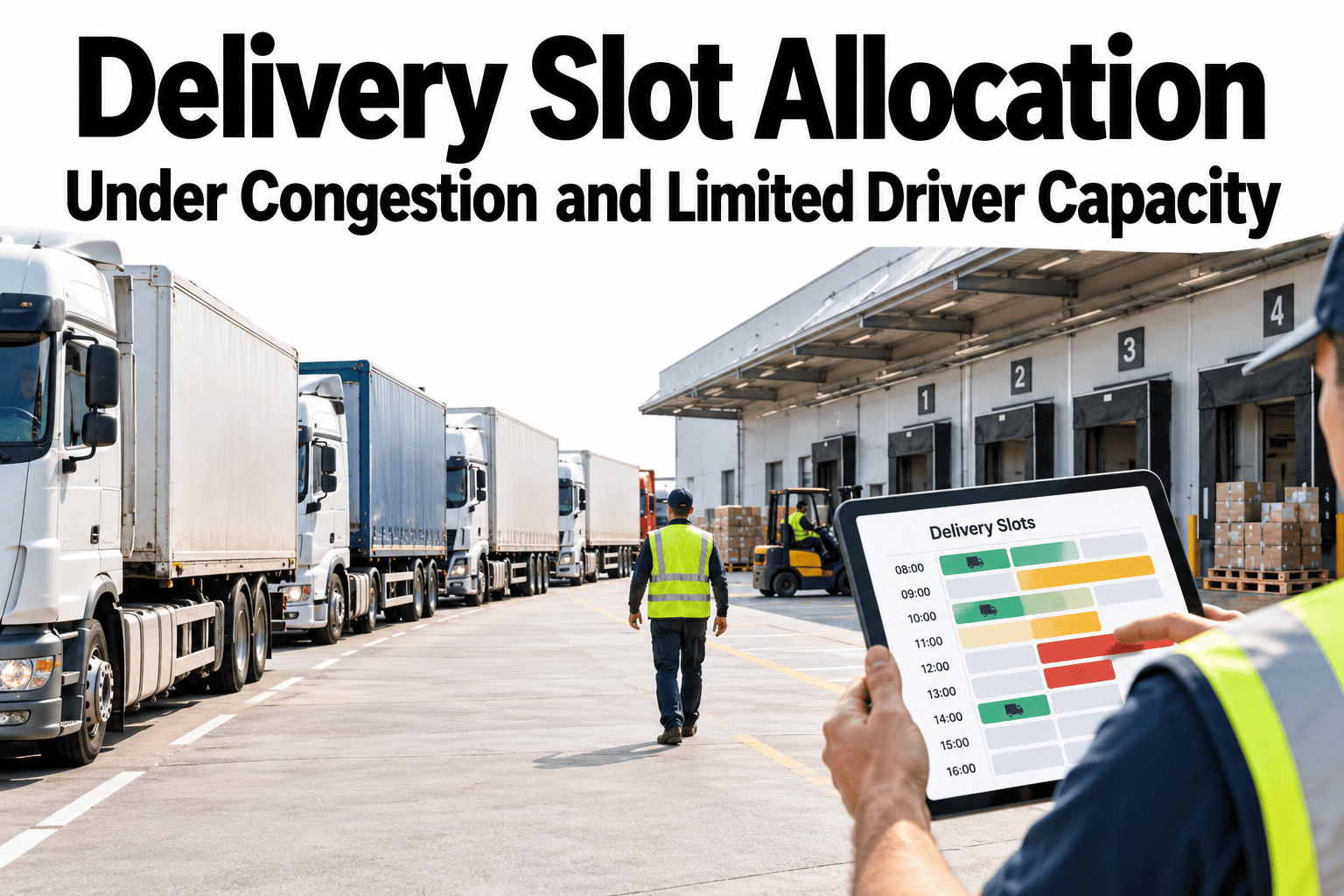
A booking page that offers every customer the same open slots, regardless of how congested the area or how stretched the driver pool, is making a promise the operation cannot always keep. Delivery slot allocation is really a capacity problem wearing a scheduling interface: there are only so many driver-hours and so much road space in a service area on a given day. Getting it right means tying what customers can book to what the network can actually deliver, with buffers for travel time and clear rules for who gets priority when demand outstrips supply. Planning teams can see how iFactory AI models slot capacity against driver and travel-time constraints before the next booking page goes live.
Delivery Slot Allocation Under Congestion and Limited Driver Capacity
Only offer the slots your network can actually keep, and have a clear rule for what happens when demand outruns capacity.
Slot Demand Is Not Flat Across the Day
Customers tend to request the same popular windows, which means demand and capacity rarely line up without deliberate shaping.
Midday and early evening windows typically see the heaviest booking demand.
Dense urban zones and sprawling suburban ones fill at different rates for the same window.
Weekday and weekend demand patterns rarely match, and allocation should not either.
Service-Area Capacity Comes From Three Inputs
A realistic slot count is not guessed, it is built from the actual resources available for that window.
How many drivers are actually scheduled and eligible for that window.
How long a typical stop takes in that service area, including parking and access time.
Extra time built in for congestion, so a tight schedule does not collapse at the first delay.
Size Your Own Slot Capacity Properly
Book a 30-minute session and iFactory AI will model how many slots your network can actually support per window, by service area and driver pool.
Travel-Time Buffers, Sized Honestly
A buffer that is too thin turns a minor delay into a cascade of late stops. One that is too thick wastes capacity that could have served another customer.
| Condition | Buffer Approach | Risk If Skipped |
|---|---|---|
| Known peak congestion window | Wider buffer built into slot sizing for that window | Cascading lateness across the rest of the shift |
| Low-traffic early window | Tighter buffer, more slots per driver | Under-using available capacity |
| Weather or event disruption | Dynamic buffer adjustment for the affected day | Overbooking against conditions that no longer apply |
Priority Rules for When Capacity Runs Out
Someone has to decide who gets the last slot in a popular window. Set the rule before the conflict happens, not during it.
Rescheduling Thresholds
When conditions change after a slot is booked, a clear threshold decides whether to push through or proactively reschedule.
A short, recoverable delay within the existing buffer, no customer action needed.
Delay exceeds the buffer but the slot can still close within an acceptable range, with notice sent.
Delay makes the original window unachievable, and the customer is proactively offered a new slot.
The networks that struggle most with slot allocation usually have a capacity model built once, at launch, and never revisited as driver counts, service areas or traffic patterns change. Demand shifts seasonally and capacity should be recalculated on the same cadence, not left as a fixed number from a year-old planning exercise. Review the driver availability, stop-time and buffer inputs at least quarterly, and immediately after any material change to the driver pool or service area boundaries.
Where iFactory AI Fits
iFactory AI ties bookable slots to real driver and travel-time data, so the number of slots offered matches what the network can deliver.
Capacity-aware slot counts
Slots per window are calculated from driver availability, stop time and buffer, not a fixed assumption.
Priority rule enforcement
Documented priority rules apply consistently when a window reaches capacity.
Rescheduling triggers
Delays are tracked against thresholds, flagging stops that need proactive rescheduling.
Ask in plain language
Ask which windows are overbooked against current capacity and receive the ranked list.
Frequently Asked Questions
How many delivery slots should we offer per window?
Base it on actual driver availability, average stop time in that service area and a travel-time buffer sized to real congestion patterns, rather than a round number carried over from a different window. You can watch slot capacity modelled on sample route data in a live session.
How often should slot capacity be recalculated?
At minimum quarterly, and immediately after any material change to driver headcount, service area boundaries or a shift in typical stop times. A capacity model built once at launch tends to drift out of step with reality. To review yours, request a capacity review with the iFactory AI team, or ask support what data is needed to get started.
What should happen when a popular window sells out?
Apply a documented priority rule consistently rather than deciding case by case, and make sure the rule is reviewed periodically against how it actually plays out. Common factors include time-sensitive orders and committed service-level agreements. A short product tour of priority rule setup shows how this is configured.
How big should the travel-time buffer be?
It depends on the window and area: a known peak congestion period needs a wider buffer than a quiet early morning window, and the buffer should adjust for unusual conditions such as weather or local events. See how buffers are sized by window and area in a guided walkthrough.
When should a stop be proactively rescheduled instead of pushed through late?
Set a clear delay threshold in advance: minor delays absorb into the existing buffer, moderate ones get a customer notice, and delays that make the original window unachievable should trigger a proactive reschedule rather than a late surprise. Schedule a walkthrough of rescheduling thresholds to see how they are set and tracked.
Offer the Slots Your Network Can Actually Keep
iFactory AI ties bookable slots to real driver and travel-time capacity. Book a walkthrough to see it built around your own service area.