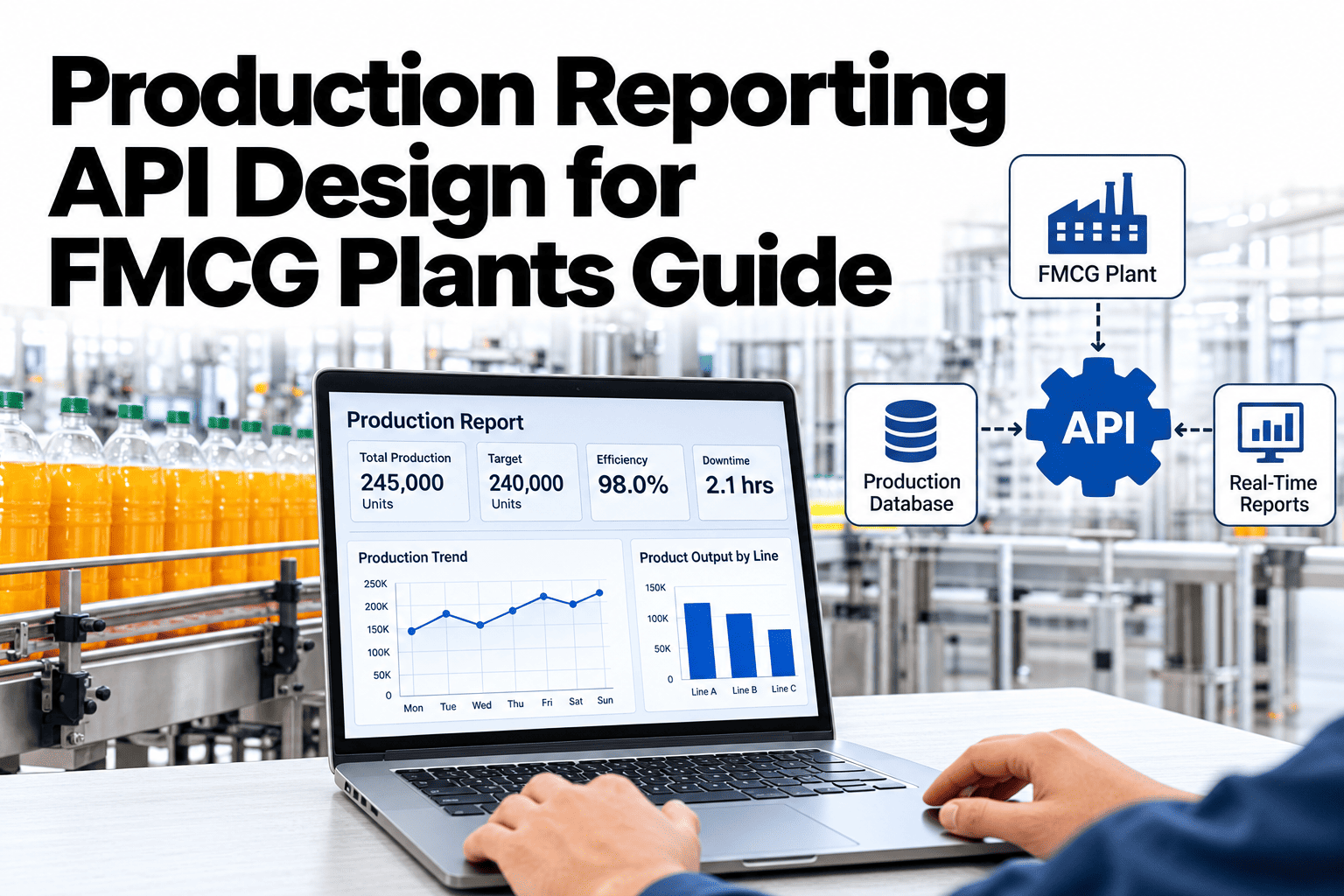
ERP systems, BI tools and mobile apps all want live production data, and each asks for it in a different way. A well-designed reporting API gives every consumer what it needs without custom work for every new request. For FMCG plants, three endpoint types cover most needs: events for what just happened, snapshots for what is true now and aggregates for what happened over a period. To see how this approach could connect to your own systems, you can discuss integration patterns with our team.
Real-time reporting and integration
Give ERP, BI and Mobile Apps One Clean Way to Read Live Production Data
iFactory AI supports production reporting designs built on event, snapshot and aggregate endpoints, so plant data reaches the tools that need it.
Three endpoint families
EventsSnapshotsAggregates
Three familiesEvents, Snapshots and Aggregates Answer Different Questions
Choosing the right family for each request keeps the API simple, fast and predictable.
Event endpoints
What just happened. Stops, starts, rejects, alerts and order changes, delivered as they occur.
Snapshot endpoints
What is true now. Current status of a line, order or machine at this moment.
Aggregate endpoints
What happened over time. Totals and averages by shift, hour, line or product.
Most integrations combine all three. A mobile app, for example, uses a snapshot to open and events to stay current.
Who consumes whatMatch the Endpoint to the Consumer
| Consumer | What it needs | Best endpoint family | Typical pattern |
|---|
| ERP system | Confirmed output and scrap by order | Aggregates | Scheduled pull or push per order |
| BI and analytics | Historical totals by line, product and shift | Aggregates | Bulk or batch access |
| Mobile supervisor app | Live status and alerts | Snapshots and events | Open with a snapshot, then stream events |
| Quality system | Reject events with context | Events | Webhook on each event |
| Planning tools | Current line state and rates | Snapshots | Frequent short requests |
The example patterns here are design guidance. Exact integration options depend on your systems and your iFactory AI setup.
Event designWhat Every Production Event Should Carry
Consistent events make downstream systems much easier to build. A fixed set of fields avoids surprises.
Identity
A unique event ID and an event type such as stop or reject.
Time
When it happened, in one agreed time zone and format.
Source
Plant, line, machine and, where useful, the order and product.
Payload
The details, such as reason code, count or measured value.
Connect Production Data to the Tools You Already Use
Share your ERP, BI and mobile needs and see how iFactory AI could expose the right data in the right way.
SnapshotsHow a Snapshot Request Should Work
Snapshots give the current state quickly. They should be cheap to call and honest about how fresh they are.
1
Request
The consumer asks for a line, machine or order.
2
Read latest state
The system gathers the most recent values.
3
Return with timestamp
The response states when the data was captured.
4
Cache sensibly
Short caching protects the source from repeated calls.
Always include a timestamp. A snapshot without one hides whether the data is a second old or ten minutes old.
AggregatesFour Dimensions Cover Most Aggregate Questions
Aggregates answer how much, how often and how well. Four dimensions let consumers slice data the way they need.
Time
Minute, hour, shift, day or week
Place
Plant, line, zone or machine
Product
SKU, pack size or batch
Measure
Output, rejects, stops, speed or yield
Agree one definition for each measure. Two systems showing different totals for the same shift destroy trust faster than any outage.
ReliabilityWhat Separates a Fragile Integration From a Robust One
Fragile design
Consumers poll constantly for changes
Duplicate events cause double counting
Changes break existing consumers
One large response times out
Robust design
Webhooks or streaming for changes
Event IDs prevent double counting
Versioned endpoints protect consumers
Paging and filters keep responses small
Plan for retries and failures. Networks drop, and good APIs make recovering from that simple.
SecurityGive Each Consumer Only the Access It Needs
Production data can be commercially sensitive. Access rules should be simple and consistently applied.
Read only
Dashboards and reports see data but cannot change anything.
Limited write
Approved systems can submit confirmations or comments.
Admin
A small group manages keys, scopes and settings.
Use separate credentials for each consumer so access can be revoked without affecting others. To review a secure design, ask our team about API access controls.
Build planFive Steps From First Request to Live Integration
1
List the consumers
Name every system that needs production data.
2
Define the data
Agree events, measures and definitions.
3
Build a test integration
Connect one consumer in a test environment.
4
Check totals
Compare API totals with plant records.
5
Go live and monitor
Watch errors, delays and usage after launch.
Consumers and their needs listed
Event fields and formats agreed
Definitions for each measure written
Authentication method chosen
Retry and error rules defined
Test totals reconciled with plant records
Expert reviewWhat an Integration Architect Would Check First
Expert review
Most integration trouble comes from unclear definitions rather than technology. Agree what each number means before writing a line of code.
VerdictStrong when endpoint families are clear, versioned and well documented.
Watch forDifferent teams calculating the same measure in different ways.
Do nextStart with one consumer and one measure, then reconcile against plant records.
Frequently asked questionsWhat IT Teams Ask About Production Reporting APIs
Should we use webhooks or polling?
Webhooks suit events, because they deliver each change as it happens and avoid constant checking. Polling suits simple snapshots that change slowly or consumers that cannot receive incoming calls. Many integrations use both: a snapshot to load the current state and webhooks to stay up to date.
Compare approaches in a working session.
How do we avoid double counting events?
Give every event a unique ID and have each consumer ignore IDs it has already processed. This matters most when retries happen after a network failure, because the same event may arrive twice. Reconcile event totals with plant records regularly to catch any gaps early.
Ask about event handling.
How should we handle API changes?
Version your endpoints and announce changes well in advance, so existing consumers keep working while new ones move to the latest version. Avoid removing or renaming fields without notice, since ERP and BI integrations can break quietly and produce wrong numbers.
Discuss versioning plans.
Can the API support real-time dashboards?
Yes. A common design loads a snapshot when the dashboard opens and then updates it with events or short refreshes. The refresh rate should match what viewers can use, because very fast updates add load without adding value. Always show the time of the last update.
Ask about dashboard feeds.
What should we test before going live?
Compare API totals with plant records for several shifts, test failures and retries and check access rights for each consumer. It also helps to test unusual cases, such as late events and changeovers in the middle of an order, because these often expose hidden definition problems.
Plan a test checklist.
One source, many consumers
Make Live Production Data Easy to Use Everywhere
Book a session with iFactory AI to map your ERP, BI and mobile needs and design reporting endpoints that stay reliable as you grow.