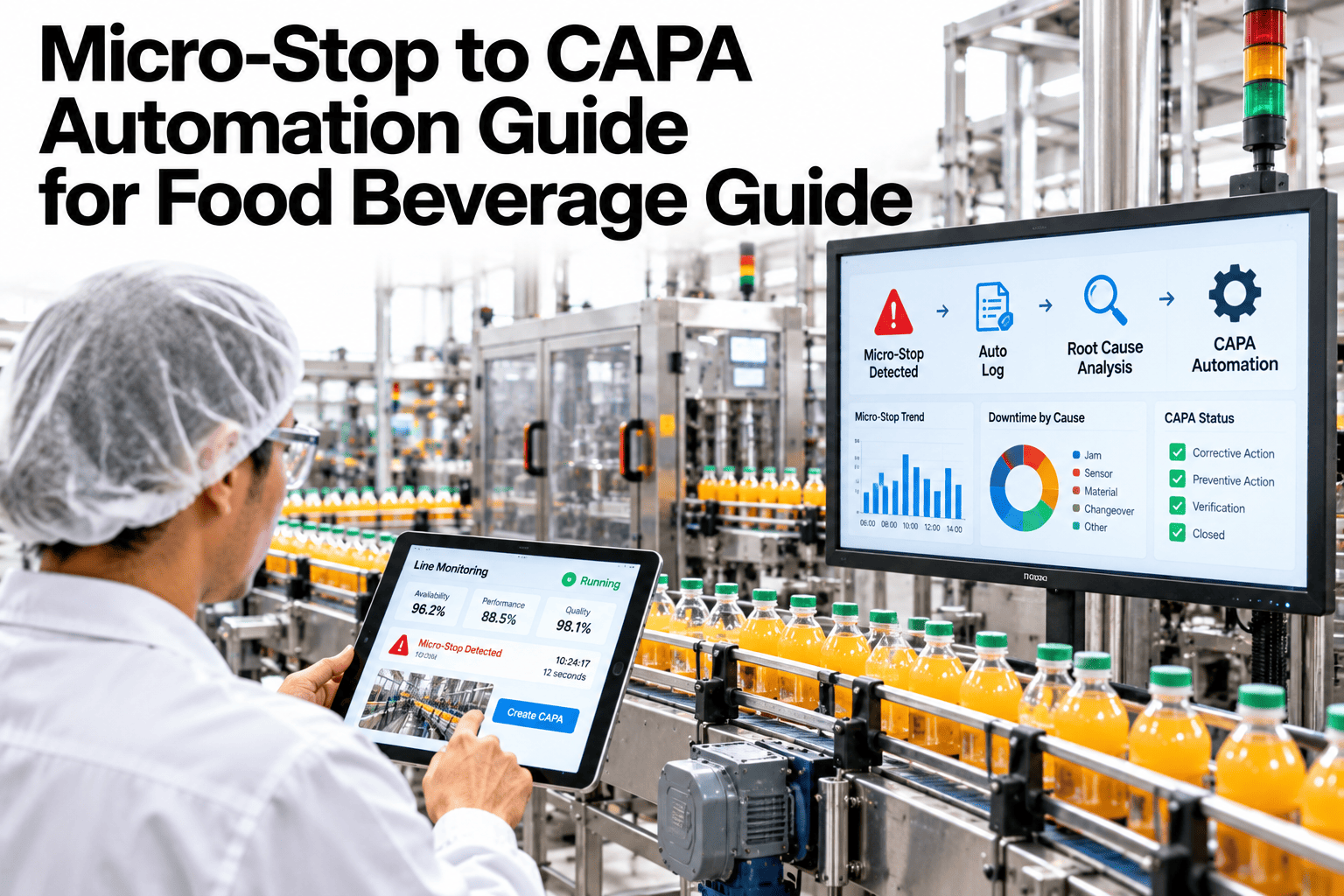
A food line can rack up dozens of micro-stops in a single shift, each lasting seconds to a couple of minutes, and almost none of them get a real reason code attached in the moment. Operators are busy keeping the line running, not pausing to classify why it just hiccupped, so the reason code field gets filled in at shift-end from memory, which means most of it is guesswork. That guesswork then becomes the data a plant uses to decide what to fix first. Automatically classifying each stop from PLC state codes, actuator patterns and duration removes the guesswork entirely, and plants can see their own micro-stop data classified this way in a short session.
Stop Guessing Why the Line Stopped at Shift-End
iFactory classifies every micro-stop automatically from PLC state code, actuator pattern and duration, the moment it happens.
Why Shift-End Reason Codes Can't Be Trusted
By the time a shift ends, an operator has to recall dozens of stops that each lasted seconds, hours earlier, while also handing off the line. The reason codes that result are approximate at best.
| Classification Signal | What It Reveals | Why It Beats Manual Entry |
|---|---|---|
| PLC state code | Which fault or interlock triggered the stop | Captured automatically, not reconstructed from memory |
| Actuator pattern | Whether the stop pattern matches a known jam, fault or pause signature | Distinguishes similar-looking stops a human would lump together |
| Stop duration | Separates a quick sensor blip from an operator intervention | Duration alone often predicts the category accurately |
See How Accurate Your Current Reason Codes Actually Are
Book a 30-minute session and iFactory will compare your shift-end logs against automatically classified stop data.
What Gets Missed Without Auto-Categorization
Repeating Patterns Across Shifts
Without consistent, accurate tagging, the same recurring fault looks like scattered, unrelated stops instead of one pattern worth fixing.
The True Cost of "Minor" Stops
Dozens of seconds-long stops rarely get the same attention as one long stop, even when their combined downtime is larger.
Which Shift Actually Handles Stops Better
Inconsistent manual logging makes shift-to-shift comparison unreliable, even when a real difference in response exists.
Signals Your Current Reason Codes Are Unreliable
Where iFactory Fits
iFactory classifies every micro-stop automatically, the moment it happens, using signals no manual log could capture at that resolution.
Real-Time Classification
Every stop is tagged within seconds using PLC state code, actuator pattern and duration, not reconstructed later.
Consistent Taxonomy
The same classification logic applies across every line and shift, making comparisons actually meaningful.
Pattern Detection Across Shifts
Recurring stop patterns are surfaced automatically instead of hiding inside a pile of inconsistent manual codes.
Full Downtime Reconciliation
Logged stop time is reconciled against measured downtime, catching stops that manual logging would miss entirely.
Reviewed by iFactory's Reliability Engineering team for alignment with current micro-stop analysis practice. The classification breakdown shown is illustrative; actual categories and thresholds should be configured against your own line's known fault types and PLC signal set.
Frequently Asked Questions
Does this require new sensors or just our existing PLC data?
In most cases, existing PLC state codes and actuator signals already contain enough information to classify stops accurately, without adding new hardware. Support can assess what your current PLC already provides.
How accurate is automatic classification compared to a trained operator?
Automatic classification tends to outperform shift-end manual logging specifically because it captures the signal at the moment of the stop rather than relying on recall hours later, though accuracy still depends on how well categories are tuned to your specific equipment.
Can categories be customized to match our existing reason code list?
Yes, the taxonomy is built to match your existing reason code structure where possible, so reporting continuity is preserved rather than starting from scratch. See this mapped to your current reason code list in a short session.
What happens when a stop doesn't match a known pattern?
It gets flagged for review rather than forced into an incorrect category, and confirmed new patterns get added to the classification model over time.
Does this replace operator input entirely?
No, operators can still add context for unusual events, but the baseline classification no longer depends entirely on manual entry for routine stops. Ask support how operator input fits into the workflow.
Know Why the Line Stopped, Every Time, Automatically
iFactory classifies every micro-stop in real time, no shift-end guesswork required. Book a walkthrough on your own line.