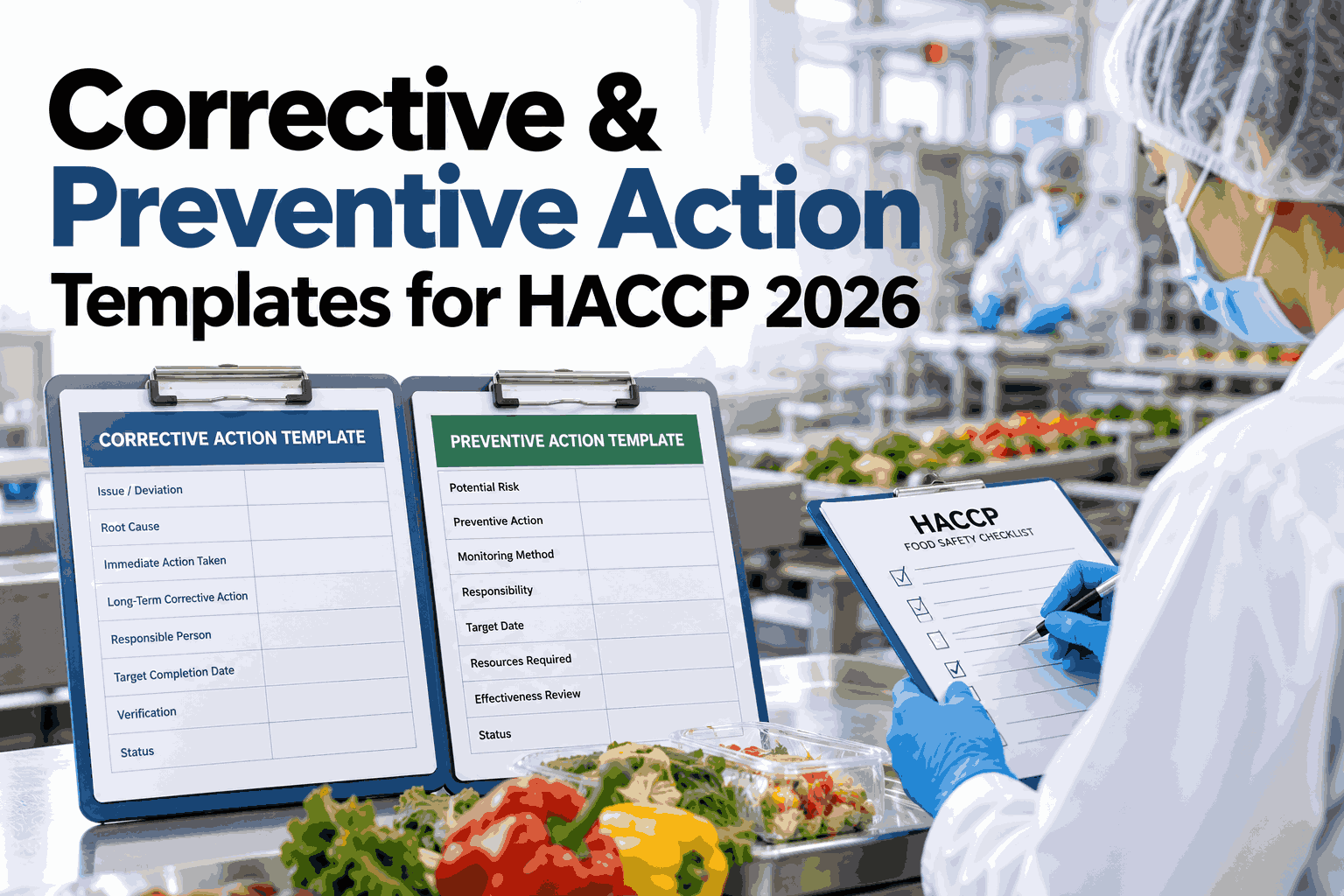
Food safety audits increasingly treat the corrective and preventive action record as the real test of a HACCP program, not the monitoring log itself. A CCP deviation that gets caught is expected; a CAPA form that cannot show cause categorization, containment steps, and verified effectiveness is what turns a routine audit into a finding. Most plants already run corrective action after every deviation, but the documentation often stops at "problem fixed" without the structure a 2026 audit checklist actually expects. A standardized CAPA template changes that by putting every required field on one form instead of scattered across logs that depend on who happened to be on shift that day. Teams can review a sample CAPA structure with the iFactory AI team before rolling it onto the plant floor.
Build a CAPA Form That Closes the Loop on Every HACCP Deviation
iFactory AI structures cause categorization, containment, and effectiveness verification into one CAPA record, so documentation errors stop costing audit findings.
Why Most CAPA Forms Fail an Audit
A corrective action is not the same thing as a complete CAPA record. Auditors in 2026 are checking for proof of thinking, not just proof of a fix, and three gaps account for most of the findings plants run into during a third-party review or a customer audit.
No Cause Categorization
Writing "operator error" on a form is not a root cause category. Without a structured list of cause types, every deviation gets the same vague explanation and patterns across months stay invisible to the quality team until an auditor points them out.
Containment Without Preventive Follow-Up
A plant fixes the one batch in front of them and closes the form. The preventive action field, meant to stop a repeat occurrence, is left blank or copied word for word from the corrective action, which defeats its purpose entirely.
No Effectiveness Verification
A CAPA is marked closed the day the fix is applied, with no follow-up check weeks later to confirm the same deviation has not quietly returned under a different shift, a different operator, or a different line.
None of these gaps require new equipment to fix. They require a template that will not let a form move to closed status until every field is filled correctly and reviewed.
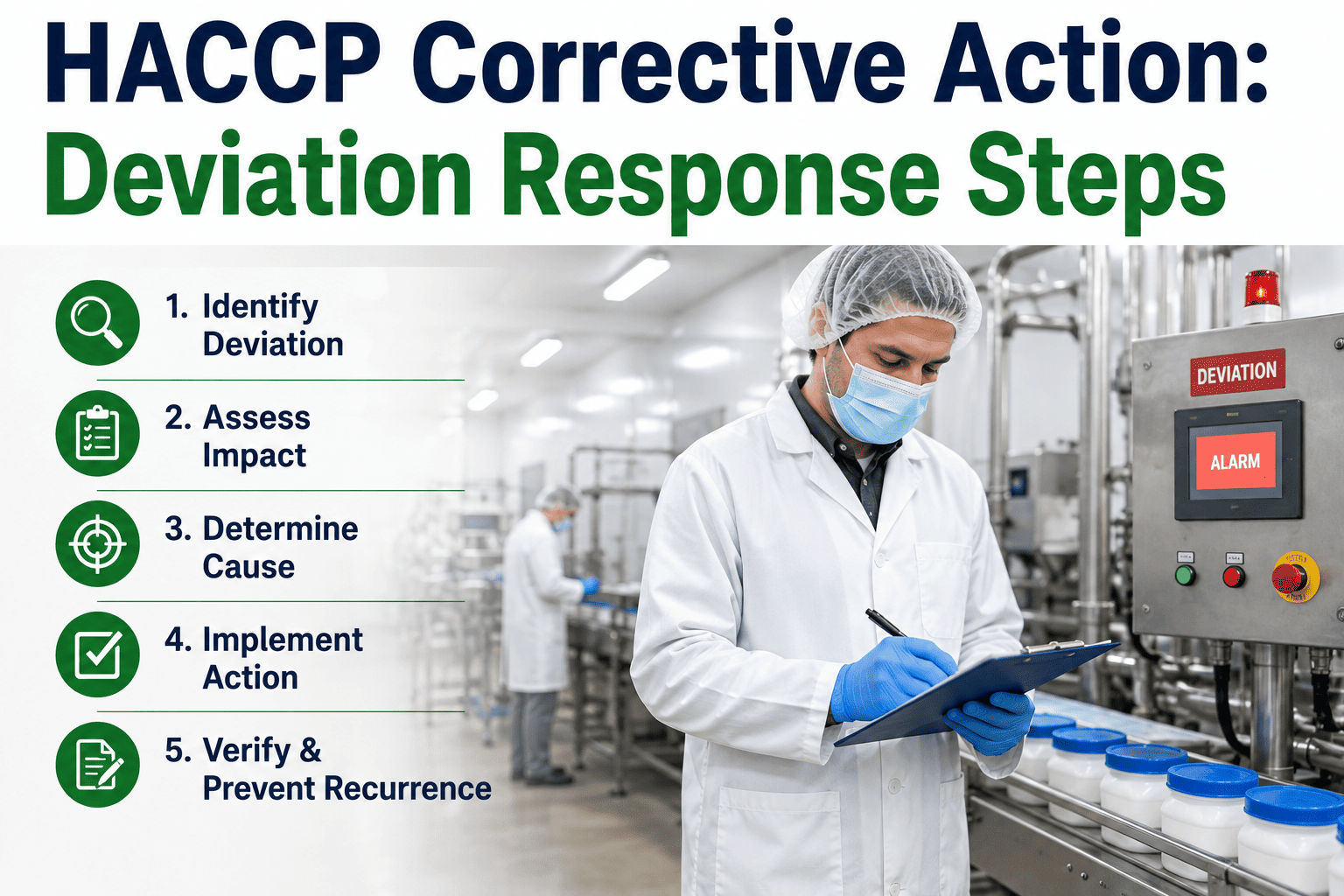
Anatomy of a Complete CAPA Record
A CAPA record that survives an audit walks through six layers in order. Skipping a layer, or merging two into one rushed entry, is where most forms lose their value months later when someone needs to pull the history for a recall investigation or a customer complaint.
Deviation Description
What CCP or prerequisite program was affected, the exact limit that was crossed, and the time window the deviation covered, recorded before anyone starts fixing it so the original facts are never reconstructed from memory later.
Immediate Containment
The product disposition decision, whether hold, rework, or destroy, along with who made the call and the quantity affected, logged at the time of the event rather than summarized afterward.
Root Cause Categorization
A selection from a fixed category list, such as equipment, procedure, training, or supplier, so causes can be aggregated and trended instead of read one by one across a year of paper forms.
Corrective Action
What was done to fix this specific occurrence, distinct from the broader preventive step that follows, with a named owner and a completion date attached to the record.
Preventive Action
The system-level change meant to stop the same root cause from producing a deviation again, whether that is a procedure update, a training session, or a maintenance schedule change.
Effectiveness Verification
A scheduled follow-up check, typically 30 to 90 days later, confirming the deviation has not recurred before the CAPA is marked closed with evidence attached to the final record.
A CAPA missing any one of these six layers is still an open question during an audit. Plants can walk through this structure against their own deviation log in a short working session.
CAPA Field Reference Table
The table below maps each required field to a realistic entry and the gap most plants leave behind when the field is filled in a hurry, under shift pressure, or by someone who was not trained on the template.
| Field | Example Entry | Why It Matters | Common Gap |
|---|---|---|---|
| Deviation Trigger | Cook step CCP2 internal temp read 68°C, limit 71°C | Ties the CAPA directly to a specific monitoring record | Written generically as "temperature low" with no CCP reference |
| Cause Category | Equipment: thermocouple drift | Allows cause trending across months and lines | Left as free text like "equipment issue" |
| Containment Action | 412 units held, 80 units reworked | Shows disposition decisions were made in real time | Quantity affected not recorded |
| Corrective Action | Probe recalibrated, batch reheated to 74°C and retested | Proves the immediate problem was actually resolved | Described only as "issue fixed" with no method |
| Preventive Action | Thermocouple calibration interval shortened to monthly | Addresses the system, not just the single batch | Copied from the corrective action field |
| Verification Date | Follow-up check scheduled for day 45 | Confirms the fix actually worked over time | No follow-up date set, CAPA closed same day |
| Closure Evidence | Calibration log and 30-day monitoring trend attached | Gives an auditor proof instead of a claim | CAPA closed with no supporting document attached |
A field that cannot be filled with a specific entry, rather than a generic phrase, is usually a sign the root cause investigation stopped too early.
See a CAPA Form Built From Your Own Deviation History
Book a 30-minute session and watch cause categorization, containment, and effectiveness verification get structured from your plant's actual CCP monitoring records.
No Standard CAPA Process vs. a Structured Workflow
Most plants do not plan to end up with inconsistent CAPA records. It happens one rushed shift, one new supervisor, and one skipped field at a time, until the pattern is hard to reverse without rebuilding the form from scratch.
No Standard CAPA Process
Structured CAPA Workflow
The second column is not a new HACCP plan. It is the same deviations and the same team, working from a form that will not let a required field stay empty.
Root Cause Categories Every Template Should Include
A short, fixed list of cause categories is what makes trending possible later. These four cover the majority of HACCP deviations seen across food manufacturing plants and give every CAPA a consistent starting point.
Equipment
Sensor drift, calibration lapses, mechanical wear, or a control system fault that caused a CCP limit to be missed without anyone changing the process itself.
Procedure
A written procedure that was unclear, outdated, or did not match how the line actually operates, leading staff to follow a step that no longer matched reality.
Training
An operator who had not been trained on the current version of a procedure, or who was filling in on an unfamiliar line during a staffing gap.
Supplier
An incoming raw material or packaging component that did not meet specification, traced back to a supplier issue rather than anything that happened on the plant floor.
A plant can always add categories specific to its own process, but keeping the core list short is what keeps staff selecting the accurate category instead of defaulting to "other" every time.
Effectiveness Verification Checklist
Use these checks to find where a CAPA is being closed on paper before it has actually been proven effective on the floor, which is the single most common gap auditors cite in a documentation review.
Each unchecked item is a place where a closed CAPA could still be hiding an unresolved problem that resurfaces at the worst possible time.
What Changes After CAPA Templates Are Standardized
The figures below are an illustrative composite from a mid-size food plant that moved from free-text CAPA forms to a standardized template over roughly two quarters. Values are shown as a relative index, with the starting point set at 100.
Results vary by plant, deviation volume, and existing documentation habits. The consistent pattern across plants is that a required-field template catches gaps a free-text form simply allows to pass without comment.
Who Should Own Each Part of the CAPA Record
A CAPA form with no clear ownership tends to drift between departments until no one feels responsible for closing it. Assigning a single owner to each layer keeps the record moving instead of sitting in a shared inbox.
Shift Supervisor
Logs the deviation description and containment decision at the time of the event, while the details are still fresh and the affected product is still identifiable on the floor.
Quality Lead
Selects the root cause category, assigns the corrective and preventive action owners, and reviews the record before it is allowed to move toward closure.
QA Manager
Confirms the effectiveness verification was actually completed on schedule and signs off on closure evidence before the CAPA is marked resolved in the system.
Clear ownership at each layer is what turns a CAPA template from a form into a workflow that actually moves toward closure on time.
Rolling Out the Template Without Disrupting the Floor
Switching from a free-text CAPA form to a required-field template works best as a staged rollout rather than a single memo announcing a new form on Monday morning. These four steps are how plants typically introduce the change without creating confusion mid-shift.
Plants that skip the pilot step tend to see the same old habits carried into the new form, since a required field only works once staff understand why it exists.
What iFactory AI Adds to CAPA Documentation
iFactory AI is smart manufacturing and industrial software built for food plants running HACCP. It turns the CAPA form from a static document into a workflow that enforces every required field before a record can close.
iFactory AI arrives pre-configured on hardware that ships ready to connect. Rack it, link it to existing CCP monitoring points, and CAPA template mapping begins. Scope covers form configuration, deviation log migration, team training, and ongoing remote support, so the rollout does not depend on an internal IT project running in parallel.
Recall Readiness: Why CAPA Quality Matters Beyond the Audit
A CAPA record is not only read during a scheduled audit. When a recall investigation or a customer complaint traces back to a specific date, the CAPA tied to that window becomes the first document an investigator pulls, and its quality shapes how fast the investigation closes.
An investigator looking at a complete CAPA can trace the deviation, the containment decision, the root cause, and the proof that the fix held, all from one record. A CAPA missing even one of those pieces forces the investigation to widen, often pulling in unrelated batches and extending a response that should have taken a day into a response that takes a week.
The same six-field structure that satisfies an auditor is what keeps a recall investigation narrow instead of sprawling across months of production that were never actually affected.
Frequently Asked Questions
What is the difference between a corrective action and a preventive action on a CAPA form?
A corrective action fixes the specific deviation in front of you, such as the one affected batch or the single out-of-range reading. A preventive action changes the underlying system, process, or training so the same root cause does not produce another deviation later. Ask the iFactory AI team to review your current form for this distinction.
How many root cause categories should a CAPA template include?
Most food plants find five to eight categories, such as equipment, procedure, training, supplier, and environment, strikes the right balance between useful trending and a list short enough staff will actually use consistently. Too many categories tends to produce the same guessing problem as none at all. Build a category list for your plant in a short working session.
How soon after a corrective action should effectiveness be verified?
A 30 to 90 day window is typical, depending on how often the affected process runs, since the verification check needs enough production cycles to confirm the fix actually holds rather than appearing to work for a day or two. Talk through a verification schedule that fits your production calendar.
Can an existing paper CAPA log be converted into a digital template without losing history?
Yes. Existing CAPA records are mapped into the new field structure, cause categories are assigned retroactively where possible, and the original history is retained alongside the standardized forms going forward so nothing from prior audits is lost in the transition. Plan a migration path for your current CAPA log.
Will standardizing CAPA forms slow down the team during a busy shift?
A required-field template takes about the same time to fill as a free-text form, since the fields replace open-ended writing rather than adding to it, and the structure actually speeds up review later because nobody has to decode handwriting or guess at intent. See a sample form filled out in real time with the iFactory AI team.
Stop Losing Audit Points to Incomplete CAPA Records
iFactory AI structures cause categorization, preventive action, and effectiveness verification into every CAPA form your team fills out. Book a walkthrough using your own deviation history.