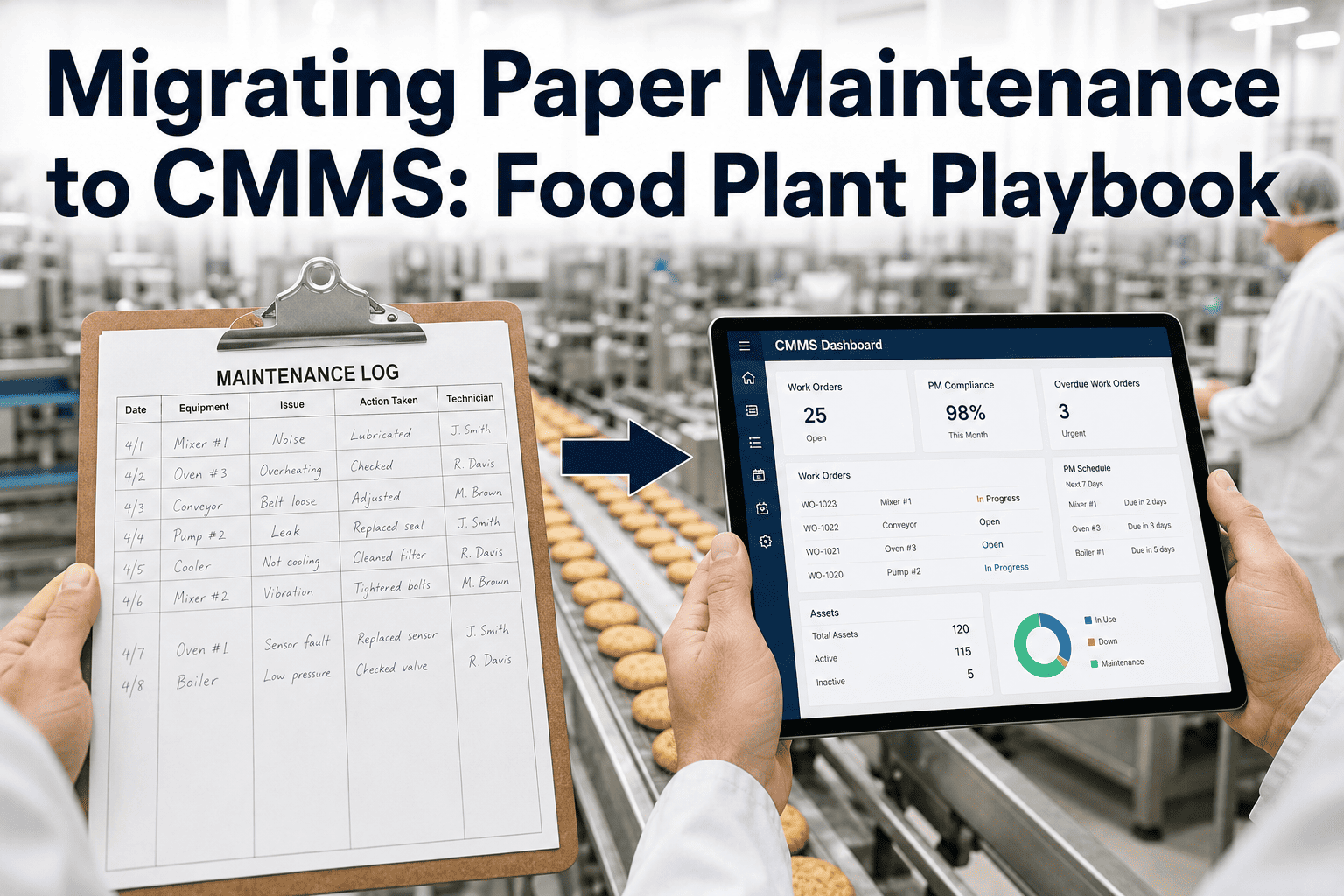
Forty-seven Excel files. That's what one plant's maintenance team discovered they'd actually been running on when they finally sat down to migrate — and an audit of those files found 31% of asset records duplicated across multiple sheets, 18% carrying conflicting PM intervals depending on which version someone happened to open, and 14% with no maintenance history at all. Nobody had planned to end up there; it happened one workaround at a time, over years, each individually reasonable decision compounding into a system nobody fully trusted anymore. iFactory's migration workflow triages exactly that kind of scattered paper-and-spreadsheet history into a clean, structured asset register — without losing the maintenance record a food plant needs for audit traceability along the way.
The Software Isn't the Hard Part. The Data You're Bringing With You Is.
Most failed CMMS migrations don't fail because the platform was hard to use — they fail because dirty spreadsheet data got imported as-is, and every duplicate and gap followed the plant into its new system.
Why "Just Import the Spreadsheet" Doesn't Work
One of the most common mistakes in a CMMS migration is treating it like a simple file transfer. Old spreadsheets accumulate assets that no longer physically exist, the same piece of equipment recorded under three different names across three different files, missing locations or serial numbers, and maintenance history that was never actually consistent to begin with. Moving that data into a new system as-is doesn't fix any of it — it just makes the same problems permanent in a more expensive, harder-to-edit format, and considerably more painful to correct after the fact than before the import ever happened.
Import As-Is
Duplicate asset records generate split PM histories and can double-trigger preventive maintenance work orders. Unmapped fields cause silent import failures that drop assets from the new system without anyone noticing until much later.
Triage First, Then Import
Deduplicating against a single equipment tag as the primary key, flagging retired assets for archival, and confirming a final active-asset count with plant engineering before migration begins produces a register a plant can actually trust from day one.
The Data Triage Matrix: What Moves, What Gets Archived
Not every record scattered across years of paper and spreadsheets deserves a spot in the new system. A structured triage — sorting every record into one of four categories before anything gets imported — is what prevents dirty data from simply relocating into a more expensive home, rather than actually being cleaned up along the way to the new platform.
| Category | What Qualifies | Action |
|---|---|---|
| Active & Clean | Currently operating equipment with reasonably complete location, serial, and criticality data | Import directly into the new asset register |
| Active but Incomplete | Real, currently operating equipment missing key fields — location, serial number, criticality | Flag for field verification before import, don't import blind |
| Duplicate | The same physical asset recorded under multiple names or entries across different files | Merge into a single record using equipment tag as the deduplication key |
| Retired or Non-Existent | Equipment scrapped, replaced, or decommissioned but never removed from the spreadsheet | Archive, don't import — confirm against a physical floor walk if in doubt |
Plants that complete this triage before import consistently report the difference directly: one facility's audit found 31 assets with no recorded location, 14 duplicate pump entries, and warranty-eligible repairs that had been paid out-of-pocket simply because nobody could find the equipment's warranty record buried in the old system. Triage catches exactly this category of loss before it becomes permanent, turning a vague sense that "the data is probably fine" into a concrete, verified starting point for the new system.
Building an Asset Numbering Convention That Actually Holds Up
A consistent asset numbering scheme is the foundation everything else in the CMMS depends on — work orders, PM schedules, and cost roll-up all key off the asset ID, and an inconsistent or ambiguous numbering system undermines every one of those downstream functions regardless of how well the rest of the migration goes. Getting this single decision right early is disproportionately more valuable than almost any other choice made during the migration project.
Choose a Single, Permanent Identifier
Select one field — typically a physical equipment tag or barcode — as the permanent primary key for every asset, and use it consistently as the deduplication anchor across every source spreadsheet being merged.
Reflect the Physical Hierarchy
A parent-child structure — plant, area, line, asset, component — mirrors how technicians actually think about equipment location, making the register genuinely faster to navigate than a flat, unstructured list where everything sits at the same undifferentiated level.
Physically Label Every Asset
A barcode or QR label affixed to the physical equipment, matching its digital record, is what makes mobile work order lookup fast and reliable on the floor — a digital-only ID with no physical counterpart still requires manual searching every time a technician needs to locate the correct asset record.
Verify Against a Physical Walk
Cross-checking the finalized digital register against an actual floor walk catches the gap between what the spreadsheet says exists and what's physically installed — a discrepancy that surfaces in nearly every migration of any real size, regardless of how carefully the original spreadsheets were maintained.
Converting Preventive Maintenance Schedules Without Carrying Over Hidden Inconsistencies
Preventive maintenance automation is one of the biggest advantages a CMMS offers over a spreadsheet, and it deserves priority attention during setup — but the schedules themselves have to be converted deliberately, not copied over as raw formulas. Spreadsheet PM intervals frequently carry inconsistencies that were invisible as long as the spreadsheet stayed loosely enforced, and those inconsistencies become impossible to ignore the moment a structured system tries to actually trigger work orders from them, forcing a reconciliation that should genuinely have happened years earlier.
Conflicting Intervals Across File Versions
The same asset class scheduled for quarterly PM in one spreadsheet version and monthly in another — nobody resolved the conflict because both versions were technically "in use" by different people at different times.
Time-Based Only, Never Usage-Based
Spreadsheet schedules default almost universally to calendar intervals, because tracking usage hours or cycle counts manually is impractical — a CMMS makes usage-based and condition-based triggers genuinely feasible for the first time.
Converting a schedule properly means deciding, asset by asset, whether a time-based, usage-based, or condition-based trigger actually fits the failure pattern that PM task is meant to prevent — not simply picking whichever interval the most recent spreadsheet happened to show. This decision point, done carefully during migration, is often the first genuine improvement a plant makes to its maintenance strategy in years, separate entirely from the software switch itself.
A Composite Scenario: The Warranty Nobody Could Find
Picture a mid-size food processing plant that had run on a shared maintenance spreadsheet for three years, maintained collaboratively by whoever happened to be on shift and had a few minutes to update it. When the plant finally undertook a structured migration audit ahead of switching to a dedicated CMMS, the review surfaced something nobody had been tracking: several repairs on equipment still well within its manufacturer warranty period had been paid out-of-pocket, because nobody could locate the original purchase and warranty documentation buried somewhere across the spreadsheet's version history — money that should never have left the plant's budget in the first place.
The gap wasn't carelessness — it was structural. The spreadsheet had no dedicated field for warranty expiration date, no consistent place to attach purchase documentation, and no alert mechanism that would flag an approaching warranty deadline before it lapsed. Technicians logging repairs simply didn't think to check warranty status manually every time, because nothing in the tool prompted them to. Once the plant's migration triage process specifically called out warranty tracking as a required field for every active asset, the team discovered several more pieces of equipment still under warranty that had simply never been flagged — catching real, recoverable cost before those warranties expired too. The lesson the plant's maintenance planner carried forward: a spreadsheet doesn't fail loudly when it's missing a field. It just quietly costs you money nobody notices until someone finally goes looking, and by then the warranty window has often already closed.
Converting the Backlog: Turning Paper Notes Into Structured Work Orders
Beyond the asset register itself, most paper-based maintenance operations carry a genuine backlog — repairs noted on clipboards, mentioned at shift handover, or scribbled in a logbook margin, none of it ever formally tracked to completion. Converting that backlog into structured work orders during migration, rather than simply starting the new system with a blank slate, preserves institutional knowledge that would otherwise be lost the moment the paper gets thrown away, along with the context of why each note was written and how urgent it actually was at the time.
Starting With a Blank Backlog
Discarding the paper backlog rather than converting it loses real, unresolved maintenance issues — the new CMMS starts clean on paper, but the underlying problems it was meant to help track never actually went away, and simply resurface later as unexpected failures nobody saw coming.
Importing History Before the Asset Register Is Stable
Linking historical maintenance records to asset IDs before the register itself has been fully verified risks attaching years of history to the wrong asset — a mistake that's far harder to untangle after the fact than to prevent up front, once records have already been cross-linked across a live system.
Converting Every Note Into a Work Order
Not every scribbled note represents a genuine open issue — some were resolved informally and never crossed off. Reviewing the backlog with the technicians who wrote it, rather than converting blindly, avoids populating the new system with phantom work orders that never needed action in the first place.
Skipping Priority Assignment During Conversion
A converted backlog with no priority ranking simply becomes a long, undifferentiated list — assigning priority during conversion, not afterward, is what makes the backlog immediately actionable rather than another pile to sort through later, once the urgency of each item has already been forgotten.
Your Backlog Is Institutional Knowledge. Don't Throw It Away.
iFactory converts paper notes, clipboard entries, and logbook history into structured, prioritized work orders during migration — so nothing your team already knew gets lost in the switch.
Change Management: Why Technicians Revert to Paper
A technically flawless data migration still fails if the people expected to use the new system quietly keep working from paper notes on the side. Effective change management involves communicating the "why" to the team clearly enough that field staff genuinely understand the benefit, not just the mandate — the alternative is a CMMS that looks adopted on paper while the real maintenance record continues living in someone's back pocket, invisible to everyone who actually needs the data it contains.
Mandate Without Explanation
Announcing the switch and expecting compliance, without explaining what problem it solves for the technician personally, produces surface-level adoption that reverts to paper the moment attention moves elsewhere.
Explained, Demonstrated Adoption
Showing technicians specifically how the new system reduces their own paperwork burden, speeds up their access to equipment history, and gets them parts faster produces adoption that survives the first difficult week, when the temptation to revert to familiar paper habits is strongest.
Aligning IT, operations, and maintenance leadership behind visible executive sponsorship, and running the parallel-run phase long enough for technicians to build genuine confidence in the new system before the paper safety net is removed, are what separate a migration that sticks from one that quietly reverts within a few months once the initial push for compliance fades.
Measuring Whether the Migration Actually Worked
A migration project that ends the moment the new system goes live, without any follow-up measurement, makes it difficult to know whether the effort genuinely improved anything or simply moved the same problems into a more expensive tool. A few concrete metrics, tracked in the months following go-live, indicate whether the migration is delivering real operational value rather than just a fresh coat of paint over the same underlying habits and gaps.
Work Order Completion Time
Comparing average time from work order creation to completion before and after migration is one of the clearest indicators that faster asset lookup and clearer job information are actually translating into faster repairs on the floor, rather than simply feeling faster without measurable evidence behind that impression.
System Usage Versus Paper Reversion
Tracking how many work orders are being logged through the CMMS versus how often technicians are still observed using paper notes on the side reveals whether the change management effort genuinely took hold or only produced surface-level compliance that quietly reverts the moment nobody is checking.
Plants that track these metrics consistently in the months after go-live catch a stalling adoption early enough to intervene — reinforcing training, addressing a specific workflow friction point, or simply reminding leadership to keep visibly championing the new system — rather than discovering six months later that the expensive migration project quietly reverted to the old paper habits nobody ever formally noticed slipping back in, at which point re-establishing genuine adoption is considerably harder than catching the drift early.
Who Should Own a Migration Project From Start to Finish
A migration driven entirely by IT, without deep involvement from the maintenance planner who actually knows which spreadsheet entries are trustworthy, tends to produce a technically clean import full of quietly wrong data. A migration driven entirely by maintenance, without IT's involvement in field mapping and system architecture, tends to stall on technical import issues nobody on the maintenance team is equipped to resolve — neither extreme produces a result either function is genuinely satisfied with.
Maintenance Planner
Owns the triage judgment calls — which spreadsheet entries are current, which asset names actually refer to the same physical equipment, and which backlog notes represent genuinely open issues versus already-resolved ones nobody crossed off.
IT / Systems Owner
Owns the field mapping matrix, import validation, and the technical architecture that keeps the new system reliable — translating the maintenance planner's judgment calls into a structured, importable format.
The strongest migrations pair these two roles closely throughout the entire project, not just at kickoff — the maintenance planner catching a data quality issue the IT team would never have noticed on its own, and the IT team catching a technical constraint the maintenance planner would never have anticipated. Neither role alone consistently produces a migration that's both technically sound and genuinely trustworthy on day one, which is exactly why the strongest projects treat this as a joint effort from the very first planning meeting.
Frequently Asked Questions
The questions below reflect what maintenance planners and plant managers most commonly ask as they plan the move from paper and spreadsheet-based maintenance tracking to a structured CMMS.
How long does a typical food plant migration actually take?
For a mid-size plant with several hundred assets and a few hundred active PM schedules, a structured migration commonly takes around six months, with the parallel-run phase — running the old and new systems side by side — often beginning around the third month. Smaller plants with cleaner existing data can go live in four to six weeks. Data quality in the existing spreadsheets, not technical complexity, is typically the primary factor determining timeline. Visit support to get a realistic estimate for your specific asset count and data state.
What should happen to the old spreadsheets after migration is complete?
Archive them in a read-only, clearly labeled location rather than deleting them — you'll reference them far less often than expected, but having them available prevents the anxiety of feeling like historical data has simply vanished during the transition. Import the verified, deduplicated asset register first, and only bring historical maintenance records over once that register is stable and confirmed accurate. Book a demo to see the recommended archival and import sequencing.
How do we verify the migrated data is actually accurate before fully trusting it?
Spot-check a meaningful sample — roughly ten percent of records across different asset types and locations — against the original source spreadsheets, specifically verifying critical fields like location, serial number, criticality, and commissioning date. Cross-checking the digital register against a physical floor walk catches the gap between what the paperwork claimed and what's actually installed, which nearly every migration of real size uncovers to some degree.
Should preventive maintenance schedules be converted directly from spreadsheet formulas?
Not directly — spreadsheet PM schedules often carry inconsistencies that only become visible once they're forced into a structured system, such as conflicting intervals for the same asset class recorded differently across different file versions. Converting spreadsheet schedules into proper CMMS triggers based on time, usage, or condition-based rules, rather than copying the raw formulas over, is the point at which these hidden inconsistencies typically surface and get resolved. Contact support for guidance on PM schedule conversion specifically.
What's the single biggest predictor of whether a migration actually sticks long-term?
Change management and genuine technician buy-in consistently outweigh technical execution as the deciding factor. A migration with flawless data but no explanation of the "why" to the people using it daily tends to see quiet reversion to paper within months, while a migration with imperfect data but strong communication and visible leadership sponsorship tends to stick and improve over time as the team gains confidence in the system.
Move From 47 Spreadsheets to One Trustworthy System
iFactory triages your existing paper and spreadsheet history, builds a clean asset register, and converts your real backlog into structured work orders — so your migration starts with data you can actually trust.