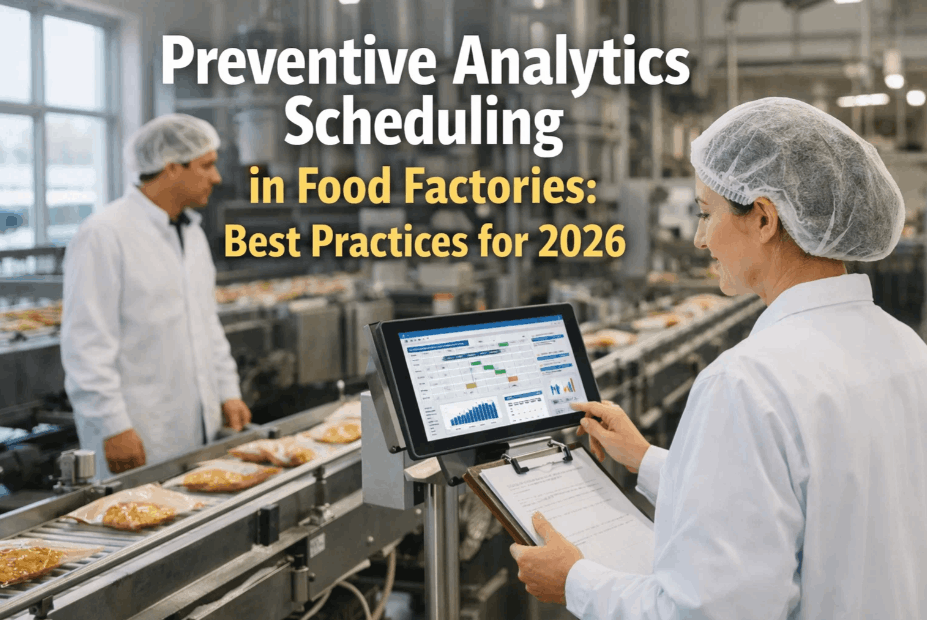
Ask five maintenance planners at five different food plants how they schedule preventive maintenance, and four of them will describe some version of the same approach: every asset gets a PM task every 30, 60, or 90 days, regardless of how hard it actually runs. That single-cadence habit is why so many food manufacturers carry PM compliance rates in the 60 to 75% range while still logging unplanned breakdowns on the very equipment their PM program was supposed to protect — the schedule is disconnected from how the asset actually wears. A properly designed PM program mixes time-based, runtime-based, cycle-count, and condition-based triggers, matched to how each specific asset fails, not a single calendar interval applied uniformly across the plant. Getting this mix right typically lifts PM compliance above 90% while cutting unplanned downtime by a third or more within two quarters. Maintenance leaders ready to redesign their PM triggers around real failure data can Book a Demo to see how iFactory maps PM strategy to asset criticality for food production lines.
Why Calendar-Only PM Fails Food Production Lines
A generic 30-day PM interval assumes every asset accumulates wear at a constant rate, which is almost never true on a food line where product mix, run hours, and seasonal demand swing production volume dramatically week to week. A filler running three shifts during peak season and one shift during a slow month should not get the same maintenance cadence — but under calendar-only scheduling, it does, and the mismatch shows up as either wasted PM labor on lightly used equipment or missed intervention on heavily used equipment that wears out faster than the calendar assumes.
Over-Maintained Low-Use Assets
Equipment that runs one shift a week still gets a 30-day PM, consuming technician hours and spare parts on components that have barely accumulated wear since the last service, while backlog on genuinely high-risk equipment waits for the same limited planner attention.
Under-Maintained High-Use Assets
A line running three shifts during peak season wears components far faster than a calendar interval accounts for, so failures happen between scheduled PMs instead of being caught ahead of time, usually at the worst possible moment during the highest-demand production window of the year.
Planner Time Spent on the Wrong Priorities
A flat schedule gives planners no signal about which PM tasks matter most this week, so backlog triage defaults to whatever is overdue rather than whatever carries the highest failure risk.
Four PM Trigger Types and When Each One Fits
Matching the right trigger type to each asset is the single highest-leverage decision in PM program design. Most food plants need all four trigger types in active use simultaneously, applied selectively based on the failure pattern of the specific equipment involved.
Time-Based
Fixed calendar interval — weekly, monthly, quarterly. Best suited to assets with wear driven by time regardless of usage, such as lubrication cycles, gasket degradation, or seasonal equipment like blast freezers, and to any regulatory-mandated inspection that must occur on a fixed schedule irrespective of production volume. This remains the right default for the majority of low-criticality plant assets, where the simplicity of a calendar interval outweighs any precision gained from more complex tracking.
Runtime-Based
Triggered by accumulated operating hours rather than calendar days. Fits motors, pumps, and compressors where wear correlates directly with hours run, allowing PM frequency to automatically stretch during slow periods and compress during peak production without manual schedule adjustment from a planner watching production volume week to week.
Cycle-Count-Based
Triggered by a count of operations — fill cycles, case pack cycles, valve actuations. This is the most accurate trigger for high-speed packaging and filling equipment, where component fatigue tracks cycle count far more precisely than either elapsed time or motor runtime.
Condition-Based
Triggered by a sensor reading crossing a defined threshold — vibration, temperature, current draw. Reserved for high-criticality assets where the cost of unplanned failure justifies the sensor investment, since this trigger type catches developing faults before either time or runtime intervals would flag anything.
Matching Trigger Type to Asset Criticality and Failure Pattern
Choosing a trigger is not guesswork once an asset's criticality and failure history are documented. The table below shows how these two factors typically map to trigger selection across a food production line, based on patterns observed across F&B CMMS deployments.
| Asset Example | Criticality | Recommended Trigger | Why |
|---|---|---|---|
| Filler drive motor | High | Runtime + condition | Wear tracks hours; failure is costly enough to justify sensors |
| Case packer gripper | High | Cycle-count | Fatigue tracks actuation count precisely |
| Blast freezer door seal | Medium | Time-based | Degrades with age regardless of usage intensity |
| Conveyor belt tension | Medium | Runtime-based | Stretch accumulates with operating hours |
| Non-critical support pump | Low | Time-based, longer interval | Low failure cost does not justify sensor investment |
This mapping is a starting point, not a fixed rule — the right trigger for any given asset ultimately depends on its specific failure history and the cost of unplanned downtime if it fails between scheduled PMs. Plants with strong historical data should let that data override the general pattern shown here whenever the two disagree, since a documented failure trend on a specific machine is always more reliable than a category-level generalization.
Building the PM Calendar: A Five-Step Design Process
Redesigning a PM program from a flat calendar into a mixed-trigger system works best as a staged rollout rather than a plant-wide rebuild in a single week. The following sequence has proven effective across single-line and multi-line food facilities.
Pull 12 Months of Failure History
Identify which assets actually failed, how often, and whether the existing PM interval caught the failure or missed it entirely, using CMMS work order history as the primary data source rather than relying on technician memory alone.
Classify by Criticality
Use the same criticality scoring applied during asset hierarchy design to prioritize which assets deserve trigger redesign first.
Assign Trigger Types Per Asset
Match trigger type to failure pattern using the criticality and history data, starting with the highest-criticality equipment.
Pilot on One Line
Run the new trigger mix on a single line for four to six weeks, comparing PM compliance and breakdown rate against the prior calendar-only approach before committing the rest of the plant to the same redesign.
Scale Plant-Wide
Roll the validated trigger mix to remaining lines, adjusting thresholds based on pilot results before full deployment.
What Changes in the Numbers After Redesign
Plants that complete a trigger redesign consistently see the same categories of improvement, typically visible within the first two quarters of operating on the new schedule mix.
These gains do not require new headcount — they come from redirecting existing PM labor toward the assets and timing that actually matter, instead of spreading it evenly across a calendar that was never designed around real failure data in the first place. That reallocation is consistently the fastest, lowest-cost improvement a maintenance department can make to its reliability numbers in a single quarter.
Case Walkthrough: Redesigning PM on a High-Speed Filling Line
A concrete example makes the trigger-mixing concept easier to apply. Consider a high-speed filling line running two to three shifts depending on season, with a drive motor, a filling head assembly, and a case packer downstream — three assets with very different failure patterns that a single calendar interval was previously trying to cover with one 30-day PM cycle across all three.
Before: Flat 30-Day Calendar PM
All three assets received identical monthly PM regardless of actual usage. During peak season, the drive motor failed twice between scheduled PMs because three-shift runtime wore bearings faster than a calendar month accounted for. During slow season, the case packer received unnecessary PM visits on a gripper mechanism that had barely cycled since the prior service.
After: Mixed-Trigger Redesign
The drive motor moved to a runtime trigger plus vibration monitoring, automatically tightening PM frequency during peak shifts. The filling head assembly moved to cycle-count tracking tied to actual fill operations. The case packer gripper moved to cycle-count as well, while the outer frame and non-wearing structural components stayed on a simple quarterly time-based check.
Within two quarters of the redesign, unplanned drive motor failures on this specific line dropped to zero, PM labor hours on the case packer during slow season fell by roughly a third, and planners reported far higher confidence that a completed PM task actually reflected the asset's real condition rather than an arbitrary date on a calendar. None of this required new equipment purchases — the drive motor's condition-based trigger used a vibration sensor that cost a small fraction of what a single unplanned failure had been costing the line in downtime and rework.
Getting Runtime and Cycle Data Into Your CMMS
Runtime and cycle-count triggers only work if the underlying data actually reaches the CMMS reliably. Food plants have three practical paths to get there, and most end up using a mix depending on the age and instrumentation of each line.
PLC / SCADA Integration
Modern lines with a PLC or SCADA layer can push runtime hours and cycle counts directly into the CMMS through an integration connector, giving fully automated, real-time trigger updates with no manual data entry required from operators or technicians on any shift.
Retrofit Runtime Meters
Older equipment without a data layer can be fitted with simple hour meters or cycle counters at relatively low cost, with readings logged manually during shift handover or scanned via a mobile CMMS app during routine rounds.
Production Schedule Proxy
Where direct metering is not feasible, production scheduling data — shift count, batch volume, run hours logged in the MES — can serve as a reasonable proxy for runtime until proper instrumentation is added, especially for a pilot phase.
Plants beginning a trigger redesign should not wait for perfect instrumentation before starting. Piloting with a production schedule proxy on one line while budgeting for PLC integration or retrofit meters over the following two quarters lets the redesign move forward immediately, with data accuracy improving progressively rather than blocking the entire project on a capital approval cycle.
Common Mistakes When Redesigning PM Triggers
Adding Sensors Before Fixing the Basics
Condition-based monitoring is powerful but expensive to deploy broadly. Plants that jump straight to sensor rollout without first fixing time and runtime triggers on the rest of the plant spend budget on the wrong problem first, and often end up with a handful of well-monitored assets sitting inside an otherwise unchanged calendar-only program.
Ignoring Seasonal Production Swings
A runtime trigger only works if runtime is actually tracked. Plants that assign runtime-based PM without integrating actual hours-run data end up back at a calendar estimate in disguise, defeating the entire purpose of moving away from time-based scheduling in the first place.
Redesigning Every Asset at Once
A plant-wide overnight redesign overwhelms planners and technicians alike. Piloting on one line first, validating the approach, then scaling produces far better long-term adoption and fewer scheduling errors during transition.
Frequently Asked Questions: PM Scheduling for Food Manufacturing
The questions below come up consistently during PM redesign projects, particularly from plants moving off a purely calendar-based approach for the first time and weighing how much instrumentation investment the transition actually requires.
How do we know which trigger type to use if we have never tracked failure history?
Start with a 90-day observation window using time-based PM as the default while logging every breakdown, near-miss, and technician observation in the CMMS. Even a short history window is usually enough to reveal which assets fail on a predictable calendar pattern versus which ones fail in correlation with runtime or cycle count, giving planners enough signal to assign the right trigger type without needing a full year of historical data before starting the redesign. Plants with an existing CMMS often find they already have more usable history than they realize once work order notes are reviewed systematically.
Do we need IoT sensors to implement condition-based PM?
For most high-criticality rotating equipment, yes — vibration, temperature, or current-draw sensors are what make condition-based triggers possible. However, condition-based PM does not need to be deployed plant-wide from day one. Reserving it for the 15 to 25% of assets flagged as high-criticality during a criticality review keeps the sensor investment focused on equipment where unplanned failure is most costly, while the rest of the plant runs effectively on time and runtime triggers that require no additional hardware investment at all.
How often should PM intervals be reviewed once the new triggers are live?
A quarterly review of PM compliance and breakdown data against the assigned trigger type is standard practice. If an asset on a runtime trigger still shows unplanned failures between scheduled PMs, that is usually a signal the interval threshold needs tightening or that the asset actually needs a condition-based trigger instead. Teams building this review cadence into their CMMS process can contact iFactory Support for a reporting template.
Will switching to mixed triggers increase PM workload for technicians?
Initially there is a modest increase in setup work — configuring runtime tracking, cycle counters, and sensor thresholds — but the ongoing workload typically decreases once the system is live, since PM tasks are no longer generated for lightly used equipment that does not need them. Most plants see total PM labor hours drop even as compliance on high-criticality assets rises, because effort shifts from evenly spread to concentrated where it actually reduces downtime, and technicians report spending less time on PM visits that turn up nothing wrong.
Can this redesign be done without disrupting current PM schedules?
Yes — the recommended pilot-then-scale approach keeps existing calendar PM active on unaffected lines while the new trigger mix is validated on a single pilot line. Nothing is torn down before the replacement is proven, which keeps the plant protected against a PM gap during the transition period and gives planners a real comparison of before-and-after performance before committing to a full rollout.