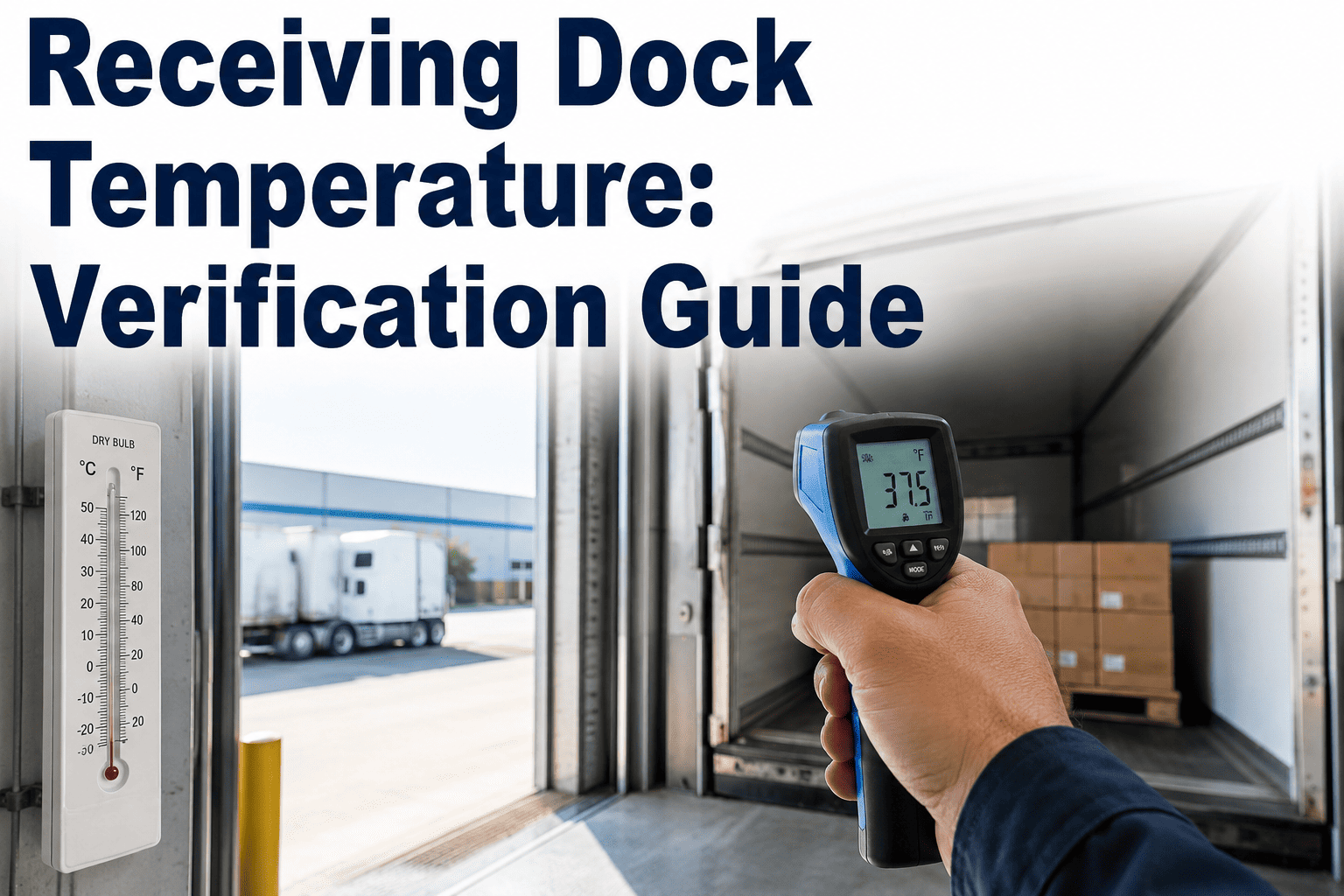
The moment a delivery truck backs up to your dock is the last point where your facility has full control over whether a shipment of perishable product entered the temperature danger zone before it ever reached your storage. A driver's claim that the reefer unit "held temp the whole way" is not a food safety record, and product that looks fine on the outside can already carry an internal temperature that puts your entire receiving program at risk the moment it is accepted. Receiving dock temperature verification is the checkpoint where a written rejection criteria, a calibrated probe, and a documented log either catch a problem before it enters your facility or let it pass through to become someone else's problem downstream. See how automated receiving verification closes this gap when you book a demo.
FOOD SAFETY · RECEIVING VERIFICATION · DOCK TEMPERATURE COMPLIANCE
Every Truck at Your Dock Is a Temperature Decision You Only Get to Make Once
iFactory's AI-connected probes and dock workflow tools turn every incoming delivery into a documented, defensible accept-or-reject decision made in seconds, not a guess based on the trailer's dashboard readout.
THE VERIFICATION SEQUENCE
Four Checks Every Delivery Should Pass Before It Leaves the Dock
Receiving temperature verification is not a single measurement, it is a short sequence of checks that together confirm the product was held correctly for the entire transit, not just at the moment the driver opened the trailer door. Skipping any one of these steps leaves a gap that a single favorable reading cannot close.
1
Trailer Ambient Check
Before product is unloaded, check the trailer's internal air temperature to confirm the reefer unit was maintaining the correct range, since a malfunctioning unit affects every pallet inside regardless of individual product readings.
2
Product Core Temperature
Insert a calibrated probe into the core of representative product units across multiple pallets and pallet positions, since edge units and center units often show different readings depending on load pattern and airflow within the trailer.
3
Visual and Packaging Inspection
Check for condensation, ice crystals, package damage, or signs of prior thawing and refreezing, all of which indicate a temperature excursion occurred earlier in transit even if the current reading falls within range.
4
Documentation and Decision
Record every reading against the written rejection criteria for that product category, and log the accept or reject decision immediately, since undocumented verbal decisions provide no defense during an audit or a foodborne illness investigation.
REJECTION CRITERIA BY PRODUCT TYPE
Temperature Thresholds That Should Trigger an Automatic Rejection
Rejection criteria should be written and specific to each product category before the delivery arrives, not decided in the moment by whichever staff member happens to be at the dock. The ranges below reflect commonly applied thresholds, though your written program should be set with your quality and food safety team.
Frozen Product
Core temperature should read at or below 0°F on arrival. Any reading above this threshold, or visible evidence of partial thawing such as ice crystals inside packaging or liquid pooling, should trigger rejection regardless of the trailer's ambient reading.
Refrigerated Product
Core temperature should read at or below 41°F on arrival, with most written programs setting a tighter internal target around 38°F to build in a margin before product reaches the regulatory threshold during subsequent handling and storage.
Live Shellfish and Seafood
Live shellfish require verification of both temperature and accompanying shellstock tags, since a compliant temperature reading without proper harvest area documentation is still a rejection under most seafood receiving programs.
Ambient Shelf-Stable Product
While not temperature-controlled in the same sense, ambient product delivered in extreme heat or cold should still be checked for signs of temperature-related damage such as can swelling, packaging seal failure, or condensation indicating a temperature swing occurred.
Turn Every Delivery Into a Documented, Defensible Decision
iFactory connects receiving dock probes and checklists into one workflow, capturing every trailer, product, and rejection decision automatically so nothing depends on a driver's word or a staff member's memory.
WHY MANUAL RECEIVING LOGS FAIL
The Gaps That Show Up When Receiving Verification Is Paper-Based
Paper receiving logs are still the default at most facilities, and they tend to fail in predictable ways, particularly during high-volume delivery windows when multiple trucks arrive at once and dock staff are under the most time pressure to move product quickly.
30-40%
Portion of paper receiving logs found to have missing or estimated entries during typical internal audits.
Minutes
Time pressure during multi-truck delivery windows that leads staff to skip full pallet-position sampling.
No Trace
Level of auditability a verbal accept decision provides if a foodborne illness investigation traces back to a delivery.
Seconds
Time an automated Bluetooth or wireless probe reading takes to log directly into a digital receiving record.
TRADITIONAL VS AUTOMATED RECEIVING VERIFICATION
What Changes When Dock Verification Becomes a Connected Workflow
The comparison below reflects the operational differences reported by distribution centers and food processors after moving from paper-based dock checks to a connected verification workflow.
| Verification Factor |
Manual Paper Log |
Connected Digital Workflow |
| Reading Capture |
Handwritten after probe check |
Automatically logged from connected probe |
| Rejection Criteria Application |
Relies on staff memory of written policy |
System flags out-of-range readings instantly |
| Photo Evidence of Damage |
Rarely captured consistently |
Attached directly to the delivery record |
| Audit Trail Completeness |
Gaps common during busy periods |
Every delivery logged without exception |
| Supplier Performance Tracking |
Difficult to aggregate across deliveries |
Automatic trend reporting by supplier and route |
FREQUENTLY ASKED QUESTIONS
What Receiving Teams Ask About Dock Temperature Verification
Should the trailer ambient reading or the product core temperature take priority in a rejection decision?
Product core temperature should generally take priority, since it directly reflects the condition of the food itself, but a trailer ambient reading well outside the expected range is a strong signal to sample more pallets and positions before making a final decision, because a malfunctioning reefer unit rarely affects only the pallets nearest the door. Using both readings together provides a more complete picture than relying on either alone.
Book a demo to see how combined ambient and core readings feed into an automated accept or reject recommendation.
How many pallets or units should be sampled on a typical delivery?
Sampling depth should scale with delivery size and product risk category, with most written programs requiring checks at multiple pallet positions, including the front, middle, and rear of the trailer, plus additional checks whenever a visual inspection raises any concern. A statistically meaningful sample matters far more than a single reading taken at the most convenient pallet near the door.
Contact our support team for a sampling plan template scaled to your typical delivery volume.
What should happen when a delivery is rejected at the dock?
A rejected delivery should be documented immediately with the specific reading or defect that triggered the rejection, photographed where relevant, and communicated to the supplier through a formal notice rather than a verbal call alone, since this documentation becomes the basis for any credit, replacement, or supplier corrective action process that follows.
Book a demo to see the rejection documentation workflow end to end.
Can receiving verification data be used to evaluate carrier and supplier performance over time?
Yes, when receiving readings are captured digitally rather than on paper, the data can be aggregated across weeks and months to identify carriers or suppliers with a pattern of borderline or failing temperature readings, which is difficult to see when each delivery's record sits in a separate paper log with no easy way to compare across deliveries.
Book a demo to see supplier performance trending built from receiving data.
Do wireless receiving probes need to be recalibrated as often as handheld thermometers?
Connected receiving probes generally follow the same calibration schedule as any other food-grade temperature probe, and the platform can track calibration due dates automatically, flagging any probe approaching its recalibration window so a dock team never unknowingly relies on a probe that has drifted out of tolerance.
Contact our support team for calibration tracking and probe management details.
The Dock Is the Last Chance to Catch a Temperature Problem Before It Becomes Yours
iFactory turns every delivery into a fast, documented, defensible verification, with automated readings, rejection criteria, and audit-ready logs. Book a demo and see it running on your receiving dock.