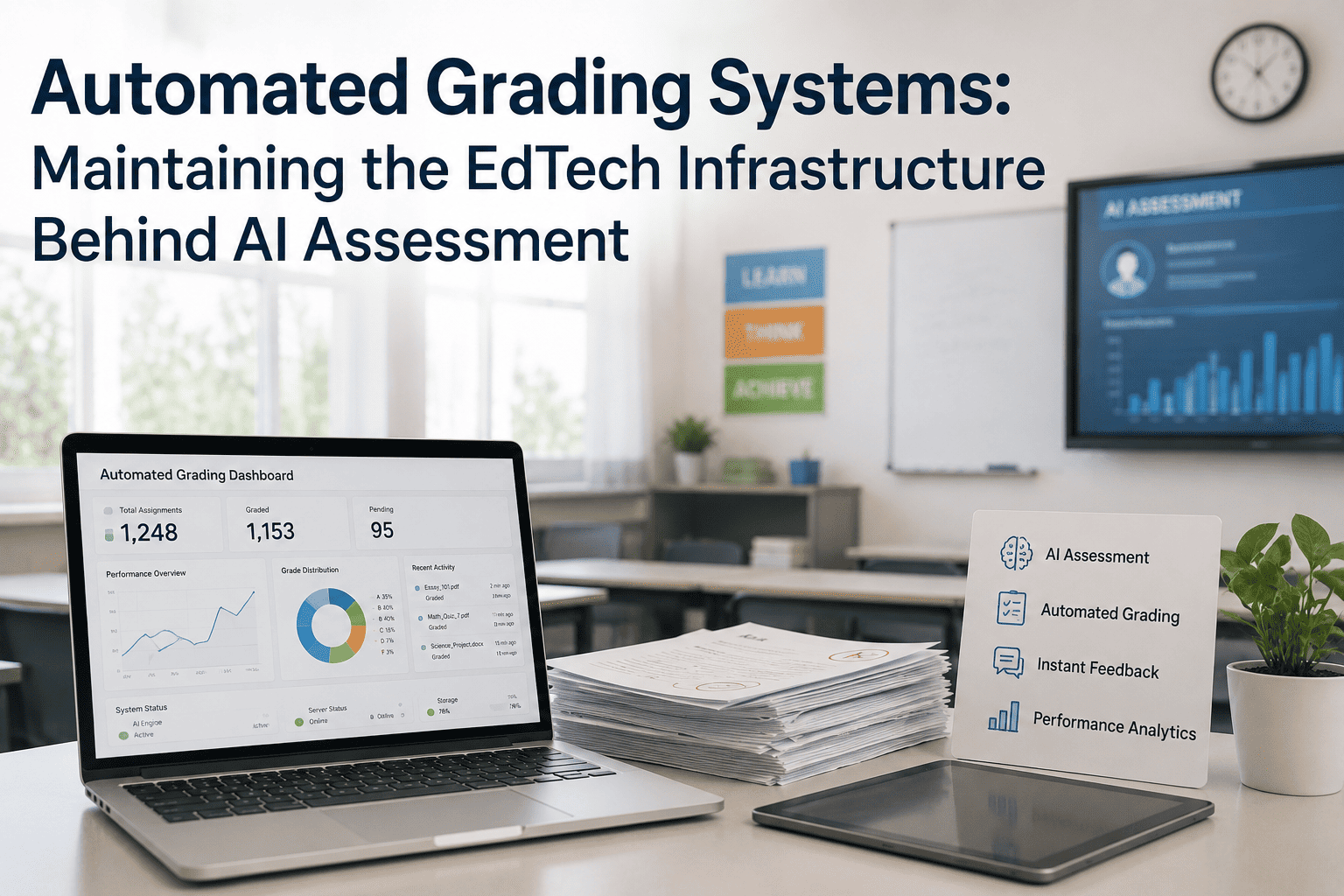
Automated grading and AI assessment tools transform how schools evaluate student work — but they're only as reliable as the infrastructure behind them. A district invests in premium AI grading software, deploys it to 500 student devices, and launches the system. Within a week, servers go down during high-demand testing windows. Network bandwidth gets consumed, causing assessment timeouts. Power failures interrupt mid-assessment. Device firmware becomes outdated and incompatible. The premium software becomes unreliable. Schools realize: assessment technology is only effective if the infrastructure is managed. Device management, network reliability, power backup, and server analytics aren't "nice-to-have" — they're prerequisites. This guide explains the five pillars of EdTech infrastructure that enable automated grading at scale, shows real school scenarios where infrastructure failures tank assessment systems, and explains how AI-driven asset tracking helps schools maintain uptime and performance. See how schools maintain AI assessment infrastructure — Book Demo with Us.
Automated Grading Systems: Maintaining the EdTech Infrastructure Behind AI Assessment
Device management at scale · Network reliability · Power resilience · Server analytics · AI-driven asset lifecycle tracking for schools.
Why EdTech Infrastructure Is the Backbone of AI Assessment
An AI grading system evaluates student essays, auto-grades multiple-choice, and provides feedback. Behind the scenes: 500 student devices submit assessments simultaneously, network carries the data, servers process grading logic, databases store results, backup systems ensure no data loss, power systems keep servers running. If any component fails, the system fails. A network saturation event causes timeouts. Assessment incomplete. Students retake the assessment. Data gets duplicated. Results become unreliable. Schools blame the AI grading software, but the real problem was infrastructure. Districts managing infrastructure proactively — tracking device health, monitoring network capacity, maintaining power backups, analyzing server load — achieve 99.5% uptime. Districts that ignore infrastructure see 85–90% uptime, with frequent unexpected failures during peak testing windows.
Five Critical Infrastructure Pillars for AI Assessment
Real School Scenarios: Infrastructure Failure Impact on AI Assessment
Scenario: District deploys AI-graded science assessment to 2,000 students across 10 schools. State-mandated testing window: Tuesday 9 AM – 3 PM. Network designed for 50 concurrent users (routine), not 2,000 (peak).
What Happened: 9:15 AM: First 500 students submitting assessments. Network saturates. Submissions timeout. Students refresh page. Resubmit. Duplicate submissions. Assessment data integrity compromised. Teachers have to manually validate which submissions are valid. 2-hour delay in availability of assessment results.
With Infrastructure Planning: District had identified peak assessment bandwidth (10 Mbps × 2,000 students) and upgraded network to 100 Mbps before testing. Added dedicated VLAN for assessment traffic. Monitored bandwidth in real-time. Peak window hit. Network handled all 2,000 submissions without saturation. Results available same day.
Scenario: School deploys AI grading app v3.2 to 500 student devices. A few devices running older OS (iOS 13) don't receive the automatic update notification.
What Happened: 100 devices running incompatible OS/app combo. When students try to take assessment, app crashes. "System Error. Please reinstall app." Students give up or restart devices. Assessment incomplete. 100 students can't take the test. School must reschedule or manually assess those 100 students.
With Device Management: MDM platform has centralized visibility of all devices. Before app v3.2 deployment, system flags: "100 devices running iOS 13 (EOL). Recommend OS upgrade before app deployment." IT pre-upgrades those 100 devices. App v3.2 deploys successfully to all 500. Zero compatibility issues.
Scenario: School assessment server protected by UPS (5 years old, battery never replaced). Brief power outage (lightning strike). UPS supposed to bridge power until graceful shutdown. UPS battery degraded and can't hold charge. Server crashes immediately.
What Happened: 50 students mid-assessment when server crashes. Assessment data partially written to database. Data corruption. IT spends 6 hours manually recovering database from backups. Lost 2 hours of assessment submissions. Must ask 50 students to reassess. Disruption to entire next day's schedule.
With Infrastructure Monitoring: System monitors UPS battery health (voltage, capacity, age). 6 months before failure, alert: "UPS battery 5 years old, capacity degraded 30%. Replace battery within 6 months." IT orders replacement battery, installs it. When power outage occurs, UPS holds power for 5 minutes. Graceful shutdown initiated. Zero data loss.
Infrastructure Assessment Checklist: Is Your District Ready for AI Assessment?
| Infrastructure Pillar | Assessment Question | Action If "No" |
|---|---|---|
| Device Management | Do you have centralized MDM managing OS updates on all assessment devices? | Deploy MDM solution (Jamf, Intune, etc.). Establish device compliance baseline. Set auto-update policy. |
| Device Monitoring | Can you identify which devices are non-compliant (outdated OS, failed updates, low storage) in real-time? | Enable device health monitoring. Set alerts for devices below compliance threshold. Monthly audit of device status. |
| Network Capacity | Have you calculated peak assessment bandwidth (# of devices × 5–10 Mbps per device)? | Run network capacity test during simulated peak load. If saturated, upgrade network or split into multiple testing windows. |
| Network Monitoring | Do you monitor network bandwidth and latency during assessment windows? | Deploy network monitoring tool. Set thresholds for bandwidth utilization (70% alert, 85% critical). Monitor real-time during assessments. |
| Power Backup | Is your assessment server protected by UPS with adequate battery capacity? | Install UPS rated for expected server load (typically 1–2 kVA per server). Verify battery hold time ≥ 5 minutes. |
| UPS Maintenance | Do you have a schedule to replace UPS batteries every 3–5 years? | Record UPS installation date. Set 3-year reminder to replace battery. Test UPS quarterly with brief power disconnection. |
| Server Monitoring | Do you monitor CPU, memory, disk, and database performance on assessment servers? | Deploy server monitoring tool (Datadog, New Relic, etc.). Set alerts at 70% thresholds. Check dashboards daily during peak seasons. |
| Server Scaling Plan | If server CPU hits 85% during assessments, do you have a plan to scale (add server, optimize code, etc.)? | Develop scaling plan before peak testing. Budget for additional server if needed. Test scaling procedure in non-production environment. |
| Asset Tracking | Do you have a central inventory of all assessment infrastructure (devices, servers, switches, UPS, backups) with purchase dates and warranty status? | Create asset inventory spreadsheet or deploy asset management tool. Document all equipment with purchase date, warranty, maintenance schedule. |
| Predictive Maintenance | Do you have a process to predict equipment failures (device age, UPS battery capacity, server disk fill rate) before they happen? | Enable predictive analytics on devices and infrastructure. Set proactive replacement schedule based on age/usage patterns. Replace devices at 80% of expected lifetime. |
Benefits of Proactive Infrastructure Management
Frequently Asked Questions
Build a Resilient EdTech Infrastructure for Reliable AI Assessment
Device management, network reliability, power resilience, server analytics, and AI-driven asset tracking ensure 99.5% uptime for your assessment system. Proactive infrastructure management eliminates 60–70% of assessment failures. Stop reactively managing failures and start proactively preventing them.