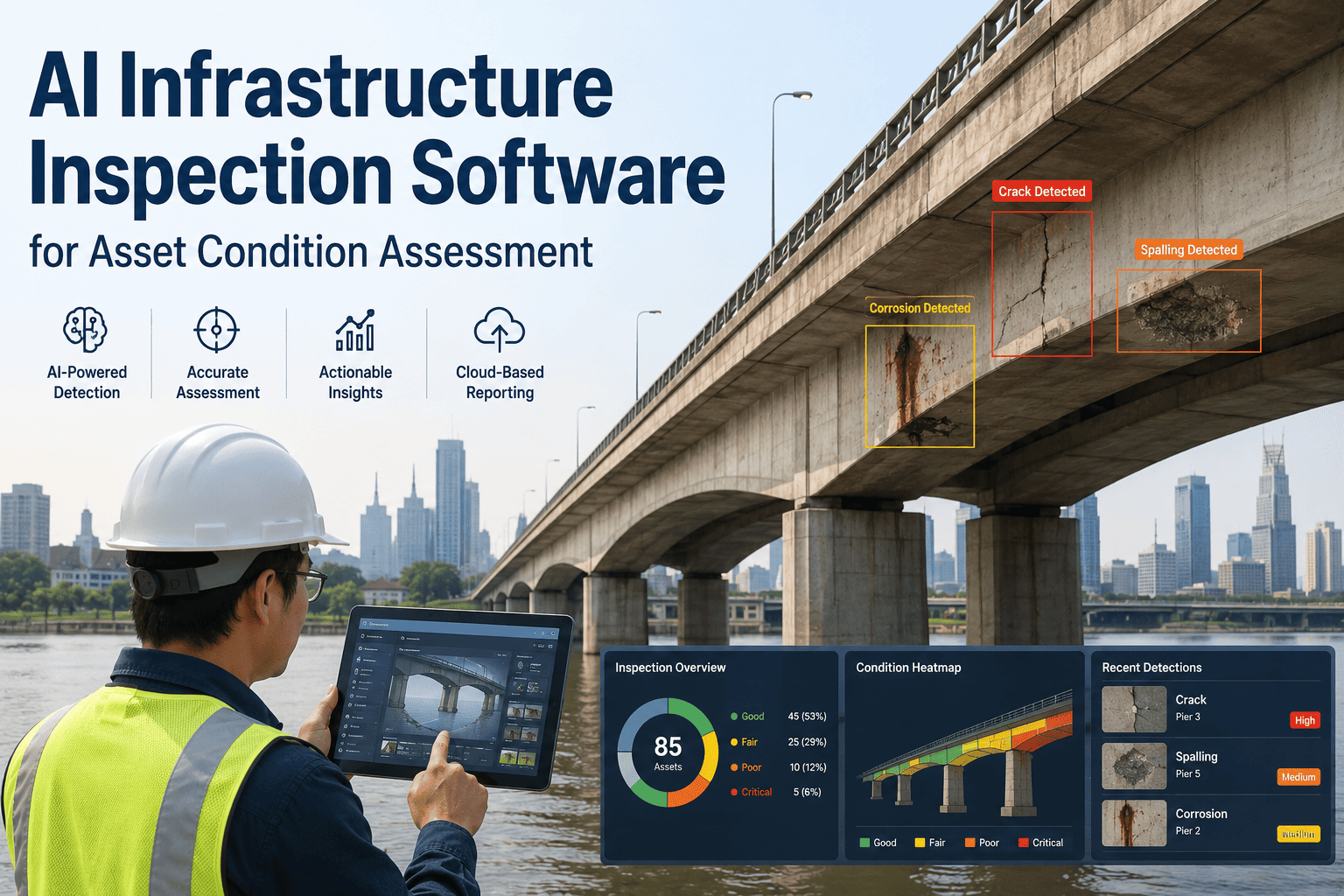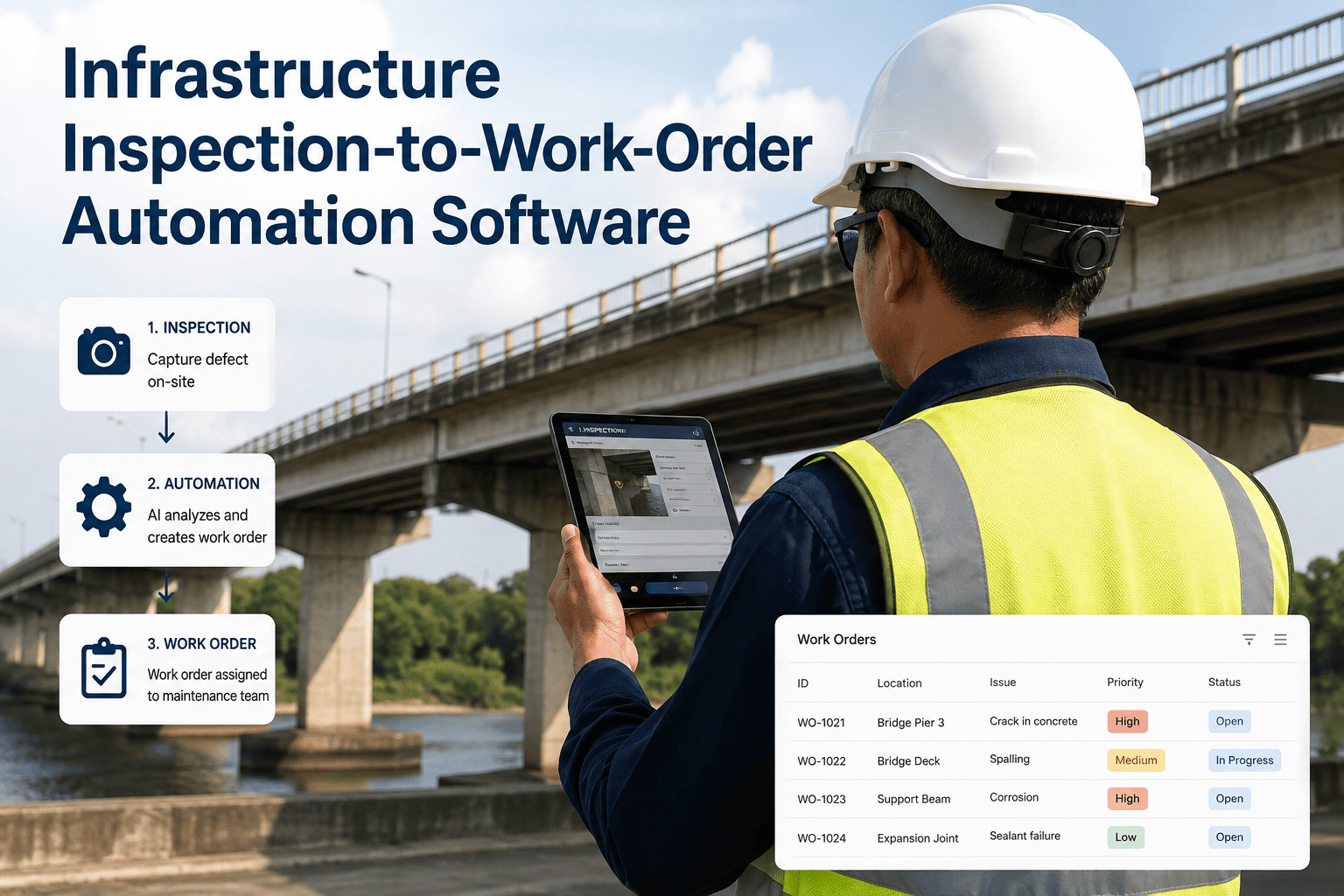
An inspector finds a cracked support bracket on a bridge deck, logs it in a mobile app, and then the finding sits. Somebody has to read the report, decide how urgent it actually is, figure out which crew has the right skills and is closest to the site, write up a work order, and attach the photos so the crew knows what they are walking into. That handoff, done by hand, is where good inspection data goes to die in a queue, and it is exactly the gap that inspection-to-work-order automation is built to close. See how ifactory support connects the two steps into one continuous workflow.
Turn Every Inspection Finding Into a Prioritized Work Order Automatically
Defect severity scoring, crew matching, evidence capture, and maintenance history, all generated the moment an inspection closes, so nothing waits in someone's inbox for a manual triage pass.
The Gap Between Finding a Defect and Fixing It
Infrastructure teams have gotten good at finding problems. Drone surveys, sensor networks, and mobile inspection apps generate more defect data than most plants have ever had access to. The bottleneck has quietly shifted downstream, to the manual work of turning that data into an actual repair: someone has to read every finding, judge how severe it really is, decide who should fix it and when, and make sure the photos and location data travel with the work order instead of getting separated in a different system. When that translation step is manual, urgent findings sit in the same queue as routine ones until a person gets around to sorting them.
How a Finding Becomes a Work Order in Minutes, Not Days
The automation sits between the inspection and the maintenance queue, translating raw findings into ranked, assignable work without a person manually rekeying anything. Each step happens automatically, in sequence, from the moment a defect is logged to the moment a qualified crew has everything they need to fix it.
What the Automation Actually Does at Each Step
Behind that flow sits a set of specific capabilities working together, each one replacing a piece of manual coordination that used to require a phone call, a spreadsheet lookup, or a supervisor's memory of who was free that day.
What Automated Triage Actually Changes in the Numbers
Structured, automated prioritization does not just feel faster, it measurably changes how a maintenance team spends its time. Once severity scoring and crew matching happen automatically, the volume of work orders that still require a human to manually review before dispatch drops sharply, freeing supervisors from a task that used to consume a meaningful part of every morning.
Want to see what these numbers would look like against your own backlog? Send us a sample of your recent findings and we will walk through the scoring live.
What Field Teams Say Once the Handoff Is Automated
A Side-by-Side Look at the Full Workflow
| Workflow Step | Manual Process | Automated Process |
|---|---|---|
| Severity assessment | Reviewed by a person, hours to days later | Scored automatically in seconds |
| Work order creation | Typed up manually from the inspection report | Generated directly from the finding record |
| Crew assignment | Phone calls and manual schedule checks | Matched by skill, proximity, and availability |
| Evidence handoff | Photos and notes tracked down separately | Attached automatically to the work order |
| Repair history | Updated after the fact, if at all | Linked to the asset record immediately on close |
Stop Losing Days Between a Finding and a Fix
Bring your current inspection-to-repair workflow to the call. We will show you exactly where automation removes the delay.
Where This Kind of Automation Commonly Falls Short
The most common failure mode is automating the scoring step but leaving evidence handling manual, so a work order gets prioritized correctly but the crew still has to track down photos and inspector notes in a separate system before they can start work. A second common gap is severity scoring that ignores asset criticality, treating a hairline crack on a low-traffic footbridge the same as an identical crack on a load-bearing highway support, which produces a priority queue that looks structured but is not actually ranked by real consequence. A third gap is a system that generates work orders but never closes the loop back to maintenance history, so the next inspection of the same asset starts from zero instead of benefiting from everything learned during the last repair. Avoiding all three means insisting that severity scoring, evidence capture, and history linkage are part of one connected system rather than three separate tools that happen to sit near each other.
A fourth gap worth watching for is automation that scores and routes findings correctly but provides no visibility into why a particular priority was assigned. Crews and supervisors are far more likely to trust and act on an automated queue when they can see the specific factors, defect severity, asset criticality, and safety impact, that produced a given ranking, rather than treating the system as a black box. Transparent scoring also makes it easier to catch a miscalibrated rule before it silently deprioritizes something that genuinely needed urgent attention.
Frequently Asked Questions
Connect Every Inspection Directly to a Prioritized Work Order
Bring your current inspection and work order process to the call. We will show you what automated severity scoring and dispatch would look like on your own backlog.